
Meta Tags for SEO: What Most SME Websites Get Wrong
Table of Contents
Meta tags are small lines of HTML code that most visitors never see, yet they shape almost every first impression your website makes in search results. They tell Google what a page is about, control whether it gets indexed, and determine the snippet of text that either earns a click or loses one to a competitor.
For SMEs across Northern Ireland, Ireland, and the UK, getting this right matters more than ever. AI-powered search is now pulling directly from metadata to populate summaries and citations, meaning a poorly written title tag or missing description costs you visibility in both traditional and AI-driven results.
This guide covers the tags that actually move the needle, the mistakes that drag rankings down, and a practical audit process you can run on your own site today. We also look at how businesses using platforms like WordPress, Shopify, and Webflow should approach each tag differently.
What Meta Tags Are and Why They Still Matter
Meta tags sit inside the <head> section of a webpage’s HTML. Search engine bots read them before they reach any visible content. Understanding what each tag does, and what it does not do, is the starting point for getting them right.
The difference between ranking signals and CTR signals
A common misconception is that every meta tag directly influences rankings. That is not accurate, and conflating the two leads to wasted effort. The title tag carries genuine ranking weight because it signals the page’s topic to crawlers. The meta description, by contrast, does not affect ranking position at all. What it does affect is whether a user chooses your result over the nine others on the same page.
This distinction matters strategically. Your SEO strategy should treat the title tag as a keyword placement decision and the meta description as conversion copy. They serve different purposes and should be written with different goals in mind.
How AI search has changed the stakes
Google’s AI Overviews and tools like Perplexity now extract text from meta descriptions to populate zero-click summaries. Research from Ahrefs found that pages covering multiple sub-questions within a topic are 161% more likely to be cited in AI Overviews. A well-structured, answer-first description increases the chance of being included in those summaries.
AI crawlers such as GPTBot and CCBot also read the robot’s meta tag to decide whether content can be used for model training. For UK businesses concerned about how their content is used, this tag has taken on a compliance dimension it did not have two years ago. More on that in the compliance section below.
Why most SME sites are still getting this wrong
The majority of SME websites ProfileTree audits have at least one of three problems: duplicate meta descriptions copied across multiple pages, title tags that exceed 60 characters and get truncated in results, or missing descriptions that force Google to auto-generate a snippet from body copy. None of these is technically complex to fix, but they each cost clicks every day they remain unresolved.
Understanding meta keywords and their history helps explain why many older sites still carry outdated tags that do nothing, or worse, signal spam to modern filters.
The Essential Meta Tags Now
Four meta tags do the meaningful work on most websites. Everything else is either supplementary or obsolete. Below is a practical breakdown of each one, including the mistakes that appear most often in SME audits.
Title tags: the anchor of your search presence
The title tag appears as the blue clickable headline in search results. It is the single most important on-page SEO element, and it needs to include the primary keyword as close to the beginning as possible. Google allows roughly 600 pixels of display width, which typically corresponds to 50 to 60 characters. Go beyond that, and the title gets cut off mid-sentence.
A well-structured title tag follows this pattern: Primary Keyword: Specific Benefit or Angle | Brand Name. The brand name at the end is optional for long titles, but keeping it consistent across the site reinforces brand recognition in repeated search impressions.
One technical point worth noting: the title tag and the H1 heading on the page should be related but not identical. The title tag is written for the search result; the H1 is written for the person who has already clicked. Different audiences, different copy.
Meta descriptions: writing copy that earns the click
Google rewrites meta descriptions in around 60% of cases. The main trigger for a rewrite is a mismatch between what the description says and what the query actually needs. Writing descriptions that closely match search intent, rather than simply summarising the page, reduces the likelihood of an automated replacement that may be less compelling than your original.
Keep descriptions between 140 and 160 characters. Place the primary keyword within the first 100 characters, since AI systems weigh the opening of a description more heavily when generating summaries. End with a clear, specific prompt that tells the user what they will get by clicking, not a generic “read more” instruction.
As ProfileTree founder Ciaran Connolly notes, “A well-crafted meta description should mirror the core message of your page and give the searcher a reason to choose your result. It’s your one line of copy in a sea of ten.”
Meta robots: controlling what gets indexed
The robots meta tag tells search engine crawlers whether to index a page and whether to follow its links. The default behaviour, if no tag is present, is to index and follow. Most pages do not need an explicit robots tag at all. Where it becomes important is on pages you actively want excluded, such as admin pages, thank-you pages after form submissions, or duplicate content generated by URL parameters.
In 2026, this tag has acquired a new application: signalling to AI crawlers. The noai directive is now recognised by some AI training systems, giving publishers a mechanism to opt out of having their content used in model training. For UK and Irish businesses in regulated sectors, this is worth discussing with your development team. For more on how AI agents interact with page structure, the ProfileTree guide on AI indexing covers the technical details.
Viewport tags: mobile compliance and user experience
The viewport meta tag controls how a page scales on mobile devices. Without it, a mobile browser renders the page at desktop width and then shrinks it, producing a near-unusable experience. The standard implementation is <meta name="viewport" content="width=device-width, initial-scale=1.0"> and it should be present on every page without exception.
Google uses mobile-first indexing, meaning it crawls and evaluates the mobile version of your site. A missing viewport tag signals to Google that the mobile experience has not been considered, which feeds into page experience signals. The knock-on effect on rankings is indirect but real.
| Tag | Impact on Ranking | Impact on CTR | Impact on AI Visibility |
|---|---|---|---|
| Title Tag | High | High | High |
| Meta Description | None | High | High |
| Meta Robots | Indirect (controls indexation) | None | Moderate (AI crawler directives) |
| Viewport | Indirect (page experience) | None | None |
| Open Graph / Twitter Card | None | Social only | Low |
| Meta Keywords | None | None | None |
Social and Semantic Meta Tags
Beyond the essential four, a second tier of tags controls how your content appears when shared on social platforms and how search engines interpret the relationships between entities on your site. These do not directly influence Google rankings, but they affect distribution, brand perception, and the accuracy of AI-generated summaries.
Open Graph and Twitter Card tags
Open Graph (OG) tags were developed by Meta to standardise how URLs display when shared on Facebook, LinkedIn, and WhatsApp. Without them, social platforms pull whatever image and text they find first, often with poor results. The three tags you need on every page are og:title, og:description, and og:image.
Twitter Cards work on the same principle for X (formerly Twitter). The twitter:card tag is set to summary_large_image produces a large preview image rather than a small thumbnail, which consistently generates higher engagement in shared posts. Most SEO plugins for WordPress handle both OG and Twitter Card tags automatically, but it is worth auditing whether the og:image dimensions meet each platform’s current specifications.
For businesses running active social media marketing, getting OG tags right is a basic quality control step. A broken preview image or a truncated OG title on a shared blog post is a visible brand failure that an SEO plugin configuration can prevent entirely.
Schema markup and its relationship to meta tags
Schema markup (structured data) is sometimes confused with meta tags because both live in the technical layer of a page. They serve different purposes. Meta tags provide brief descriptive signals in the <head>. Schema markup, placed either in the <head> or at the bottom of the <body> page using JSON-LD format, tells search engines the meaning and type of the content, not just what it says.
The two work together rather than in competition. A page with an accurate title tag and meta description, combined with Article or FAQPage schema, gives Google more structured information to work from when deciding whether to generate a rich result or feature snippet. For SMEs with service pages, the LocalBusiness schema adds location and contact data that feeds directly into Google Maps and Knowledge Panel results.
The article:published_time tag and AI citation
One underused tag that has gained significance in the context of AI Overviews is article:published_time and its companion article:modified_time. These Open Graph properties tell crawlers when content was first published and when it was last updated. Research from Ahrefs found that content cited in AI answers is 25.7% fresher than content in standard organic results.
Setting these tags accurately and updating the modified date whenever you add substantive new content signals genuine freshness rather than just cosmetic date changes. This is one of the lower-effort improvements available to any site running a content management system with a solid digital strategy in place.
UK and Ireland Compliance Context
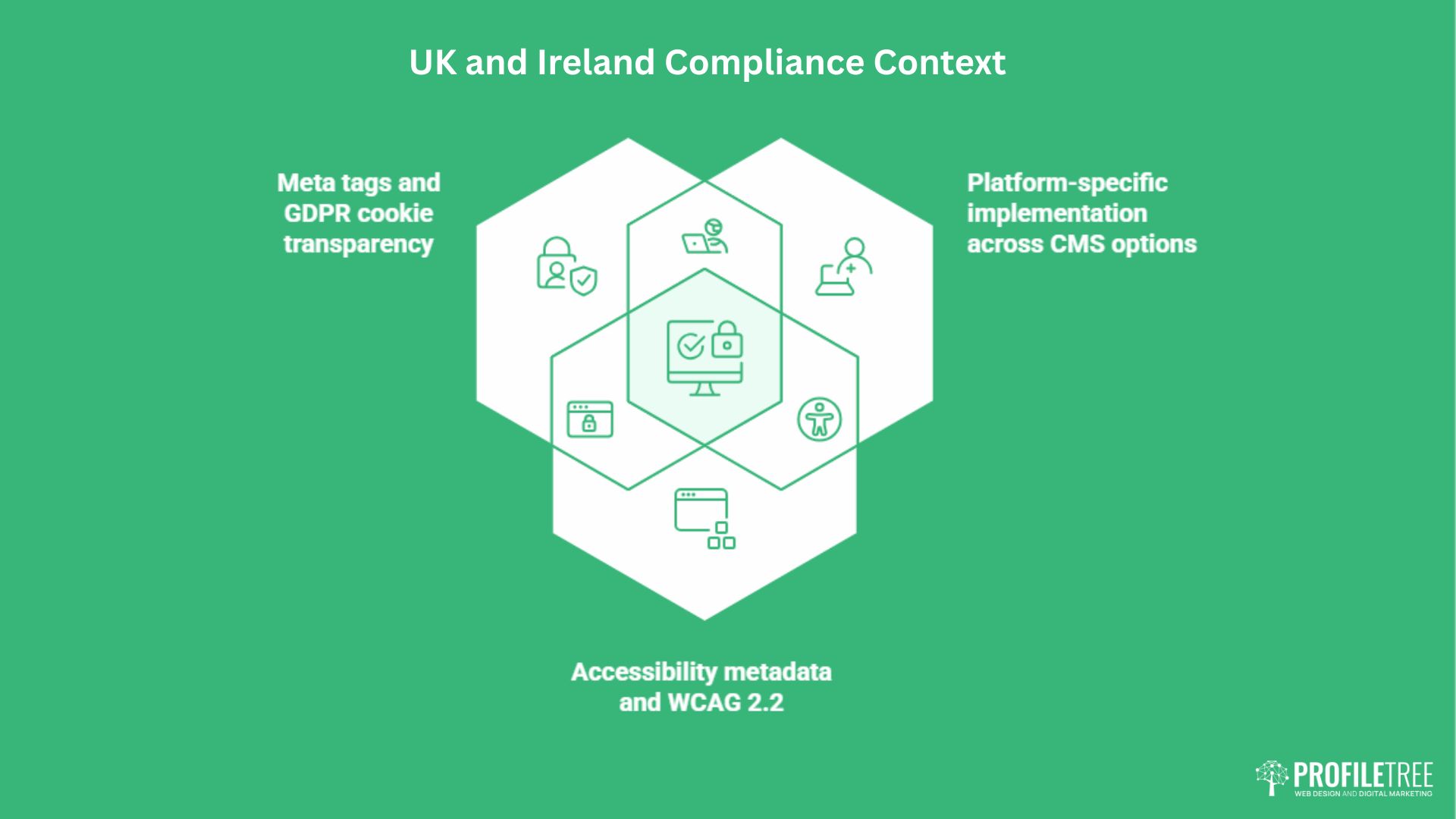
Most meta tag guides are written without a specific regional context. For businesses operating under UK GDPR and the Privacy and Electronic Communications Regulations (PECR), or serving audiences where accessibility law applies, a small number of metadata considerations go beyond pure SEO.
Meta tags and GDPR cookie transparency
GDPR and PECR do not mandate specific meta tags, but they do affect how consent management platforms (CMPs) interact with your page’s <head>. Some CMP implementations use meta-equivalent signals to communicate consent status to analytics scripts before they fire. If your site serves users across Northern Ireland, the Republic of Ireland, and Great Britain simultaneously, the consent logic can become complex depending on which regulatory framework applies to each user’s jurisdiction.
The practical implication is that your robots meta tag should never inadvertently expose a consent or thank-you page to indexation. Pages generated by form submissions, newsletter confirmations, or post-checkout flows should carry a noindex directive to prevent Google from ranking them, which would also expose URLs that may contain session or user parameters.
Northern Ireland businesses working with public sector clients or in regulated industries should also be aware of the growing guidance on Northern Ireland’s digital context and the broader compliance considerations that regional operations sit within.
Accessibility metadata and WCAG 2.2
The Web Content Accessibility Guidelines (WCAG) 2.2, which became the standard referenced in UK public sector accessibility regulations, do not prescribe specific meta tags. However, they do require that page titles are descriptive and identify both the page topic and the site. This aligns directly with good title tag practice: a title tag that reads “Home | Company Name” fails both SEO best practice and accessibility requirements simultaneously.
The lang attribute on the <html> element, while not technically a meta tag, performs a similar signalling function for screen readers and translation tools. For bilingual sites serving both English and Irish-language audiences, setting this correctly across all page templates is a compliance requirement, not an optional refinement.
Platform-specific implementation across CMS options
How you implement meta tags depends on the platform your site runs on. WordPress users with the Rank Math or Yoast SEO plugin installed can manage title tags and meta descriptions through a page-level interface without touching HTML. Shopify has a dedicated SEO section within each product and collection page editor. Webflow exposes meta fields in the page settings panel, while Squarespace handles them through the page settings dialogue under the SEO tab.
The risk with plugin-based implementations is inconsistency. A migration from one plugin to another, or a theme change on WordPress, can strip custom meta descriptions and revert to auto-generated values. Running a periodic crawl using a tool like Screaming Frog or Ahrefs Site Audit after any major platform change is the safest way to catch these regressions before they affect performance. If your site has recently undergone development work, a full SEO review will surface these issues systematically.
How to Audit Your Meta Tags
An audit does not need to be complicated. The goal is to identify the three most common failure modes: missing tags, duplicate tags, and tags that do not match search intent. A systematic sweep of your site’s most important pages, done in order of traffic priority, produces a workable fix list within a few hours.
What to look for and where to start
Begin with your ten highest-traffic pages as identified in Google Search Console. For each one, check: is the title tag under 60 characters, and does it include the primary keyword near the start? Does a unique meta description exist? Does that description match what the page actually delivers to someone searching the primary query?
Checking title length by character count alone misses the pixel-width issue. Google measures display space in pixels, not characters. An uppercase-heavy title of 55 characters may still truncate because capital letters are wider than lowercase ones. Tools like the Moz Title Tag Preview or Portent’s SERP snippet tool render the title at actual display width, which is a more reliable check than counting characters manually.
For the meta description, the most useful test is to read it alongside the top three competing results for your primary keyword. If yours is vaguer, less specific, or does not include a clear reason to click, it will lose most users to a competitor. Rewriting it is a content task, not a development task, and the impact on CTR is often visible within weeks of Google re-crawling the page.
Identifying duplicate and missing tags at scale
For sites with more than 30 pages, a manual audit becomes impractical. A crawl tool is needed. Screaming Frog’s free tier handles up to 500 URLs and exports a spreadsheet of every title tag and meta description on the site, flagged by length, missing status, and duplicate instances. Sorting the export by “duplicate” first surfaces the most damaging issues immediately.
Missing descriptions should be prioritised by page importance: service pages and high-traffic blog posts first. Duplicate descriptions, which occur most often on category pages, tag archives, and paginated content, should be addressed in the CMS settings rather than individually. WordPress users can set global noindex rules for archive and tag pages via their SEO plugin to prevent low-value duplicate content from accumulating.
Building a consistent process around meta tag review fits naturally within a broader content audit framework. Treating meta tags as part of a regular content health check, rather than a one-time setup task, keeps them aligned with how the site’s content and keyword strategy evolve over time.
Tags that no longer serve any purpose
Several meta tags that were standard practice in the early 2000s now serve no useful purpose. The meta keywords tag has been ignored by Google since 2009. Bing officially stopped using it as a ranking signal in 2011. Leaving it in place does not harm rankings, but it clutters the <head> and can, in theory, signal to spam filters that the page was built with outdated or low-quality SEO practices.
The revisit-after tag, which was intended to tell search engines how frequently to re-crawl a page, has no effect on any major search engine. Neither does the meta author tag in most contexts, unless you are explicitly building author entity signals for a specific bylined content strategy. Strip these out during any technical refresh. A leaner <head> is faster to parse and easier to maintain. ProfileTree’s website development services include this kind of technical clean-up as standard during any rebuild or migration project.
Conclusion
Meta tags are among the simplest improvements available to any SME website, yet they remain consistently neglected. Getting your title tags, meta descriptions, and robots directives right does not require a development team or a large budget. It requires a clear understanding of what each tag does, a systematic audit of what you currently have, and the discipline to fix issues in order of traffic priority.
If your site has been live for several years without a structured meta tag review, that audit is the best place to start. Talk to ProfileTree about an SEO audit tailored to your site.
FAQs
Do meta keywords still work now?
No. Google stopped using the meta keywords tag as a ranking signal in 2009, and Bing followed in 2011. Using them today has no positive effect. In some filter contexts, particularly for sites in sectors that attract spam, an overloaded meta keywords tag can act as a mild negative signal. Remove them during your next technical audit and do not add them to new pages.
Why is Google rewriting my meta descriptions?
Google rewrites meta descriptions in approximately 60% of cases, most often when the existing description does not closely match the search query that triggered the result. Writing descriptions that directly address the most common queries for a page, rather than offering a general summary, reduces the frequency of rewrites. Descriptions that are too short, too long, or clearly keyword-stuffed are also candidates for replacement.
Are title tags and H1 tags the same thing?
They are different. The title tag appears in the browser tab and as the clickable headline in search results. The H1 is the visible main heading on the page itself. They should be related but written for different contexts: the title tag targets the search result, while the H1 speaks to the person who has already clicked through.
How long should a meta description be for AI search?
Keep the full description within 140 to 160 characters. For AI search specifically, make sure the first 100 characters contain a clear, direct answer or summary of the page’s core value. AI Overviews and LLM-based tools extract from the opening portion of a description, so front-loading the substantive content increases the likelihood of your page being cited in an AI-generated summary.
What are Open Graph tags, and do I need them?
Open Graph tags control how your pages appear when shared on Facebook, LinkedIn, and WhatsApp. Without them, those platforms pull whatever image and text they find first, often producing unpredictable results. If your business uses social media to distribute content or promote services, Open Graph tags are worth implementing on every key page.