
Email Marketing with ConvertKit: The SME Growth Guide
Table of Contents
In an era where social media reach is rented, paid advertising costs keep climbing, and algorithm changes can wipe out months of organic growth overnight, your email list is one of the few digital assets you genuinely own. Email marketing with ConvertKit gives SMEs the tools to make the most of it, with an average return of around £42 for every pound spent making email one of the highest-ROI channels available to businesses of any size.
At ProfileTree, a Belfast-based web design and digital marketing agency, we have worked with hundreds of SMEs across Northern Ireland, Ireland, and the UK to build email strategies that support broader digital marketing goals. Email marketing with ConvertKit sits at the centre of many of those strategies, and this guide draws directly from what we have seen work in practice. Whether you are setting up your first list or improving an existing programme, the principles here are practical and immediately applicable.
Why Email Marketing with ConvertKit Still Delivers
Email marketing with ConvertKit remains one of the most direct and reliable ways for small businesses to reach their audience. Unlike social platforms, your subscriber list cannot be taken away by a policy change or an algorithm update. Every person on that list has actively chosen to hear from you, which means the starting level of trust is higher than almost any other channel.
For SMEs, the practical advantages go further. Email marketing with ConvertKit removes the need for expensive development work or specialist technical knowledge. The platform handles deliverability infrastructure, authentication, form building, and automation in one place, which means a small team can run a professional email programme without dedicating significant time or resource to technical maintenance.
The commercial case is straightforward. Businesses that invest consistently in email marketing with ConvertKit build a compound asset. Each new subscriber adds to a list that continues to generate revenue long after the cost of acquisition. A well-maintained list of 5,000 engaged subscribers will typically outperform a poorly managed list of 50,000 inactive ones, which is why the focus from the outset should be on quality, relevance, and engagement rather than raw numbers.
Getting Started with Email Marketing with ConvertKit
Starting email marketing with ConvertKit is designed to be accessible, even for those with no prior experience of email platforms. The onboarding process is short, the interface is clean, and the core features are available without navigating a complicated settings hierarchy.
Setting Up Your Account
To begin email marketing with ConvertKit, create an account on the ConvertKit website and work through the initial setup steps. The free plan supports up to 10,000 subscribers and covers forms, landing pages, and broadcast emails. Paid plans start at $25 per month and unlock full visual automation, the Creator Network, advanced analytics, and the ability to sell digital products directly through the platform.
The first technical priority is domain authentication. Before sending a single email, configure SPF, DKIM, and DMARC records for your sending domain. Email marketing with ConvertKit is only as effective as your deliverability, and unauthenticated domains face a significantly higher risk of landing in spam folders. If your website is managed externally, share these requirements with your developer before you begin. If your site needs a technical overhaul to support this properly, our website development services can get the foundations right from the start.
Building Your First Email List
Email marketing with ConvertKit centres on your subscriber list, and building it with genuine consent is both a legal requirement and a commercial necessity. Under GDPR, which applies to any business with subscribers in the UK or EU, you need a clear lawful basis for processing subscriber data, and explicit consent through a double opt-in process is the most defensible approach.
Start with a lead magnet: a free guide, checklist, short course, or tool that your target audience finds genuinely useful. Connect this to a ConvertKit landing page or an embedded form on your website. Place opt-in forms on your highest-traffic pages early, not clustered at the bottom. Your opt-in offer should be visible where the reader is most engaged, not tucked away where no one scrolls.
- Use a double opt-in process to confirm subscriber intent and protect your sender reputation
- Name your forms and landing pages descriptively so you can identify their source in reporting
- Set up an automated welcome email to deliver the lead magnet and introduce your brand immediately
- Connect ConvertKit forms to your web design pages and highest-traffic blog posts for consistent capture
Building and Segmenting Your Subscriber List

One of the most practical advantages of email marketing with ConvertKit over traditional list-based platforms is its tag-based architecture. Rather than maintaining separate lists for different audience segments, ConvertKit stores every subscriber in a single database and uses tags to describe their interests, behaviours, and position in your customer journey. This removes duplication, keeps costs predictable as your list grows, and makes genuine segmentation achievable without a technical background.
Understanding Tags and Segments
When you approach email marketing with ConvertKit using a tag-based system, you stop thinking about groups and start thinking about individuals. A contact who subscribes to your newsletter, downloads a free guide, and later makes a purchase accumulates tags at each stage. You can then segment dynamically based on any combination of tags, without creating separate lists or risking duplicate sends.
A practical tagging structure for most SMEs using email marketing with ConvertKit follows three categories:
- ACTION tags record what a subscriber has done: clicked a sales link, downloaded a resource, attended a webinar
- STATUS tags reflect where they are in the customer journey: new subscriber, active lead, customer, lapsed customer
- INTEREST tags capture what they care about: specific services, topics, or product categories relevant to your business
Building this taxonomy from the start means that email marketing with ConvertKit remains manageable as your list scales from hundreds to tens of thousands of subscribers.
Growing Your List Through the Creator Network
Email marketing with ConvertKit includes access to the Creator Network, a referral system built directly into the subscription flow. When a new subscriber signs up to your newsletter, ConvertKit displays a recommendation screen suggesting other newsletters they might find useful. If you have connected with compatible creators, your newsletter appears in their flow in return.
For SMEs with limited advertising budgets, this is a meaningful advantage. Email marketing with ConvertKit through the Creator Network allows list growth through peer referrals rather than paid channels alone. Active participants consistently report measurable list growth acceleration within the first 60 days of activating recommendations. The key is curation: only recommend newsletters whose audience closely overlaps with yours. A mismatch between your content and your recommendations will reduce conversions and increase unsubscribes.
Campaigns, Automation, and AI-Powered Email Marketing
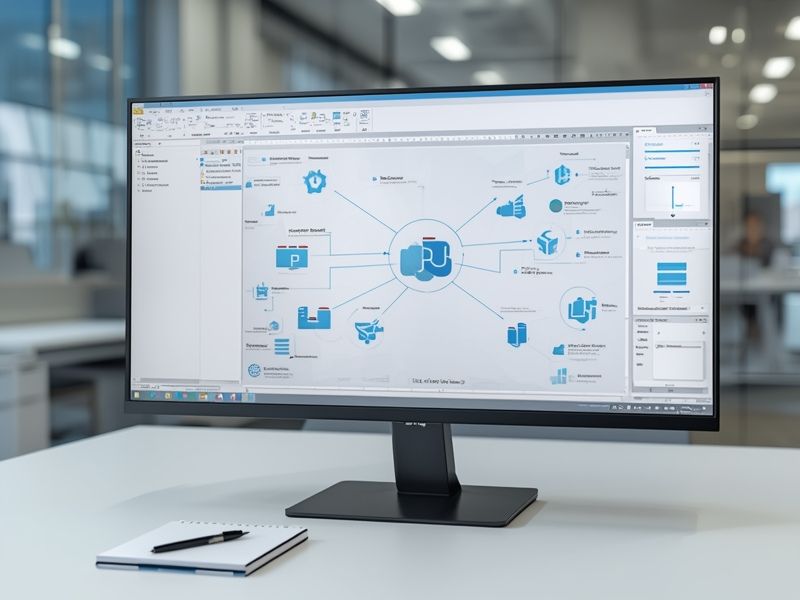
Email marketing with ConvertKit reaches its full potential when you move beyond individual broadcasts into automated sequences that run continuously in the background. Automation allows you to nurture subscribers, build trust, and move prospects towards a purchase without manual involvement at every step.
Writing Campaigns That Get Results
Effective email marketing with ConvertKit starts with relevance. Your subject line, preview text, and sender name determine whether an email gets opened at all. Subject lines perform best when they are specific and under 50 characters for strong mobile display. The preview text field functions as a second subject line: use it to add context or create curiosity, not simply to repeat the subject.
ConvertKit’s approach favours plain-text or lightly formatted emails over heavily designed HTML templates. This aligns with deliverability research: simpler emails consistently achieve better inbox placement than template-heavy alternatives. Keep each email focused on a single point with one clear call to action. Every additional link reduces the probability that the reader will take the action you most want them to take.
For businesses producing video content alongside email, connecting your video marketing strategy with ConvertKit sequences is practical and effective. A video thumbnail with a play-button overlay linked to YouTube or a hosted page is one of the most reliable ways to drive email-to-video engagement.
Building Visual Automation Sequences
The visual automation builder in email marketing with ConvertKit lets you map out entire subscriber journeys on screen using triggers, actions, and conditions. A trigger might be a subscriber downloading a specific lead magnet. An action sends a targeted welcome email. A condition then checks whether they clicked a link in that email, routing them into either a sales sequence or a nurture sequence based on their response.
Three sequences are worth building immediately when starting email marketing with ConvertKit:
- Welcome sequence: Delivers the lead magnet, introduces your brand, and sets expectations. Typically three to five emails over the first two weeks
- Nurture sequence: Educates subscribers about your services, addresses objections, and builds trust over four to eight weeks
- Re-engagement sequence: Targets cold subscribers to either re-activate them or remove them cleanly before they damage deliverability
For businesses where email connects to broader content marketing activity, automation sequences can direct subscribers to specific blog posts, guides, or resources at the right point in their journey, reinforcing topical authority across channels.
Personalisation and Liquid Coding
Email marketing with ConvertKit supports liquid personalisation code, which allows you to display different content blocks within the same email based on a subscriber’s tags. A single broadcast can show one version of a section to customers and a different version to prospects, without running separate campaigns. This brings enterprise-level personalisation within reach of any SME and has a measurable impact on both open rates and conversion rates.
“One of the most consistent mistakes we see SMEs make with email is treating their entire list as one audience. With ConvertKit’s tag system, you can send a broadcast to 5,000 people and have multiple versions running simultaneously, each relevant to the reader’s specific situation. That relevance is what separates email programmes that generate revenue from those that just generate unsubscribes.”Ciaran Connolly, Founder, ProfileTree
Deliverability: The Most Underrated Priority
Deliverability is the component of email marketing with ConvertKit that receives the least attention and causes the most damage when neglected. A well-written, relevant email is worthless if it lands in the spam folder. ConvertKit’s infrastructure provides strong baseline deliverability, but account-level practices determine whether you maintain it over time.
- Authenticate your sending domain with SPF, DKIM, and DMARC before your first send
- Use a dedicated sending subdomain rather than your root domain
- Run a re-engagement campaign for cold subscribers every quarter, then remove non-responders
- Monitor bounce rates and complaint rates through ConvertKit’s reporting dashboard
Our SEO services can help connect email-driven traffic to your overall organic performance, identifying which email content is also contributing to search visibility and which pages would benefit from supporting email sequences.
Analytics, Pricing, and Connecting ConvertKit to Your Wider Strategy
Email marketing with ConvertKit provides reporting at both the broadcast level and the automation sequence level. Open rates, click rates, unsubscribes, and individual link performance are available for each send. Sequence-level reporting shows aggregate performance across an entire automated journey, helping you identify where subscribers are disengaging and where sequences need adjustment.
ConvertKit Pricing: What SMEs Need to Know
The free plan covers up to 10,000 subscribers and includes forms, landing pages, and broadcast emails. The Creator plan, starting at $25 per month billed annually, adds visual automations, Creator Network access, free migration from other platforms, and team member access. For most growing SMEs, this is the right starting point for serious email marketing with ConvertKit.
The Creator Pro plan adds advanced analytics, a subscriber scoring feature, a dedicated newsletter referral system, and priority support. For businesses running high-volume programmes or those who need detailed attribution data to justify investment to stakeholders, Pro provides the reporting infrastructure to make that case.
| Plan | Price | Key Features |
|---|---|---|
| Free | $0 | Up to 10,000 subscribers, forms, landing pages, broadcasts |
| Creator | $25/month | Visual automations, Creator Network, team members |
| Creator Pro | $50/month | Advanced analytics, subscriber scoring, priority support |
Integrating Email with Your Digital Strategy
Email marketing with ConvertKit performs best as part of a coherent digital strategy. Your website is your primary source of new subscribers: every high-traffic page is an opportunity to capture an email address in exchange for something useful. If your site is not converting visitors into subscribers, email growth will always be constrained. Our web design services include conversion-focused design that integrates ConvertKit opt-in forms naturally into the user journey.
Social media activity, particularly on LinkedIn and YouTube, drives consistent traffic to lead magnets when the content directly addresses audience questions. Our social media marketing services and digital training programmes help businesses build the internal skills to sustain a content-to-email pipeline without depending on external support for every campaign.
For businesses exploring AI-driven marketing beyond email, our AI marketing and automation services provide practical guidance on connecting ConvertKit to broader automation workflows. Our AI chatbot services also connect directly with email capture, allowing website visitors to enter a ConvertKit sequence automatically based on their chatbot interactions.
Next Steps

Email marketing with ConvertKit rewards businesses that start simply and build consistently. Create your account, authenticate your domain, build one lead magnet, and set up a welcome sequence. From there, every addition, whether a new automation, a deeper segmentation structure, or a Creator Network connection, compounds the returns from the work already in place.
Since 2011, the team at ProfileTree has completed over 1,000 web and digital projects for businesses across Northern Ireland, Ireland, and the UK. If you want to integrate email marketing with ConvertKit into a broader digital strategy that includes SEO, content, web design, and AI-enhanced automation, get in touch with our team to discuss what is realistic for your business.
FAQs
Is ConvertKit free for small businesses?
The free plan supports up to 10,000 subscribers and includes forms, landing pages, and broadcasts. Automation and Creator Network access require a paid plan from $25 per month.
How does ConvertKit differ from Mailchimp?
Mailchimp uses separate lists, which causes duplication when a subscriber appears in multiple lists. Email marketing with ConvertKit uses a single subscriber database with tags, eliminating duplication and making segmentation more practical.
Is ConvertKit suitable for UK businesses under GDPR?
Yes, provided you collect consent properly. A double opt-in process, a clear privacy policy, and transparent unsubscribe options satisfy the core GDPR requirements for email marketing with ConvertKit.
How do I improve deliverability with ConvertKit?
Authenticate your domain with SPF, DKIM, and DMARC, use a dedicated sending subdomain, clean cold subscribers regularly, and maintain a consistent sending frequency.
Can ConvertKit integrate with my website?
Yes. Email marketing with ConvertKit integrates with WordPress, Shopify, Squarespace, and most major platforms. Custom integrations are available through the ConvertKit API.
What support does ConvertKit offer?
Email support is available on all plans. Live chat and priority support are included on paid plans. The documentation and community forum cover most use cases in detail.