
Schema Markup: The UK Guide to Structured Data
Table of Contents
Most business websites contain accurate information that search engines still misread. A restaurant’s address, a solicitor’s service areas, a hotel’s check-in times, these details exist on millions of pages, but without structured data, Google treats them as plain text it has to guess at. Schema markup removes the guesswork. It gives search engines a direct briefing on what your content means, who it is for, and how it should appear in results.
For SMEs across Northern Ireland, Ireland, and the UK, the practical returns from schema are concrete: star ratings displayed directly in search results, FAQ answers expanded beneath your listing, and event dates shown before a user even visits your site. These are the “rich results” that schema unlocks, and they consistently improve click-through rates against standard blue-link listings.
This guide covers what schema markup is, which formats to use, which types apply to your business, and how to implement and test it. If you want to understand how ProfileTree handles structured data as part of a broader technical SEO service, that context is covered too.
What Schema Markup Actually Does
Schema markup is a vocabulary of code added to a webpage that describes its content to search engines in a structured way. Rather than leaving Google to infer that a block of text refers to a business address, schema explicitly states it: this is a PostalAddress, this is the addressLocality, this is the postalCode.
The vocabulary itself is maintained at Schema.org, a collaborative project launched in 2011 by Google, Bing, Yahoo, and Yandex. It provides a shared set of definitions covering thousands of content types from LocalBusiness and Product to Recipe, Event, Course, and LegalService.
What Search Engines Do With It
When a search engine crawls a page with valid schema markup, it reads the structured data alongside the visible content. It uses this to build a richer understanding of the page’s entities: what the business offers, where it operates, what its customers say about it, and what questions it answers.
This understanding feeds two outcomes. First, it informs whether Google surfaces the page as a rich result, a search listing enhanced with stars, prices, images, event details, or FAQs. Second, and increasingly important, it feeds AI systems. Google’s AI Overviews, Bing’s AI answers, and third-party models like ChatGPT use structured data when assessing what a page definitively states. Schema markup is not just an SEO tool; it is part of how your business communicates with AI-driven search.
Why It Matters for AI Search
“Structured data gives AI systems verified facts rather than inferences,” says Ciaran Connolly, founder of Belfast-based digital agency ProfileTree. “When an AI is deciding whether to cite your business in a generated answer, a page with clean schema tells it precisely what you do, where you operate, and what your customers say. That precision matters more as AI search grows.”
Pages that structure their content with schema are more likely to be cited in AI Overviews because they make information extraction easier. The connection between schema and AI visibility is becoming as important as the original rich results case.
The Three Formats: Why JSON-LD Wins
Schema markup can be implemented in three formats: JSON-LD, Microdata, and RDFa. For any new implementation, use JSON-LD. The other two are worth understanding only so you know why they are not the right choice.
JSON-LD
JSON-LD (JavaScript Object Notation for Linked Data) is Google’s recommended format. It sits in a <script> tag in the <head> of your HTML, completely separate from your visible content. This separation is its key advantage: structured data can be updated, corrected, or expanded without affecting the page’s HTML structure.
A basic JSON-LD block for a local business looks like this:
{
  "@context": "https://schema.org",
  "@type": "LocalBusiness",
  "name": "ProfileTree",
  "address": {
    "@type": "PostalAddress",
    "streetAddress": "31 Henry Place",
    "addressLocality": "Belfast",
    "addressRegion": "Northern Ireland",
    "postalCode": "BT15 2AY",
    "addressCountry": "GB"
  },
  "telephone": "+442895680364",
  "url": "https://profiletree.com"
}
For WordPress sites, this can be added via a plugin such as Rank Math or Yoast SEO, or injected into the theme’s functions.php file, or managed through Google Tag Manager. Each method has trade-offs in flexibility and maintenance overhead.
Microdata
Microdata is woven directly into the HTML of a page using itemscope, itemtype, and itemprop attributes. It works, but it creates a maintenance problem: any structural change to the page’s HTML risks breaking the structured data. Google has not deprecated it, but the company’s documentation consistently recommends JSON-LD for new implementations.
RDFa
RDFa is similar to Microdata in that it sits within the page’s HTML. It is used primarily in academic and government publishing contexts. For commercial SME websites, it is not relevant.
| Format | Google’s Preference | Maintenance | AI Friendliness |
|---|---|---|---|
| JSON-LD | Recommended | Simple — separate from HTML | High |
| Microdata | Supported | Complex — embedded in HTML | Medium |
| RDFa | Supported | Complex — embedded in HTML | Medium |
Essential Schema Types for UK and Irish Businesses
Not every schema type is relevant to every business. The following covers the types that matter most for SMEs in the UK and Ireland, with notes on what each achieves and what it requires.
LocalBusiness Schema
LocalBusiness schema is the foundation for any business with a physical location or a defined service area. For Google to display your business accurately in Maps results, Knowledge Panels, and local search listings, this schema needs to be in place and correct.
For UK businesses, the schema should include:
postalCodeformatted as a UK postcode (e.g. BT15 2AY), not a US ZIP codeaddressRegionset to the correct nation or region (e.g. Northern Ireland, Scotland, England)addressCountryset to “GB” for Great Britain or “IE” for the Republic of Irelandtelephonein international format starting with +44 or +353
For businesses in the Republic of Ireland, the address should include an Eircode in the postalCode field. This is frequently absent from schema guides written for the US market. Using a properly formatted Eircode helps Google correctly associate your business with Irish local search results.
The openingHoursSpecification The field is particularly valuable for businesses where opening hours affect search intent, such as restaurants, pharmacies, legal practices, and retail outlets.
Service and Professional Service Schema
For service-based businesses, accountants, solicitors, architects, consultants, and web agencies, the Service or ProfessionalService schema type communicates what the business offers in terms that search engines can process.
For legal practices in Northern Ireland or the Republic of Ireland, LegalService the correct type is used. For medical practices, MedicalBusiness. For web design and digital marketing agencies, ProfessionalService or LocalBusiness with a defined serviceArea is appropriate.
A service area can be defined by a region name or by a radius. For a business serving Northern Ireland and the Republic of Ireland, the service area should explicitly name both jurisdictions.
FAQPage Schema
FAQPage schema markup organises question-and-answer content so Google can display the questions and answers directly in search results, expanding your listing to take up significantly more page space. This is one of the most accessible schema wins for content-heavy sites.
The requirement is straightforward: the questions and answers must exist as visible text on the page. The schema must match the page content exactly; you cannot add FAQ schema for questions that do not appear on the page.
For SME websites, the FAQPage schema works particularly well on service pages where customers commonly ask the same questions before enquiring. Answers should be concise, self-contained, and written to answer the question directly in the first sentence.
Product and Merchant Listing Schema
For e-commerce businesses selling physical or digital products, Product schema enables rich results showing price, availability, and review ratings directly in search listings. Google’s Merchant Centre integration can extend this to Merchant Listings, which appear in dedicated shopping surfaces.
UK and Irish e-commerce sites should ensure the priceCurrency field is set to “GBP” or “EUR” as appropriate, and that the offers block reflects live pricing. Stale pricing data in the schema creates a mismatch between the rich result and the actual page, which Google will eventually suppress.
Article and BreadcrumbList Schema
For content-heavy sites that publish guides, blog posts, and tutorials, the Article schema provides authorship, publication date, and update date. Google’s E-E-A-T assessment uses author metadata: the author The field should reference a named individual with a consistent web presence, not a generic byline.
BreadcrumbList schema defines the navigational path to a page and can display that breadcrumb trail in search results, giving users clarity on where a page sits within a site’s structure before they click.
Step-by-Step Implementation Guide
The implementation approach depends on how your site is built. The following covers the three most common scenarios for SME websites in the UK and Ireland.
WordPress Sites with a Plugin
The majority of SME websites in Northern Ireland and the Republic of Ireland run on WordPress. For these sites, a schema plugin is the most practical approach. Rank Math and Yoast SEO both generate JSON-LD schema automatically based on page type and content.
The configuration requires attention:
- Set the site type correctly in the plugin settings, Local Business, Organisation, or Person, depending on the site’s nature.
- Complete all business details in the plugin’s knowledge graph settings: name, address, phone number, email, and opening hours.
- On service pages, manually assign the relevant schema type if the plugin defaults to a generic type.
- On the FAQ content, confirm the plugin is generating the FAQPage schema or add it manually.
Manual Implementation via Google Tag Manager
For developers who want more control, or for sites where a plugin is not viable, JSON-LD blocks can be deployed through Google Tag Manager. This keeps structured data centralised and makes bulk edits across multiple pages significantly easier than editing individual page templates.
The process involves creating a Custom HTML tag in GTM containing the JSON-LD block, and firing it on the relevant page URLs or URL patterns. This method suits agencies managing structured data across multiple client sites.
Testing Before and After Implementation
Every schema implementation should be tested before and after going live. Google provides two tools:
Google’s Rich Results Test (search.google.com/test/rich-results): Paste a URL or code snippet. The tool returns a list of detected schema types, confirms which are valid for rich results, and flags any errors or missing required fields. This should be run immediately after implementation.
Google Search Console: The “Enhancements” section of Search Console shows which schema types have been detected across your site, lists pages with errors or warnings, and tracks whether those pages are eligible for rich results. Check this weekly for the first month after a new implementation.
ProfileTree includes structured data audit and implementation within its SEO services for Northern Ireland businesses, covering both the technical setup and ongoing monitoring to prevent schema from silently breaking after a site update.
Common Schema Errors and How to Fix Them
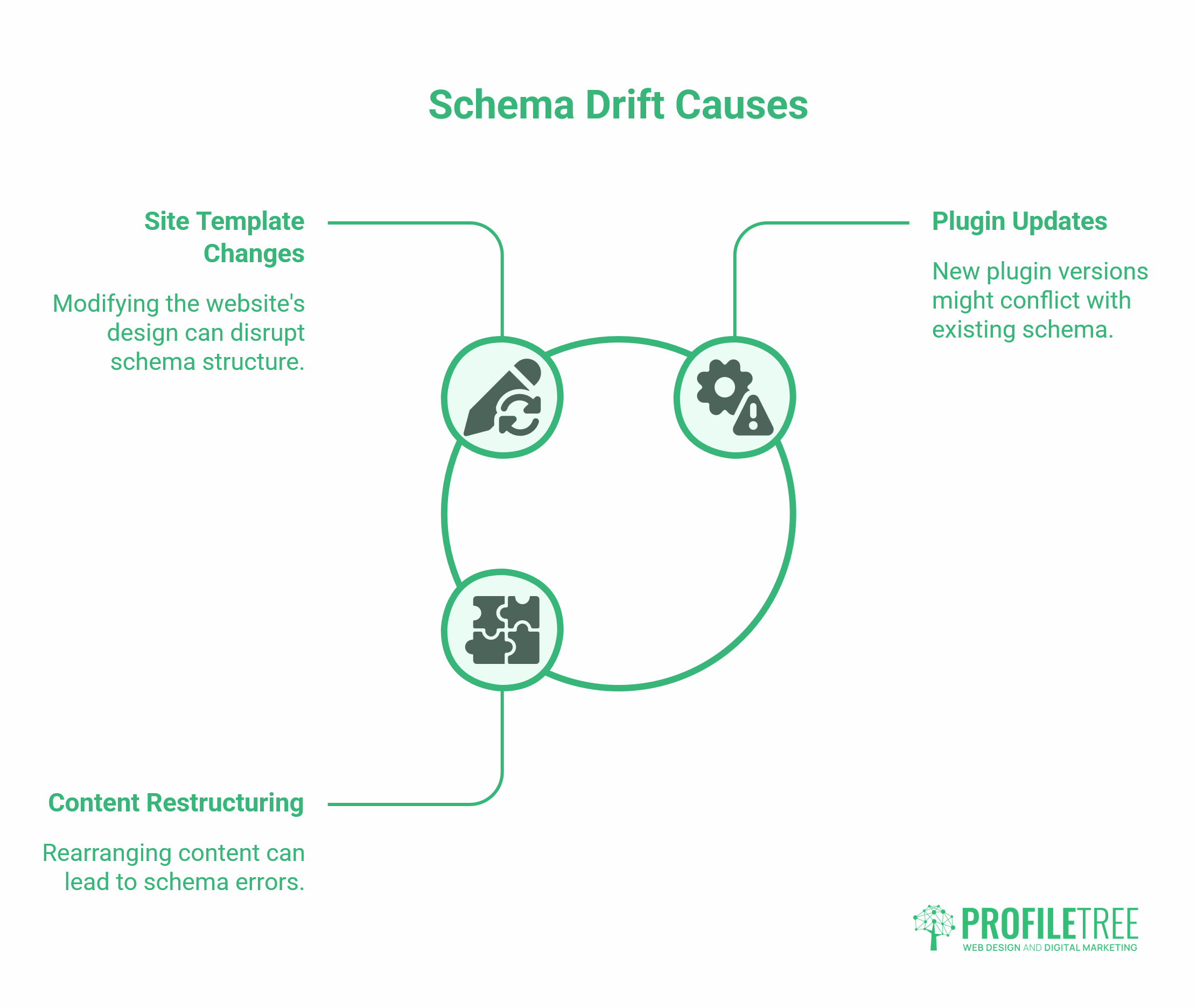
Schema implementations that were correct at launch can break when a site template changes, a plugin is updated, or content is restructured. This “schema drift” is a common problem that few guides address.
Missing Required Fields
Every schema type has required fields and recommended fields. For LocalBusiness, name and address are required. For Product, name and offers are required. Missing a required field means the page is not eligible for the associated rich result, even if the schema block is otherwise valid.
The Rich Results Test will explicitly flag missing required fields. Run it against any page that has stopped appearing as a rich result.
Price and Availability Mismatches
Product schema that shows a different price to the actual page price will be flagged by Google and the rich result will be suppressed. An automated schema that pulls data from a database must be tested after any pricing update or product change.
Duplicate Schema Blocks
Some WordPress themes generate their own schema, which conflicts with the schema generated by a plugin. Check for duplicate schema blocks using the Rich Results Test or by viewing the page source and searching for application/ld+json. Multiple conflicting blocks for the same type on the same page can confuse search engine parsers.
Schema That Covers Content Not on the Page
Schema markup must reflect what is actually visible on the page. You cannot add Product schema to a page that does not display that product, or FAQ schema for questions that are not in the page’s visible content. Google’s guidelines explicitly prohibit this and will penalise sites that use schema to misrepresent page content.
How Schema Markup Supports ProfileTree’s SEO Process
When ProfileTree conducts an SEO engagement for an SME, structured data is reviewed as part of the technical audit. The process covers:
- Which schema types are currently present across the site
- Whether the existing schema validates correctly in Google’s Rich Results Test
- Which pages are missing schema that would make them eligible for rich results
- Whether the LocalBusiness schema accurately reflects the business’s service area, hours, and contact details
- Whether the FAQPage schema is in place on service and pillar content pages, where it would expand the search listing
For businesses undergoing a web design project with ProfileTree, the schema is included in the development handover. A new site that launches without structured data misses the rich results opportunity from day one. ProfileTree’s web design and development process includes schema implementation as a standard output, not an optional extra.
Digital training through ProfileTree’s Future Business Academy also covers schema basics for business owners who want to understand what their developers are implementing on their behalf, rather than taking it on trust.
Schema Markup for Voice Search and AI Assistants
Voice search queries follow a different pattern from typed queries. They are longer, more conversational, and typically phrased as questions. Schema markup that defines clear, structured answers — particularly FAQPage and HowTo schema is more likely to be surfaced by voice assistants because it provides self-contained answers that can be read aloud.
The same principle applies to AI assistants. When a user asks a chatbot whether a business is open on Sunday, what services a solicitor offers, or the price range of a product, the AI is more likely to return accurate information if the source page has a clear schema that explicitly states these facts. The alternative is for the AI to infer or guess, which increases the risk of an inaccurate response.
For SMEs that have invested in local SEO, schema is the layer that connects localised page content to the precise formats voice and AI systems rely on. A business appearing correctly in Bing’s AI answers, or Google’s AI Overviews for local queries, gets that advantage partly through well-maintained structured data.
Monitoring Schema Performance Over Time
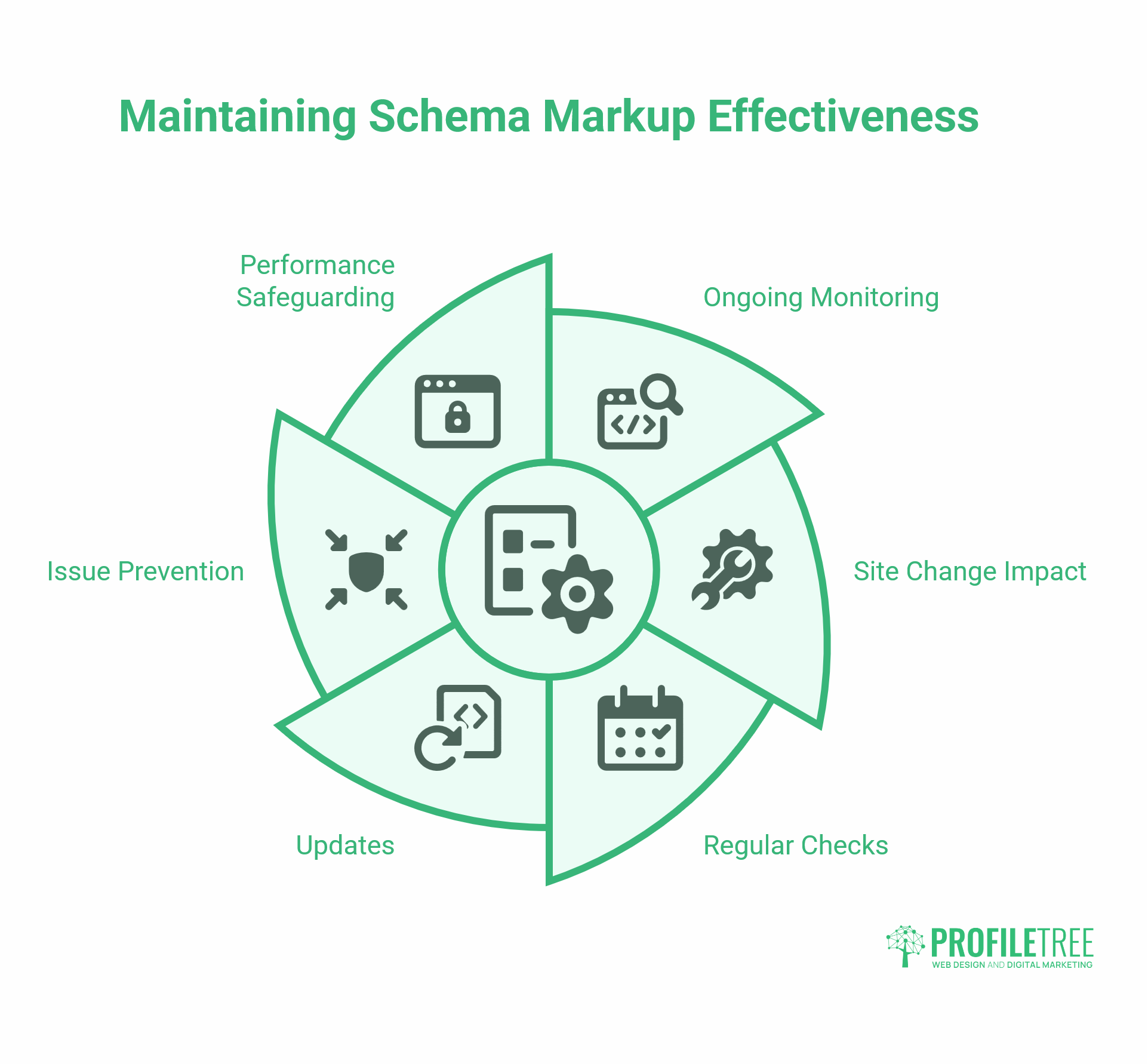
Schema is not a one-time implementation. It requires ongoing monitoring because site changes can silently break it.
Monthly checks should include:
- Running the Rich Results Test on key pages (homepage, service pages, contact page)
- Reviewing the Enhancements section of Google Search Console for new errors
- Cross-referencing any site updates or plugin updates against which schema types they may have affected
For e-commerce sites with Product schema, pricing and availability fields need to be validated after every product update. For sites using the FAQPage schema, adding or removing FAQ content on a page without updating the schema block creates a mismatch.
Google Analytics can track changes in click-through rate for pages with schema-enabled rich results. A page that gains FAQ schema and subsequently sees an increase in CTR without a change in average position has a directly attributable improvement. Tracking this by page type over 3 to 6 months provides a clear picture of which schema implementations are delivering measurable returns.
Conclusion
Schema markup is one of the few technical SEO tasks where the effort is modest and the returns are visible. A valid LocalBusiness schema block, a properly configured FAQPage, and a correctly formatted address for a UK or Irish business. These are not complex changes, but they directly affect how your business appears in search and how AI systems interpret what you offer. Get the foundations right, keep them maintained, and structured data works quietly in the background while everything else in your SEO strategy builds around it.
FAQs
What is schema markup in SEO?
Schema markup is structured code added to a webpage that describes the content to search engines using a standardised vocabulary from Schema.org. The practical result is richer search results that show star ratings, FAQ answers, event dates, or product prices directly in the results before a user clicks through.
Does schema markup improve Google rankings?
Not directly. Google has confirmed that schema does not improve rankings on its own. What it does is make pages eligible for rich results, which consistently achieve higher click-through rates than standard listings at the same position.
Which schema type should my business use?
Start with the LocalBusiness schema, covering your name, address, phone number, and opening hours. From there, the right types depend on your business: LegalService for solicitors, Product and Offer for e-commerce, Event for courses or events, and FAQPage for any page with question-and-answer content.
Is JSON-LD better than Microdata?
Yes. JSON-LD sits separately from the page HTML, making it easier to update without touching visible content. It is Google’s recommended format and the one all major SEO plugins generate by default.