
SEO and Accessibility: How One Fix Serves Both
Table of Contents
SEO and accessibility overlap because search engines and screen readers both read a page through its code. Clear headings, descriptive links, alt text, and fast, stable pages help both. Accessibility is not a direct Google ranking factor, but the work behind it improves the signals Google does use, which is why ProfileTree audits the two together.
Most business websites treat these as separate jobs. Rankings go to whoever handles marketing, while accessibility waits until a complaint arrives or a tender asks for an accessibility statement. That split costs money, because the same faults sit underneath both problems, and a site fixed once at code level ranks better and serves more people. It is also why our SEO services for UK businesses begin with a check of the page structure before any keyword work.
Is accessibility a Google ranking factor?
Accessibility is not a named Google ranking factor, and a page does not climb because it passes an accessibility audit. Google has never said that meeting the Web Content Accessibility Guidelines (WCAG, the international standard for accessible web content) lifts a page in its results. What Google does measure overlaps heavily with accessible design, so the effect is indirect and still worth having.
What Google measures instead
Google’s ranking systems look at page experience, and the measurable part of that is Core Web Vitals, three scores taken from real visits to a page. Largest Contentful Paint measures how long the main content takes to appear, with a target of 2.5 seconds or less. Interaction to Next Paint (INP, which replaced First Input Delay in March 2024) measures how quickly the page responds to a tap, click, or key press, with a target under 200 milliseconds, and Cumulative Layout Shift scores how much the content jumps about while it loads, with a target below 0.1.
Google’s Core Web Vitals documentation describes these metrics as aligned with what its core ranking systems reward and recommends that site owners achieve good scores. That is a long way from saying a good score will lift a weak page above a better answer. Accessible design helps on all three counts, because pages built without heavy scripts respond faster to keyboard users, and images with declared dimensions stop the layout shifting under someone using a screen magnifier.
Why accessible code is also crawlable code
Search engine crawlers and screen readers (software that reads a page aloud for blind and partially sighted people) both work from the page’s structure in the browser. Semantic HTML, meaning tags that say what a piece of content is, gives them both the same map. A page built from generic containers with headings styled only by font size looks fine to a sighted visitor and tells software almost nothing about which part matters.
| HTML element | What a search crawler takes from it | What a screen reader does with it |
|---|---|---|
| Headings, h1 to h6 | The topic of the page and of each section | Lets the user jump from section to section |
| nav | Where the site’s main links sit | Announces a navigation region the user can skip |
| main | Where the primary content starts | Lets the user go straight past the header |
| Alt text on images | Context for image search and for the page topic | Reads a description in place of the image |
| Descriptive link text | The subject of the page being linked to | Tells the user where the link goes before they follow it |
When we review a site that ranks below its content, the heading outline is one of the first things we export. A page whose structure makes sense when read aloud almost always makes sense to Google as well.
Where WCAG and SEO overlap on the page
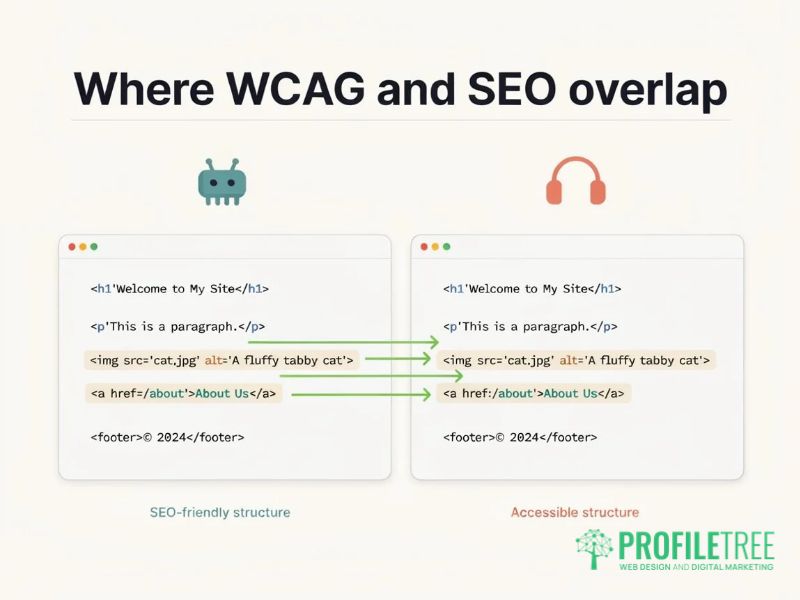
The clearest overlap sits in the success criteria of WCAG 2.2, the current version, published by the World Wide Web Consortium in October 2023. Each criterion is graded A, AA, or AAA, and Level AA is the one UK public sector rules and most procurement contracts refer to. Four areas account for most of the shared ground.
Heading structure
Each page needs one H1 that states its main topic, with H2 headings for the main sections and H3 headings within those. Skipping a level, such as jumping from an H1 to an H3 because the smaller text looked better, breaks the outline that WCAG criterion 1.3.1 (information and relationships) asks for.
Screen reader users move through long pages by heading, so a broken outline leaves them guessing. Search engines use the same outline to judge what each section covers, which means a heading chosen for its appearance weakens the page in both places.
Alt text written for people first
Alt text is the short written description attached to an image in the code, and WCAG criterion 1.1.1 requires it for every image that carries meaning. Google’s own image guidance asks for descriptive alt text and warns against filling it with keywords, so the description that helps a blind visitor is also the one search engines prefer. Decorative images, such as a background pattern, should carry an empty alt attribute so that screen readers skip them.
Several content management systems now draft alt text automatically, and those drafts save time on large product catalogues. They also describe what an image looks like in general terms and miss the reason it was chosen, so a person who knows the content should review each one before it goes live.
Link text that names the destination
WCAG criterion 2.4.4 asks that the purpose of each link is clear from the link text, or from the text together with its sentence. Screen reader users often pull up a list of every link on a page, and a list of “click here” and “read more” entries tells them nothing.
Anchor text also tells Google what the linked page is about, so a link reading “website accessibility checklist” carries a signal that “find out more” never will. Writing the destination into the link costs nothing and improves both at once.
Captions and transcripts for video
WCAG criterion 1.2.2 requires captions for pre-recorded video with sound, and deaf and hard-of-hearing visitors depend on them. A transcript placed on the page gives search engines the spoken content as text, which is the most dependable way for them to understand what a video covers and which questions it answers. Automatic captions from video platforms are a starting point, and they need correcting before they meet the standard, especially for local place names and technical terms.
| WCAG criterion | What it asks for | Effect on search |
|---|---|---|
| 1.1.1 Non-text content | A text alternative for meaningful images | Images can be understood and found in image search |
| 1.2.2 Captions (prerecorded) | Synchronised captions on video with sound | Spoken content becomes readable text |
| 1.3.1 Info and relationships | Structure shown in the code, not only visually | Crawlers read the page hierarchy correctly |
| 1.4.3 Contrast (minimum) | Text contrast of at least 4.5:1 | Visitors can read the page, so fewer leave straight away |
| 2.4.4 Link purpose (in context) | Link text that makes the destination clear | Anchor text describes the linked page |
| 2.4.6 Headings and labels | Headings that describe their section | Headings state the topic of each section |
Accessibility overlays cost more than they fix
An accessibility overlay is a third-party script, usually added with one line of code, that promises to make a website accessible automatically and often adds a toolbar for changing text size or contrast. Overlays cannot repair a page’s underlying code, so they do not make a site meet WCAG, and they add weight to every page they load on.
What overlays do to screen reader users
An overlay works by rewriting parts of the page in the browser after it has loaded, guessing at labels, headings and roles as it goes. Disabled people already use their own assistive technology, set up the way they need it, and an overlay that rewrites the page can clash with those settings. The Overlay Fact Sheet, a public statement signed by several hundred accessibility practitioners, sets out these problems and asks businesses not to rely on overlays.
What overlay scripts do to Core Web Vitals
Every overlay is extra JavaScript that the browser has to download and run on every page. Total Blocking Time, a laboratory measure in Google’s Lighthouse reports that tracks how long scripts hold up the browser, is the usual early warning that INP will suffer for real visitors. Scripts that move elements after the first paint can also add to layout shift.
When a site we review runs an overlay, we measure the key pages with the script switched on and off before recommending anything. The lasting fix is in the template and the content, where a developer corrects the headings, labels, colours and focus states once for every page that uses them.
“Good SEO now is mostly honest work on the page itself, and accessibility belongs in that work. A heading used only for its font size, or a link that just says read more, confuses a crawler in the same way it confuses a screen reader. The shortcuts have all been found out, overlay scripts included, and ProfileTree never built its SEO for Northern Ireland businesses on them,” says Ciaran Connolly, founder of ProfileTree.
UK and Irish accessibility law in brief
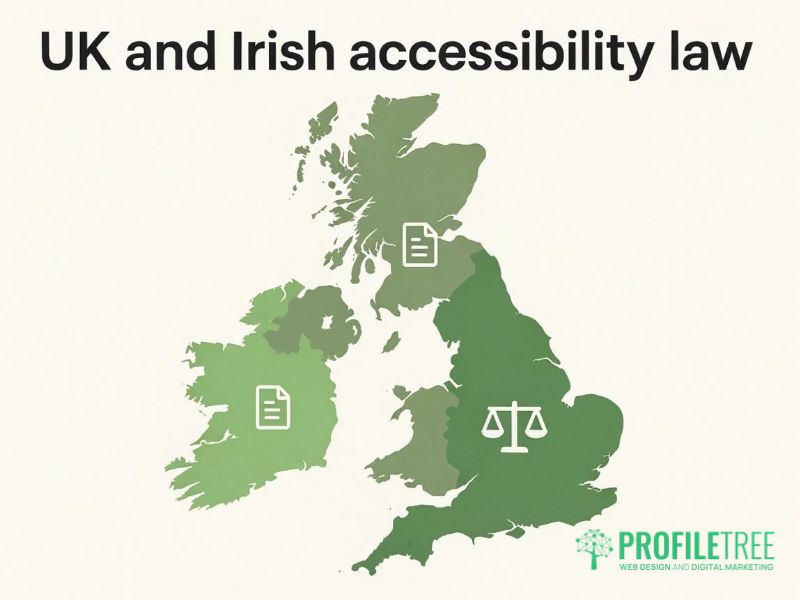
A business website in the UK is covered by disability discrimination law, and the rules differ between Great Britain, Northern Ireland and the Republic of Ireland. This section is a summary of where the duties sit, and a business with a specific concern should take legal advice. Our guide to UK web accessibility law covers the detail.
In Great Britain, the Equality Act 2010 requires anyone providing a service to the public to make reasonable adjustments for disabled people, and section 29 prohibits discrimination in providing services. The Equality and Human Rights Commission’s statutory code on services treats a website as one way of providing a service, so a private company whose site cannot be used with a keyboard or a screen reader has exposure under the Act.
Most of the Equality Act does not extend to Northern Ireland. Here, the Disability Discrimination Act 1995 places a similar adjustment duty on service providers, and the Equality Commission for Northern Ireland enforces it. Businesses that assume the Equality Act applies to them in Belfast are usually right about the duty and wrong about the law behind it.
Public bodies across the UK have a more specific duty under the Public Sector Bodies (Websites and Mobile Applications) (No. 2) Accessibility Regulations 2018. Their websites and apps must meet WCAG 2.1 Level AA and publish an accessibility statement. Under the monitoring and enforcement arrangements published on GOV.UK, the Government Digital Service monitors a sample of sites, while enforcement sits with the Equality and Human Rights Commission in Great Britain and the Equality Commission for Northern Ireland here.
In the Republic of Ireland, the European Accessibility Act has applied since 28 June 2025 through Irish regulations made in 2023. It covers private sector services sold to consumers, including online shops, banking services, e-books and passenger transport ticketing, with an exemption for the smallest service providers. Our European Accessibility Act guide explains what this means for firms in Northern Ireland that sell into the Republic.
A combined SEO and accessibility audit in five checks
Running one audit for both disciplines takes less time than two separate audits, and it produces a single list of fixes that a developer can work through in order. These are the five checks we run on client sites, from the quickest to the most manual.
Run an automated baseline
Start with Lighthouse, the free audit built into Google Chrome, which scores a page for performance, accessibility, best practices, and SEO in one report. A browser extension such as axe then gives more detail on accessibility failures, mapped to the WCAG criterion each one breaks, and a site crawler finds missing alt text, broken links and heading gaps across every page at once. Our overview of accessibility testing tools compares the free and paid options.
Automated checks find only part of the problem. When the Government Digital Service tested automated tools against a page built with known accessibility barriers in 2017, the best-performing tool found about 40 per cent of them, so the manual checks that follow carry most of the weight.
Read the heading outline
Export the headings from each key page and read them as a list, without the body text. The H1 should state the page topic, each H2 should mark a section a visitor would want to jump to, and no level should be skipped. If the list does not make sense on its own, fix the structure first, because keyword work on a broken outline is wasted effort.
Audit link text across the site
A crawl export lists every piece of anchor text on the site, and filtering it for “click here”, “read more”, “learn more,” and “here” shows the links to rewrite. Give particular attention to buttons and calls to action, because screen reader users often reach them out of context, and they carry much of the site’s internal linking.
Test the site with a keyboard
Put the mouse away and move through each key page with the Tab, Shift and Tab, Enter and arrow keys. Every link, menu and form field should be reachable in a sensible order, a visible outline should show which element is selected (WCAG criterion 2.4.7), and a skip link should let the user jump past the menu to the main content.
Keyboard faults are common on business sites, particularly in drop-down menus, cookie banners and pop-up forms, and automated tools rarely catch them. This check takes about ten minutes per page and finds problems no scan will report.
Check colour contrast
WCAG Level AA requires a contrast ratio of at least 4.5:1 between body text and its background, and 3:1 for large text (18 point, or 14 point bold). Pale grey text on white is the most frequent failure we see, often set in a theme years ago and never checked. Contrast problems affect visitors with low vision and anyone reading a phone in bright daylight, so fixing them helps every reader who might otherwise give up on the page.
Getting your site checked for search and access
The next step is an audit of your own key pages against both standards, followed by fixes made in the site’s templates so that every page benefits. ProfileTree is a Belfast web design and digital marketing agency, founded in 2011 and based at the McSweeney Centre, and we run this combined audit for SMEs and public bodies across the UK and Ireland.
Our website development team carries out the code-level fixes, from heading templates and focus states to image handling and script clean-up, on an hourly basis. Ongoing SEO work starts from £500 a month plus VAT, and businesses that want local search support alongside it can find out more about our work in SEO Northern Ireland.
FAQs
1. Is accessibility a direct Google ranking factor?
No, Google does not use accessibility or WCAG conformance as a ranking factor in its own right. The work behind accessibility improves signals that Google does use, including Core Web Vitals, page structure, and the clarity of the content, so an accessible site usually performs better in search without accessibility being the reason on paper.
2. Do accessibility overlays help or hurt SEO?
Overlays usually hurt more than they help. They add JavaScript to every page, which can slow responsiveness and cause layout shift, and they do not fix the underlying code, so the site still fails WCAG. The reliable route is correcting the HTML and CSS (the code that sets out a page’s content and appearance) in the site’s templates.
3. Does the Equality Act 2010 apply to private company websites?
Yes, in Great Britain the Equality Act 2010 applies to private businesses that provide services to the public, and a website counts as a way of providing a service. In Northern Ireland, the equivalent duty comes from the Disability Discrimination Act 1995. In both cases, the duty is to make reasonable adjustments, and the specific obligations depend on the business and the service.
4. Do screen readers read meta descriptions?
No, screen readers do not read the meta description while someone is using the page, because it is not part of the visible content. It still matters to screen reader users, because search results show it and a disabled visitor reads those results before choosing which page to open.
5. Is AI-generated alt text safe to use on a business website?
It is safe as a first draft, provided a person reviews each description before publishing. Automatic tools describe what an image looks like and often miss why it is on the page, and some add keywords that make the description harder to follow. A short, accurate description written for the visitor serves screen reader users and search engines equally well.