
Best AI Image Generators: A Professional UK Guide
Table of Contents
Generative AI has changed what it means to produce visual content. What once required a brief, a designer, and several rounds of revisions can now be attempted in seconds with a text prompt. For UK and Irish businesses, that speed is genuinely useful, but it comes with questions that most “Best of” lists never answer: Who owns the output? What can you legally use in a client campaign? And how do you avoid producing images that look immediately artificial?
This guide answers those questions directly. We review the tools that matter for professional use, set out the current UK copyright position clearly, and show you how to write prompts that produce results worth publishing. Whether you are briefing a campaign in Belfast or building brand assets for a London client, the frameworks here apply.
Below you will find tool reviews benchmarked against professional output standards, a plain-English breakdown of UK law, practical prompting techniques, and guidance on detecting AI imagery when it matters.
The Best AI Image Generators Reviewed
The market for AI image tools has expanded considerably, but not every tool suits professional use. The four reviewed below were selected based on output quality across four criteria: photorealism, text rendering accuracy, adherence to complex prompts, and generation speed.
Pricing figures are indicative UK examples based on published rates at the time of writing; treat them as benchmarks rather than fixed quotations, as subscription terms change regularly. All prices and figures in this guide are indicative UK examples and correct at the time of writing; use them as a benchmark rather than fixed quotations.
If your business needs support in producing consistent visual content at scale, graphic design in content marketing sets out how professional design and AI tooling can work together effectively.
Midjourney: Best for Artistic Quality
Midjourney produces the most visually striking output of any tool currently available. Its aesthetic is distinctive: images have strong compositional choices, rich colour treatment, and a painterly quality that suits brand photography, editorial illustration, and concept work. The basic plan starts at around £7.50 per month, with the standard tier at approximately £22.
Where it falls short is control. Midjourney operates through Discord, which creates a friction point for teams who prefer browser-based tools. Prompt adherence to highly specific briefs is inconsistent; it tends to interpret rather than execute. For campaigns where a client has strict brand guidelines, this can create problems.
Anatomy accuracy has improved significantly with version 6, though hands and complex poses still require iteration. The tool scores well on photorealism when prompted for it, but its defaults lean towards the stylised rather than the documentary.
DALL-E 3 via ChatGPT: Best for Ease of Use
OpenAI’s DALL-E 3, accessed through ChatGPT Plus, is the most accessible option for non-designers. The model understands natural language instructions exceptionally well, making it useful for teams where the person writing the brief is not a trained creative.
Text rendering within images is notably stronger than earlier versions, which matters for mockups, social graphics, and any asset that includes readable copy. ChatGPT Plus costs approximately £16 per month in the UK and includes image generation within that subscription.
The trade-off is that DALL-E 3 applies content filters more aggressively than competitors, which can be limiting for certain editorial or advertising briefs. It also lacks the aesthetic polish of Midjourney; results are accurate but can appear flat compared to the more expressive tools.
Adobe Firefly: Best for Commercial Safety
For UK businesses producing client-facing work, Adobe Firefly deserves serious consideration on legal grounds alone. Firefly was trained exclusively on licensed Adobe Stock images and public-domain content, which means the copyright risk associated with training data is materially lower than with other tools.
It integrates directly into Photoshop and Illustrator through Generative Fill, which is genuinely useful for extending backgrounds, removing objects, and generating fill content within existing compositions. For teams already working in the Adobe Creative Cloud environment, the workflow benefit is substantial.
Output quality is strong for commercial photography styles but less expressive in purely artistic contexts. Firefly is the right choice when you need to demonstrate to a client that the assets are commercially safe, not necessarily when you need maximum creative range.
FFlux. : Best for Photorealism and Text Rendering
Flux. 1, developed by Black Forest Labs, has established itself as the benchmark for photorealistic output. It handles complex lighting scenarios, fabric textures, and architectural detail with a level of accuracy that is difficult to distinguish from professional photography when prompted correctly.
Text rendering within images is among the strongest of any current model, making it particularly valuable for product mockups and any creative where on-image copy needs to be legible. Access is available through several platforms,s including Replicate and fal.ai, with pricing that varies by usage volume rather than a fixed subscription.
The tool requires more technical familiarity than DALL-E 3; default outputs benefit from understanding parameters such as guidance scale and step count. For businesses with a technically confident team member, the ceiling is high.
| Tool | UK Price (approx.) | Commercial Usage Rights | Best For | Learning Curve |
|---|---|---|---|---|
| Midjourney | From ~£7.50/mo | Permitted (check plan tier) | Artistic and brand imagery | Medium |
| DALL-E 3 | ~£16/mo (ChatGPT Plus) | Permitted | Natural language briefs, text in images | Low |
| Adobe Firefly | Included in Creative Cloud | Commercially safe training data | Client-facing campaigns | Low |
| Flux.1 | Usage-based | Varies by platform | Photorealism, product mockups | High |
AI Images and UK Copyright Law
Copyright is where AI image generation gets genuinely complicated for UK businesses, and where most “Best of” lists stop short of giving useful guidance. The legal position under UK law is materially different from the US framework, and that distinction matters for anyone using these tools commercially.
For a broader understanding of where digital ethics and legal obligations intersect in marketing work, the ProfileTree guide on digital marketing ethics and legalities provides useful grounding before you work through the specifics below.
The Current Position Under UK Law
Under the Copyright, Designs and Patents Act 1988, copyright protection requires a human author. AI-generated images, where no human has made sufficient creative choices in the output itself, currently sit in a grey area. The Intellectual Property Office consulted on this between 2021 and 2022 and confirmed that the position remains unresolved at a policy level, though there is a specific provision in the CDPA for “computer-generated works” that may afford limited protection to the person who made the necessary arrangements.
In practical terms, this means that if you generate an image entirely through a text prompt with no further human creative intervention, you may have limited ability to enforce copyright over that image. A competitor or third party could, in theory, use the same output without recourse.
The Training Data Question
A separate and ongoing legal question surrounds whether training AI models on copyrighted images without a licence constitutes infringement. Several cases are working through UK courts, and the outcome will have direct implications for the tools reviewed in this guide.
Getty Images pursued Stability AI in the UK High Court over the use of its archive in training Stable Diffusion. That case had not concluded at the time of writing. For businesses concerned about downstream risk, the safest position is to use tools with clearly licensed training data, of which Adobe Firefly is the most prominent example.
What This Means for UK Businesses
Three practical points follow from the current legal position. First, AI-generated images cannot currently be trademarked as a standalone asset in the UK, because trademark registration requires a human author or assignee. This is directly relevant if you are considering using an AI-generated logo or brand mark.
Second, if a generated image bears a substantial resemblance to a copyrighted work in the training data, the liability question is unresolved but real. Using tools with licensed training data reduces, though does not eliminate, that exposure.
Third, disclosure obligations are emerging. The EU AI Act, which affects UK businesses trading with EU customers, includes transparency requirements for AI-generated content. UK-specific regulation is expected to follow. Building a disclosure practice now reduces future compliance risk.
AI Image Policies for UK Marketing Teams
Teams using AI image tools at scale should document their approach. A straightforward internal policy covers which tools are approved, what disclosure language to apply to client-facing assets, how generated images are stored and attributed, and what review process applies before publication. This is not onerous in practice but provides a defensible position if questions arise later. The AI content detection guide covers how detection tools work, which is relevant for teams managing editorial standards alongside AI production.
Writing Prompts That Produce Professional Results
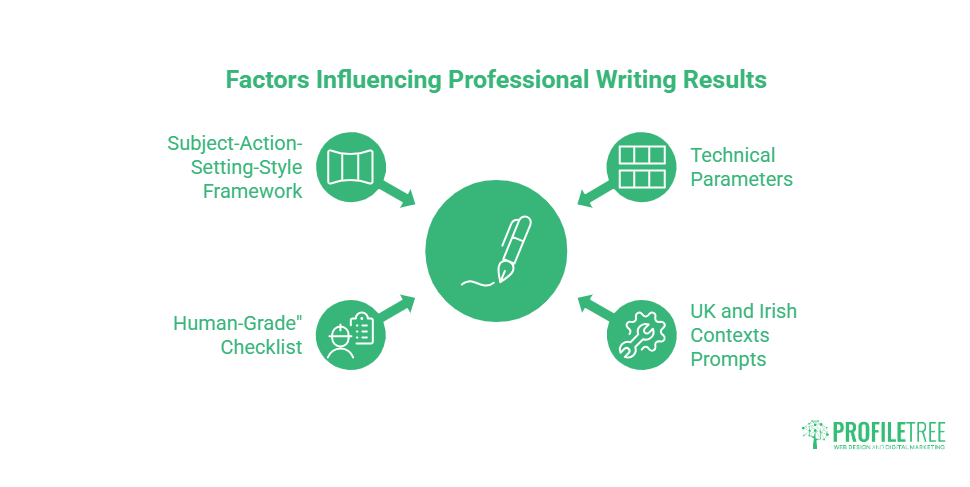
The gap between amateur and professional AI image output is almost entirely explained by prompt quality. Most dissatisfaction with these tools comes from treating them like a search engine rather than a creative brief. A well-structured prompt is closer to a detailed art direction document than a casual description.
The AI prompts for business guide covers a range of use cases beyond image generation, including copy and strategy work. The principles for structuring prompts transfer directly to visual briefs.
The Subject-Action-Setting-Style Framework
A reliable starting structure for any AI image prompt is: Subject, Action, Setting, Style. Each element narrows the model’s interpretation and reduces the chance of generic output.
The subject defines what is in the image and how it is described. Specific nouns outperform general ones: “a 40-year-old woman in a grey wool coat” produces more consistent results than “a professional woman.” Action describes what the subject is doing, even if the answer is “standing still” or “facing the camera.” Setting places the subject in a context: an interior, a landscape, a studio. Style specifies the visual register, whether that is photographic, editorial, illustrative, or referential to a specific aesthetic.
A complete prompt built on this framework might read: “A mid-40s male founder reviewing documents at a desk in a minimalist Belfast office, daylight from a large window, editorial photography style, shallow depth of field, muted colour palette.” That brief is usable. “A business person at work” is not.
Technical Parameters That Change Output Quality
Beyond the descriptive content of a prompt, most tools accept technical parameters that control the image’s qualities. Aspect ratio should match your intended use: 16:9 for web banners, 4:5 for Instagram, 1:1 for profile assets. Specifying this upfront avoids post-generation cropping that degrades quality.
Negative prompts, supported in Midjourney and Flux. 1. allows you to explicitly exclude elements. “No text, no watermarks, no distorted hands” added to a negative prompt field meaningfully reduces the probability of these artefacts appearing. Guidance scale controls how closely the model adheres to your prompt versus generating freely. A higher value produces a more literal interpretation; a lower value allows more creative deviation.
The “Human-Grade” Checklist
Before using any AI-generated image in client work, run it through a five-point check. Count the fingers on visible hands; anatomical errors here are still the most common tell. Read any text visible in the image for accuracy; AI text rendering has improved, but still fails on longer strings. Check the eyes for symmetry and natural catchlights. Examine background elements for repeated patterns or merged objects that indicate generation artefacts. Finally, reverse image search the output to check for near-identical results in the same generation batch, which can create embarrassing duplication across unrelated campaigns.
Prompts Relevant to UK and Irish Contexts
Generic prompts produce generic results. For UK and Irish SMEs, building regional specificity into prompts produces more usable output. Specifying “a Georgian terrace in Dublin,” “a Victorian warehouse conversion in Belfast,” or “a wet market street scene in a Northern Irish town” produces imagery that reads as local rather than internationally generic. The guide to top cities in Northern Ireland provides useful visual reference points for understanding the architectural and landscape character of the region, which translates directly into more precise prompts for location-specific campaigns.
For product photography prompts, specify the surface material, lighting source, and background colour in concrete terms rather than adjectives like “clean” or “professional,” which mean different things to different models.
How to Detect AI Images: A Guide for UK Editors
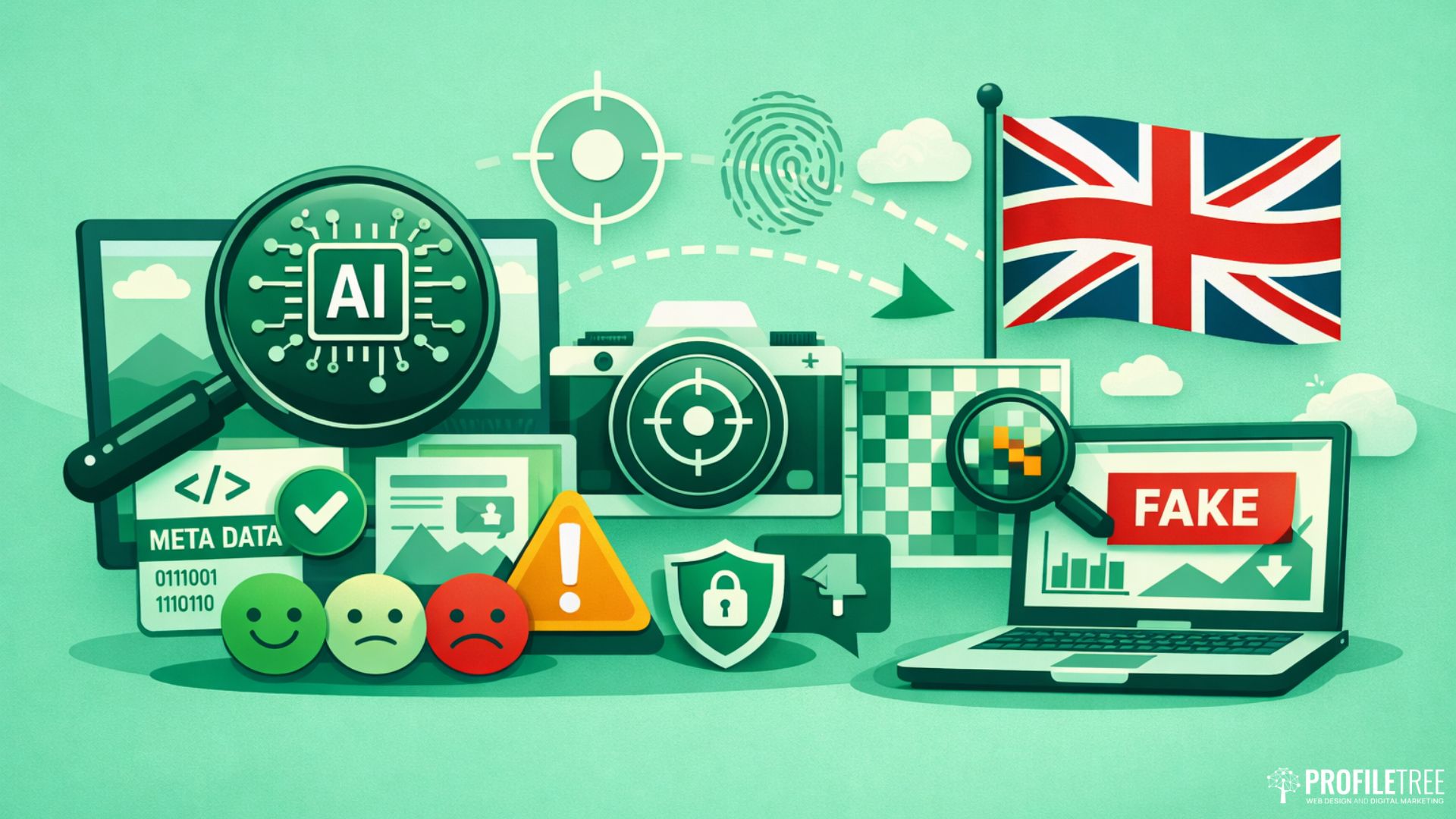
Detection matters in two directions. You need to know when AI-generated imagery is being submitted to you, whether from a contributor, a supplier, or a stock library, and you need to be able to verify your own outputs before publication. Neither task is fully reliable with current detection tools, but a systematic approach reduces the risk of errors reaching publication.
Understanding how AI content is identified more broadly is useful background here; the AI content detection guide covers the methods used across text and image formats and how detection accuracy varies by tool and context.
Visual Tells That Still Appear
Despite rapid improvement in the major models, several visual characteristics persist across AI-generated images. Hands remain the most reliable indicator: finger count errors, unnatural joint angles, and merged or missing digits appear frequently enough that any image showing hands closely warrants careful inspection.
Background complexity is another area where generation artefacts cluster. Foliage, crowd scenes, and architectural details in the background of an otherwise convincing image often contain repeated elements, morphed geometry, or lighting inconsistencies that do not match the foreground. Jewellery, particularly earrings and necklaces, is frequently asymmetrical or structurally implausible on close inspection. Text embedded in signage, packaging, or clothing within an image is almost always garbled or phonetically approximate rather than accurate.
Detection Tools and Their Limitations
Several dedicated detection tools are available, including Hive Moderation, Illuminarty, and the detection functionality built into Adobe’s Content Authenticity Initiative. These tools work by analysing pixel-level patterns associated with specific generation methods. Accuracy rates vary considerably; tools trained on older diffusion models may not reliably detect output from newer architectures like Fluxx. .1 or DALL-E 3.
Reverse image search remains a practical first step. Google Images and TinEye will not identify an image as AI-generated, but they will surface similar or identical results from generation platforms, indicating the source. For editorial decisions where the stakes are high, combining a detection tool with manual inspection and reverse image search provides more confidence than relying on any single method.
Content Authenticity and Disclosure
The Content Authenticity Initiative (CAI), supported by Adobe, Google, and a growing number of publishers, provides a technical standard for embedding provenance data in image files. When an image is created in a CAI-compliant tool, its origin and editing history can be verified by any platform that reads the standard.
For UK businesses, adopting CAI-compliant tools and disclosure practices now is worthwhile beyond immediate legal requirements. Brands that can demonstrate transparency in how they produce visual content are likely to be better positioned as regulation tightens and audience awareness of AI imagery grows. The question is not whether disclosure will become expected; it is when.
How ProfileTree Approaches AI Imagery
At ProfileTree, our digital content team uses AI image tools as part of a broader production workflow, not as a replacement for creative direction. Generated images go through the same quality review as commissioned photography: checked for anatomical accuracy, assessed for brand alignment, and cleared against our content authenticity standards before use.
“The value of AI image generation for SMEs is in the speed of iteration, not in replacing the judgement that makes an image worth using,” says Ciaran Connolly, ProfileTree Founder. “The businesses that get results are the ones who treat the tool like a junior designer who needs a proper brief and a proper review, not a magic button.”
If your team needs support developing a structured AI content workflow, Canva AI offers a low-barrier entry point for businesses new to AI-assisted design, with a familiar interface and built-in commercial safeguards.
Conclusion
AI image generation is a capable production tool for UK businesses, but using it well requires more than picking a platform. Legal clarity, prompt discipline, and a structured review process separate the teams producing genuinely professional output from those cycling through mediocre results. Adobe Firefly reduces commercial risk; Midjourney raises creative ceilings; DALL-E 3 lowers barriers for non-designers; Flux. 1 sets the photorealism benchmark. Match the tool to the brief, build the legal framework, and treat the output as a first draft, not a finished asset.
Need help integrating AI tools into your content workflow?
ProfileTree works with SMEs across Northern Ireland, Ireland, and the UK to build digital content strategies that combine AI capability with professional editorial standards. Get in touch with our team to discuss how AI-assisted content production could work for your business.
FAQs
Do I own the copyright to AI images in the UK?
Under current UK law, copyright requires a human author. Purely AI-generated images, where no human has made sufficient independent creative choices, are unlikely to attract full copyright protection. The Copyright, Designs and Patents Act 1988 contains a limited provision for “computer-generated works,” but its application to AI output is unresolved.
What is the best free AI image generator for UK users?
Microsoft Designer (powered by DALL-E 3) is the strongest free entry point for UK users. It is accessible with a Microsoft account, generates a generous daily allowance of images at no cost, and includes commercial use rights within the terms of service. Canva’s AI image tool also offers free-tier access with a recognisable interface suited to non-designers.
Can I use an AI-generated image as a business logo in the UK?
This carries two risks. First, a purely AI-generated image is unlikely to qualify for trademark registration in the UK, because trademark law requires a human creator or assignee. Second, if a competitor generates a visually similar logo from the same prompt, you have limited legal recourse.
Which AI tool handles text within images best?
Flux. 1 and DALL-E 3 are the strongest performers for text rendering within images. Both handle short strings, such as a word or a brief phrase, with reasonable accuracy in recent versions. Longer text, multi-line copy, and non-standard typefaces remain unreliable across all current tools.
How do I write an effective AI image prompt?
Use the Subject-Action-Setting-Style structure. Specify your subject in concrete, precise terms rather than general adjectives. Describe what they are doing and where the scene is set. Add a style reference, whether photographic, illustrative, or editorial. Include technical parameters such as aspect ratio and, where available, negative prompts to exclude unwanted elements.