
Integrating MarTech Tools for Greater Marketing Efficiency
Table of Contents
If you’re managing a marketing team in the UK right now, MarTech integration is likely your biggest operational headache. A recent Gartner survey found that marketing teams use an average of 12 tools, yet only 42% of those tools are integrated with one another. The result: data gaps, duplicate manual work, and wasted budget on subscriptions nobody fully uses.
Integrating MarTech tools isn’t a nice-to-have; it’s the operational foundation that separates efficient marketing operations from expensive chaos. ProfileTree, the Belfast-based digital agency, works with SMEs across Northern Ireland and the wider UK to audit, rationalise, and connect MarTech stacks so that data flows cleanly and campaigns actually reflect what customers are doing. This guide walks through every stage of that process.
The Hidden Cost of a Disconnected MarTech Stack

Before planning any integration, it’s worth understanding what a fragmented stack is actually costing your business. The impact shows up in three places: your data, your team’s time, and your subscription spend.
Data Silos and Unreliable Reporting
When your email platform doesn’t share data with your CRM, and your CRM doesn’t connect to your analytics, you end up with three different versions of the same customer story. Your email team thinks a prospect converted last Tuesday; your sales team has no record of it; your analytics dashboard counts a different session entirely. This is the classic data silo problem, and it’s endemic in businesses that have added tools one at a time without a plan.
The downstream effect is reporting that you can’t trust. If your monthly marketing review is built on figures pulled manually from four different dashboards, there’s a near-certain chance the numbers contradict each other by the time they reach a decision-maker. You’re not running a data-driven marketing operation; you’re running a series of educated guesses dressed up as data.
Financial Waste: Identifying Zombie Subscriptions
Gartner’s 2024 Marketing Technology Survey found that organisations use only 33% of their MarTech stack’s full capability. In practice, that means you’re likely paying for tools that either duplicate functionality you already have elsewhere, are rarely logged into by your team, or were implemented for a one-off project and never decommissioned.
A useful diagnostic: pull your last three months of SaaS invoices and note the login frequency for each tool. Any platform with fewer than five team logins per month against a non-trivial subscription cost is a candidate for review. These are your zombie subscriptions: not quite dead, but consuming budget without returning value.
Phase 1: The Zero-Waste MarTech Audit
The most common mistake when integrating MarTech tools is skipping the audit and going straight to the integration. If you connect six poorly performing tools together, you get six poorly performing tools sharing data with each other. Start here.
The Red, Amber, Green Audit Framework
A structured RAG (Red, Amber, Green) audit gives you a defensible methodology for deciding what stays, what gets reviewed, and what gets cut. Apply these criteria to every tool in your current stack:
| Status | Criteria | Action |
|---|---|---|
| Green | High usage (10+ logins/month), clear ROI, no duplication, GDPR compliant | Keep and integrate |
| Amber | Moderate usage, partially duplicated, unclear ROI, or compliance gap | Review and consolidate within 60 days |
| Red | Low/no usage, duplicated by another tool, no integration path, or non-compliant | Terminate or replace |
Run this across your full stack in a shared spreadsheet. Include columns for: tool name, monthly cost, primary user, login frequency (last 90 days), primary function, and whether it duplicates any other tool’s capability. The process typically takes half a day for a marketing team of five and usually surfaces two or three immediate cancellations that pay for the time invested.
Mapping Your Current Data Flow
Once you’ve completed the RAG audit, map how data currently moves between your surviving tools. Draw a simple diagram showing which platforms send data to which, where manual exports are happening (these are your weakest links), and where there are obvious gaps: for instance, lead source data that disappears when a contact moves from your lead gen tool to your CRM.
This map becomes your integration blueprint. Every gap you identify in this stage is a workflow you can automate in Phase 2. Every manual export is a process you can eliminate.
Phase 2: Choosing Your Integration Architecture
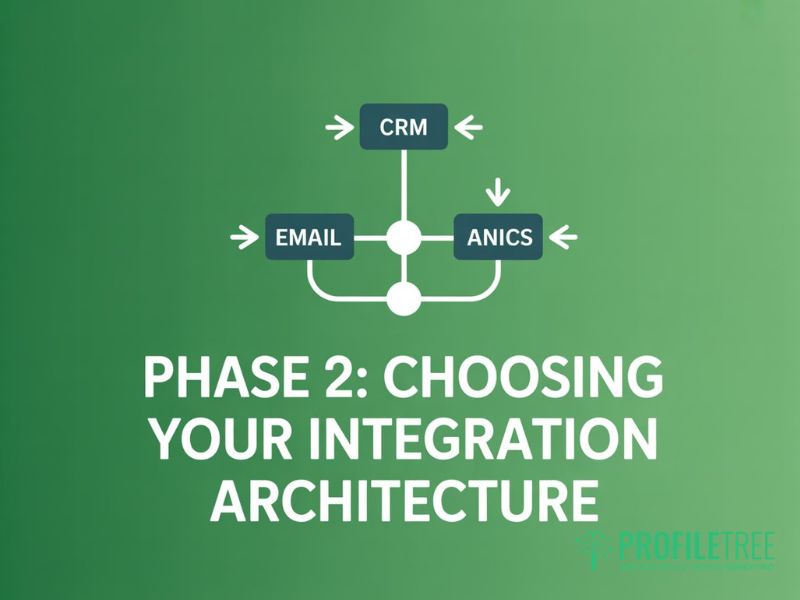
With a rationalised stack and a data flow map, you’re ready to plan how the remaining tools will connect. There are three main approaches, each with different costs, complexities, and UK data compliance implications.
Native Integrations vs IPaaS vs Custom API
Native integrations are built directly between two platforms by one or both vendors. HubSpot’s native connection to Salesforce, for example, or Mailchimp’s built-in Shopify integration. These are the lowest effort options when they exist: no third-party dependency, usually no extra cost, and maintained by the vendor. The limitation is coverage. Native integrations only exist where vendors have agreed to build them, and they often offer less flexibility than a custom approach.
iPaaS (Integration Platform as a Service) tools like Zapier, Make (formerly Integromat), and Workato sit in the middle. They provide a drag-and-drop interface for connecting platforms that don’t have native integrations, triggering automated workflows across your stack. For a UK SME, Zapier is the most common starting point: it has a free tier for simple automations and a Business plan at around £19/month that covers most multi-step workflows. Make is worth considering if your workflows are complex or data-heavy; it’s more powerful but has a steeper learning curve. Workato positions itself at the enterprise end and is typically overkill for businesses under 200 staff.
Custom API development is the most flexible option, but it requires developer resources. It’s worth the investment when you need a non-standard integration that no iPaaS tool supports, when data volume is too high for middleware platforms, or when you’re connecting a proprietary internal system to your marketing stack. For most UK SMEs, this isn’t the right starting point, but it becomes the right choice once your stack is mature and your integration requirements are well understood.
| Approach | Cost | Setup Complexity | Flexibility | UK Data Control |
|---|---|---|---|---|
| Native Integration | Usually included | Low | Limited to vendor spec | Depends on the vendor |
| iPaaS (e.g. Zapier, Make) | £0–£300+/month | Medium | High within supported apps | Variable (check data location) |
| Custom API | Developer day rate | High | Complete | Full control |
When a Custom API Is Worth the Investment
The clearest signal that you need custom API work is when your core business system (whether that’s a bespoke CRM, an ERP, or a sector-specific platform) has no native integrations and isn’t supported by mainstream iPaaS tools. For manufacturing businesses in Northern Ireland using sector-specific software, or professional services firms with legacy systems, this is a common scenario. The cost of a well-built API integration typically pays back within six months through reduced manual data entry alone.
Phase 3: The UK GDPR Compliance Filter
This is the section most US-published MarTech guides skip entirely, and it’s the one that carries the most risk for UK businesses. Every tool in your stack that processes personal data is subject to UK GDPR. When you integrate tools, you’re creating new data flows, and each one needs to comply.
Data Residency When Integrating US-Based SaaS
The majority of mainstream MarTech tools are US companies: Salesforce, HubSpot, Mailchimp, ActiveCampaign, Google Analytics, and Meta Ads Manager. Under UK GDPR, transferring personal data to a country outside the UK (including the US) is only lawful if an adequacy decision is in place or appropriate safeguards are in operation.
The UK-US Data Bridge, established in October 2023, provides a mechanism for lawful transfers to US organisations that have self-certified. Before integrating any US-based tool that will process your customers’ personal data, check whether the vendor has been certified under the UK-US Data Bridge or provides a UK Addendum to its Data Processing Agreement. Most major vendors do, but you need the signed DPA on file, not just a checkbox.
Where you have specific UK data residency requirements (common in healthcare, legal, and financial services), check whether your iPaaS tool processes data through UK or EU servers. Zapier’s data, for example, is processed in the US by default. If your sector requires UK/EU data residency, Make has EU-based processing options and is worth evaluating for this reason alone.
Subject Access Requests Across an Integrated Stack
When a customer submits a Subject Access Request (SAR) under UK GDPR, you have 30 days to provide them with all personal data you hold about them. In a fragmented, poorly documented MarTech stack, this is far harder than it should be. You need to know which tools hold personal data, what category of data each holds, and how to export it cleanly.
Document your data map (from Phase 1) with personal data categories for each tool. This becomes your SAR response guide. The integration you build in Phase 2 can also help: a well-integrated stack with a CRM as the central data hub means SAR responses can often be generated from a single export rather than a manual trawl through six platforms.
Phase 4: Streamlining Internal Adoption
The best-designed MarTech integration will fail if your team doesn’t use it consistently. Internal adoption is the most under-resourced phase of any integration project, and the most common reason why integrated stacks revert to fragmented workarounds within six months.
Reducing Tab Fatigue for Marketing Teams
Tab fatigue is the operational cost of having your team context-switch between too many platforms to complete a single task. The typical fix isn’t more training; it’s a better-designed workflow that reduces the number of platforms a team member needs to touch to complete a common action. When planning your integration architecture, map your team’s five most frequent tasks and count how many tool switches each requires. If any task requires more than two platform changes, it’s a candidate for automation or consolidation.
Training and Change Management
New integrations change how work gets done. A workflow that previously required a manual export now runs automatically, but only if your team understands the new process and stops doing the old one. Budget time for a team walkthrough of any major workflow change before go-live, and document the new process in writing so it’s repeatable when staff change. ProfileTree’s digital training programmes for marketing teams cover MarTech stack management and can be tailored to your specific stack and workflows.
Measuring the ROI of a Connected MarTech Stack
Quantifying the return on a MarTech integration project requires looking at three areas: time saved, data quality improvements, and commercial outcomes.
For time saved, calculate your team’s current weekly hours spent on manual data exports, cross-platform reporting, and duplicate data entry. Multiply by the hourly cost and annualise. This is the baseline your integration needs to beat. In most SME environments, the figure is surprisingly large: a team of three spending two hours each per week on manual MarTech admin represents over 300 hours per year.
For data quality, track your CRM contact duplication rate, your email bounce rate, and your reporting discrepancy rate (the difference between figures from different tools covering the same metric) before and after integration. These tend to improve markedly within the first quarter.
For commercial outcomes, align your MarTech stack performance to your pipeline metrics. A well-integrated stack should reduce your cost per lead (through better attribution and reduced wasted spend), improve your lead-to-customer conversion rate (through better nurture workflows), and reduce churn (through better customer data visibility).
Next Steps for Your MarTech Integration
Integrating MarTech tools is not a one-time project; it’s an ongoing practice. Stacks grow, vendors change their APIs, and marketing strategies evolve. Build a quarterly review into your calendar to check whether your integrations are still performing as designed and whether any new zombie subscriptions have crept in.
If your team needs support working through a MarTech audit or building an integration architecture for your specific stack, ProfileTree’s digital marketing strategy services cover the full process from initial audit through to implementation and team training. For businesses looking to build in-house capability, our digital training programmes for marketing teams are designed specifically for UK and Irish SMEs.
FAQs
1. What is the best approach for integrating MarTech tools for a UK SME?
Start with an audit before touching any integration work. Most UK SMEs benefit from a hub-and-spoke model where a CRM (such as HubSpot or Salesforce) acts as the central data repository, with all other tools feeding into and drawing from it. For most businesses under 100 staff, a well-configured iPaaS tool like Zapier or Make is sufficient to connect the stack without custom development.
2. Is Zapier compliant with UK GDPR?
Zapier can be used in a UK GDPR-compliant way, but it requires active steps on your part. Zapier Inc. is certified under the UK-US Data Bridge, so you need to sign a Data Processing Agreement with Zapier (available in your account settings) and confirm your Zaps only transfer data categories your privacy policy covers. If your sector requires UK or EU data residency, evaluate Make instead, which offers EU-based processing.
3. How long does a MarTech integration project typically take?
For a UK SME with a stack of six to ten tools, a realistic timeline is four to eight weeks from audit to live integrations. The audit and planning phase typically takes two to three weeks; building and testing integrations using an iPaaS tool takes a further two to four weeks, depending on complexity. Custom API work adds time depending on the scope, and rushed integrations that skip the audit phase tend to create new problems rather than solving existing ones.
4. How do I identify zombie MarTech subscriptions?
Pull your SaaS invoices for the last three months and cross-reference against login data for each platform. Most tools show this in their admin dashboard. Any tool with fewer than five logins per month across your whole team, a monthly cost above £50, and functionality that duplicates something another tool in your stack already does is a strong zombie subscription candidate. Also, flag any tool that was implemented for a specific campaign or project that has since ended.
5. What is the difference between a MarTech suite and a best-of-breed stack?
A MarTech suite is a collection of integrated tools from a single vendor (such as HubSpot’s Marketing Hub or Adobe Experience Cloud), while a best-of-breed stack uses the strongest individual tool for each function and then integrates them. Suites offer easier integration and a single vendor relationship, but often lag behind specialist tools; best-of-breed stacks give more flexibility but require active integration management. For most UK SMEs under 500 staff, a hybrid approach works well: a suite for core CRM and email, with specialist tools added where the suite falls short.