
12 Essential Website Security Features for Business Sites
Table of Contents
A data breach costs a UK small business an average of £8,460 to resolve, according to the UK government’s Cyber Security Breaches Survey 2024. That figure does not include lost revenue, reputational damage, or the potential ICO fines that follow a GDPR violation. For most SMEs across Northern Ireland and the wider UK, getting website security features right is not optional; it is the difference between a resilient business and an avoidable incident.
This guide covers 12 essential website security features, grouped by priority. Each section explains what the feature does and what practical steps to take, whether you run your own WordPress site or work with a development team.
Why Website Security Cannot Be Optional for UK Businesses
Business owners sometimes treat website security as something to deal with later, after the site is live and generating revenue. That approach has become far more costly since the UK’s data protection framework tightened and Google began treating website security features as direct inputs into rankings. Two realities now make a secure site a baseline requirement, not an optional upgrade.
The Legal Reality: GDPR and the Data Protection Act 2018
Under the UK GDPR and the Data Protection Act 2018, organisations that process personal data must implement “appropriate technical and organisational measures” to protect it. That phrase has practical meaning. A website that collects email addresses through a contact form, processes payment details, or stores user accounts is processing personal data. If that site lacks the right website security features and suffers a breach, the ICO can investigate whether the measures in place were adequate.
Fines for serious infringements can reach £17.5 million or 4% of global annual turnover. For most SMEs, the reputational fallout of a breach is more damaging than the fine itself.
The SEO Reality: How Security Affects Search Rankings
Google has treated HTTPS as a ranking signal since 2014. Since then, the connection between website security features and search performance has deepened. A site flagged as insecure by Chrome shows a warning to visitors before they reach your content; that warning reduces both traffic and conversion rates. Core Web Vitals, a confirmed ranking factor, can also be affected by how security layers are implemented, particularly when third-party security scripts delay page rendering.
Getting website security features right is both a legal obligation and an SEO investment. A properly implemented security stack improves both compliance posture and page performance when configured at the right level.
Feature Priority Matrix
| Security Feature | Implementation Difficulty | Impact on Site Speed |
|---|---|---|
| SSL/TLS Certificate | Low | None (positive with HTTP/2) |
| Web Application Firewall | Medium | Low (server-side) |
| DDoS Protection | Low–Medium | Low |
| CDN with Security | Medium | Positive |
| Malware Scanning | Low | Low |
| Security Headers | Low (dev required) | None |
| MFA | Low | None |
| Bot Management | Medium | Positive |
The Core Four: Foundational Website Security Features
These four website security features form the non-negotiable baseline for any business site. The security features of a website are only as strong as its weakest layer; if any one of these four is absent, the site carries exploitable gaps that affect user trust, regulatory compliance, and search visibility. Implement these before adding anything else.
SSL/TLS Certificates: Beyond the Padlock
An SSL (Secure Sockets Layer) or TLS (Transport Layer Security) certificate is one of the most fundamental website security features available. It encrypts data transmitted between the user’s browser and your web server, putting the “S” in HTTPS, and is a basic requirement for any site that collects user data of any kind.
Since 2023, Google Chrome has shown a warning icon for HTTP sites rather than a padlock for HTTPS sites. Visitors who see that warning leave. SSL is therefore a minimum, not a differentiator. Free certificates from Let’s Encrypt are adequate for most business sites. Paid Organisation Validated (OV) or Extended Validation (EV) certificates confirm your business identity and are appropriate for professional services, e-commerce, and regulated industries.
Web Application Firewall (WAF): Your First Line of Defence
A web application firewall (WAF) is one of the most operationally important website security features for blocking attacks before they reach your server. It sits between your website and incoming traffic, filtering requests and blocking common attack patterns including SQL injection, cross-site scripting (XSS), and malicious bot traffic.
Cloud-based WAFs route traffic through their network before it reaches your server, adding minimal latency and continuously updated rules. Plugin-based WordPress WAFs run on your server, consuming PHP resources. For most business sites, a server-side or cloud-based WAF is the stronger choice.
Secure Web Hosting: Why “Cheap” Is Expensive
Secure web hosting is one of the website security features that businesses most often overlook. Shared hosting environments place your site alongside dozens or hundreds of others on the same server. If one of those sites is compromised, there is a risk of cross-site contamination, particularly on hosting plans that do not properly isolate accounts.
Secure hosting for a business website means: server-level malware scanning, automatic security patches for the operating system and server software, DDoS mitigation at the network layer, daily automated backups stored off-site, and PHP configurations that follow security hardening guidelines. Before committing to a hosting provider, ask specifically about these controls. The cost of properly managed hosting is a fraction of what a single breach costs to remediate.
Distributed Denial of Service (DDoS) Protection
DDoS protection is among the website security features that directly affect uptime. A DDoS attack floods your server with traffic from multiple sources simultaneously, making the site unavailable to legitimate users. For e-commerce sites or service businesses that rely on enquiries, even a short outage during peak hours is costly.
CDNs such as Cloudflare provide built-in DDoS mitigation as part of their standard offering. Rate limiting, which caps requests from a single IP address per period, is a complementary control that reduces the impact of lower-volume attacks. Your hosting provider may also offer DDoS protection at the network layer.
Advanced Website Security Features for High-Performance Sites
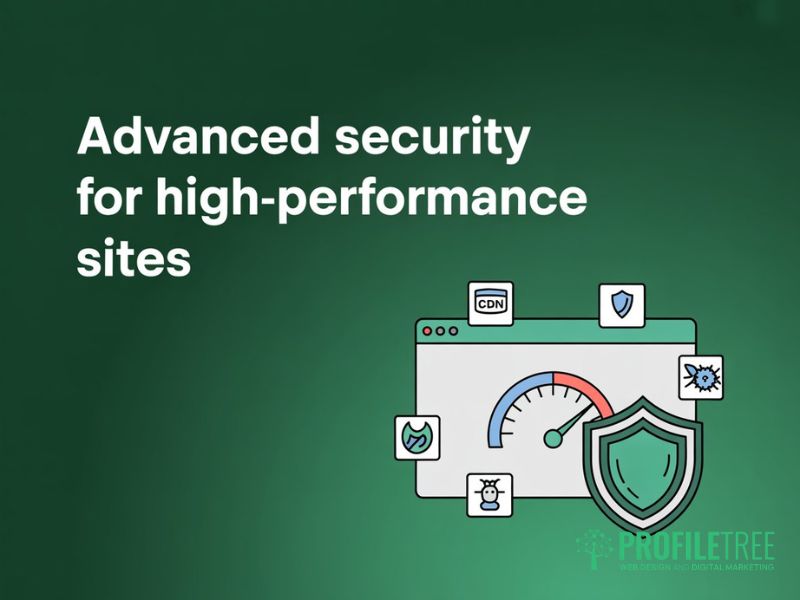
Once the core four are in place, these advanced website security features address the protection and performance gaps that most guides miss. They represent a second tier of online security features, particularly relevant for sites with high traffic volumes, e-commerce functionality, or sensitive data handling. Implementing them alongside website security enhancements at the hosting level gives business sites a well-rounded defence.
Content Delivery Networks (CDN) with Integrated Security
A CDN is one of the few website security features that simultaneously improves both protection and performance. It distributes copies of your static content across a network of servers in different geographic locations. When a user visits your site, they are served content from the nearest server rather than your origin server, reducing load times. The security benefit is that a CDN absorbs attack traffic before it reaches your origin server.
Cloudflare’s free tier provides CDN, DDoS mitigation, and WAF for most small business sites. Paid tiers add custom WAF rules and advanced bot management.
Real-Time Malware Scanning and Auto-Remediation
Malware scanning is one of the website security features most likely to catch an active compromise early. It checks your website files and database for malicious code, unauthorised file changes, and known malware signatures. Without it, a compromised site can distribute malware to visitors or be used as a spam relay for weeks before anyone notices.
Effective malware scanning runs at the server level rather than through a browser-based check, is scheduled (at a minimum, daily), and sends an immediate alert if anything suspicious is detected. Sucuri and Malcare are well-regarded options for WordPress sites. Auto-remediation, where the service automatically removes detected malware, is useful but should be paired with pre-remediation backups to avoid accidental data loss.
Bot Management: Protecting Your Analytics and Bandwidth
Bot management is among the online security features most often underestimated. Not all bots are malicious, but scrapers, credential stuffing bots, and content theft bots consume bandwidth, skew analytics data, and in some cases attempt to access protected areas of your site.
Bot management tools are website security features that classify incoming traffic and block requests that look automated and unauthorised. This improves analytics accuracy and reduces server load. Cloudflare’s bot management is the most widely used solution; for WordPress, login protection with rate limiting and CAPTCHA on the login page provides a lighter alternative.
Security Headers: The Technical Layer Most Guides Miss
HTTP security headers are website security features configured at the server or CDN level that instruct the browser on how to handle your content. They have no visible effect on how the site looks, but they close several categories of common attacks. Most website security guides stop at SSL; covering headers gives your site an advantage that the majority of competing pages do not have.
The most important headers are: Content Security Policy (CSP), which controls which external scripts the browser can load and prevents XSS attacks; HTTP Strict Transport Security (HSTS), which forces HTTPS connections; X-Frame-Options, which prevents clickjacking; and X-Content-Type-Options, which stops MIME-type confusion attacks. Check your current headers using Mozilla Observatory (observatory.mozilla.org) or SecurityHeaders.com.
Access Control and Authentication
Technical perimeter defences address external threats, but access controls are the website security features that protect a site from the inside. A significant proportion of website compromises involve weak credentials, reused passwords, or over-permissioned user accounts. These controls limit who can get in and what they can do once inside, and they cost nothing to implement beyond discipline and configuration time.
Multi-Factor Authentication (MFA): Why SMS Is Not Enough
MFA is one of the most effective website security features for preventing unauthorised access to admin areas. It requires a user to provide two or more verification factors before gaining entry; knowing the password alone is insufficient. MFA applies to your WordPress admin, your hosting control panel, your domain registrar, and any third-party service connected to your site.
SMS-based MFA is better than none, but it is vulnerable to SIM-swapping attacks. Authenticator apps such as Google Authenticator or Authy generate time-based codes offline and are not susceptible to SIM swap. For most business site admin accounts, an authenticator app is the right choice.
Principle of Least Privilege for Admin Users
The principle of least privilege is one of the website security features that reduces your attack surface without adding any technical complexity. It means giving each user account only the permissions it needs to perform its function, and no more. In WordPress, this means not giving every team member an Administrator role when Editor or Author would suffice. In hosting, it means creating database users with only the permissions required for the application.
Practically, audit your user list regularly. Remove accounts for former employees immediately and check whether any accounts hold Administrator access when a lower role would suffice.
Security vs. Speed: Optimising for Core Web Vitals
A common concern among site owners is that adding website security features will slow the site down. The concern is valid for poorly implemented security, but it is often overstated. The issue is not security itself; it is how it is implemented. Properly configured website security features at the server or CDN level have minimal performance impact and, in some cases, actively improve page speed.
The Performance Cost of Security Plugins
WordPress security plugins that run on the server consume PHP memory and CPU for every page request. If a plugin runs multiple database queries on every page load to check threat signatures, those queries add latency. The performance cost becomes particularly relevant for sites where Interaction to Next Paint (INP), a Core Web Vitals metric that measures responsiveness, is already borderline.
The solution is to push website security features to the server or CDN level where possible. A WAF rule implemented at the Nginx or Apache level adds no PHP overhead. A cloud-based WAF sits upstream of your server entirely. If you do use a WordPress security plugin, benchmark its impact using Chrome DevTools or GTmetrix before and after installation, and disable any features you do not specifically need.
Balancing Latency and Encryption
TLS handshakes add a small amount of latency to the first connection between a browser and your server. HTTP/2, which requires HTTPS, offsets this through multiplexing and header compression. A well-configured HTTPS site on HTTP/2 loads faster than the same site on HTTP/1.1. When reviewing website security features for performance impact, prioritise TLS 1.3 (supported by all modern browsers), active HSTS to reduce redirect overhead, and confirm that your hosting environment supports HTTP/2.
UK Compliance Checklist: Is Your Site Cyber Essentials Ready?
The NCSC’s Cyber Essentials scheme defines a baseline set of website security features for UK organisations. For businesses planning website security enhancements, this framework is the most practical starting point available. Certification is required for some government contracts and is increasingly requested by larger private sector clients as part of supplier due diligence. Even without pursuing formal certification, completing the self-assessment surfaces gaps in the security features of a website that owners often do not know exist.
| Cyber Essentials Control | Website Security Feature Required | UK GDPR Requirement Addressed |
|---|---|---|
| Boundary firewalls | WAF + hosting firewall | Art. 32: security of processing |
| Secure configuration | Hardened server config, security headers | Art. 25: data protection by design |
| Access control | MFA, principle of least privilege | Art. 5(1)(f): integrity and confidentiality |
| Malware protection | Server-level malware scanning | Art. 32: appropriate technical measures |
| Patch management | CMS and plugin updates, managed hosting | Art. 32: ongoing security maintenance |
Formal certification costs £300-£500 for most SMEs; Cyber Essentials Plus, which involves hands-on testing, costs more. Completing the self-assessment, even informally, is a worthwhile exercise for any business reviewing the website security features of their current setup.
Conclusion
Website security features are not a single product you install and forget. They are a layered set of controls: technical, procedural, and organisational, that work together to reduce risk. Start with the core four: SSL/TLS, a WAF, secure hosting, and DDoS protection. Then add the advanced online security features: security headers, malware scanning, CDN protection, and bot management. Audit your access controls and review the security features of your website regularly against the Cyber Essentials framework.
For UK businesses, website security enhancements are also a compliance obligation under the UK GDPR. The cost of getting this right is small compared to the cost of a breach, an ICO investigation, or the reputational damage that follows a public incident. If you would like a technical review of your current website security features, ProfileTree’s web development team works with businesses across Northern Ireland, Ireland, and the UK to identify gaps and implement the right controls.
FAQs
1. Which website security features are most important for an e-commerce site?
For e-commerce sites, the website security features that matter most are: PCI-DSS compliant payment processing, a WAF configured to block injection attacks, SSL/TLS across all pages, and server-level malware scanning. MFA on all admin and merchant accounts is non-negotiable. E-commerce sites carry a higher risk than brochure sites because they store or transmit payment card data, subject to additional standards beyond UK GDPR. The online security features most likely to prevent an e-commerce breach are a server-side WAF and strict access control on admin accounts.
2. What are the five main website security features every business site needs?
The five most important website security features for any business site are: an SSL/TLS certificate to encrypt data in transit; a web application firewall to filter malicious traffic; secure and regularly patched hosting; multi-factor authentication on all admin accounts; and security headers to instruct the browser on how to handle your content. These five controls address the most common attack vectors and form the starting point for any website security enhancements programme.
3. Do security plugins slow down my WordPress site?
Website security features implemented at the server or CDN level have minimal performance impact. Plugin-based security can cause slowdowns, particularly if it runs extensive checks at the PHP level on every page load. Server-side firewalls and cloud-based WAFs are preferable because they process traffic upstream of your server without consuming PHP resources. If you do use a WordPress security plugin, disable any features you do not actively need and benchmark the impact using tools such as GTmetrix or PageSpeed Insights.
4. Is a free SSL certificate as good as a paid one?
Among the website security features most relevant to small businesses, the SSL certificate question comes up most often. A free Let’s Encrypt certificate is technically equivalent to a paid Domain Validated certificate for most business sites. Both use the same encryption protocols. The difference lies in validation level: paid OV or EV certificates verify your business identity, which matters for professional services and regulated industries. For a standard business website, the free certificate is fully adequate.
5. What is the Cyber Essentials scheme, and does my business need it?
Cyber Essentials is a UK government-backed certification scheme managed by the National Cyber Security Centre. It defines five technical controls: boundary firewalls, secure configuration, access control, malware protection, and patch management. Each of these maps directly to a category of website security features covered in this guide. Certification is required for some UK government contracts and is increasingly requested by private sector clients. Even without pursuing formal certification, completing the Cyber Essentials self-assessment is a practical way to audit the security features of a website and identify gaps.