
Web Security for Small Businesses: 7 Practical Tips
Table of Contents
Web security for small businesses is not a luxury reserved for companies with dedicated IT teams. Small businesses are frequently targeted by cybercriminals precisely because they often have fewer protections in place. The data held by a small business, from customer contact details to payment records, is just as valuable to an attacker as the data held by a large enterprise.
The good news is that the most effective web security measures do not require significant technical knowledge or budget. This guide covers seven practical steps that any small business can implement to reduce the most common risks significantly.
Why Small Businesses Are Targeted
The assumption that cybercriminals focus on large organisations is a misconception that leaves small businesses exposed. Attackers look for the easiest targets, not the largest ones. A small business with weak passwords, no multi-factor authentication, and outdated software presents a low-effort, low-risk opportunity compared to a large corporation with a dedicated security team.
The consequences of a successful attack are often disproportionately severe for smaller businesses. A ransomware incident that takes your systems offline for a week may be a significant but manageable setback for a large firm. For a small business, the same incident can result in lost customers, reputational damage, and costs that are difficult to recover from.
A robust cybersecurity strategy isn’t just a technical necessity; it’s a critical component of a business’s customer relationship management,” says Ciaran Connolly, founder of ProfileTree. “One breach can lead to a significant setback in customer trust, which can be far more challenging to restore than any financial loss.”
The legal dimension
A data breach involving personal data is not just a business problem. Under UK GDPR and GDPR (in Ireland and the EU), a breach that is likely to result in a risk to individuals must be reported to the relevant supervisory authority within 72 hours of discovery. Failure to report a reportable breach can result in regulatory fines on top of the costs of the incident itself.
This makes web security not only an operational concern but a compliance one.
Tip 1: Implement Multi-Factor Authentication
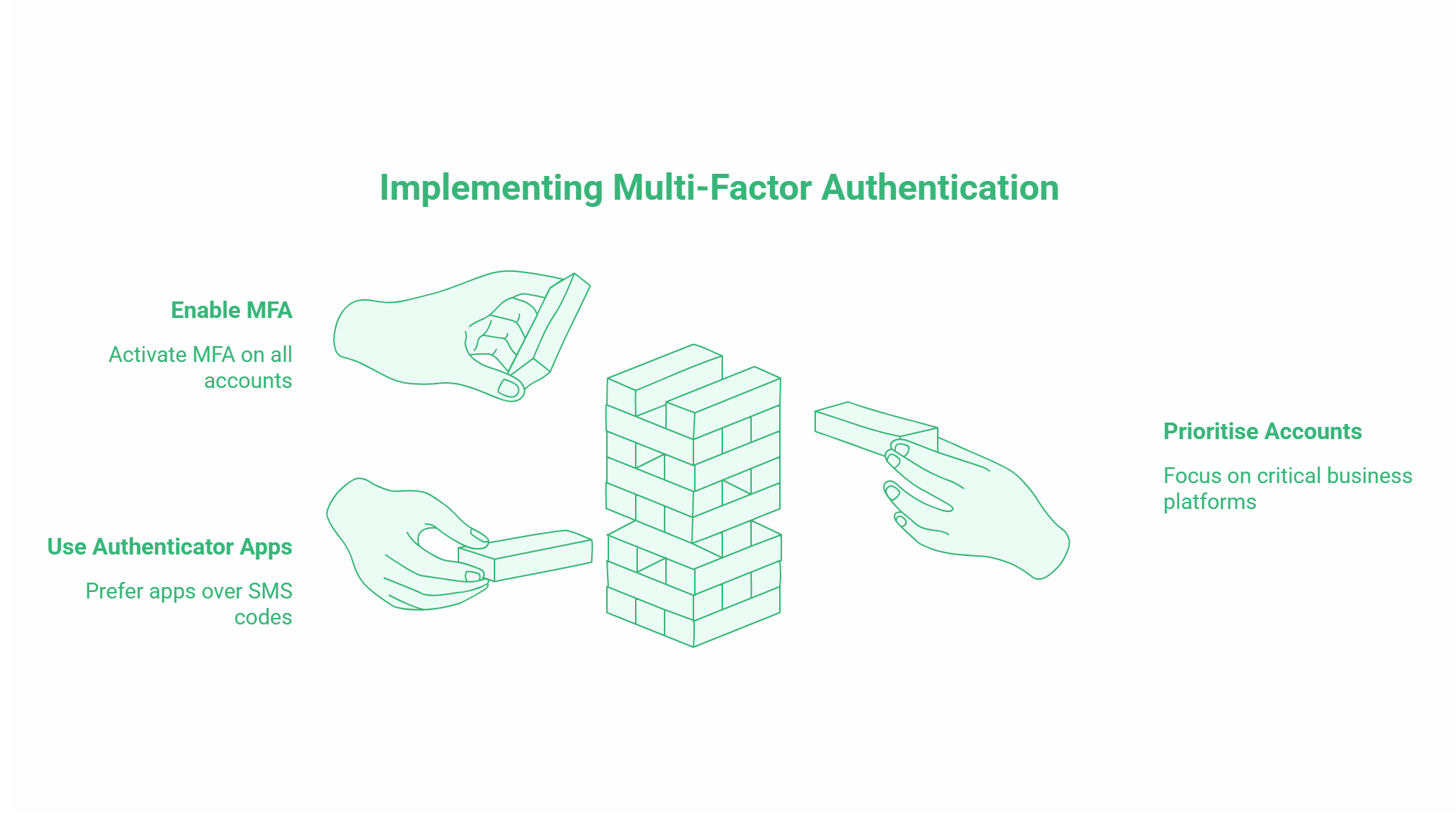
Multi-factor authentication (MFA) requires users to verify their identity using two or more factors: typically something they know (a password) and something they have (a code sent to their phone or generated by an authentication app). Even if an attacker obtains a password, MFA blocks access without the second factor.
Where to enable MFA
Enable MFA on every account that offers it. Priority accounts include your email provider, cloud storage platforms, accounting software, CRM systems, website hosting control panel, and any platform where customer data is stored. Most major platforms support MFA at no additional cost.
For teams, authenticator apps such as Google Authenticator or Microsoft Authenticator are more reliable than SMS-based codes, which can be intercepted through SIM-swapping attacks. Set a policy that MFA must be enabled before any team member accesses business accounts on a new device.
Tip 2: Use Strong, Unique Passwords and a Password Manager
Weak and reused passwords are one of the most common causes of business account compromise. Many attacks do not involve sophisticated hacking; they involve trying known passwords from previous data breaches against new accounts.
The practical solution
A password manager solves the problem of memorising complex, unique passwords. It generates strong passwords for each account, stores them securely, and fills them in automatically. Most password managers also flag if any stored credentials appear in known data breach databases.
Good options for small businesses include 1Password, Bitwarden (open source and free for individuals), and Dashlane. Many offer team plans that allow shared access to business accounts without exposing the underlying passwords.
The standard for a strong password is at least 16 characters, using a mix of upper and lowercase letters, numbers, and symbols, with no dictionary words, names, or sequences. A password manager makes this standard achievable without requiring anyone to memorise anything.
Tip 3: Keep Software and Systems Updated
Outdated software is one of the most exploited attack vectors. When a security vulnerability is discovered in a software platform, the vendor typically releases a patch. Businesses that delay applying updates give attackers a window to exploit the known vulnerability.
Practical update management
For Windows and macOS, enable automatic security updates. For website software, particularly WordPress, enable automatic minor updates and check regularly for plugin and theme updates. Outdated WordPress plugins are one of the most common entry points for website compromises.
For business applications, schedule a monthly review of any software that does not update automatically. Prioritise updates to software that handles personal data, or that is accessible from the internet.
If your website is managed by a web design agency or developer, confirm that ongoing maintenance includes regular software updates. A website that was built and then left without updates for two years is a security liability.
Tip 4: Install an SSL Certificate on Your Website
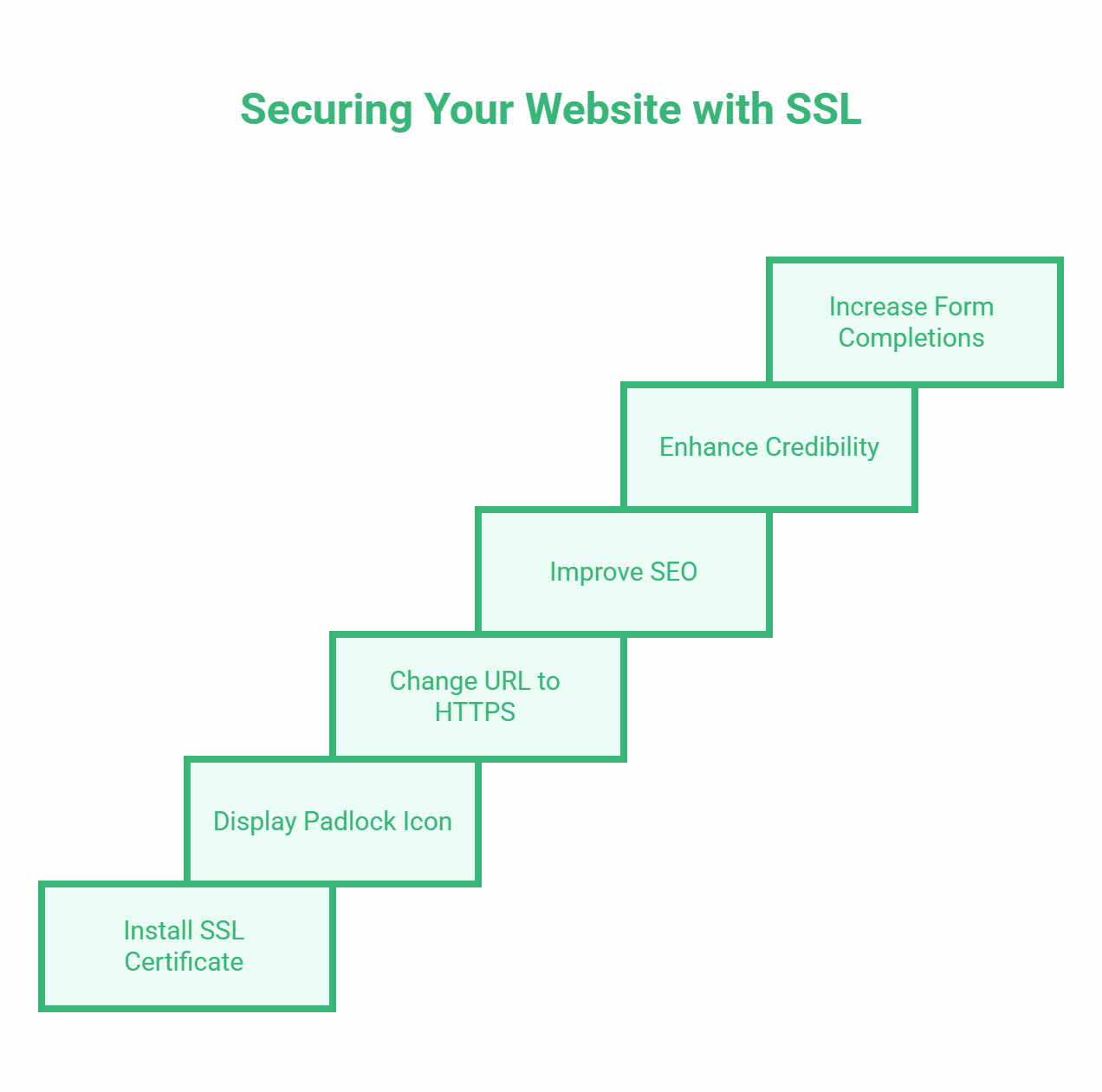
An SSL certificate encrypts data transmitted between your website and visitors’ browsers. Without it, information submitted through your site (contact forms, payment details, login credentials) is transmitted in plain text and can be intercepted.
What SSL does for your business
Practically, SSL shows as a padlock in the browser address bar and changes your URL from http:// to https://. Google uses HTTPS as a ranking signal, so SSL has a minor but real SEO benefit. More importantly, browsers now actively warn users when they visit non-HTTPS sites, which damages credibility and reduces form completions.
Most hosting providers now include SSL certificates as standard, or offer free certificates through Let’s Encrypt. If your website still shows http:// in the address bar, this is the first thing to fix.
Tip 5: Train Your Team to Recognise Phishing
Phishing is one of the most common and most preventable attack vectors. A phishing email is designed to look like a legitimate message from a trusted source, a bank, a supplier, a colleague, or a platform you use, with the goal of getting you to click a malicious link or hand over credentials.
What to look for
Phishing emails typically share several characteristics: a sender address that looks similar to a legitimate one but with minor differences, urgent language creating pressure to act immediately, links that do not match the displayed text when you hover over them, and requests for login credentials or payment details.
The most effective defence is regular, practical training. Walking your team through real examples of phishing emails, running occasional simulated phishing exercises, and establishing a clear reporting process (who to contact when a suspicious email arrives) significantly reduces the risk. A team member who has learned to pause and verify before clicking is a more valuable security control than most software tools.
Tip 6: Back Up Your Data Regularly and Test Restores
Backups are the most effective defence against ransomware. Ransomware attacks work by encrypting your data and demanding payment for the decryption key. If you have clean, recent backups stored separately from your main systems, you can restore operations without paying.
The 3-2-1 backup rule
The industry standard is the 3-2-1 rule: keep at least three copies of your data, stored on two different types of media, with one copy stored offsite or in a cloud location separate from your primary systems. For most small businesses, this means local backups on an external drive combined with automated cloud backups through a service like Backblaze, Acronis, or your cloud platform’s built-in backup tools.
Two aspects of backup that small businesses frequently overlook are frequency and testing. Backups that run weekly are better than nothing, but a ransomware attack on a Thursday could cost you four days of data. Daily automated backups are achievable at minimal cost for most businesses.
Testing is equally important. A backup that cannot be successfully restored is worthless. Schedule a quarterly test restore to confirm that your backup data is complete and that the restoration process works as expected.
Tip 7: Control Access to Sensitive Systems and Data
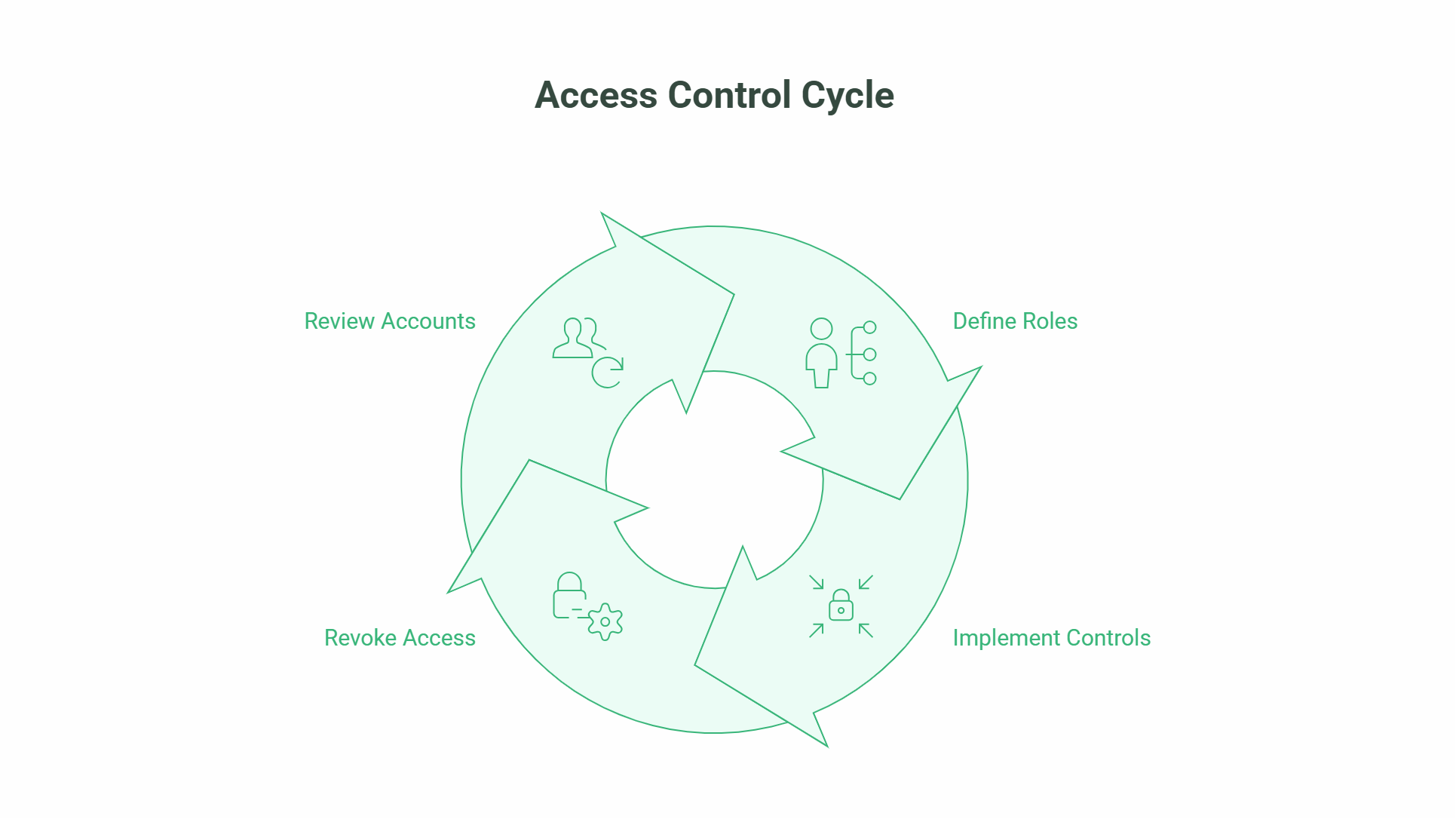
Not every team member needs access to every system. Limiting access to sensitive data and critical systems based on what each person genuinely needs to do their job reduces the damage that can result from a compromised account, a disgruntled employee, or a simple mistake.
Practical access controls
Role-based access control means assigning permissions based on the role a person performs, not on individual convenience. A marketing team member does not need access to your accounting system. A customer service representative does not need to be able to export your entire customer database.
When a team member leaves, revoke their access immediately. Dormant accounts belonging to former employees are a common and easily avoidable vulnerability.
For your website, limit the number of admin-level user accounts to the minimum necessary. Most WordPress sites, for example, have multiple unnecessary administrator accounts created over the years. Review and remove unused accounts as part of regular maintenance.
Incident Response: What to Do If You Are Breached
Even with strong controls in place, breaches can happen. Having a simple plan for what to do reduces panic and limits damage.
Immediate steps
Isolate affected systems as quickly as possible to prevent the attack from spreading. Change passwords on all business accounts, starting with email and any systems the compromised account had access to. Contact your IT provider or a cybersecurity professional if you have one.
If personal data belonging to customers or employees has been accessed or exfiltrated, you may have a legal obligation to report the breach to the ICO (in the UK) or the Data Protection Commission (in Ireland) within 72 hours. The threshold is whether the breach is likely to result in a risk to the rights and freedoms of individuals. If in doubt, report.
Document what happened, what systems were affected, what data was involved, and what steps you took. This documentation serves both your internal recovery process and any regulatory reporting requirements.
ProfileTree’s web design and development services for businesses in Northern Ireland and across the UK include security-conscious website builds, ongoing maintenance packages, and WordPress security hardening. Our guide to protecting your website from cyber attacks covers technical steps in more detail.
Frequently Asked Questions
What is the biggest cybersecurity risk for small businesses?
Phishing and credential theft are the most common attack vectors. Most successful attacks against small businesses do not involve sophisticated hacking; they involve an employee being tricked into handing over a password, or an attacker using credentials obtained from a previous data breach to access a business account that shares the same password. Multi-factor authentication and phishing awareness training address both of these risks directly.
How much does web security cost for a small business?
The most impactful measures are low or no cost. MFA is free on most platforms. SSL certificates are free through Let’s Encrypt and included with most hosting plans. Password managers cost around £3 to £5 per user per month for team plans. Employee phishing training can be done with free resources and occasional internal exercises. Automated cloud backups start from around £6 to £10 per month. The total for a comprehensive basic security setup is typically under £50 per month for a small team.
Does a small business need to report a data breach?
Yes, if the breach involves personal data and is likely to result in a risk to individuals’ rights and freedoms, it must be reported to the ICO (UK) or the Data Protection Commission (Ireland) within 72 hours. If the breach is unlikely to result in a risk, reporting is not required, but should still be documented. Where the breach is likely to result in a high risk to individuals, those individuals must also be notified directly.
Is SSL enough to secure my website?
SSL encrypts data in transit between your website and visitors. It does not protect against other attack vectors: compromised admin passwords, outdated plugins, malware injections, or server-level vulnerabilities. SSL is a necessary baseline, but one part of a broader security approach. For a business website, ongoing updates, strong authentication, and regular security scans are also required.
How often should small businesses back up their data?
Daily automated backups are the recommended standard for any business that relies on its data for operations. At a minimum, weekly backups are needed. The right frequency depends on how much data your business creates and how much data loss would be acceptable in a worst-case scenario. Back up to a location that is separate from your primary systems, and test restores quarterly.
What should I do if my business email is compromised?
Change the password immediately and revoke any active sessions on the account (most email providers have a “sign out all devices” option). Enable MFA if it is not already active. Check for email forwarding rules that may have been set up by the attacker to continue receiving copies of your emails. Notify your IT provider. Review other business accounts for any that share the same password. If any customer communications or personal data were accessible from the compromised account, assess whether a data breach report is required.