
Linux vs Windows: Which Operating System is Right for Your Company?
Table of Contents
For most small businesses, the Linux vs Windows question has a split answer: Windows on staff computers, where everyday programs expect it, and Linux on the server that hosts the website. ProfileTree, a Belfast web design agency, recommends that arrangement for WordPress because it keeps running costs down and matches how WordPress is built to run.
Linux and Windows rarely compete inside one business. Problems appear in the gaps between them, when a site built on a Microsoft desktop breaks once it goes live, or when a licence decision is made without anyone asking what the website needs.
This guide compares both systems on file handling, software, hosting, security and cost. It then shows how to decide what runs on staff desks and what runs behind your website, and closes with answers to the questions business owners ask most often.
Linux vs Windows: how the two systems differ
Both are operating systems, the layer of software that manages a computer’s hardware and lets programs run on top of it. The contrasts that matter to a business sit in four places: who owns the code, how files are stored, how folders are arranged and how people control the machine.
Open source code and licensed software
Linux is open source, which means its code is published and anyone may use, inspect or modify it without paying a licence fee. It reaches users as distributions (packaged versions of Linux with their own tools and update schedules), such as Ubuntu, Debian and Red Hat Enterprise Linux.
Windows is proprietary software owned by Microsoft and sold under licence. Most office PCs arrive with a Windows licence already in the purchase price, so many owners never see it as a separate cost. Server editions work differently, because Windows Server carries its own licence, and that charge feeds into the price of any hosting plan built on it.
File systems and why letter case matters
A file system is the method an operating system uses to store and find data on a drive. Current Windows machines use NTFS (New Technology File System), while most Linux servers use ext4, with XFS and Btrfs as common alternatives on larger or more specialised setups. All of them keep a journal of pending changes, which helps a drive recover cleanly after a crash.
The difference that catches businesses out is case sensitivity. Linux treats Logo.png and logo.png as two separate files, while Windows treats them as one. A developer building pages on a Windows PC can reference an image with the wrong capital letter and never notice, because the page loads perfectly on their own computer.
Once those files are uploaded to live hosting, the image returns a 404 error (the code a server sends when it cannot find a requested file). Visitors see a broken layout, and the cause is hard to spot unless someone knows to look at the filenames.
Folder structure and file paths
Windows organises storage by drive letter, so files live under C:\ or D:\, with personal folders inside C:\Users. Linux has a single root, written as a forward slash, and every drive or network share is attached somewhere inside that one tree, with personal files under /home.
For a website, this shows up in configuration files and error logs. Paths copied from a Windows machine use backslashes, a Linux server expects forward slashes, and a plugin or script that hard-codes the wrong format will fail after launch. Anyone reading the error log for a WordPress site will see Linux-style paths, so it helps to recognise what they describe.
Command line and desktop interface
Windows was designed around its graphical desktop, and most staff can use it with no technical training. PowerShell and Command Prompt are available for administrators, but everyday office work rarely touches them.
Linux servers usually run with no desktop at all and are managed through a command-line interface (a text window where an administrator types instructions). Dropping the desktop frees memory and processing power for the website itself. On the managed sites ProfileTree builds through its web design Belfast service, that command-line work stays with the team, and owners update their pages through the WordPress dashboard in an ordinary browser.
Choosing an operating system for your team’s computers
Desktop choice is driven by the software your staff open every morning. Across Northern Ireland and the rest of the UK, that usually points to Windows, with Linux earning a place in a handful of specific roles.
Business software and compatibility
Microsoft 365 desktop apps, accounting packages and most sector-specific programs are written for Windows first. Printer, scanner and card-reader drivers are also more dependable on Windows, which matters to a practice manager who needs the label printer working on day one.
Linux handles office basics through LibreOffice and through the browser versions of Microsoft 365 and Google Workspace. Many cloud tools, from CRMs to bookkeeping platforms, now run entirely in a browser, and that has narrowed the gap considerably. The remaining risk is the one specialist application that only installs on Windows, and a single program like that is enough to settle the decision for a whole team.
Design, video and creative work
Adobe Creative Cloud has no native Linux version, which rules Linux out for most marketing and design teams. Figma runs in any modern browser, so interface design is possible on Linux, yet Photoshop, Illustrator and Premiere Pro still need a Microsoft or Apple machine.
Design and video staff therefore stay on Windows or Apple workstations almost everywhere. If you are weighing up which apps each person needs, read the team’s guide to choosing an Adobe Creative Cloud plan before buying licences, since paying for the full suite for someone who only uses Photoshop is a common overspend.
Hardware, drivers and older machines
Older hardware suits Linux well, and lightweight distributions can return an older laptop to useful service as a reception screen or a machine dedicated to one web-based task. That can be a sensible use for a PC that falls short of the Windows 11 hardware requirements.
The trade-off is support. A Linux desktop in an office of Windows users needs a person able to fix it, and if that knowledge sits with one person, the saving on hardware can vanish the first time the machine fails during a busy week.
Updates and end-of-support dates
Every operating system version has a support end date, after which fixes stop arriving. Microsoft ended standard support for Windows 10 in October 2025, so an office PC still on it without the paid Extended Security Updates programme no longer receives routine security patches.
Linux distributions publish similar dates. Ubuntu’s long-term support (LTS) releases, for example, get standard security updates for five years. Whichever system your staff use, keep a simple register of each machine, its version and its support date, and budget for replacements well before that date arrives.
Linux vs Windows hosting for a business website
Your website’s server is a separate decision from the PCs in your office, and for a typical small firm it is the easier one. The platform your site is built on largely makes the choice for you.
Why WordPress sites run on Linux
WordPress is written in PHP and stores its content in a MySQL or MariaDB database, and its recommended web servers are Apache and Nginx. All of these were developed on Linux and come installed as standard on mainstream hosting plans at no licence cost. WooCommerce, Drupal and Laravel follow the same pattern.
Because the host pays Microsoft nothing, Linux plans generally cost less than Windows plans with the same resources. When ProfileTree plans a new WordPress build, the hosting conversation is usually short for that reason, and the site goes on a managed Linux server unless the business has a specific need for something else.
ProfileTree is a Belfast web design and digital marketing agency, founded in 2011 and based at the McSweeney Centre. Its founder explains why the server question is settled at the start of each project.
“A website is a business tool before it is anything else. At ProfileTree we build on WordPress and host it on Linux because a Belfast business has to be able to run its own site once we hand it over, and every part of that setup can be measured. The operating system only becomes the owner’s problem when nobody planned for it, which is why we decide it at the start of every web development project,” says Ciaran Connolly, founder of ProfileTree.
When Windows hosting makes sense
Windows Server hosting runs Microsoft’s IIS (Internet Information Services) web server and suits applications built on Microsoft technology. The usual reasons are an older application written in ASP.NET Framework, a database that must run on Microsoft SQL Server, or a system tied to a company’s Active Directory sign-in.
These cases turn up more often in large organisations and public bodies than in a typical SME. Newer applications built on .NET can also be hosted on Linux, so the case for Windows hosting is narrower than it was a decade ago. If your developer cannot name the part of your site that needs Windows, you almost certainly do not need it, and paying for it adds licence cost with no benefit.
Databases and application stacks
The database is often the deciding factor. Linux hosting supports MySQL, MariaDB and PostgreSQL, which, between them,m cover almost every WordPress, WooCommerce and PHP project. Microsoft SQL Server now has a Linux edition too, although older Windows-only applications that depend on it usually stay on Windows hosting to avoid rework.
The table below sets out how the two hosting options compare on the points a business owner is likely to be asked about.
| Factor | Linux hosting | Windows hosting |
|---|---|---|
| Server software licence | None | Windows Server licence built into the plan price |
| Web server software | Apache or Nginx | IIS |
| Typical platforms | WordPress, WooCommerce, Drupal, Laravel | ASP.NET Framework and older Microsoft applications |
| Databases | MySQL, MariaDB, PostgreSQL | Microsoft SQL Server, with MySQL on some plans |
| UK and EU data centres | Widely available | Widely available |
| Updates | Distribution package manager | Windows Update cycle |
Moving a site between environments
Migrations are where operating system differences cause the most trouble. A site moved from Windows to Linux can lose images to case-sensitive filenames, break on backslash file paths and throw permission errors, where the server refuses to read or write a file because the wrong user account owns it.
Testing on a staging site (a private copy of the live site on the same type of server) catches most of these before customers see them. ProfileTree’s website development team handles rebuilds and server moves for WordPress and WooCommerce sites. If you are comparing plans before a move, the breakdown of WordPress hosting costs in the UK explains what each level of service includes.
Security and data protection on each system
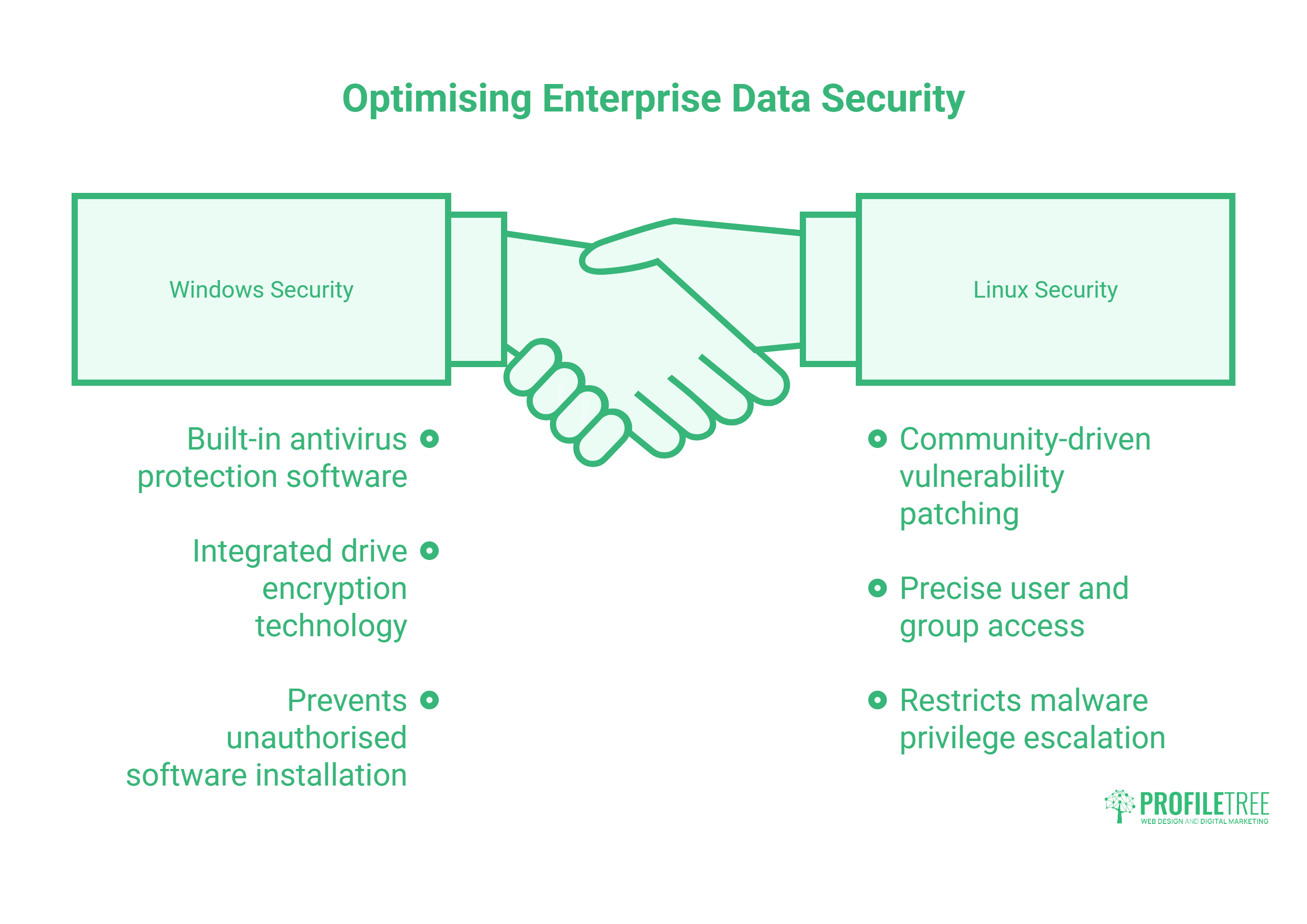
Neither system is safe or unsafe by default. How carefully each one is configured and kept up to date decides the level of risk far more than the logo on the start screen does.
How attackers target each system
Windows desktops are the most common target for phishing attachments and ransomware, largely because most office computers run Windows. Microsoft Defender antivirus, BitLocker drive encryption, and User Account Control (the prompt that asks permission before software installs) come built in, and they do their job well when switched on and kept current.
Linux servers face a different kind of attack. Automated bots probe them around the clock for weak passwords and outdated plugins, so a WordPress site on Linux is only as safe as the way its logins and updates are managed. Linux’s strict user and group permissions limit how far an intruder can reach, but they offer little protection against an intruder holding the administrator password.
Patching and maintenance
On Linux, updates arrive through a package manager (a tool that installs and updates software from trusted sources) and can be scheduled to apply automatically. Windows relies on Windows Update, which many businesses postpone because restarts interrupt work.
For a website, the server operating system is only one layer. WordPress core, the theme and every plugin need updating too, and an out-of-date plugin is a far more frequent way in for attackers than the operating system underneath it. A managed plan that bundles server patches, WordPress updates and backups means no fix depends on the owner finding time for it.
UK GDPR and your server choice
UK GDPR requires every organisation handling personal data to protect it with appropriate technical and organisational measures, and the Information Commissioner’s Office points to encryption and access controls as examples. A contact form, a newsletter sign-up or a WooCommerce checkout all collect personal data, so the server behind them falls within that duty.
Either operating system can meet the standard. What matters to a regulator is whether the server is patched, whether data travels over HTTPS (the encrypted version of the web protocol), where the data centre sits and who can log in. Choosing a UK or EU data centre also keeps questions about international data transfers simple.
For the server-side checks in more detail, the team’s guide to secure WordPress hosting for UK SMEs walks through firewalls, logins, backups and SSL certificates step by step.
Training staff to spot threats
Most breaches still begin with a person clicking something they should not. Staff who can recognise a phishing email and who use multi-factor authentication protect a Windows office better than any change of operating system would.
Good security habits start young, and LearningMole makes a strong case for early cybersecurity education in schools for exactly this reason. For adult teams, ProfileTree’s digital training covers safe working practices alongside the website and marketing skills a small business relies on.
Cost, development and choosing the right mix
The last factors are money and the way your developers work. Both lead towards the split most SMEs already have, with a few refinements worth making.
Licensing and running costs
Linux distributions such as Ubuntu and Debian cost nothing to license, and paid support from vendors such as Canonical and Red Hat is optional. Windows Server is licensed per processor core, and users connecting to it may also need Client Access Licences (CALs), which explains why Windows hosting plans cost more than comparable Linux plans.
On the desk, the sums look different. Windows licences usually come bundled with new PCs, and the higher recurring cost is the Microsoft 365 subscription, which most teams would keep even on Linux through the browser. Moving staff PCs to Linux purely to save money rarely pays back once retraining time and support are counted.
Developer workflow and WSL
Windows Subsystem for Linux, known as WSL, lets a developer run a full Linux environment on a Windows 10 or Windows 11 machine without a separate virtual machine or a second operating system. Microsoft’s own WSL documentation describes it as a tool aimed mainly at web developers who deploy to Linux servers.
For a team that builds on Windows and launches on Linux, WSL removes most of the mismatch described earlier. Files are tested under Linux rules for letter case and paths, and line endings (the hidden characters that mark the end of each line in a file, which differ between the two systems) match the server. The aim is a developer machine that behaves like the live server, so faults surface during testing and never in front of customers.
AI tools and Linux infrastructure
AI frameworks such as PyTorch and TensorFlow are developed primarily for Linux, and cloud AI services typically sit on Linux machines. Staff using an AI assistant in a browser will never notice, so this changes nothing about what goes on the desk in most offices.
It does matter when a developer connects an AI service to your website. A chatbot that answers questions from your product catalogue, for example, will usually sit on Linux infrastructure and talk to WordPress through an API (a defined way for two pieces of software to exchange data). Planning that connection alongside the hosting avoids paying for a server move later.
Matching the operating system to the job
Pulling the earlier sections together, the right operating system depends on the job each machine does. The table gives a starting point that suits most small and medium-sized businesses in the UK and Ireland.
| Job | Suggested system | Reason |
|---|---|---|
| Office staff computers | Windows | Business software, printer drivers and staff familiarity |
| Design and video workstations | Windows or macOS | Adobe Creative Cloud has no Linux version |
| WordPress or WooCommerce website | Linux hosting | Native PHP and MySQL stack with no licence fee |
| Older ASP.NET or SQL Server application | Windows hosting | Depends on Microsoft components |
| Developer machines | Windows with WSL, or Linux | Local setup matches the live server |
| Spare older PCs | Lightweight Linux | Single-purpose use on modest hardware |
Exceptions exist, such as a software house that runs Linux desktops throughout, but each one should rest on a named application or skill set. If nobody can say what a switch would gain, the existing setup is usually the better choice.
Getting the setup right for your business
In practice, Windows stays on the desks, and Linux runs the website, and the real work lies in keeping the two in step. Confirm that every machine and server is still patched, and ask your developer to test on a Linux staging site before each launch. If you would prefer that handled for you, ProfileTree’s website hosting and maintenance service manages the server, updates and backups for WordPress sites.
FAQs
Is Linux safer than Windows?
Linux attracts fewer desktop attacks and has stricter permissions, but neither system is safe without updates and strong logins. A patched Windows PC is safer than a neglected Linux server.
Do I need Windows hosting if my office computers run Windows?
No. Staff PCs and your web server are separate, and your team can manage a Linux-hosted WordPress site from Windows using an ordinary browser.
Which is cheaper for hosting a website, Linux or Windows?
Linux is usually cheaper because the host has no Windows Server fee to recover. Windows hosting costs more and is only worth it when an application needs Microsoft technology.
Can I run Linux tools on a Windows computer?
Yes. Windows Subsystem for Linux runs a Linux environment inside Windows 10 or 11, which lets developers test sites under the same rules as a Linux server.
Why do hackers prefer Linux?
Security professionals and attackers alike favour Linux because its open code can be adapted freely and it ships with powerful networking tools. That reflects its flexibility, and says nothing about Linux being less secure for a business website.