
How to Track Traffic From AI Overviews in Search Console and GA4
Table of Contents
If you want to know how to track traffic from AI Overviews, the honest starting point is that neither Search Console nor GA4 will give you a clean click figure. Since June 2026, Search Console has reported impressions from AI Overviews and AI Mode in a report of their own, but it still shows no clicks, click-through rate or queries for them. GA4 records Overview clicks as ordinary organic traffic. Any AI Overviews impact analysis therefore combines one direct signal with several indirect ones, and knowing which is which matters more than the reporting itself.
This guide covers what each tool can actually show, what it cannot, and how to tell an AI Overviews effect apart from an ordinary ranking drop. If you are looking for the strategy side, meaning how to become a cited source inside an Overview, that is covered separately in how to appear in Google AI Overviews. Measurement is one part of the wider AI SEO picture, including the market-specific approach for Ireland.
The Short Version: What Each Tool Can and Cannot Show
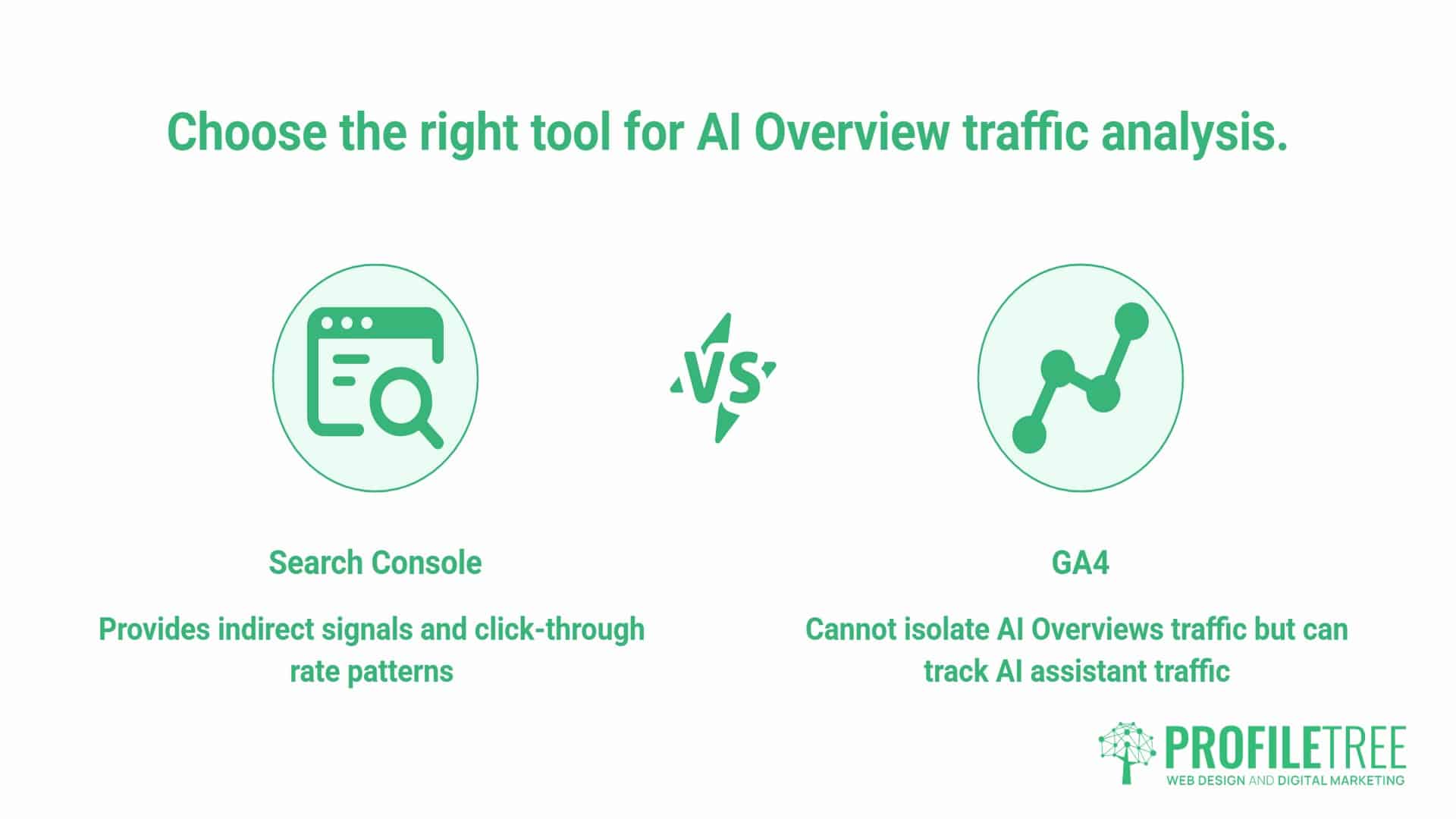
Search Console now gives you one direct signal and one indirect one. The Generative AI performance report shows which pages earn impressions inside AI Overviews and AI Mode, while the standard Performance report still shows the pattern that points to an Overview effect: a page holding position while its click-through rate falls.
GA4 cannot isolate AI Overviews traffic at all. A click from inside an Overview arrives tagged exactly the same as a click from a standard blue link. No dimension, filter or channel separates the two.
What GA4 can show is how visitors behave on the pages Overviews affect, and, separately, traffic from AI assistants such as ChatGPT, Gemini and Claude, which is a different thing entirely. Treating the two as the same number is the most common mistake in this area, and it produces reporting that looks precise while measuring something the business did not ask about.
How AI Overviews Change Website Traffic
AI Overviews change website traffic mainly by reducing clicks on informational queries while impressions hold steady or grow. The page still ranks and is still seen, but more searchers get their answer on the results page itself. Decision-stage queries are far less affected, and a page cited inside an Overview holds up better than one ranked beneath it.
Informational Queries Carry Most of the Loss
The clearest behavioural evidence comes from Pew Research Center, which tracked 68,879 real Google searches and found users clicked a traditional result only 8% of the time when an AI Overview appeared, compared with 15% without one. Google disputes the study’s methodology, but the direction matches what most site owners see in their own data. The loss is concentrated where Overviews appear, and Ahrefs found 99.2% of keywords that trigger AI Overviews are informational in intent. A page answering “how does X work” is exposed. A page answering “X pricing” or “book X” mostly is not.
Impressions and Clicks Move Apart
Because Search Console still counts an impression when a page appears within or alongside an Overview, the typical pattern is not a drop in visibility. It is a widening gap between impressions and clicks on pages whose rankings have not moved. That gap is the signal an impact analysis looks for, and it is why clicks alone are the wrong number to watch.
Being Cited Is Not the Same as Ranking Beneath
An Overview that cites your page sends more clicks than one that cites a competitor while your page sits underneath. Seer Interactive’s tracking found that pages cited inside an Overview earn roughly twice the click-through rate of uncited pages on the same results page, though both trail searches where no Overview appears at all. So the question for any affected page is not only whether an Overview is showing, but whether you are in it.
Why GA4 Cannot Isolate AI Overviews Traffic
An AI Overview appears on the Google search results page. When someone clicks a citation inside it, the referrer is Google Search, and GA4 records the session as google / organic, the same value it records for someone clicking the third organic result.
There is no parameter appended to the destination URL that marks the click as coming from an Overview, and no separate medium value. Anyone offering a GA4 report that claims to show AI Overviews sessions specifically is either using a custom definition that guesses, or reporting AI assistant traffic under the wrong label.
This matters for reporting honesty. A client asking how much traffic they are losing to AI Overviews cannot be given a figure from GA4. They can be given a Search Console-based estimate with stated assumptions, which is a different and more defensible answer.
What GA4 Can Show
GA4 cannot isolate AI Overview clicks, but it adds two things Search Console cannot: what happens after the click on the pages Overviews affect, and a separate view of traffic from AI assistants such as ChatGPT and Gemini. The first belongs in an AI Overview impact analysis. The second does not, and should be reported as its own line.
Landing Page Behaviour on Affected Pages
Once the impact analysis has identified which pages are losing clicks, GA4 shows whether those lost clicks mattered. Build a free-form exploration with Landing page as the dimension, filter Session default channel group to Organic Search, and compare sessions, engagement rate and key events for the affected URLs across the same periods used in Search Console.
The comparison that matters is between the two tools. If Search Console clicks fall on an informational page while GA4 key events from that page hold steady, the Overview has mostly absorbed low-intent visits that were never going to convert. If key events fall with the clicks, the page was doing commercial work, and the loss is worth acting on. Search Console clicks and GA4 sessions are counted differently and will never match exactly, so compare the direction of change rather than the absolute numbers.
The AI Assistant Channel Is a Separate Number
Since May 2026, GA4 has also reported chatbot referrals separately. Google’s Help Center entry from 13 May 2026 assigns the medium ai-assistant whenever the referrer matches a recognised AI assistant, groups those sessions under a new AI Assistant channel, and requires no configuration from the property owner. Sessions also carry the reserved campaign label (ai-assistant). Google names ChatGPT, Gemini and Claude as examples, but has not published the full list of recognised referrers.
Before this change, those sessions landed in Referral, or in Direct where the referrer header had been stripped. To find it, go to Reports → Acquisition → Traffic acquisition, then set the primary dimension to Session default channel group and look for AI Assistant. Switching the dimension to Session source / medium shows the individual assistants underneath it.
Over the three months to 16 September 2026, ProfileTree’s GA4 property recorded 320 sessions in the AI Assistant channel:
| Source | Sessions |
| claude.ai | 222 |
| gemini.google.com | 54 |
| chatgpt.com | 25 |
| copilot.microsoft.com | 10 |
| perplexity.ai | 9 |
For scale, google / organic brought 4,925 sessions and bing / organic 2,398 over the same period. None of the 320 sessions above is AI Overviews traffic. They are clicks from chatbot answers, which is a separate discovery channel with separate reporting.
The Cutover Date Matters More Than the Launch Date
Although Google announced the channel on 13 May 2026, it did not populate on ProfileTree’s property until a month later, and it applied forward only. The last session recorded as claude.ai / referral was on 10 June 2026, and the first recorded as claude.ai / ai-assistant was on 13 June 2026. The cutover was clean, with no overlap, and the same pattern held on this property for ChatGPT, Gemini, Copilot and Perplexity, all five moving out of Referral within the same few days.
The practical consequence is that any report spanning that date shows the same assistants split across two channels: Referral before the cutover, AI Assistant after it. Anyone comparing AI assistant traffic year-on-year, or even quarter-on-quarter across that boundary, is comparing an empty bucket to a populated one and will report growth that is purely a reclassification artefact. Check your own property for its cutover date before quoting any trend. It will not necessarily match 13 May, and it will not necessarily match ProfileTree’s.
Reading Search Console for the AI Overviews Signal
Search Console is where the usable signal lives, but only if you read it with a specific question in mind rather than a general check on whether traffic is up or down.
Check Average Position First
Before reading anything else, confirm whether position has moved. A genuine ranking drop shows position moving in the wrong direction, usually with impressions falling alongside it, and needs handling as a ranking issue rather than an Overview effect.
Read Impressions and Clicks Together, Never Clicks Alone
A page can show flat clicks while impressions have grown. That is a click-through rate decline hiding inside a raw number that looks unchanged, and it is still worth investigating.
Segment by Query, Not by Page
A single page typically ranks for a mix of informational and transactional queries. Page-level aggregates hide the fact that one query type is losing clicks while another on the same page holds steady. The query-level report is the only place this becomes visible.
Use the Generative AI Performance Report
Google launched dedicated Generative AI performance reports on 3 June 2026 and completed the rollout to all websites on 31 August. Found under Performance in the left-hand menu, the Search report shows impressions from AI Overviews and AI Mode, broken down by page, country, device and date.
It is an impressions report only, with no clicks, click-through rate, average position or query breakdown, and data starts from mid-May 2026 with no backfill. Those impressions were always included in the standard Performance totals, so the report separates them out rather than adding anything new.
Its value for an impact analysis is at the page level. A page with strong web impressions but few or no AI impressions is not being pulled into Overviews at all, while a page with rising AI impressions and falling clicks is appearing in Overviews and still losing visits. The query-level Performance report then shows which questions are behind the change.
How to Run an AI Overview Impact Analysis
Search Console’s Generative AI report shows which pages appear in Overviews, but not which queries trigger them, so the query-level part of an impact analysis starts outside it. Rank trackers such as Semrush and Ahrefs flag the AI Overview SERP feature for each tracked keyword, and many also show whether your domain is cited inside it. Export that list, match it against the query-level Search Console report, and you have three groups to compare: queries with an Overview that cites you, queries with an Overview that does not, and queries with no Overview at all. The patterns below then tell you what each decline means.
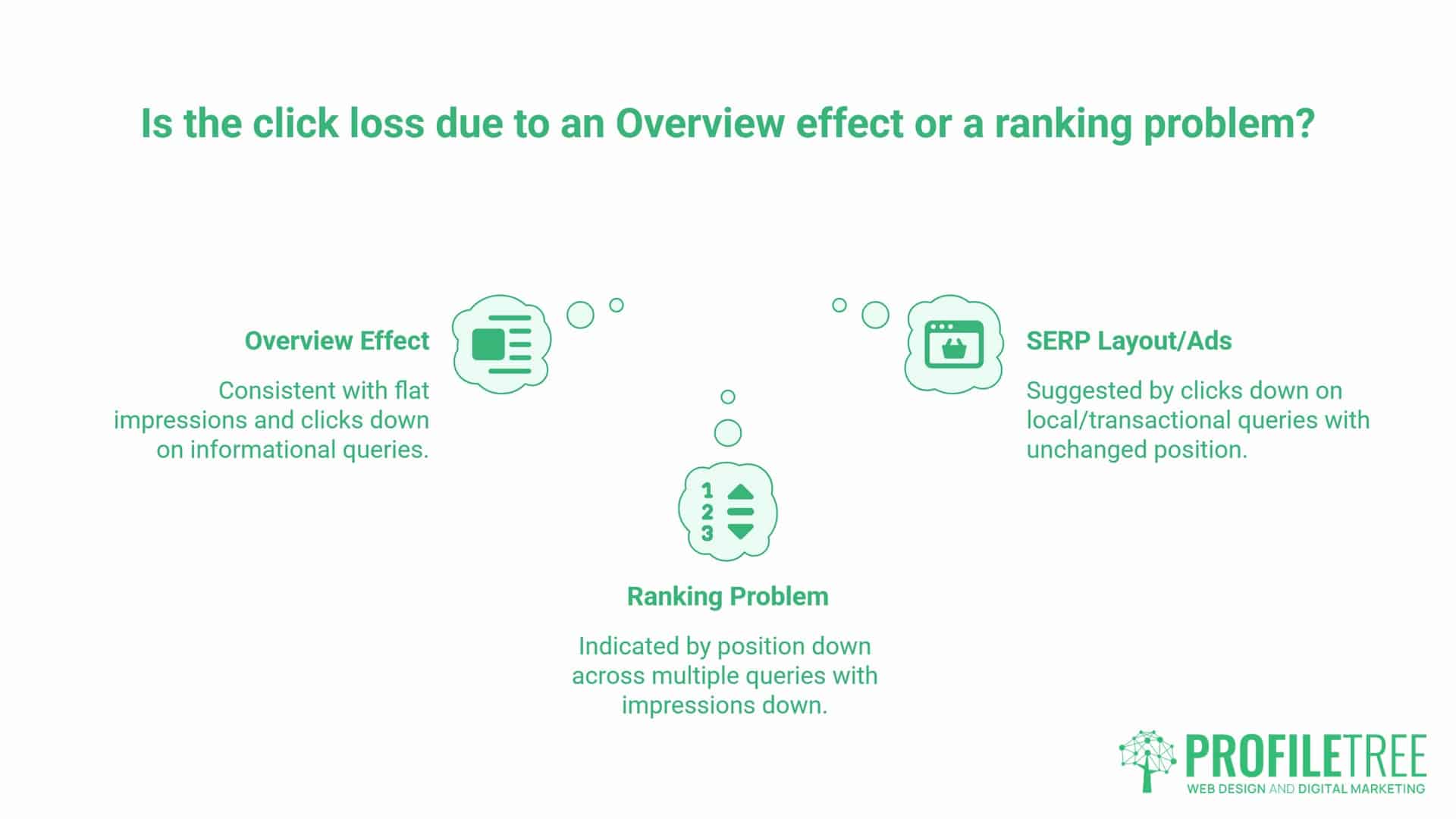
- Position flat, impressions flat or up, clicks down, concentrated in informational queries. Most consistent with an Overview effect. The page is still ranking; the results page is answering more of the question itself.
- Position down across several queries at once, impressions down with it. A ranking problem, usually traceable to a core update, a technical change, or a competitor genuinely improving. Handle it as you would any ranking issue.
- Clicks down on local, comparison or transactional queries with position unchanged. Investigate separately. These query types have been less affected by Overviews, although Overviews are increasingly appearing on local results too. So a decline here more often points to SERP layout changes, ad load, or a competitor’s listing rather than a generative summary.
The segmentation that makes this work is splitting your query list into queries that ask you to explain something and queries that ask you to help someone decide or find something. The first group is where the click loss concentrates.
AI Overviews Measurement Checklist
Work through this once per property, then repeat monthly:
- [ ] Export the Generative AI performance report by page, noting that data only starts from mid-May 2026
- [ ] Export tracked keywords from Semrush or Ahrefs with the AI Overview SERP feature flagged, including citation status where available
- [ ] Export the query-level Search Console report for the affected pages, not the page-level summary
- [ ] Match the last two exports and split queries into cited, uncited and no-Overview groups
- [ ] Filter to queries where average position has moved less than two places over the comparison period
- [ ] Within that filtered set, flag any query where clicks fell while impressions held or grew
- [ ] Tag each flagged query as informational, comparison, local or transactional
- [ ] Compare click-through rate change across the three groups over the same period
- [ ] In GA4, build an exploration of organic landing pages for the affected URLs and compare sessions, engagement rate and key events across the same periods
- [ ] Record your property’s AI Assistant cutover date by finding the last
/ referraland first/ ai-assistantsession for a known assistant domain - [ ] Exclude any comparison period that straddles that cutover date from year-on-year AI assistant reporting
- [ ] Note the AI Assistant total as a separate line, clearly labelled as assistant traffic rather than AI Overviews traffic
- [ ] Record what you cannot measure, so the gap is visible in the report rather than silently filled
What to Put in the Monthly Report
Split reporting into three lines that answer different questions.
- Informational query traffic. Genuinely more exposed as Overview coverage expands. A decline here with stable rankings is a signal to look at citation strategy, covered in how to measure AI citations, rather than a reason to rewrite the page. Report cited and uncited queries separately within this line, because a falling click-through rate on cited queries can simply mean the page has earned citations on more queries, while a fall on uncited queries is ground being lost.
- Decision-stage query traffic. Local, comparison and transactional queries. This remains the reliable indicator of whether the underlying SEO work is doing its job, and a decline here with a position change is a real ranking issue.
- AI assistant traffic. The AI Assistant channel from GA4, labelled as what it is. Understanding how those systems choose sources is covered in how AI search engines cite websites.
If you are unsure which line a decline sits in, talk to our team for a walkthrough of what the numbers mean for your site.
FAQs
How do I track traffic from AI Overviews?
Search Console’s Generative AI performance report shows which pages earn impressions in Overviews, but no tool reports the clicks. Track the traffic effect indirectly by finding queries where rankings hold but click-through rate falls, then confirm with a rank tracker which of them show an Overview.
Does Search Console have an AI Overviews report?
Yes. Since June 2026, the Generative AI performance report shows impressions from AI Overviews and AI Mode by page, country, device and date, though not clicks or queries.
Can GA4 show me traffic from AI Overviews?
No. Clicks from inside an Overview arrive as google / organic, identical to standard organic clicks, and the AI Assistant channel covers chatbot referrals instead.
How do I find my property’s AI Assistant cutover date?
In GA4, set the dimension to Session source / medium and compare daily data for a known assistant domain. Find the last date it appears with / referral and the first date it appears with / ai-assistant. On ProfileTree’s property those dates were 10 June and 13 June 2026 respectively.
Does the AI Assistant channel include historical data?
No. It applies forward only from the date it started populating on your property, and Google did not reclassify earlier sessions. Any comparison spanning that date will show growth that is a reclassification rather than a real increase.
What is the clearest Search Console signal that AI Overviews are affecting a page?
Average position flat or improving, impressions flat or growing, clicks and click-through rate falling, concentrated in informational queries. If position is moving in the wrong direction and impressions are falling with it, that is a ranking problem instead.
Should I stop publishing informational content?
No. Informational content still supports topical authority, internal linking and citation opportunities. The change is to how you report on it. Measure it against citation and assistant visibility rather than clicks alone.