
Google Business Profile Management: The UK Guide
Table of Contents
Google Business Profile management is the ongoing work of keeping your free Google listing accurate, verified, and reviewed, so that it appears in Google Maps when nearby customers search. ProfileTree manages profiles within its local SEO work for UK businesses, and this guide covers the monthly routine, the UK review rules, and the costs.
What Google Business Profile management covers
Management starts once the listing is set up. It covers the details customers rely on (opening hours, phone number, address or service area), the categories and services that decide which searches trigger the listing, a steady supply of photos and updates, and replies to every review. It also covers the less visible work: watching for edits that Google or the public suggest to your listing, dealing with verification requests, and keeping the details consistent with your website and other directories.
A profile left alone does not stay accurate. Customers can suggest changes to your hours or category, Google can accept them, and a listing that was correct when it went live can drift within a year. Management is the habit of checking the profile, fixing what has changed and adding new material, done on a schedule so that it does not rely on memory.
For most small businesses, this sits inside a wider search engine optimisation plan, because the profile and the website support each other. Google uses the website as one of the signals for how well known a business is, and the profile sends a large share of local customers to the website.
How Google decides which profiles appear
Google’s own Business Profile help pages name three factors for local results: relevance, distance and prominence. Relevance is how closely the profile matches what someone searched for. Distance is how far the business is from the searcher or from the place named in the search. Prominence is how well known the business is, which Google judges from information across the web, including links, articles, directories, review count and review score, and the website’s position in ordinary search results.
Distance is fixed by where you are, so management works on the other two. Accurate categories and services improve relevance. Reviews, consistent business details, and a website that ranks well build prominence over time. Google’s guidance on improving your local ranking is short and worth reading in full before you change anything on the profile.
Recent changes to how Google Maps shows profiles
The biggest recent change is to customer questions. In December 2025, Google announced on its Business Profile help forum that the public questions and answers section on Google Maps SEO is being replaced by an AI feature that answers questions from the information in the profile, the owner’s own answers, and relevant reviews. Google said the change was rolling out gradually, so the timing differs by region.
The practical effect is that the text on your profile now does more work. If a customer asks Google whether you offer weekend appointments or wheelchair access, the answer comes from what you have written in the description, the services list, the attributes, and your replies to reviews. A thin or out-of-date profile gives Google less to work with, and an inaccurate one gives customers a wrong answer in your name.
Setting up and verifying a profile
A profile has to be verified before its details show publicly and before you can manage it fully. Google chooses which verification methods each business is offered, based on its category, location and history. For many new and recently edited UK profiles, the method offered is a recorded video, although some businesses are still offered a phone, text, or email code. Google lists the current options on its verification help page.
Whoever verifies the profile should be the person who will manage it, or at least someone who stays with the business. Profiles verified by a former employee or a previous agency are a common source of trouble, because recovering ownership through Google can take weeks. Add a second owner from inside the business as soon as the profile is live.
Passing video verification
Google asks for one continuous recording, with no cuts or edits, that shows the business exists at the address and is run by the person recording. Start outside, with the street sign, building number, or shop sign in shot, then walk to the entrance while still recording. Inside, show the equipment, stock, or workspace that matches the category you chose, such as treatment chairs for a dental practice or tools and materials for a joiner. Finish by showing that you can open the business premises or a management tool that only the owner would have, such as the till, the key to the premises, or the business’s accounts software.
Good light and a steady phone make a real difference, because a dark or shaky video is one of the usual reasons for rejection. Service area businesses without a customer-facing premises can verify too. They need to show the address they registered, the branded vehicle or equipment they use, and proof of the trading name, such as livery, uniforms, or printed stationery.
When verification fails, or a profile is suspended
If a video is rejected, wait and read the reason before trying again. Repeated quick attempts can lengthen the review. Where the reason is unclear, contact Google support and ask for a manual review, with supporting documents ready: a Companies House record, a utility bill or lease showing the trading address, and photographs of signage.
Suspension is a separate problem from failed verification. The causes we see most often are an address that does not match the firm’s other listings, extra keywords added to the business name, and a virtual office or shared workspace given as the address. Fixing the underlying cause comes first, followed by a reinstatement request with the same kind of evidence. A business name such as “Smith and Co Plumbers Belfast Emergency Callouts” breaks Google’s guidelines; the name field should show the trading name and nothing else.
The fields that decide which searches you appear in
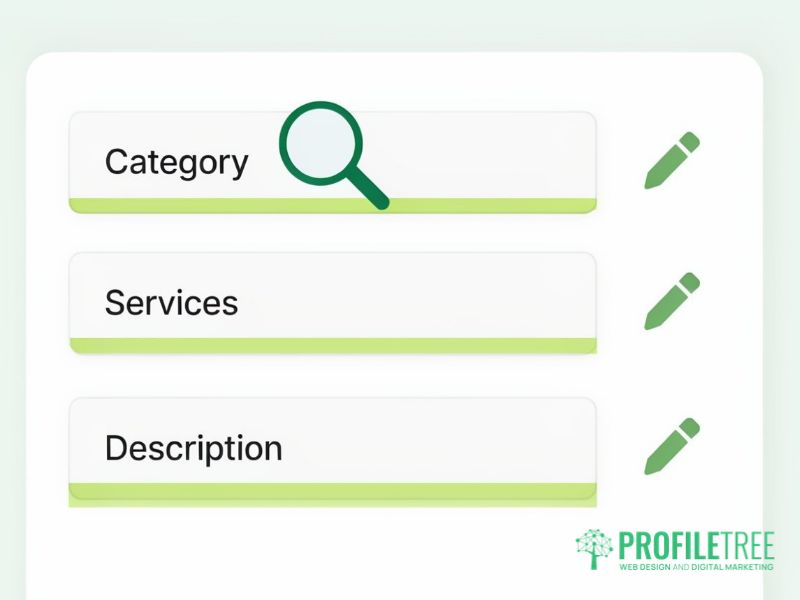
The primary category is the most important single choice you make, because it tells Google what kind of business you are. Pick the most specific category that is true. A dental practice should choose “Dentist” over a general health category, and a joinery firm should choose the joinery category over a general building one. Secondary categories add searches you can appear for, provided each one describes work you actually do.
The services list lets you name each service separately, with a short description for each. A plumber who lists boiler repair, central heating installation, and bathroom fitting as separate services gives Google, and Google’s AI answers, a clearer picture than one who lists “plumbing”. Write the service names in the words customers use.
The business description allows 750 characters. Use it to say plainly what you do, who you work for, and where. Google’s guidelines rule out links and promotional claims in this field, so leave out phrases such as “number one” and “best in the area”. Attributes (the yes or no details such as wheelchair access, parking and payment methods) are quick to complete and now feed directly into the answers customers get when they ask Google about you.
For a step-by-step pass through every field when a profile is first set up or badly out of date, the article on one-off profile optimisation covers the setup work in detail. This guide is about what happens every month after that.
A monthly management routine
A short monthly routine covers most of the work for a single-location business. We suggest the following checks, done on the same day each month so they become a fixed habit.
| Task | What to check or do | Time for one location |
|---|---|---|
| Business details | Hours, phone, website link, address or service area, and any changes suggested by Google or the public | 10 minutes |
| Holiday hours | Special hours for the next month’s bank holidays, which differ between Northern Ireland, Scotland, and England and Wales | 5 minutes |
| Photos | Upload new, original photos of recent work, the team or the premises | 15 minutes |
| Updates | Publish posts about recent jobs, seasonal services, offers or events | 20 minutes |
| Reviews | Reply to every new review and flag any that break Google’s policies | 15 minutes |
| Customer questions | Check the questions customers are asking and make sure the profile answers them | 10 minutes |
| Performance | Record calls, direction requests, and website clicks for the month | 10 minutes |
These times are our working estimates for a typical single-location business, and a business with high review volume will need more. The point of the table is the order of work: details and hours first, because a wrong opening time costs a customer today, then the material that builds prominence over the coming months.
Posts do not need to be elaborate. A photo of a finished job with two sentences about what was done is a good post, and so is a note about a seasonal service. Post at least weekly if you can, and use event and offer posts for anything with dates attached. Original photos taken on a phone are worth more than stock images, which add nothing a customer cannot find elsewhere.
Reviews and the UK rules on fake reviews
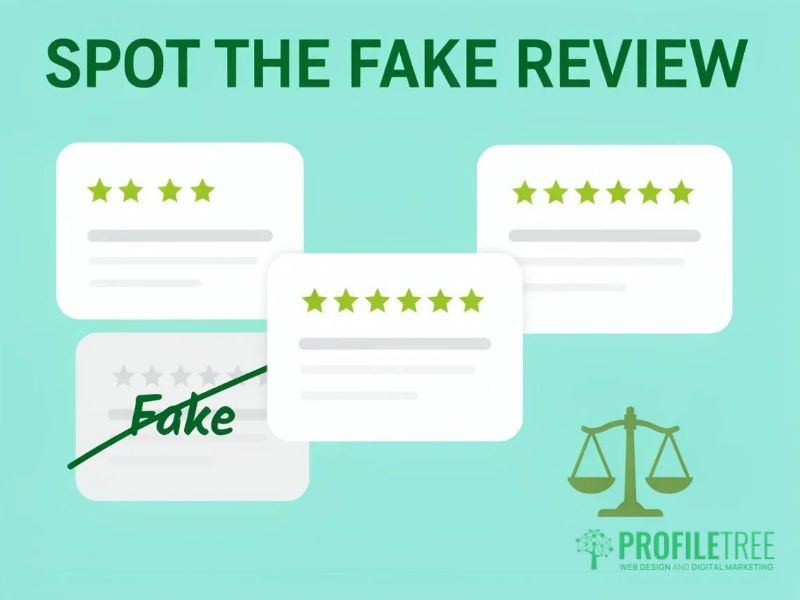
Reviews matter twice over. Google counts review numbers and scores as part of prominence, and customers read the reviews and the replies before they call. Ask happy customers at the moment the job is finished, send them a short link or QR code to the review form, and reply to every review, positive or negative, within a few days.
What the Digital Markets, Competition and Consumers Act means for reviews
Since 6 April 2025, the Digital Markets, Competition and Consumers Act 2024 has banned fake reviews in the UK. A fake review is one that claims to come from a real experience when it does not. Writing them, paying for them, offering incentives for positive reviews only, and hiding or selectively showing reviews in a way that misleads customers are all covered. The Competition and Markets Authority (CMA, the UK regulator for consumer law) can now enforce consumer law directly, with fines of up to 10 per cent of global turnover.
Businesses that publish reviews, including on their own websites, must take reasonable and proportionate steps to prevent and remove fake ones. The CMA’s fake reviews guidance explains what that means in practice. For a small business, it means having a simple written policy, never offering rewards that depend on a positive review, and reporting suspicious reviews to Google when you see them, including a sudden run of five-star reviews you did not ask for. This is a summary and is not legal advice, so take advice from a solicitor if a review problem could affect your business.
Using AI to draft review replies
AI writing tools can draft a reply in seconds, and for a business with many reviews that saves real time. Use them for the draft and keep a person in charge of the final wording. A reply posted without being read can misstate what happened, promise something the business does not offer, or answer a complaint that was never made, and customers notice a reply that ignores what they wrote. Our article on reputation management statistics sets out how reviews and replies affect the decision to buy.
Managing a profile in Northern Ireland and across the border
Northern Ireland businesses face a choice that firms in Great Britain do not. A business in Newry, Derry or Enniskillen may serve customers on both sides of the border, but Google treats the UK and the Republic of Ireland as separate countries for local results. A single profile with a Northern Ireland address can include service areas south of the border, and it will still be judged on its distance from the searcher.
Where the business has a real, staffed presence or registered address in the Republic, a second profile for that location is allowed and usually works better than stretching one profile across both markets. Without one, keep a single profile, list the border towns you serve as service areas, and use the description and posts to say that you work in both jurisdictions. Northern Ireland has its own bank holidays, including 17 March and 12 July, so holiday hours need setting separately from a GB calendar.
ProfileTree is a Belfast web design and digital marketing agency, founded in 2011 and based at the McSweeney Centre, and most of our local work is for businesses in Northern Ireland. Firms that want profile management within a wider local plan can find out more about our SEO Northern Ireland service.
“If you want to rank in Belfast, measure from Belfast. A national average position tells you very little about what a customer in the city sees in Google Maps, and the difference can run to twenty or thirty places. ProfileTree tracks every local SEO client’s Google Business Profile from the place their customers search from.”
Ciaran Connolly, founder of ProfileTree
Measuring whether the profile is working
The performance report in Google Business Profile shows how many people saw the profile, which searches they used, and what they did next: calls, direction requests, website clicks, messages and bookings. Calls and direction requests matter most, because they come from people ready to buy. Record them each month so that you can see the trend over a year, since a single month tells you very little.
The search terms report is the most useful part. If most views come from people searching your business name, the listing is serving existing customers well but is not yet winning new ones. More views from category searches, such as “electrician Lisburn” or “dentist near me”, show that it is earning a place in non-branded results. Our guide to Google Business Profile reports and statistics explains each metric and where to find it.
Ranking position needs measuring from the right place. A profile can sit at the top of the map for searches made beside the office and outside the first page two miles away, so check rankings from several points across the area you serve.
Getting help with your Google Business Profile
If the monthly routine is more than you have time for, or the profile has been suspended, lost to a former employee, or stuck in verification, it is worth handing it to someone who does this work every week. Start with a review of the profile against the routine above, then decide which tasks to keep in-house. For businesses outside Northern Ireland, or with locations across the UK, profile management sits within our UK-wide SEO service described earlier in this guide, and our guide to what Google Business Profile is covers the basics for anyone setting up for the first time.
FAQs
1. How much does Google Business Profile management cost in the UK?
The profile itself is free, and Google does not charge to create, update, or manage it. The cost is time, or the fee for someone to do the work. At ProfileTree, profile management is part of our SEO service, which starts from £500 a month plus VAT, and standalone management is quoted on request.
2. Why has my Google Business Profile been suspended?
The usual causes are an address that does not match your other listings, keywords added to the business name, and a virtual office or shared workspace used as the address. Fix the cause first, then submit a reinstatement request through Google with documents that prove the trading address.
3. Do I need a physical office to have a Google Business Profile?
No. Service area businesses, such as plumbers, electricians, cleaners, and mobile trades, can have a profile without showing a public address. You give your address for verification, then hide it and list the towns or areas you serve.
4. How often should I post on my Google Business Profile?
Weekly is a sensible target for most small businesses. Short posts about recent work, seasonal services, and events are enough, and a steady habit matters more than polished posts. Use event and offer posts for anything with dates attached.
5. Can I use AI to reply to Google reviews?
Yes, as long as a person reads and edits every reply before it goes live. AI is useful for a first draft, but an unchecked reply can misstate facts or ignore what the customer said, which damages trust and could mislead other customers.