
What Makes WordPress Sites Slow Down and How to Fix It
Table of Contents
A slow WordPress site costs money before a visitor reads a single word. Understanding why WordPress sites slow down is the first step to fixing the problem in the right order, rather than guessing and hoping a plugin sorts it out.
Most WordPress sites slow down for a handful of predictable reasons, and they don’t carry equal weight. Some causes show up on nearly every WordPress performance audit we run. Others matter but rank lower down the list. This guide orders the causes by how often they’re the actual problem, gives you a way to confirm each one before spending time or money fixing it, and tells you roughly what improvement to expect once it’s fixed.
It’s worth saying upfront that WordPress sites slow down for compounding reasons far more often than for a single dramatic cause. Rarely is there one villain. Usually, it’s three or four smaller issues, plugins, images, and hosting, stacking on top of each other until page speed suffers noticeably.
The Real Cost of a Slow WordPress Site
Google uses Core Web Vitals as ranking signals, and slow-loading pages tend to rank behind faster competitors targeting the same keywords. That’s the SEO cost of poor page speed, and it’s covered in full detail in our Core Web Vitals explained for business owners guide, rather than repeated here.
The commercial cost is usually bigger than the SEO cost, and it’s the reason WordPress sites slow down matters more to a business owner than a developer. Every extra second of load time increases the chance a visitor leaves before they’ve seen the offer, the price, or the contact details. A visitor who bounces during a slow load never gets the chance to be persuaded by anything else on the page. No amount of good copy or design recovers a sale lost before the page finishes rendering.
For a WordPress site specifically, the frustrating part is that most of these losses are avoidable. WordPress performance problems are well understood and mostly fixable without a full rebuild. The trick is knowing which one to check first, and that’s where most site owners waste time and money on the wrong plugin or hosting upgrade while the real cause goes untouched.
This matters more for some businesses than others. A local service business relying on enquiry forms loses a lead the moment a visitor gives up waiting on a slow page. An e-commerce store loses a sale at checkout, often the single most expensive moment for a WordPress site to lag. Knowing which of the five causes below applies changes the order in which it’s worth spending time and budget.
The Five Causes, Ranked by How Often They’re the Problem
1. Plugin Accumulation
This is the most common reason WordPress sites slow down, and it’s rarely due to any single plugin being poorly written. It’s cumulative. Every active plugin adds its own database queries, loads its own scripts and stylesheets, and hooks into WordPress’s processing on every single page load, whether that plugin does anything useful on that page or not.
A contact form plugin loading its scripts on a blog post with no form anywhere on it is a small waste on its own. Multiply that across twenty or thirty plugins, most doing something similar, and the waste compounds into seconds of load time before a visitor sees anything. This is one of the clearest examples of why WordPress sites slow down gradually rather than overnight. Nobody installs thirty plugins in one sitting. They accumulate over months or years, each addition seeming harmless at the time, and each one adding a little more weight to every page on the site.
- How to confirm it: Install Query Monitor and load a few key pages. If dozens of database queries or several seconds of PHP execution time show up before the page even starts rendering, plugins are a strong suspect. A quick manual test also works: deactivate plugins in batches of 5 and retest load time after each batch to isolate which group is causing the issue.
- The fix: Remove any plugin not actively in use, even if it seems harmless sitting dormant. Look for single-purpose plugins that a well-built WordPress theme or a small custom function could replace instead. Consolidate overlapping plugins, for example, running two separate SEO plugins, three different form builders, or several social sharing tools side by side when one would do the job.
- Expected improvement: Sites running twenty-five or more plugins commonly see server response time drop by a third or more once unused and redundant plugins are removed, sometimes without touching anything else on the site.
2. Oversized Images Uploaded Straight From a Phone
A modern phone camera produces images at four or five megabytes each, sized for a screen far larger than anything they’ll ever display at on a website. Upload that file directly to WordPress with no compression or resizing, and every visitor downloads the full image even though the page displays it at a fraction of that size.
This is one of the quieter reasons WordPress sites slow down, because it doesn’t feel like a technical problem. A team member uploads a product photo or a staff headshot straight from their phone, the page still looks fine on their own screen, and nobody realises the page is now carrying several megabytes of images it doesn’t need. Multiply that across a gallery page or a portfolio with dozens of images added the same way, and total page weight adds up fast.
- How to confirm it: Run the page through PageSpeed Insights and check the “Properly size images” and “Serve images in next-gen formats” recommendations. If a homepage or product page carries several megabytes of images, this is very likely the biggest single fix available to improve page speed.
- The fix: Resize images to the dimensions they’ll actually display at, convert to WebP, and add lazy loading so images below the fold don’t load until a visitor scrolls near them. A plugin such as Imagify or ShortPixel handles image compression automatically on future uploads, but it’s worth running a one-off bulk optimisation on the existing media library too, since old uploads won’t fix themselves.
- Expected improvement: Image-heavy pages routinely drop total page weight by 60 to 80 per cent after proper compression and format conversion, which is usually the single biggest visible change in load time on a WordPress site.
3. Budget WordPress Hosting That Throttles Under Load
Every other fix on this list is limited by what the hosting environment can actually deliver. A budget shared hosting plan splits server resources across hundreds of other WordPress sites, and when traffic spikes, whether from a campaign, a press mention, or simple seasonal demand, the site throttles because the hosting plan was never built to handle it.
Cheap hosting is one of the reasons WordPress sites slow down that owners are most reluctant to address, because switching hosting feels disruptive and the monthly savings on paper look appealing. In practice, the hidden cost of slow response times under real traffic usually outweighs whatever was saved on the hosting bill. It’s also one of the causes most likely to go unnoticed for months, since a site can feel fine on a quiet afternoon and throttle badly the moment traffic picks up.
- How to confirm it: Check server response time, also called Time to First Byte, in PageSpeed Insights or GTmetrix. Anything consistently over 600 milliseconds, especially when it worsens under traffic, points to the hosting rather than anything on the front end. It’s also worth checking whether the server is physically located near the audience. A UK or Irish business hosted on a US server adds latency before any optimisation has been applied.
- The fix: Move to managed WordPress hosting with a UK or Ireland-based data centre, sized appropriately for expected traffic. This is the layer our hosting and management service covers directly: server-level configuration, PHP version management, and ongoing monitoring that catches problems before they become visible to visitors.
- Expected improvement: Moving off-budget shared hosting onto properly resourced managed WordPress hosting halves server response time, typically on its own, before any caching or front-end work is applied.
4. Heavyweight Themes and Page Builders
A multi-purpose WordPress theme with thousands of features nobody uses imposes a performance cost from the day it’s installed, regardless of how well everything downstream is optimised. Page builders such as Elementor and Divi generate more HTML, CSS, and JavaScript than hand-coded markup does for the same visual result, and that difference commonly costs a site 10 to 25 PageSpeed points before any optimisation work has even started.
This cause sits lower down the list, not because it matters less, but because it’s less common as the sole reason WordPress sites slow down. Most sites running a heavy theme also have excess plugins or unoptimised images, so a theme rebuild is rarely the first thing to do for page speed.
- How to confirm it: Compare the page’s HTML size and the number of CSS or JavaScript files against a similar page built without a page builder. If the homepage loads a dozen separate script files for a layout that could be built with three, the theme or builder is a real contributor to the WordPress site slowing down.
- The fix: A hybrid approach works for most SMEs: keep a page builder for pages that non-technical staff need to edit regularly, and hand-code the highest-traffic pages, such as the homepage and key landing pages. This kind of trade-off is exactly what a proper website development engagement is built to weigh up, rather than defaulting to whichever tool was easiest to install at the time.
- Expected improvement: Replacing a bloated theme or reducing reliance on a page builder for key pages commonly recovers 15 to 20 PageSpeed points and noticeably improves Interaction to Next Paint.
5. The Absence of Caching
Caching is often the last item checked, even though it’s usually straightforward to fix once it’s known to be missing. Without page caching, WordPress rebuilds each page from the database on every visit instead of serving a cached, ready-to-use version to each new visitor.
Caching sits last on this list because a missing or misconfigured cache rarely explains the whole problem on its own. It’s usually the final layer that makes a genuine difference to load time once the bigger causes above it, plugins, images, and hosting, have already been dealt with.
- How to confirm it: Check response headers for cache indicators, or simply confirm whether a caching plugin such as WP Rocket, W3 Total Cache, or LiteSpeed Cache is active and correctly configured on the site. A surprising number of WordPress sites have one installed but poorly set up, excluding pages that should be cached or caching pages that shouldn’t be, such as a WooCommerce cart.
- The fix: Install and properly configure a caching plugin, making sure sensitive pages like account areas or a checkout are excluded, and pair it with browser caching for returning visitors.
- Expected improvement: Enabling page caching on a WordPress site that had none typically cuts load time by 40 to 60 per cent for repeat visitors, and is often noticeable for first-time visitors too.
“Most site owners fix these in the wrong order,” says Ciaran Connolly, founder of ProfileTree. “They’ll buy a caching plugin before checking whether their images are five megabytes each, or switch hosting before removing thirty plugins they forgot they’d installed. Fixing WordPress performance in impact order saves money and gets results faster.”
Getting the Fix Order Right
The temptation is to buy a speed plugin and hope it fixes everything. It won’t, because most of the time WordPress sites slow down for multiple reasons at once, and a caching plugin can’t compensate for hosting that throttles under load. Image compression won’t help either if plugin bloat is adding several seconds of server processing time before a single image loads.
Working through the five causes in order, plugins first, then images, then hosting, then theme and page builder weight, then caching, means each fix builds on the last instead of masking a problem further down the list. If plugins, images, and hosting have genuinely been ruled out and the WordPress site is still slow, caching and front-end refinement will get the rest of the way there.
It’s worth resisting the urge to fix everything at once. Change one thing, re-test page speed, and note the improvement before moving to the next cause. That’s the only way to know which fix actually made the difference, rather than assuming it was the last thing touched. Working through causes out of order is one of the most common reasons WordPress sites slow down again shortly after a supposed fix. Money gets spent on the wrong layer, hosting, when the real problem was plugins, or a new theme, when the real problem was images, and the underlying cause stays untouched.
Keeping WordPress Performance From Slipping Back
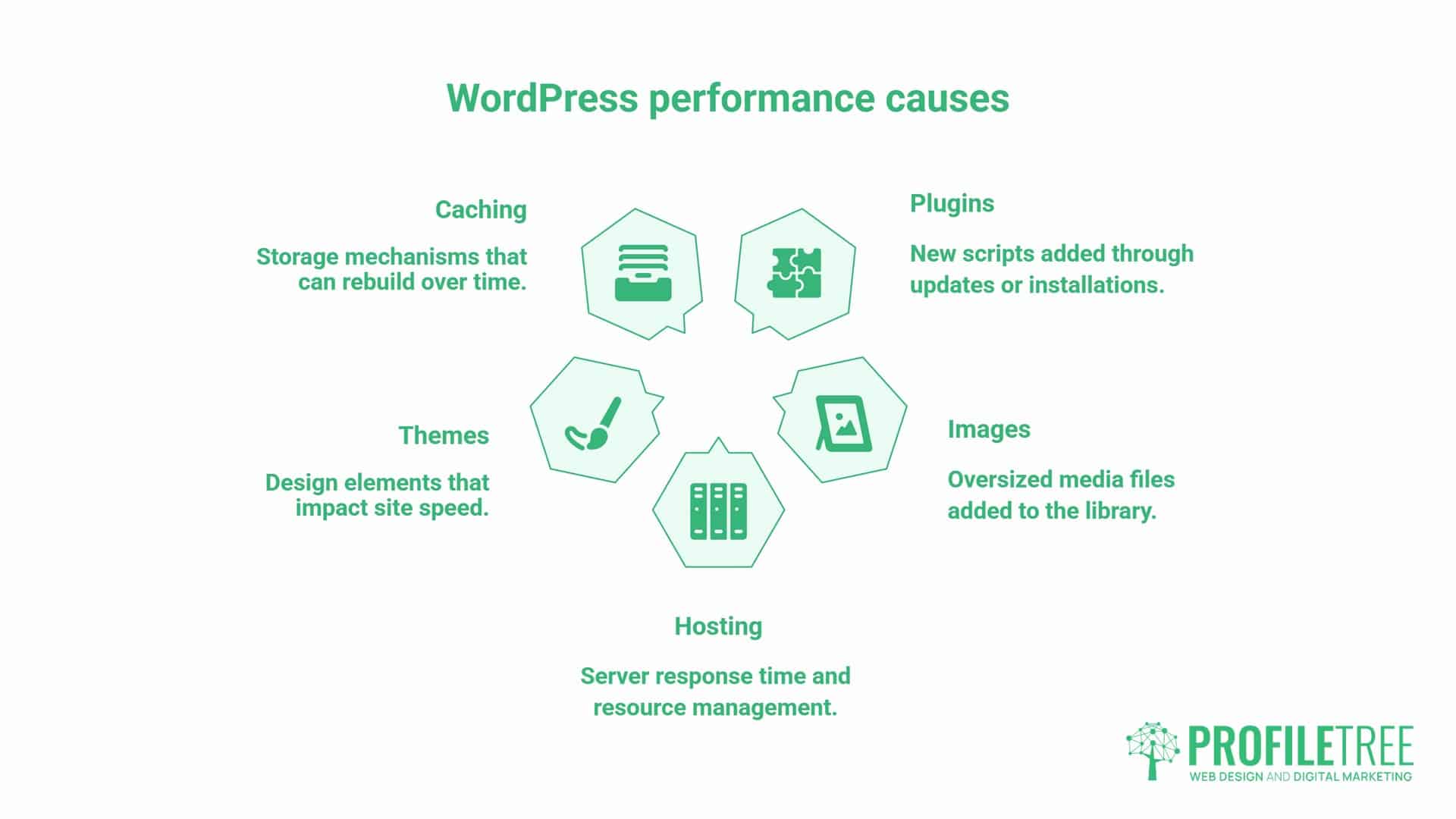
A fast WordPress site doesn’t stay fast on its own. Database tables accumulate overhead over time. Plugin updates add new scripts. New images and new content add page weight. A WordPress site that scores well on page speed today can slip back within months if nobody’s checking the plugin list, the media library, or the hosting resources behind it.
WordPress sites slow down again even after a proper fix, which is exactly why maintaining performance needs to be a monthly rhythm rather than a one-off project. The businesses that stay fast build in a short review: a quick check on new plugins added since the last review, a look at recently uploaded images for anything oversized, and a glance at server response time to catch hosting problems before they become visible to visitors.
That ongoing habit matters more than any single fix on this list, because it’s what stops today’s five causes, plugins, images, hosting, themes, and caching, from quietly rebuilding themselves over the next six months. A business that treats WordPress performance as a project with an end date will find itself back at the start of this guide within a year. A business that treats it as a rhythm rarely needs to.
FAQs
Will deleting plugins automatically speed up my WordPress site?
Usually, yes, though the improvement depends on which plugins are removed. Plugins that run on every page load, rather than only on specific pages, tend to have the biggest impact on page speed when removed.
Does hosting really make that much difference, or is it mostly plugins?
Both matter, but hosting sets the ceiling that everything else operates under. A well-optimised WordPress site on poor hosting will still underperform a modest site on properly resourced hosting.
How do I know if my images are slowing down my WordPress site?
Run the page through PageSpeed Insights and check the “Properly size images” flag. If the total page weight is several megabytes and most of it is images, that’s the answer.
Can a heavy WordPress theme be fixed, or should I switch?
It depends on how the theme is built. If it’s a genuinely bloated multi-purpose theme, switching or hand-coding key pages usually beats trying to optimise around it.
Why do WordPress sites slow down even when nothing’s changed?
Sites don’t stay static. Plugin updates, new content, and accumulating database overhead all add weight gradually, which is why a monthly check catches problems before they’re obvious.