
SEO for Web Designers: What Every Site Needs to Rank
Table of Contents
Most businesses commissioning a new website assume their web designer will handle SEO. Most web designers assume their client has an SEO plan. The gap between those two assumptions is where sites disappear into page five and stay there.
Understanding the relationship between web design and SEO matters whether you are a designer building sites for clients, a business owner briefing an agency, or a marketing manager trying to explain why the beautiful new site is not generating enquiries. The decisions made during the design and build phase either support search visibility or undermine it, often permanently. A site that launches without SEO foundations baked in does not just rank poorly at first; it carries structural problems that take significantly more time and money to fix later.
This guide covers the technical and structural elements that determine whether a well-designed site can also be found.
What SEO Actually Involves in Web Design
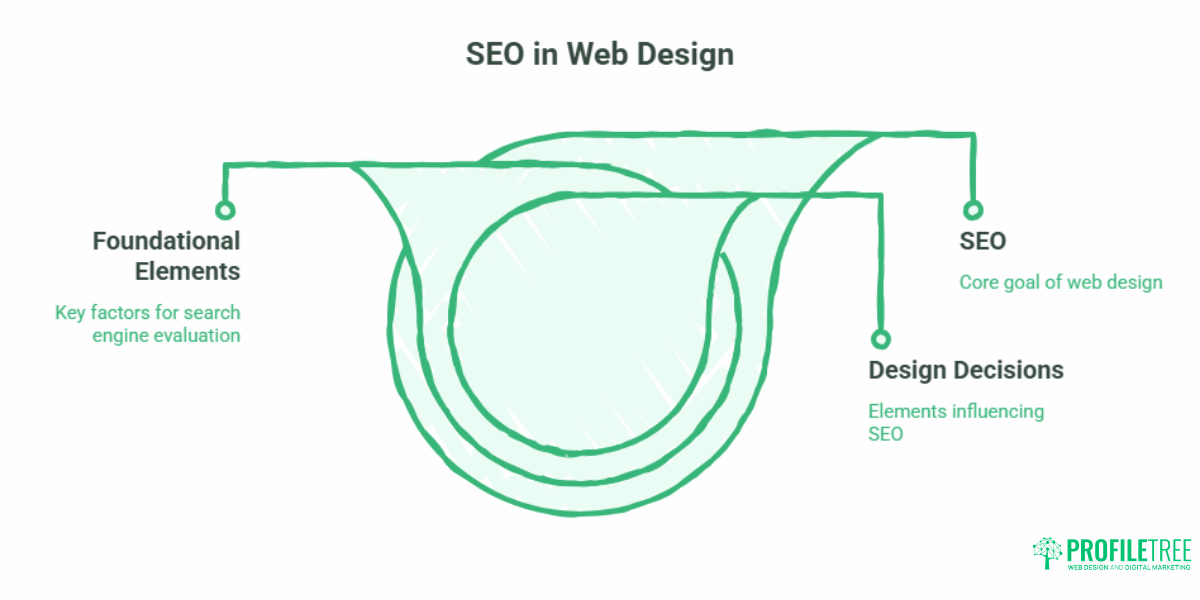
The term SEO for web designers often gets reduced to meta tags and keyword stuffing. The reality is considerably broader. SEO touches almost every design and build decision: URL structure, page load speed, heading hierarchy, mobile rendering, site architecture, image handling, internal link placement, and the clarity of the signals you send to search engine crawlers.
Google’s ranking systems evaluate pages across hundreds of factors, but a handful of foundational elements determine whether a site can compete at all. Get these wrong during the build phase, and no amount of content production or link building will compensate.
How Design Decisions Affect Search Rankings
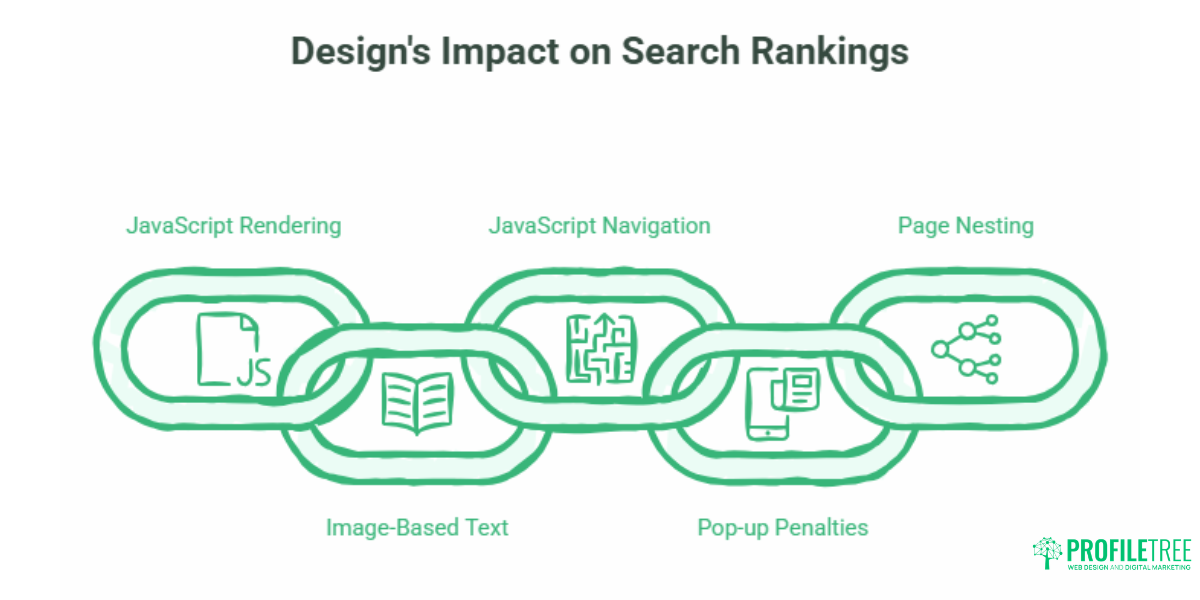
Search engines index what they can crawl and render. That sounds straightforward until you consider how many common design choices make crawling harder.
Heavy use of JavaScript to render content can delay or prevent indexing altogether if Googlebot cannot execute the scripts in time. Images used as text rather than actual HTML text are invisible to crawlers. Navigation built entirely in JavaScript may not be followed. Pop-ups that cover the main content trigger mobile usability penalties. Deeply nested page structures mean some pages never get crawled because the crawl budget is spent on the top levels.
The cleanest way to avoid these problems is to treat search visibility as a design constraint from day one, not an afterthought applied after launch.
Why Web Design and SEO Cannot Be Separated
There is a persistent tendency to treat web design as a creative brief and SEO as something added on top. This splits the process in ways that cause predictable problems.
A designer who builds a visually striking site without considering page speed may produce layouts that require 6MB of images to render. A developer who builds bespoke navigation without thinking about internal linking may inadvertently bury important pages three or four clicks from the homepage. A site structure chosen for visual coherence may create URL patterns that make no sense to a crawler.
ProfileTree’s integrated web design and SEO approach addresses this directly. Design briefs include technical SEO requirements as standard: URL structure, heading hierarchy, internal linking rules, schema requirements, and page speed targets are agreed upon before the build begins, not retrofitted after launch. When web design and development work from the same brief, the structural decisions that support rankings are built into the site rather than bolted on.
Technical SEO: The Foundations Web Designers Control
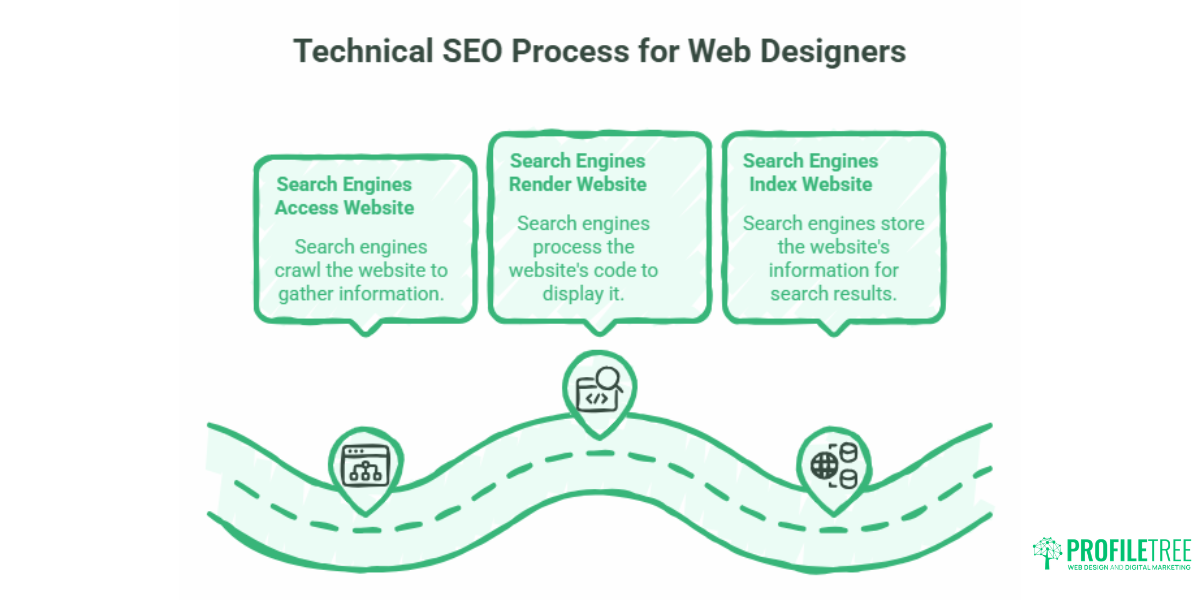
Technical SEO refers to everything that affects how search engines access, render, and index a website. Much of it sits squarely in the designer and developer’s domain.
Site Structure and URL Architecture
A logical site structure does two things: it helps users find what they are looking for, and it tells search engines how pages relate to each other. The most effective structure is also the simplest. Broad topic categories sit at the top level. Specific pages and posts sit beneath them. Every page is reachable within three clicks from the homepage.
URL structure should reflect this hierarchy. Clean, descriptive URLs perform better than dynamic query strings or date-based paths. /services/seo-northern-ireland/ communicates topic and location clearly. /page?id=47&cat=3 tells a crawler almost nothing.
Avoid changing URLs once pages are indexed. The ranking equity a page accumulates is attached to its URL. Redesigns that alter URL structures without proper 301 redirects regularly destroy years of accumulated search authority.
Page Speed and Core Web Vitals
Google uses a set of speed and user experience metrics called Core Web Vitals as ranking inputs. These measure how quickly the largest visible element loads (Largest Contentful Paint), how stable the layout is as it loads (Cumulative Layout Shift), and how quickly the page responds to the first user interaction (Interaction to Next Paint, or INP, which replaced First Input Delay in March 2024).
Slow sites are penalised directly. They also tend to have higher bounce rates, which compounds the problem. For SMEs competing in local markets across Northern Ireland, Ireland, and the UK, a site that fails Core Web Vitals is competing at a structural disadvantage against better-performing competitors.
Common causes of poor performance that originate in the design process: uncompressed images, render-blocking fonts loaded from third-party services, heavy JavaScript frameworks where a lighter approach would serve, and unoptimised video embeds. Using WebP or AVIF formats for images, deferring non-critical scripts, and setting explicit width and height attributes on images to prevent layout shift are relatively simple build-time decisions that improve all three metrics.
Analysing your website’s performance with tools like Google PageSpeed Insights and GTmetrix should happen during development, not after launch.
Mobile-First Design and Indexing
Google has operated mobile-first indexing since 2019. This means the mobile version of a site is what Google primarily crawls and uses to determine rankings, regardless of whether most of your visitors come from desktops. A site that looks excellent on a 27-inch monitor but renders poorly on a phone is ranked based on the phone experience.
Mobile-first design is not simply about making things fit a smaller screen. It means starting the design process with the smallest viewport and scaling up, ensuring touch targets are large enough, reducing reliance on hover states (which do not exist on touchscreens), and making sure content is not hidden behind tabs or accordions that Google may not be able to access.
Responsive design using fluid grid layouts, CSS media queries, and relative units is the standard approach. Avoid separate mobile subdomains (m.example.com) as these create duplicate content issues and split link equity unless handled carefully.
HTTPS and Site Security
Implementing HTTPS has been a confirmed Google ranking signal since 2014. Beyond the direct ranking benefit, an HTTP site generates browser security warnings that reduce user trust and increase abandonment rates, particularly on contact and enquiry forms. Any new site should launch on HTTPS as standard. For existing sites migrating from HTTP, ensure all internal links, canonical tags, and the sitemap are updated to the HTTPS version to avoid duplicate content issues.
Sitemaps and Robots.txt
An XML sitemap tells search engines which pages exist and when they were last updated. It does not guarantee indexing, but it does ensure Google is aware of pages that might otherwise be difficult to discover through internal links alone. Sitemaps should be submitted through Google Search Console and kept updated as new pages are published.
A robots.txt file controls which parts of a site search engines should not crawl. Use it to block staging environments, admin sections, and duplicate content paths such as paginated archive pages. Mistakes in robots.txt can inadvertently block the entire site from being indexed; treat it carefully and test changes before deploying.
On-Page SEO: What Designers and Content Teams Need to Agree On
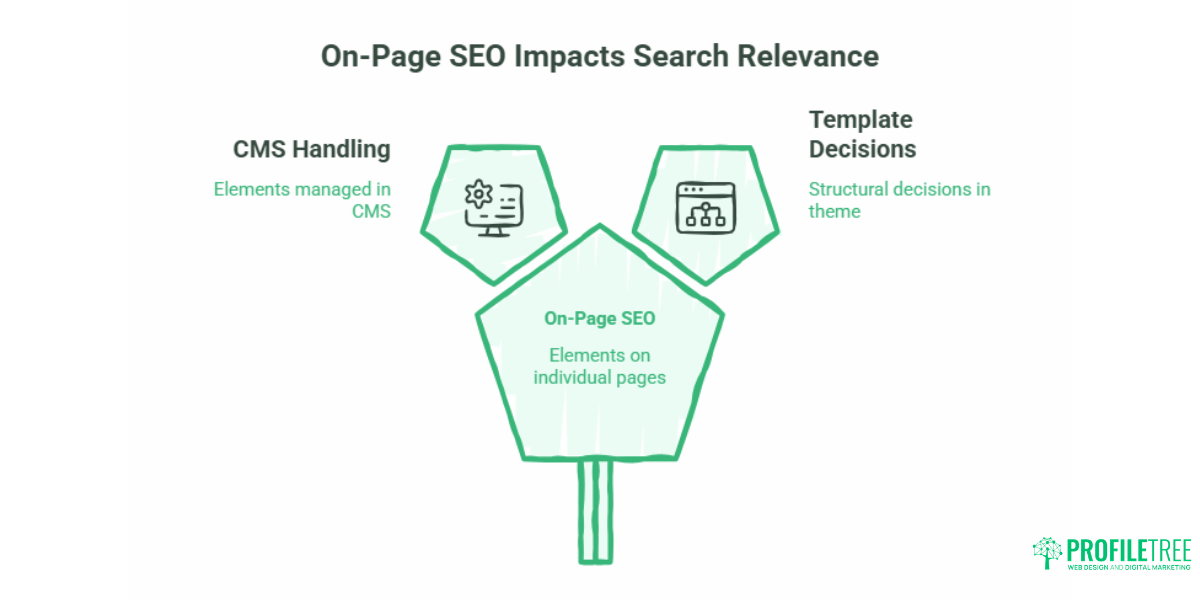
On-page SEO covers the elements on individual pages that signal relevance to search engines. Some of these are handled in the CMS. Others are structural decisions baked into the template and theme.
Heading Hierarchy
Search engines use heading tags (H1, H2, H3) to understand the structure of a page and the relative importance of different sections. Every page should have exactly one H1, which contains the primary keyword and describes the page topic clearly. H2 tags mark the major sections. H3 tags break down subsections where needed. Skipping levels (H1 straight to H3) or using multiple H1s creates confusion for crawlers.
This is a build decision. Templates need to be coded so that headings are semantically correct and consistent, not chosen based on visual sizing. A heading that looks like an H2 because the designer set its font size that way may actually be coded as a <div> with a class. That <div> carries no SEO value.
Title Tags and Meta Descriptions
The title tag is the most important on-page SEO element after the content itself. It tells search engines and users what the page is about and appears as the clickable headline in search results. Title tags should include the primary keyword, ideally near the beginning, and stay under 60 characters to avoid truncation.
Meta descriptions do not directly affect rankings, but they directly affect click-through rates. A well-written description summarises the page’s value proposition, includes the target keyword, and gives the searcher a reason to click this result over the others on the page. Keep them under 155 characters.
Both should be set for every page, including category archives, tag pages, and paginated series, either through the CMS or a plugin such as Yoast or Rank Math for WordPress sites.
Alt Text for Images
Alt text serves two purposes: it makes images accessible to users relying on screen readers, and it tells search engines what an image depicts. Descriptive, specific alt text that naturally incorporates relevant terms is preferable to generic descriptions or empty alt attributes.
Do not use alt text as a keyword stuffing opportunity. A photo of a web design team meeting should have alt text like “ProfileTree web design team reviewing a client project in Belfast,” not “Belfast web design agency SEO services digital marketing.”
Schema Markup
Structured data, implemented as Schema.org markup in JSON-LD format, gives search engines additional context about page content. For service businesses, the LocalBusiness schema communicates NAP data (name, address, phone number) in a machine-readable format. For articles, the Article schema identifies the content type, publication date, and author. For FAQ sections, the FAQPage schema enables rich results that expand the SERP listing to show questions and answers directly.
Schema does not directly affect rankings, but it improves the quality and appearance of search listings, which improves click-through rates. It also makes content more likely to be cited in AI-generated answers in tools like Google’s AI Overviews. Implementing the most common Search Console errors in structured data is a common post-launch issue that could have been addressed during the build.
Internal Linking: The Structural Element Most Sites Get Wrong
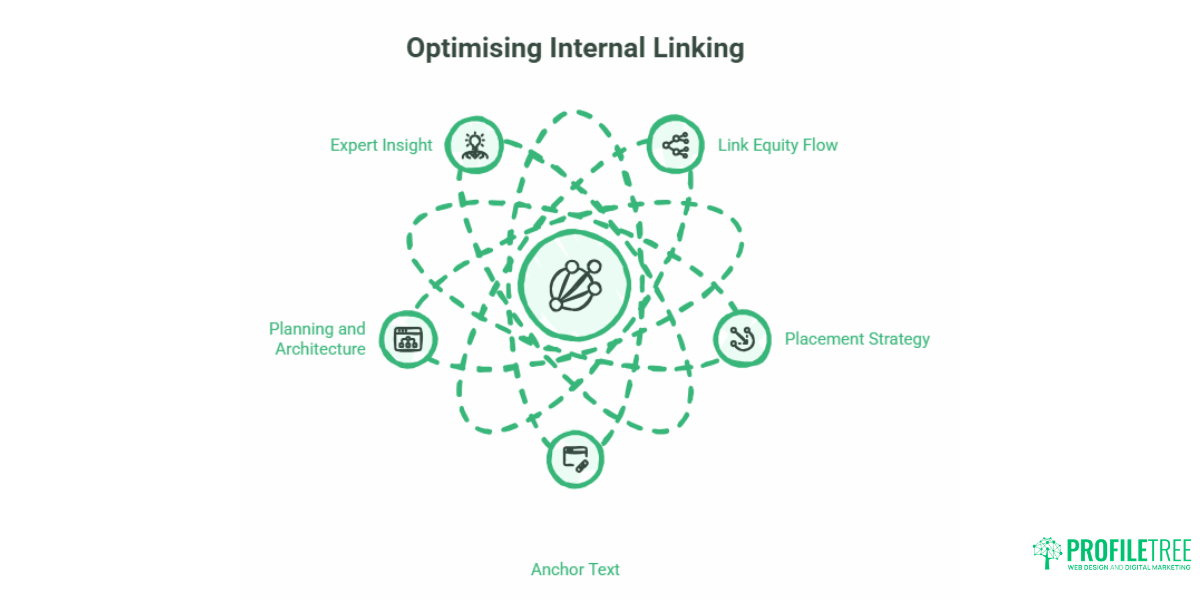
Internal linking is how link equity, often called “link juice,” flows through a site. Pages linked from multiple high-authority pages on your site are treated as more important than pages that are isolated or buried.
Most websites cluster internal links at the bottom of pages, in sidebars, or in footer navigation. These links exist, but they carry less weight than links placed within the body content of relevant pages. A practical approach to internal linking starts with identifying your most commercially important pages and ensuring they receive links from multiple, topically relevant pieces of content.
Anchor text, the visible text of the link, should be descriptive and specific. Linking to the ProfileTree SEO services page with the anchor text “click here” tells Google nothing about the destination. Linking with the anchor text SEO services for Northern Ireland businesses communicates both the topic and the relevance.
For web designers building client sites, the internal linking structure should be planned before the site launches, not left to the content team to figure out post-launch. A sitemap and content architecture that identifies which pages support which other pages makes this significantly easier.
Ciaran Connolly, founder of ProfileTree, notes that internal linking is often the most neglected element in a new site build: “Most agencies focus on the homepage and service pages, but it is the supporting content and how it is linked that determines how far a site can reach in search. A well-connected site distributes authority across all its pages.”
Keyword Research and Content Strategy for SEO
Web designers do not typically own keyword research, but understanding how it informs design decisions is useful. The pages that need to rank, the keywords they target, and the user intent behind those keywords all affect the site architecture decisions made during the build phase.
User search intent falls broadly into four categories: informational (the user wants to learn something), navigational (the user is looking for a specific site), commercial (the user is comparing options before buying), and transactional (the user is ready to act). The type of page you build should match the intent behind the queries it targets.
A page targeting “how does SEO work” serves informational intent. It should be a detailed guide, not a service page. A page targeting “SEO agency Belfast” serves commercial intent. It should be a service page with social proof, pricing signals, and a clear call to action, not a 2,000-word tutorial. Designing a service page template for an informational keyword, or vice versa, is a mismatch that Google will penalise with lower rankings.
Content Length and Depth
Content length matters for search rankings primarily because longer content has more opportunity to be thorough, to address multiple related questions, and to earn links. A 400-word blog post on a competitive topic is unlikely to rank because it cannot cover the subject in enough depth to satisfy searchers or outperform longer, more detailed competitors.
The appropriate length is determined by the topic, the competition, and the intent. For an informational guide on a technical subject, 2,000 to 3,000 words is a reasonable target. For a local service page, 1,200 to 1,800 words may be sufficient if the content is genuinely useful rather than padded.
Local SEO: Specific Considerations for UK and Irish Businesses
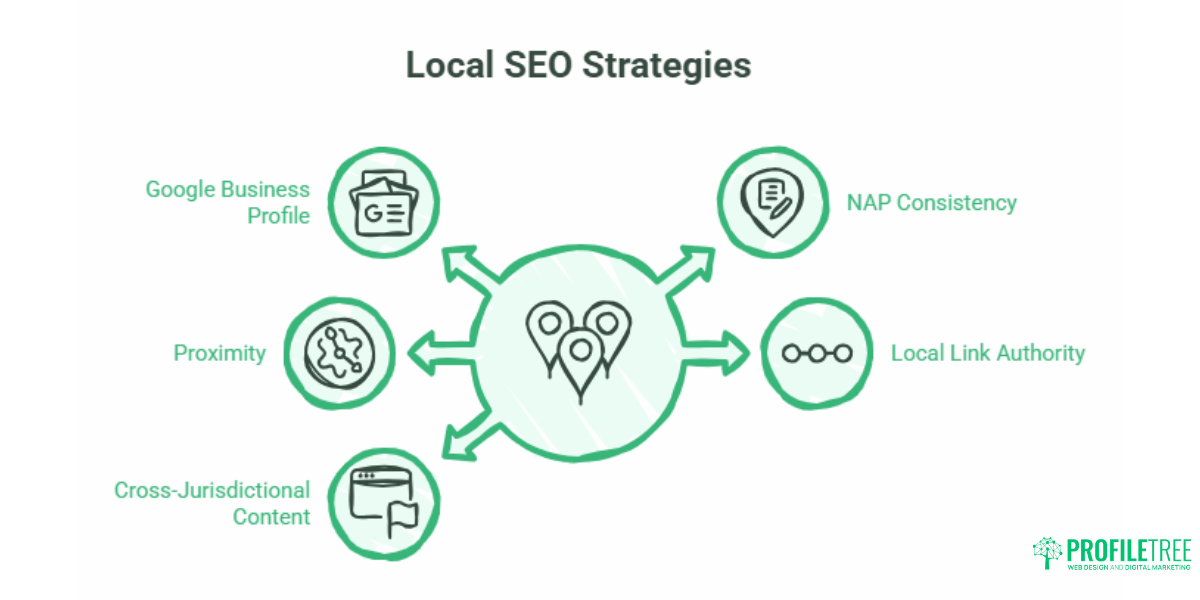
For businesses targeting customers in specific geographic areas, local SEO adds a layer of requirements beyond standard on-page and technical work.
Local search results, including the Google Maps pack that appears at the top of location-based searches, use different signals from organic rankings. Google My Business (now Google Business Profile) data, NAP consistency across directories, proximity to the searcher, and local link authority all contribute. A well-designed website that lacks a claimed and optimised Google Business Profile will not appear in the local pack, regardless of how good its on-page SEO is.
For Northern Ireland businesses in particular, there is an additional consideration rarely addressed by local agencies. Belfast sits in a market that looks both east toward mainland UK and south toward the Republic of Ireland. Businesses serving clients across both jurisdictions need content that reflects both markets: using UK spelling, currency, and regulatory references for UK audiences, while ensuring the site is not inadvertently invisible to Irish searchers who use different terminology for the same services.
ProfileTree’s AI tools for Google My Business optimisation guide covers how AI is now being used to improve the consistency and performance of local search listings, which is increasingly relevant as Google’s local search algorithms become more sophisticated.
The Design-SEO Brief: What to Agree Before the Build Starts
Most SEO problems with new websites are not discovered during the build. They surface three months after launch when the client asks why the site is not generating enquiries, and someone runs a technical audit.
Agreeing a set of SEO requirements before the build starts eliminates the most common post-launch problems. A practical brief covers:
URL structure: How will pages be organised? What naming conventions apply? Are there any existing URLs that must be preserved or redirected?
Page speed targets: What Core Web Vitals scores does the finished site need to achieve? How will images be handled? Will a CDN be used?
Template requirements: Does each template include correct heading structure, metadata fields, schema support, and image alt text fields? Is the navigation coded semantically?
Internal linking plan: Which pages are the highest commercial priority? What content will link to them? Is the site architecture shallow enough that important pages are reachable within three clicks?
Analytics and tracking: Is Google Analytics 4 installed and verified? Is Google Search Console configured before launch, not after? Are conversion events tracked?
Working with an agency that treats SEO as part of the design brief rather than a separate service engagement prevents the disconnect that produces beautiful, invisible websites. ProfileTree’s web development services operate from a combined design and SEO brief, which means technical requirements are tested during the build rather than remediated after launch.
Frequently Asked Questions
Does web design affect SEO?
Yes, significantly. Design and build decisions affect page speed, mobile usability, heading structure, internal linking, crawlability, and how clearly search engines can interpret the content of a page. A site with poor technical foundations will rank below its potential regardless of how much SEO work is done on it post-launch. Getting the design and build right is the most cost-effective SEO investment a business can make.
What should I ask a web designer about SEO before starting a project?
Ask how they handle URL structure, whether templates include correct heading hierarchy and metadata fields, what their approach to page speed optimisation is, how they implement internal linking, and whether schema markup is included as standard. Also, ask whether they will configure Google Search Console and Google Analytics 4 as part of the project, or whether that is handed to you after launch. The answers reveal quickly whether SEO is integrated into their process or an afterthought.
What is the difference between on-page SEO and technical SEO?
On-page SEO covers the content-related elements on individual pages: headings, title tags, meta descriptions, body copy, image alt text, and internal links. Technical SEO covers the site-level and infrastructure decisions that affect how search engines access and process the site: crawlability, indexing, site speed, mobile performance, HTTPS, sitemaps, and structured data. Both matter. Technical problems can prevent a well-optimised page from ranking; on-page problems can make a technically sound site invisible for the right queries.
How long does it take for a new website to rank on Google?
For a new domain with no prior authority, expect three to six months before meaningful organic traffic begins, assuming the site is well-built, actively publishing content, and earning links. Sites migrating from existing domains with established authority can rank faster. Competitive terms in well-contested markets may take twelve months or more to reach page one. Focusing on local, long-tail, and informational keywords in the early months builds a track record that helps the site rank for more competitive terms later.
Do I need separate pages for each location I serve?
If there is genuine search demand for location-specific terms, and if the content on each page can be meaningfully different, separate location pages are worth creating. A Belfast-based business that also serves Derry, Dublin, and Glasgow may benefit from dedicated pages for each market, particularly if competitors in those cities already rank for local terms. Thin location pages that simply swap the city name in a template are unlikely to rank and may be flagged as duplicate content. Each location page needs enough unique, locally relevant content to justify its existence.
What is schema markup, and do I need it?
Schema markup is structured data added to a page’s HTML that helps search engines understand the content in greater detail. For service businesses, the LocalBusiness schema communicates your address, opening hours, and service area. For articles, the Article schema identifies the content type and author. For FAQ sections, the FAQPage schema can generate rich results in Google’s search listings that show questions and answers directly. Not every page needs every schema type, but implementing the relevant types is a straightforward way to improve how your pages appear in search results and in AI-generated answers.
Conclusion
SEO for web designers comes down to a single principle: the foundations that allow a site to be found need to be built in, not retrofitted. Speed, structure, mobile performance, heading hierarchy, internal linking, and technical crawlability are all decisions made during the design and build phase. Getting them right from the start costs far less than fixing them after launch, and the ranking benefits compound over time.
If you are planning a new website or auditing an existing one, ProfileTree’s web design and SEO services cover both the technical build requirements and the ongoing search strategy that turns a well-built site into a consistent source of enquiries.nd SEO performance.