
How to Automate SEO: A Workflow Guide for SME Teams
Table of Contents
Most small and medium-sized businesses in Northern Ireland, Ireland, and the UK are running SEO with limited headcount. One or two people are responsible for keyword research, technical audits, rank tracking, reporting, and content, often alongside every other marketing responsibility the business has. At that scale, manual SEO doesn’t just slow you down; it means key tasks get dropped entirely.
SEO automation is the practice of using software to handle the data-heavy, repetitive parts of the workload, freeing up hours to focus on strategy, content quality, and the judgment calls that tools cannot make. It doesn’t replace an SEO strategy. It makes executing one feasible for a team that isn’t a dedicated agency.
This guide covers which SEO tasks are worth automating, which workflows to build first, where human oversight remains non-negotiable, and how to choose tools that match an SME budget. Whether you’re exploring SEO automation for the first time or looking to add structure to an existing stack, the frameworks here apply across team sizes and budgets.
Why SEO Automation Matters for SME Teams
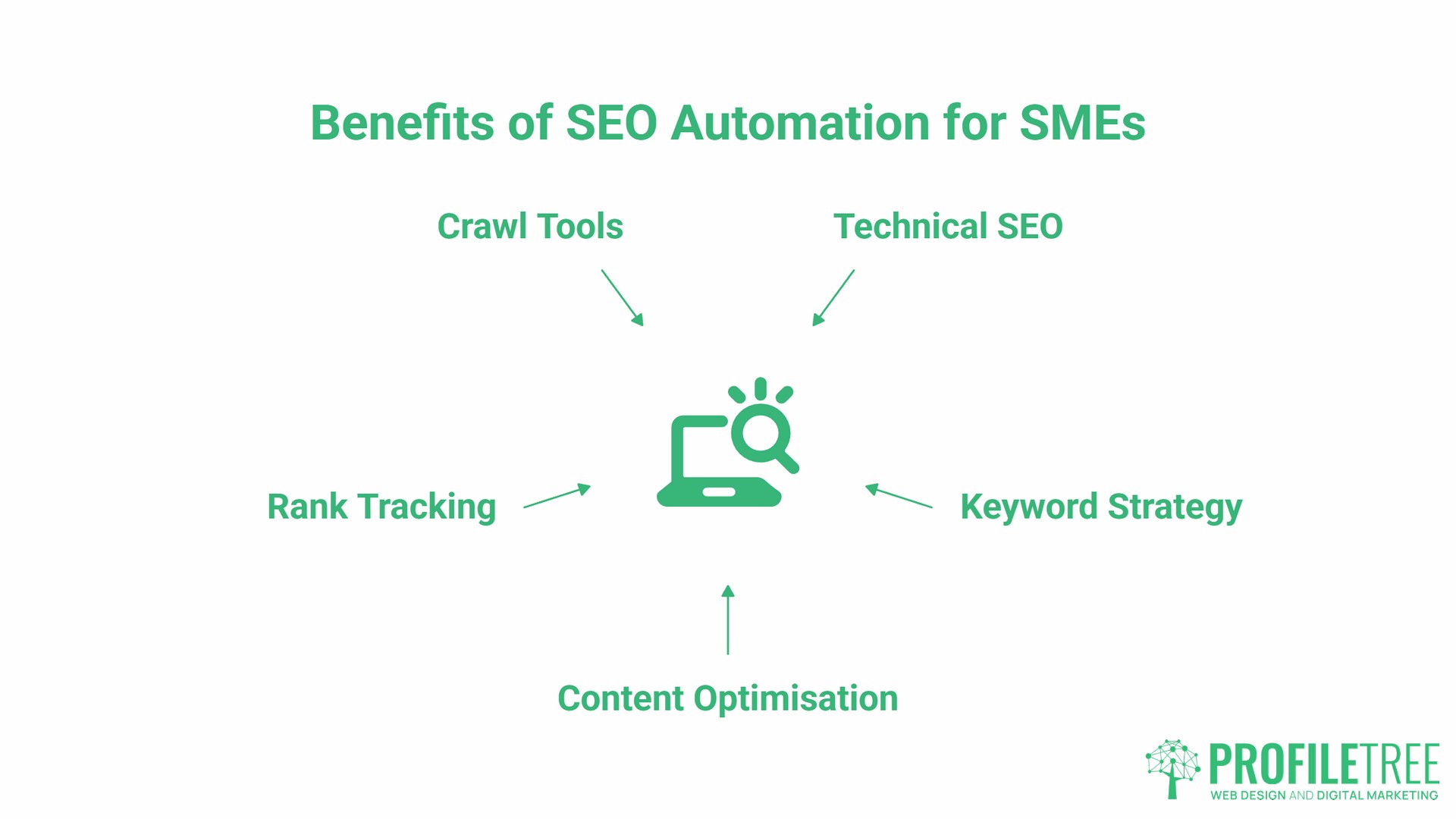
The SEO workload has grown significantly as search has become more technical. A site audit that would have meant checking a handful of factors a few years ago now covers Core Web Vitals, structured data validation, crawl budget, internal link equity distribution, mobile experience, and indexation status, before you’ve touched keyword strategy or content.
For a business running SEO in-house, the realistic choice is between narrowing the scope of what gets done or using automated SEO tools to maintain coverage across the full picture. The second option is nearly always the better choice.
Automated SEO tools process large datasets and generate outputs far faster than manual methods; keyword clustering that might take a full working day manually can run overnight in a platform like Ahrefs or Semrush. Automated rank tracking catches ranking drops within hours rather than weeks. Automated crawl tools flag broken links and indexation issues before they compound into traffic losses.
The practical result is that SEO automation lets a small team operate with the monitoring rigour of a much larger one, provided the outputs are being reviewed and acted on by someone who understands what they mean.
Five SEO Workflows to Automate Now
The most useful place to start is not with the most technically impressive SEO automation available, but with the tasks that consume the most time for the least strategic return. These five workflows deliver the most immediate benefit for most SME teams.
Technical Health Monitoring
Manual site audits, run monthly or quarterly, miss problems that accumulate between checks. A page that gets accidentally de-indexed, a redirect chain that breaks after a CMS update, or a batch of pages that drop out of Google’s index. These need to be caught within days, not discovered weeks later when traffic has already fallen. This is where technical SEO automation earns its keep most clearly.
Set up automated crawls using Screaming Frog SEO Spider (scheduled via the command-line version) or Sitebulb. Connect Google Search Console to a reporting dashboard so that indexation drops and coverage errors trigger alerts automatically. The human checkpoint here is to review the alert output and decide which issues are high priority. That judgment stays with the person, not the tool.
For a deeper look at how AI is being applied to site architecture and crawl analysis specifically, the ProfileTree guide on AI for technical SEO covers the practical implementation in detail.
Keyword Research and Topic Clustering
Keyword research at scale involves pulling hundreds or thousands of terms, stripping irrelevant ones, grouping the remainder by intent, and mapping them to existing or planned content. Done manually, this is one of the most time-consuming tasks in SEO. With automation, the data side shrinks to a fraction of the time.
Tools like Ahrefs and Semrush export keyword sets that can be imported into clustering tools or processed in Google Sheets with GPT integration. The output is a grouped keyword map that a strategist then uses to plan content. The automated SEO workflow handles the volume; the person decides which clusters are worth targeting and in what order.
Recipe: Export keyword data from Ahrefs > import into a Google Sheet > use a GPT-for-Sheets prompt to cluster by semantic intent > review and prioritise clusters manually before briefing content.
Rank Tracking and Competitor Monitoring
Checking keyword positions manually is not scalable beyond a handful of terms. Automated rank tracking through tools like AccuRanker, Ahrefs Rank Tracker, or Semrush Position Tracking monitors the full keyword set daily and surfaces significant movements.
For businesses in Northern Ireland and Ireland competing in regional markets, set up tracking for both local and national variants of target terms. A drop in a local pack result and a drop in organic ranking require different responses, and tracking them separately speeds diagnosis.
Automated competitor monitoring through Ahrefs alerts or Semrush’s competitor tracking means you’re notified when a competing site acquires a significant backlink or publishes new content targeting your keyword set. The human checkpoint is deciding whether the change warrants a strategic response.
Local SEO Maintenance
For businesses with physical premises or defined service areas, local SEO involves maintaining consistent business information across Google Business Profile, Bing Places, Apple Maps, and a range of UK and Irish directories: Yell, Thomson Local, and others. Inconsistent NAP data (name, address, phone number) across these platforms is a well-documented local ranking factor.
Tools like BrightLocal automate directory monitoring and alert you to inconsistencies or new listings that need claiming. Google Business Profile can be managed via the API for businesses with multiple locations, automating bulk updates to opening hours or service information.
One GDPR consideration for UK and Irish businesses: automated data tools that scrape contact information for outreach must operate in line with ICO guidance on legitimate interest and data minimisation. This is an area where the “set and forget” approach carries legal risk, and human review of automated outreach lists is a requirement, not an option.
Reporting and Analytics
Building weekly or monthly SEO reports manually, pulling data from Google Search Console, Google Analytics, and rank trackers into a formatted document, is one of the clearest cases for automated SEO. The data retrieval and formatting add no value; what matters is the analysis and recommendations that follow.
Looker Studio (formerly Google Data Studio) connects directly to Google Search Console, Google Analytics 4, and most major SEO tools. A well-built Looker Studio dashboard updates automatically and gives stakeholders a live view of traffic, rankings, and conversions, eliminating the need to produce a manual report each week.
Recipe: Connect GSC and GA4 to Looker Studio > build a template dashboard covering traffic, top queries, top pages, and conversions > share the live dashboard link with stakeholders > reserve reporting time for analysis and recommendations rather than data assembly.
The Automation Matrix: What to Automate and What Not To
Not every SEO task benefits from automation. Some tasks require contextual judgment, brand knowledge, or creative thinking that tools cannot replicate. Getting this boundary wrong in either direction (automating too little or automating the wrong things) costs time or quality. Effective SEO automation depends on understanding which category each task falls into before building the workflow.
| Task | Automation Level | Tool Example | Human Role |
|---|---|---|---|
| Technical site audits | Full | Screaming Frog, Sitebulb | Triage and prioritise issues |
| Rank tracking | Full | AccuRanker, Ahrefs | Review trends, identify causes |
| Backlink monitoring | Full | Ahrefs Alerts | Decide whether to disavow or pursue |
| Keyword data collection | Full | Ahrefs, Semrush | Strategy and prioritisation |
| Keyword clustering | Partial | GPT-for-Sheets | Final grouping decisions |
| Reporting dashboards | Full | Looker Studio | Analysis and recommendations |
| Content briefs | Partial | Frase, Surfer SEO | Editorial review and brand alignment |
| Content writing | Partial (at best) | AI drafting tools | Full editorial ownership |
| Link outreach | Partial | BuzzStream, Pitchbox | Personalisation and relationship |
| SEO strategy | None | n/a | Entirely human |
Ciaran Connolly, founder of ProfileTree, puts it plainly: “Automation gives you the data you need to make good decisions faster. It doesn’t make the decisions for you. The moment a business starts treating automated outputs as finished work rather than starting points, the quality drops and so do the rankings.”
This is the core principle behind what’s sometimes called a “human-in-the-loop” workflow: every automated output passes through a person before it becomes a published decision. The tool does the heavy lifting; the person applies judgment.
Choosing Tools by Budget and Function
The SEO automation tool market ranges from enterprise platforms costing several hundred dollars per month to free-tier options that cover the basics. For most SMEs, the right stack sits in the middle: one or two all-in-one platforms supplemented by a handful of free or low-cost niche tools. All prices below are in USD as these tools bill internationally; UK businesses should factor in VAT at 20% on top of the headline rate.
All-in-one platforms
Ahrefs and Semrush are the two dominant platforms. Both cover keyword research, rank tracking, backlink monitoring, site auditing, and competitor analysis. Ahrefs starts at $129 per month for its Lite plan; Semrush starts at $139.95 per month for its Pro plan. For a business running active SEO across multiple services or locations, either platform replaces a stack of five or six separate tools.
Technical SEO tools
Screaming Frog SEO Spider has a free version covering up to 500 URLs and a paid licence at £199 per user per year. For most SME sites, the free version is sufficient for monthly audits. Sitebulb starts at $13.50 per month on annual billing (Lite desktop plan) and provides more structured, explainer-style reporting, which is useful when audit findings need to be shared with developers or clients who aren’t SEO specialists.
No-code automation and reporting
Looker Studio is free. Zapier connects SEO tools to Slack, Google Sheets, and email so that alerts from rank trackers or GSC arrive in the right place automatically. Zapier’s free tier covers 100 tasks per month on two-step workflows; the Professional paid plan starts at $29.99 per month for 750 tasks with unlimited multi-step automations. For teams that want to go further, Google Apps Script can automate GSC data pulls and sheet-based reporting at no additional cost, though it requires some familiarity with scripting.
Low-cost options for early-stage businesses
Google Search Console, Google Analytics 4, and Looker Studio together provide rank monitoring (with some limitations on real-time data), traffic analysis, indexation status, and custom reporting at no cost. They don’t replace a platform like Ahrefs for keyword research depth, but they cover the fundamentals until budget allows for more.
Agentic SEO: Where Automation Is Heading
Current SEO automation tools operate on fixed logic: if a 404 is detected, send an alert. If a ranking drops by five positions, flag it. These are useful but reactive.
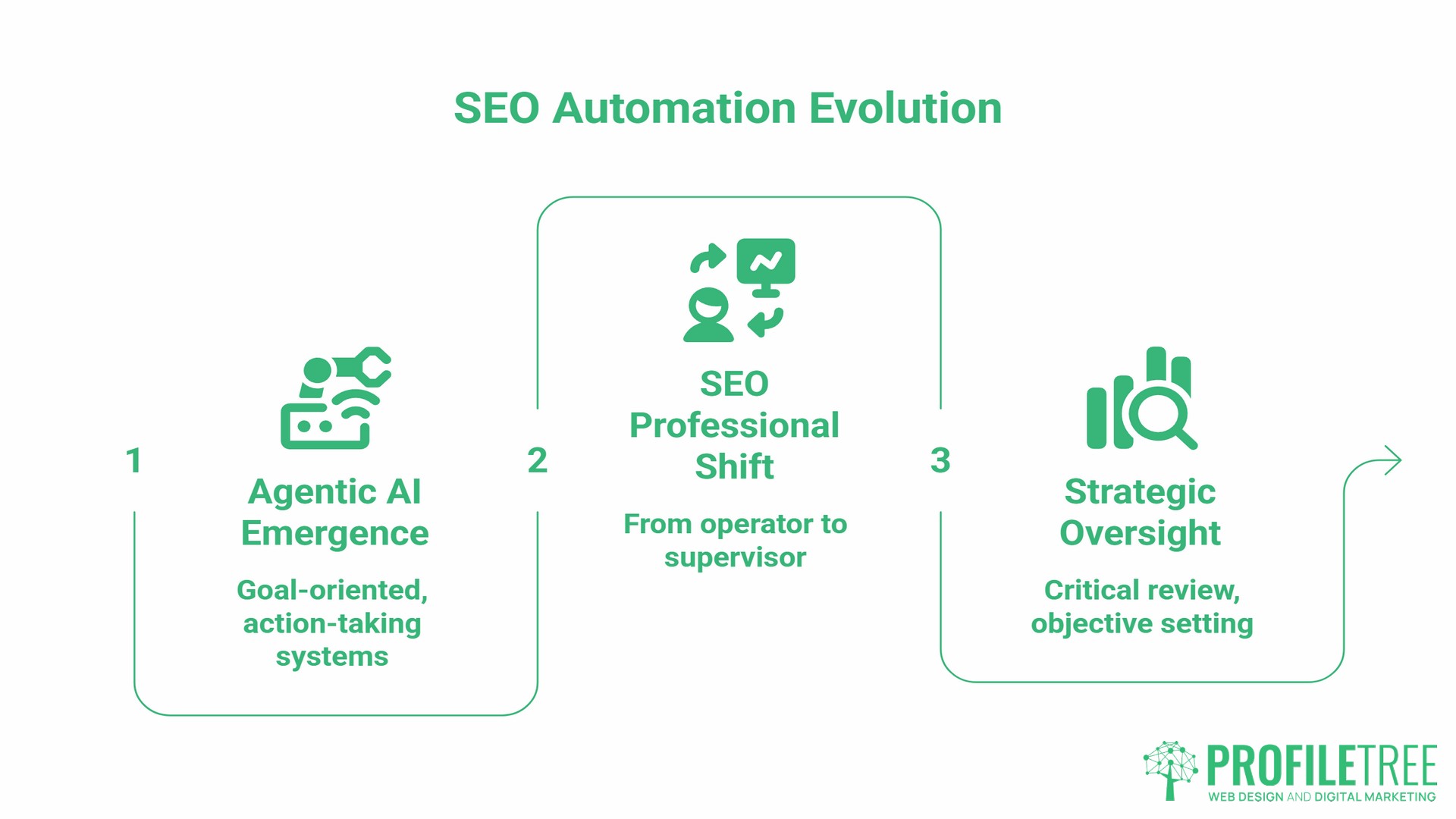
The next stage, already emerging in 2026, is agentic AI: systems that don’t just report on conditions but take sequences of actions to achieve a defined goal. An agentic SEO system might be given the goal of maintaining a site’s crawl health and respond by identifying broken links, generating redirect mapping suggestions, prioritising by traffic impact, and drafting implementation instructions for a developer, without a person initiating each step.
This shift from “if-this-then-that” automation to goal-oriented task completion changes the role of the SEO professional from operator to supervisor. The skills that matter most are setting clear objectives, critically reviewing AI outputs, and understanding when the tool’s logic has gone wrong. SEO automation, at this level, requires stronger strategic oversight rather than less.
ProfileTree’s AI transformation services help businesses in Northern Ireland and Ireland work through exactly this transition: understanding which AI tools are ready to be trusted with which tasks, and building the internal processes to supervise automated outputs effectively.
Working With a Specialist Team
Understanding which tasks to automate, which tools to use, and how to build the workflows that connect them takes time to learn. For businesses that want the efficiency gains without the setup investment, working with an SEO agency that has already built these systems is a practical alternative.
ProfileTree’s SEO services integrate automated monitoring, rank tracking, and reporting into a managed service, with strategic oversight provided by the team. For businesses that want to build in-house capability alongside that, the digital training programme covers SEO automation tools and workflows as part of a broader digital skills programme.
Frequently Asked Questions
Is SEO automation against Google’s guidelines?
No, provided it’s used for data collection, monitoring, and efficiency rather than generating low-quality content at scale or manipulating rankings artificially. Google’s guidelines prohibit automated techniques that create spam or manipulate search results; they don’t prohibit using tools to crawl your own site, track rankings, or build reporting dashboards. The distinction is between automating legitimate SEO work and automating practices that would be unacceptable if done manually.
Can ChatGPT automate my entire SEO strategy?
No. AI tools can assist with keyword clustering, content briefs, meta description drafts, and FAQ generation. They don’t have access to your real-time Search Console data, your competitive environment, your site’s specific technical issues, or your business context. A strategy built entirely on AI outputs without human review and local knowledge will tend toward generic recommendations that are unlikely to reflect the specific conditions in your market.
What are the best free tools for SEO automation?
Google Search Console, Google Analytics 4, and Looker Studio together cover rank monitoring (with limitations), traffic analysis, coverage errors, and automated reporting at no cost. Google Apps Script can extend these with basic automation. For keyword research, the free tier of Ahrefs Webmaster Tools provides limited but useful site audit and backlink data for verified domains.
How does automation help with local SEO in the UK and Ireland?
The main applications are directory consistency monitoring, Google Business Profile management at scale, and automated review alerts. For multi-location businesses, keeping NAP data consistent across UK directories (Yell, Thomson Local, Bing Places, Apple Maps) manually is impractical. Tools like BrightLocal automate the monitoring and flag discrepancies. Automated review monitoring via Google Business Profile notifications or third-party tools enables the business to respond to new reviews promptly, a recognised factor in local pack performance.
Do I need Python to automate SEO?
No. No-code tools like Zapier, Looker Studio, and the built-in automation features of Ahrefs and Semrush handle most SEO automation tasks without scripting. Python is useful for large-scale data processing, custom crawling, or building integrations that no-code tools don’t support, but for most SME teams, it’s not necessary to get meaningful SEO automation working.
Can SEO be fully automated?
Not at the strategy level. The data collection, monitoring, and reporting layers can be largely automated. The decisions about which keywords to target, how to structure a content programme, how to position a business relative to its competitors, and how to build authority in a specific market all require human judgment. AI agents are making incremental progress toward more autonomous task execution, but the strategic layer of SEO automation remains firmly human territory for now.