
Website SEO Audit Guide: Evaluate Performance and Fix What Matters
Table of Contents
Most businesses discover their SEO problems the wrong way: a sudden traffic drop, a Google core update, or an agency report that lands on the desk with 200 line items and no guidance on what to fix first. A structured SEO audit prevents that situation. It gives you a clear picture of where your site stands technically, how well your content serves the people searching for it, and what is actively holding back your rankings.
This guide walks through how to do an SEO audit in a way that is useful for SME owners and marketing managers, not just developers. Whether you are running the audit yourself, briefing an agency, or reviewing work that has already been done, the process below provides a framework for making confident decisions.
“An SEO audit is like a full MOT for your site. Routine checks prevent small issues from becoming big ranking killers,” says Ciaran Connolly, founder of ProfileTree.
Why a Generic Checklist Is No Longer Sufficient
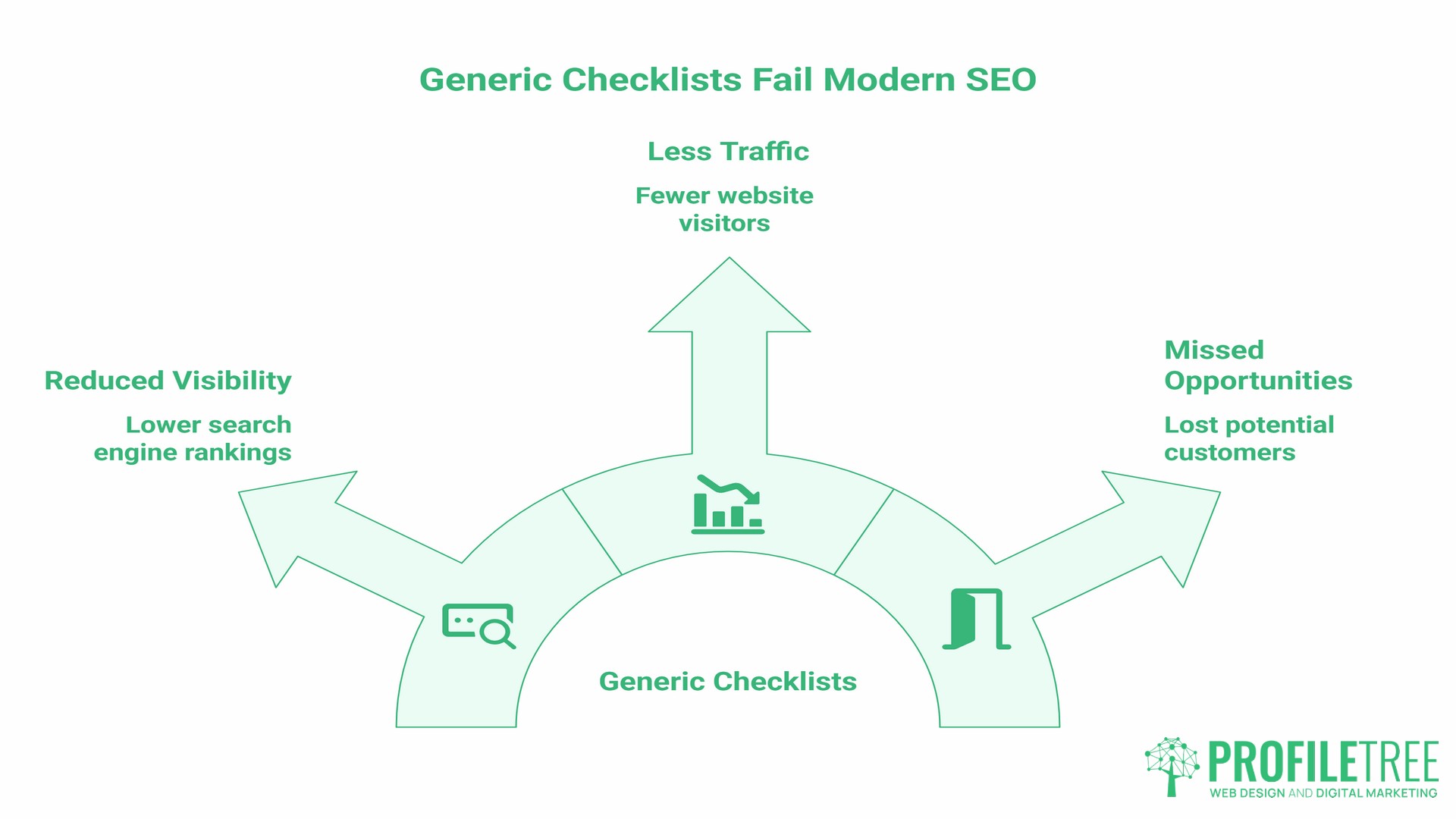
Search engines have moved on from the era of keyword counts and meta tag tweaks. Google’s helpful content system now evaluates whole sites, not just individual pages. Meanwhile, AI-powered search features across Google, Bing, and ChatGPT are reshaping how traffic flows, with pages that answer multiple sub-questions on a topic significantly more likely to appear in AI-generated answers.
For SMEs in Northern Ireland, Ireland, and across the UK, this means an SEO audit needs to go beyond a technical crawl. It needs to examine whether your content genuinely serves the people searching for your services, whether your site architecture signals clear expertise to both search engines and AI systems, and whether the pages most important to your business are getting the visibility and internal link equity they deserve.
The four pillars below reflect that broader scope.
Pillar 1: Technical Infrastructure and Searchability
Technical SEO is the foundation. If search engines cannot efficiently crawl and index your site, nothing else matters. This pillar covers the checks that determine whether Google can find, understand, and serve your pages.
Crawling, Indexing, and the First Impression to Google
Start with a site crawl using a tool such as Screaming Frog (the free version handles up to 500 URLs, which covers most SME sites), Google Search Console, or Sitebulb. A crawl surfaces broken links returning 404 errors, redirect chains, duplicate metadata, pages blocked by robots.txt, and orphan pages with no internal links pointing to them.
Run a site:yourdomain.com query in Google to see how many pages are indexed. If the number is significantly higher than the pages you know to be live, you likely have staging content, old campaign landing pages, or duplicate category pages consuming crawl budget. If key pages are missing entirely, the problem usually sits in the robots.txt file, or a noindex tag was applied accidentally during a site migration.
Check your XML sitemap: all primary pages should be included, and no deleted pages should still be referenced. Submit or verify the sitemap in Google Search Console if you have not done so recently.
The most common crawl issues found on SME sites:
| Issue | What It Means | Priority |
|---|---|---|
| 404 errors on internal links | Link equity lost; poor user experience | High |
| Redirect chains (A > B > C) | Dilutes link equity; slows page loading | High |
| Missing canonical tags | Tells Google to index duplicate versions | High |
| Orphan pages | Pages invisible to crawlers and users | Medium |
| Sitemap references deleted pages | Wastes crawl budget | Medium |
| Pages blocked in robots.txt unintentionally | Prevents indexing of live content | High |
Core Web Vitals: The User Experience Benchmark
Core Web Vitals measure three things. Largest Contentful Paint (LCP) tracks how fast the main content loads; Google’s “good” threshold is under 2.5 seconds, with anything above 4 seconds rated as poor. Interaction to Next Paint (INP) measures how quickly the page responds to user interactions such as clicks and key presses; the target is under 200 milliseconds. INP replaced First Input Delay as a Core Web Vital in March 2024. Cumulative Layout Shift (CLS) measures visual stability, with a good score being under 0.1. All three thresholds are confirmed in Google Search Central documentation.
Run Google PageSpeed Insights on your five most commercially important pages, not just the homepage. A poor Core Web Vitals score on a service page is more damaging than one on a blog post.
The most common causes of poor Core Web Vitals on WordPress sites are unoptimised images (WebP conversion and lazy loading resolve most LCP problems), third-party scripts loading synchronously, and poorly built page builder themes. Fixing these usually requires a developer rather than a change in settings. ProfileTree’s web development team resolves Core Web Vitals issues during site performance reviews and can diagnose the root cause rather than applying surface-level fixes.
Mobile-First Indexing
Google indexes the mobile version of your site first. If your mobile experience is degraded relative to your desktop version, such as hidden content, missing internal links, or a different navigation structure, those differences affect your rankings. Test on real devices, not just browser emulation. Pay particular attention to tap target sizes, font sizes below 16px, and horizontal scrolling caused by fixed-width elements.
For businesses targeting local search in Belfast, Dublin, or any UK or Irish city, mobile performance matters more than most other contexts because a significant proportion of local searches happen on phones, often in the moment before a purchase decision.
Consent Mode v2 and Tracking Accuracy
This is a technical audit point that many SEO guides overlook, but it directly affects UK and Irish businesses. Google Consent Mode v2 became mandatory in March 2024 for businesses in the UK and EEA that use Google’s advertising and measurement products, including Google Analytics and Google Ads. If your site uses Google Analytics and does not have Consent Mode v2 correctly implemented, your conversion tracking data will be incomplete for users who decline cookies, because without it, those users become invisible to your analytics.
Confirm that your consent management platform is passing consent signals to Google’s tags correctly. This is required under UK GDPR and PECR, and it also affects the accuracy of every data-driven decision you make about your site.
Pillar 2: Content Relevance and the Intent Gap
Technical health gets your site crawled. Content relevance determines whether it ranks. This pillar examines whether your pages match what people are searching for, and whether your content library as a whole is helping or hurting your authority.
Auditing Whether Content Matches Search Intent
Every page on your site targets a query, whether intentionally or not. The question is whether the format and depth of that page match what Google understands the searcher to want. If someone searches “web design Belfast”, they expect a service page with process information, proof points, and a contact mechanism. If they search “how to choose a web designer,” they expect a guide. Putting a guide where Google expects a service page, or vice versa, suppresses your rankings regardless of how well optimised the copy is.
Check your top 20 pages in Google Search Console. For each one, note the primary query it ranks for, then search that query yourself in an incognito window. Does the format of your page match the format of what is ranking? If your article ranks for a query where all the top results are comparison tables, consider whether restructuring would help.
Identifying Content That Dilutes Your Authority
Low-quality pages do not just fail to rank. They can actively reduce the perceived topical authority of your whole site. Pages with thin content, pages created for trends that have passed, and duplicate pages created by faceted navigation or tag archives all consume crawl budget and dilute domain focus.
A content audit cross-references your page list against traffic and ranking data to identify which pages are pulling their weight and which are not. The ProfileTree content audit framework covers the four strategic decisions for underperforming pages: improve, consolidate, redirect, or remove.
Optimising for UK and Irish Regional Search
Businesses targeting both Belfast and Dublin face a specific challenge: Google treats the UK and Ireland as distinct markets, and content that performs well in Google.co.uk rankings does not automatically transfer to Google.ie. If you serve both markets, your site should have hreflang tags pointing to the correct regional version of relevant pages, and your content should include location-specific context rather than interchangeable city names dropped into templates.
For businesses operating across Northern Ireland and Ireland, currency signals matter too. If you display prices, decide whether to show GBP, EUR, or both, and be consistent. Mixed currency signals create trust friction and can confuse search engines about which market a page serves.
Pillar 3: On-Page Authority and Trust Signals
On-page SEO is the layer most people think of first when they hear “SEO audit,” but it is the third pillar for a reason. Getting it right before the technical and content pillars are solid is building on an unstable foundation.
Metadata, Headers, and Semantic Clarity
Each page needs a unique title tag under 60 characters, a meta description between 130 and 160 characters that provides a genuine reason to click, and a single H1 that naturally includes the primary keyword. Run a crawl report and filter for pages with missing, duplicate, or oversized title tags. Duplicate titles are particularly common on e-commerce sites and sites that use WordPress tag or category pages without a clear indexing strategy.
Header hierarchy matters beyond the H1. Each page should have a logical H2 and H3 structure that reflects the topics covered. Google uses heading structure as a signal for understanding page content and for extracting featured snippet material. If headings are used for visual formatting rather than semantic organisation, that is a structural problem worth correcting.
E-E-A-T: What It Means in Practice for SMEs
Experience, Expertise, Authoritativeness, and Trustworthiness is Google’s framework for evaluating whether a page deserves to rank for queries where the quality of information matters. For SMEs, the practical checks are: does every key page have an identifiable author with verifiable credentials? Does the content cite external sources where claims are made? Are there clear contact details, a physical address, and a privacy policy? Is pricing and process information transparent?
These signals build the trust layer that search engines and potential clients both look for. ProfileTree, as a Belfast-based digital agency, applies these standards across every article and service page it publishes.
Schema Markup and Structured Data
Structured data tells search engines explicitly what type of content a page contains. FAQ schema, LocalBusiness schema, Service schema, and Article schema are all relevant for most SME sites. Validate existing structured data using Google’s Rich Results Test. If you have FAQ sections on service pages, marking them up correctly gives those pages a better chance of appearing with expanded rich snippets in search results.
Pillar 4: The Conversion Audit
Most SEO audit guides stop at technical, content, and on-page checks. This is the pillar they miss: whether the traffic your site receives is actually turning into enquiries, leads, or sales.
Auditing Your Calls-to-Action and Lead Capture
A page can rank well for a competitive keyword and still fail to generate any business if the call-to-action is buried, the contact form has unnecessary fields, or the page does not give a clear reason to take the next step.
For each of your five most commercially important pages, ask: is the primary CTA visible without scrolling on mobile? Does the CTA specify what happens next, such as “Get a free consultation” rather than “Submit”? Is there social proof near the CTA, such as a Google review count, a client reference, or a recognisable logo? These are conversion checks rather than traditional SEO checks, but they determine whether your SEO investment pays off.
Tracking and Attribution: Is Your Data Reliable?
Before drawing conclusions from analytics data, confirm that your tracking is correctly set up. Common problems include double-counting from duplicate GA4 tags, goals that fire on page load rather than on form completion, and referral traffic from your own domain inflating session counts.
If you are running an SEO audit and the underlying data is unreliable, every decision informed by that data is compromised. This is particularly relevant for businesses that have recently migrated to GA4 or updated their consent management setup.
The Automated Tool Report vs. a Professional SEO Audit
Many agencies provide PDF reports generated by tools such as Semrush or Ahrefs. These are useful as a starting point, but they are not a finished audit. An audit is the interpretation of that data and the prioritised plan it produces.
| Automated Tool Report | Professional SEO Audit | |
|---|---|---|
| Speed | Minutes | 2 to 4 weeks |
| Depth | Surface crawl and score | Full technical, content, and conversion review |
| Cost | Tool subscription only | Varies by site size and scope |
| Strategic insight | None | Prioritised action plan with business context |
| UK/Ireland relevance | Generic | Tailored to your market and sector |
ProfileTree’s SEO audit services include a prioritised action plan alongside the technical findings, so you finish the process knowing what to fix, in what order, and why.
How to Brief an SEO Agency
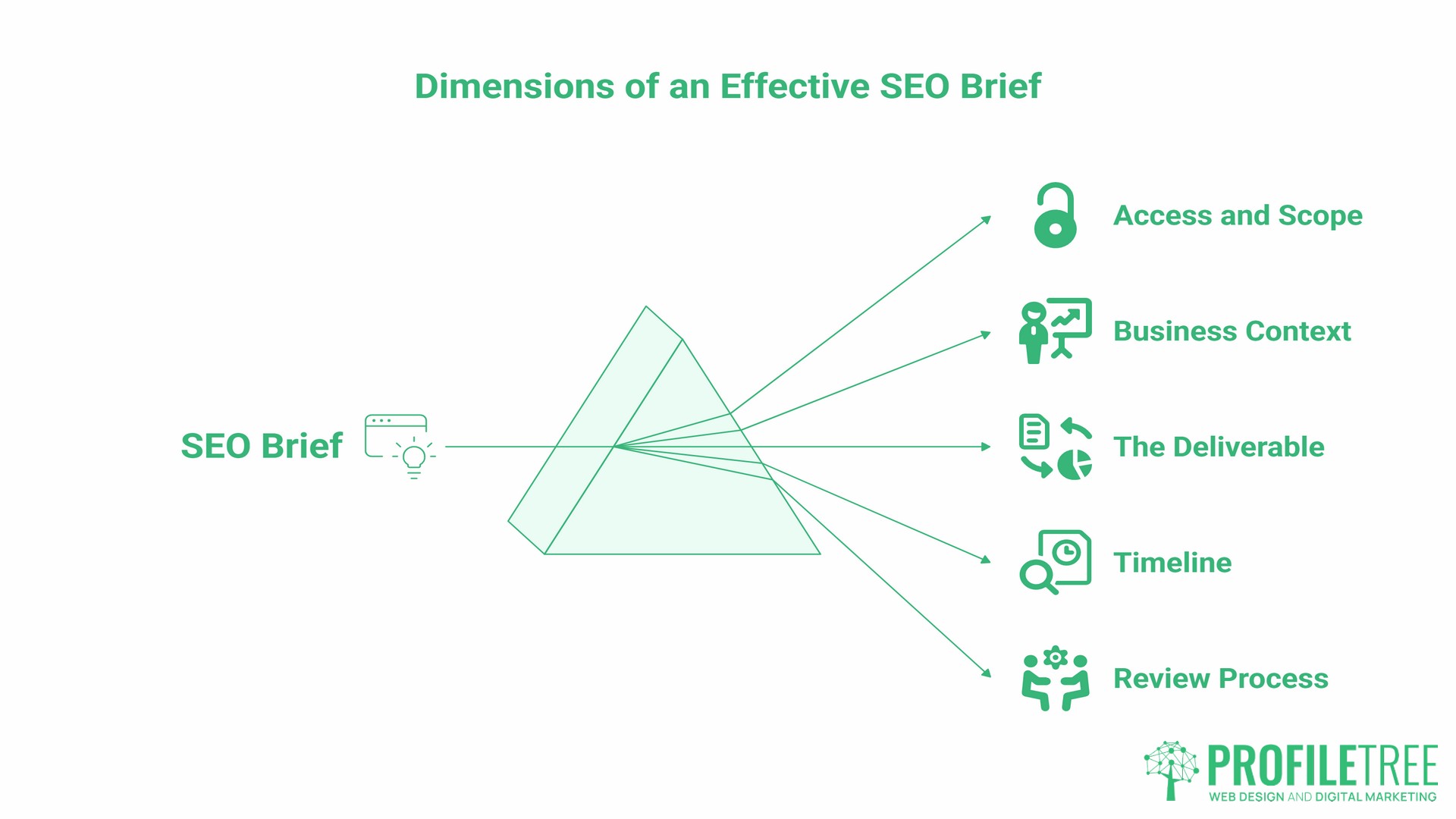
If you are commissioning an external SEO audit rather than conducting one yourself, knowing what to ask for and how to evaluate the output is as valuable as the audit itself.
- Access and scope. Provide Google Search Console access (read-only is sufficient), Google Analytics access, and the URL of any recently migrated or restructured sections of the site. Be explicit about which parts of the site are in scope.
- Business context. The agency needs to understand your top three commercially important pages, the services you most want to rank for, and your primary geographic targets. An SEO audit conducted without this context will produce generic findings.
- The deliverable. Specify that you want a prioritised action plan, not just a list of issues. Ask how findings will be categorised (critical, high, medium, low), and confirm that the report will include recommendations your development team can act on directly.
- Timeline. A thorough professional SEO audit for a typical SME site takes two to four weeks. Automated PDF reports delivered within 48 hours are not comparable.
- Review process. Ask for a meeting to walk through findings before the final report is delivered. This is where the most useful insight comes out, and it lets you ask questions about findings you do not understand or would like to prioritise differently.
ProfileTree’s digital training programme covers how to manage SEO agencies effectively, including what to look for in an audit report and how to hold an agency accountable for results.
From Audit to Action
An SEO audit is only as useful as what happens next. The most common failure mode is not the audit itself but the prioritisation step that follows. Treating all findings as equally urgent leads to paralysis.
Group findings into four categories: critical issues that prevent indexing or cause significant ranking suppression (address within two weeks), high-priority issues affecting your most commercially important pages (within one month), medium-priority improvements that will accumulate value over time (plan for the following quarter), and low-priority items to address when capacity allows.
Track every change you make and the date you made it. Connect those changes to your Google Search Console data. This feedback loop is what turns a one-off SEO audit into a continuous improvement process.
“Organise your fixes methodically, then measure. A purposeful approach transforms random patches into a strategic improvement cycle,” says Ciaran Connolly, founder of ProfileTree.
If you want an independent assessment of where your site stands and a clear plan for improving its search performance, get in touch with the ProfileTree team.
Frequently Asked Questions
How often should a business perform an SEO audit?
At a minimum, once a year. If you publish content regularly, manage a site with more than 200 pages, or have recently completed a migration or redesign, a review every six months is more appropriate. Any significant change to your site structure, CMS platform, or domain should trigger an audit regardless of when the last one was done.
What is the most important part of an SEO audit?
For most SMEs, indexability comes first. If Google cannot crawl and index your key pages, no amount of on-page or content work will produce results. The technical pillar should always be completed before drawing conclusions about content performance.
How much does a professional SEO audit cost in the UK?
Costs vary depending on the site’s size and complexity, the depth of the required review, and whether the work includes a full content audit alongside the technical work. Automated tool-generated reports are not comparable to a professional audit; they surface issues but provide no strategic interpretation or prioritised action plan. Contact ProfileTree for a scoped quote based on your specific requirements.
Will an SEO audit fix my rankings immediately?
No. An audit is a diagnostic process. Rankings improve when the findings are implemented. For technical fixes such as resolving crawl errors or correcting canonical tags, improvements can appear in Google Search Console within 2 to 4 weeks after the fix is deployed. Content and on-page changes typically take longer, often two to three months, before ranking movements become visible.
Do I need an SEO audit if my traffic is already strong?
Yes. Strong current traffic can mask single points of failure, such as a handful of pages responsible for the majority of visits. An audit identifies whether your rankings are resilient across a range of queries or dependent on a small number of volatile positions. It also surfaces competitor movements that may not yet be reflected in your own data.
What tools do I need to start an SEO audit?
Google Search Console and Google Analytics are the essential starting points, both free. Screaming Frog’s free version handles crawls of up to 500 URLs. For backlink analysis, Ahrefs and Semrush both offer limited free tiers. Paid tools add depth but are not a prerequisite for a useful initial SEO audit.
What is the difference between a technical SEO audit and a content audit?
A technical SEO audit examines your site’s infrastructure: crawlability, indexing, page speed, structured data, and security. A content audit examines whether your pages match search intent, identifies thin or duplicate content, and maps your content library against your target keyword universe. Both are needed for a complete picture. The ProfileTree content audit framework covers the content side in detail.
How do I audit my local SEO?
Local SEO audits cover NAP (Name, Address, Phone) consistency across directories, Google Business Profile completeness and accuracy, the quality of location-specific content on your site, and your review profile across Google and other platforms. For businesses serving multiple areas, each location page needs genuinely unique content rather than a template with the city name swapped in. ProfileTree’s local SEO service includes an audit of all these elements as part of the onboarding process.