
Canva Marketing Strategy: How Businesses Use It Effectively
Table of Contents
Canva has become one of the most widely used design tools in small and medium-sized business marketing, and for good reason. It removes the cost and time barrier of producing professional visual content, putting brand-quality graphics within reach of teams that have no in-house designer. But having access to Canva and having a coherent Canva marketing strategy are two different things. This guide covers how to build one: from setting objectives and maintaining brand consistency to integrating Canva into your broader content, social media, and SEO work.
The businesses that get the most from Canva are not necessarily those with the most design talent. They are the ones who treat it as part of a planned approach rather than a tool they reach for when they need a quick graphic.
ProfileTree’s digital marketing services incorporate visual content strategy alongside SEO, content, and paid channels for SMEs across Northern Ireland and the UK.
What Canva’s Own Marketing Strategy Can Teach Your Business
Before building your own Canva marketing strategy, it is worth understanding how Canva itself grew to over 170 million users across 190 countries. The company’s approach to growth contains several principles that apply directly to how SMEs can use the platform.
The Freemium Model and User Empowerment
Canva built its user base by removing friction. The free tier is genuinely functional, not a crippled demo. This allowed the platform to grow through word-of-mouth and organic search without relying on paid acquisition. For businesses using Canva, the lesson is similar: the most effective marketing content is content that delivers real value to its audience before asking for anything in return.
The premium tier (Canva Pro) adds capabilities that matter at scale: brand kits, the background remover tool, unlimited storage, and the ability to resize designs across formats instantly. The upgrade path is logical rather than forced, which is why Canva’s conversion rates from free to paid remain strong. For businesses evaluating whether to invest in Canva Pro, the test is whether your team produces enough content regularly that the time savings and brand consistency tools justify the subscription.
Community and Education as Growth Channels
Canva invested heavily in education: tutorials, design courses, the Canva for Education programme, and a library of templates built around real use cases. This content serves a dual purpose, driving organic search traffic while simultaneously making users more capable and therefore more reliant on the platform.
For businesses, this is a useful model. Content that teaches your audience something practical builds trust and search visibility simultaneously. The strongest performing content in most SME sectors tends to be genuinely useful guides rather than promotional material.
Global Reach Built on Localisation
Canva operates in multiple languages, and its template library is designed to serve markets with different visual conventions. Rather than creating a single global product and hoping it translates, Canva adapted its offering to local contexts. Businesses with regional audiences, particularly in Northern Ireland and Ireland, benefit from a similar approach: content and visual assets that reflect local context rather than generic international stock imagery perform better with local audiences.
Building Your Canva Marketing Strategy
A Canva marketing strategy is not a list of design tips. It is a set of decisions about what you want your visual content to achieve, who it is for, and how it connects to your wider marketing objectives.
Setting Clear Marketing Objectives
Start by defining what you actually need visual content to do. Objectives might include increasing brand recognition across social media channels, improving the professionalism of proposal and pitch documents, producing consistent content for a content marketing programme, or supporting a specific campaign with coordinated visual assets across multiple formats.
Each objective suggests a different approach within Canva. Brand recognition work centres on consistency, which means investing time in a brand kit with locked colours, fonts, and logo usage rules. Content marketing work centres on speed of production, which means building a template library your team can use without starting from scratch each time. Campaign work centres on adaptation, which means designing a master template and resizing it for each channel.
Identifying Your Audience and Their Preferences
Visual content preferences vary significantly by audience. A B2B audience evaluating a professional services firm responds to a clean, restrained design with a clear information hierarchy. A consumer audience on Instagram responds to bold, attention-catching visuals that communicate a feeling quickly. These are not the same brief, and applying the wrong visual register to the wrong audience is one of the most common mistakes in SME social media marketing.
Before designing anything in Canva, look at what your audience already engages with. Check your analytics for which past posts performed best, what your top-performing competitors’ content looks like, and what your customers share or save. Design to those signals, not to personal preference.
Building a Consistent Brand Message Through Design
Brand consistency is where Canva Pro pays for itself most clearly. A brand kit stores your primary colours (with hex codes), typography choices, and logo variants, so every team member working in Canva produces assets that look like they came from the same source. Without this, organisations with more than one person creating content tend to drift toward visual inconsistency over time, which erodes brand recognition.
“Businesses that invest in consistent brand visuals from the start, even if they are using accessible tools like Canva rather than bespoke design, build recognition far faster than those that reinvent the wheel with every post,” says Ciaran Connolly, founder of ProfileTree.
Content Creation for Social Media Using Canva
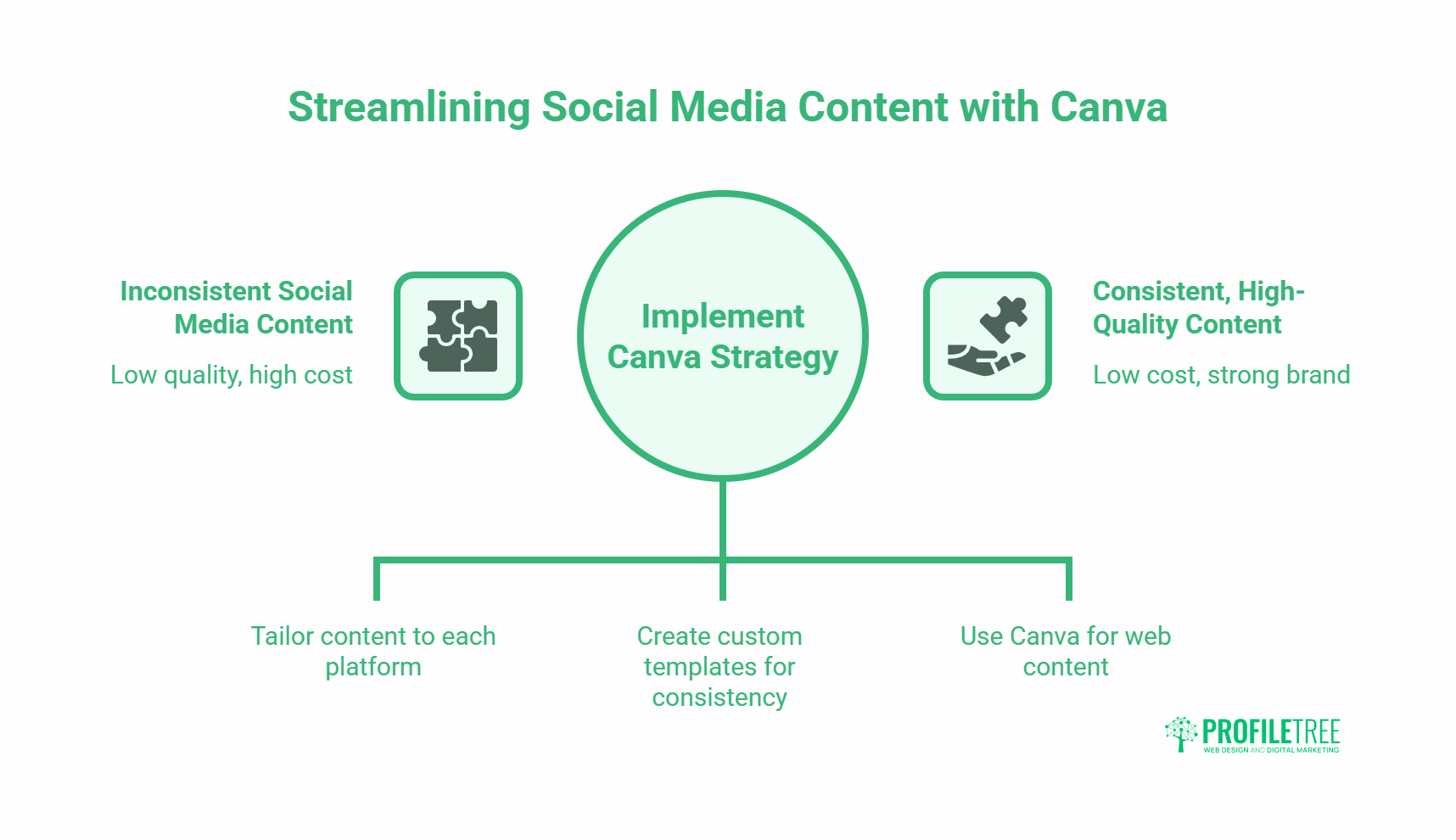
Social media is where most businesses first encounter Canva, and it remains the platform’s most common use case. Done well, Canva-produced social media content can match the visual quality of agency-produced assets at a fraction of the cost.
For businesses that want to take social media content further, ProfileTree’s content marketing services combine visual strategy with editorial planning and distribution.
Designing for Platform-Specific Formats
Each social media platform has different dimensions, different audience behaviours, and different content norms. A square graphic that works on Instagram may look wrong as a LinkedIn post and will be cut off as a Twitter card. Canva’s template library includes platform-specific dimensions, and Canva Pro’s Magic Resize tool adapts a design to multiple formats in a single step.
Beyond dimensions, consider the context in which your content will be seen. Instagram feed posts are browsed slowly and reward visual quality. Instagram Stories and TikTok are consumed quickly and reward clarity and movement. LinkedIn posts appear in a professional context and perform better with informational content. A Canva marketing strategy accounts for these differences rather than producing one design and posting it everywhere.
Building a Template Library for Consistent Output
One of the highest-leverage activities for any team using Canva regularly is building a custom template library. Templates for recurring content types, weekly tips posts, event announcements, quote graphics, blog feature images, and product highlights mean that producing a new piece of content requires filling in a structure rather than designing from scratch. This cuts production time significantly and produces stronger brand consistency than working from Canva’s public templates, which your competitors are also using.
Build templates for every format you use regularly. Lock the elements that should not change (logo position, colour palette, font choices) so that team members editing a template cannot accidentally break the brand standards.
Using Canva for Blog and Website Visual Content
Canva is not only useful for social media. Feature images for blog posts, infographics that illustrate key data points, custom call-to-action banners, and email header graphics are all produced efficiently in Canva. For businesses running a content marketing programme, having a consistent visual style for blog imagery strengthens brand recognition and improves the professional appearance of the site.
When creating images for web use, export in the correct format. WebP is the preferred format for web performance and is supported by modern browsers; PNG works for graphics with transparency; JPEG is appropriate for photographs. File names should be descriptive and include the relevant keyword rather than the default Canva export name.
Canva and SEO: What Businesses Need to Know
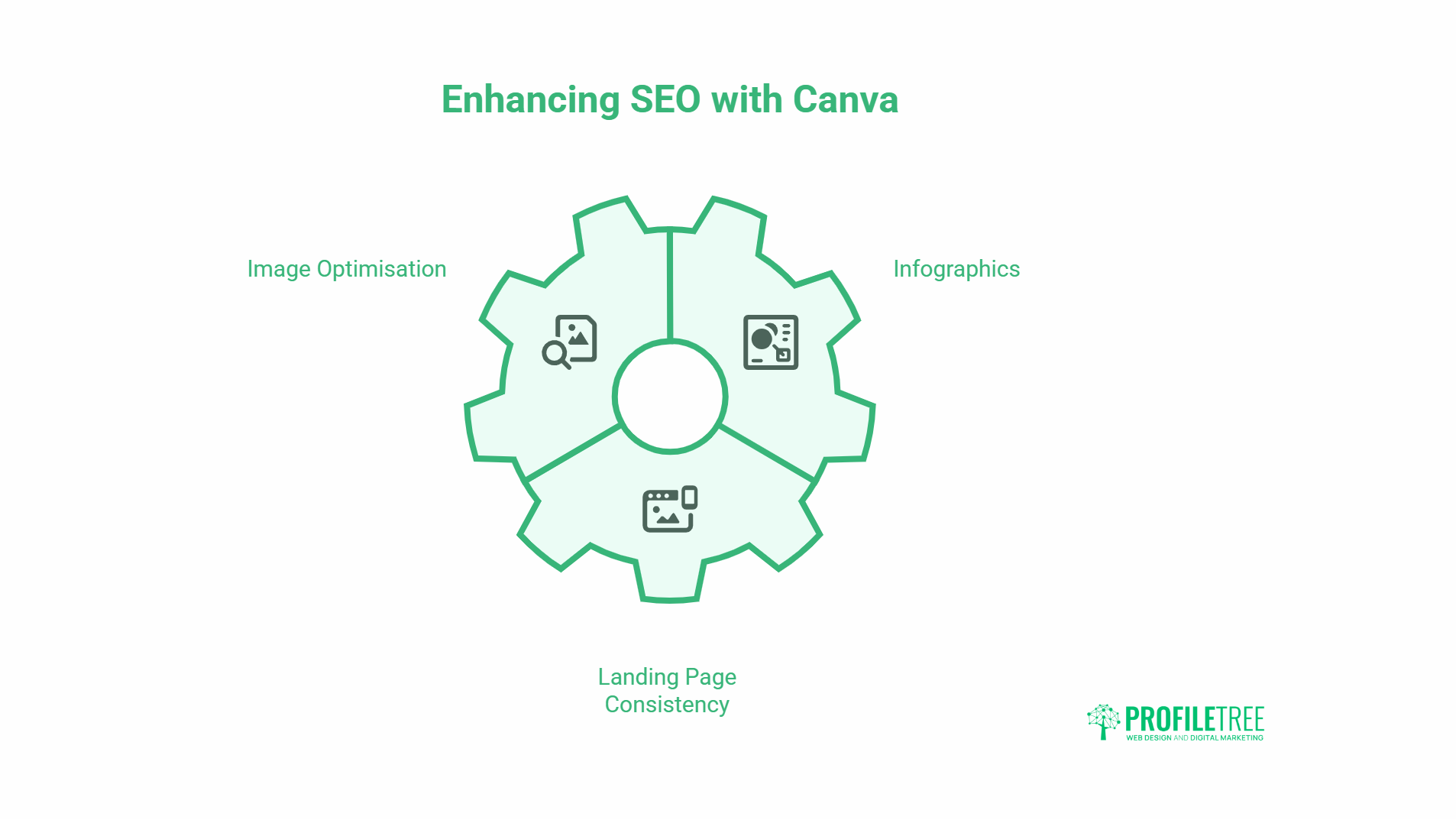
Visual content contributes to SEO, but not automatically. The images you produce in Canva need to be correctly optimised before they help your search rankings.
Image Optimisation for Search
Every image uploaded to your website should have a descriptive file name and alt text. File names like “canva-infographic-digital-marketing-for-smes.webp” signal to search engines what the image contains. Alt text serves both accessibility and SEO purposes: it should describe the image accurately in 80 to 125 characters, incorporating a relevant keyword naturally rather than forcing it.
Image file size directly affects page load speed, which is a ranking factor. Canva exports at relatively high quality by default. Run exported images through a compression tool before uploading, or configure your CMS to handle image compression automatically.
Infographics and Link Acquisition
Well-designed infographics that present genuinely useful data tend to attract links from other sites. This is one of the few content formats where visual quality directly drives SEO value through link acquisition rather than just on-page optimisation. If you produce an infographic that presents original data or summarises a complex topic clearly, other sites in your industry are more likely to reference it than a standard blog post covering the same ground.
For this to work, the data needs to be original, or the design needs to add enough clarity to existing data that it becomes the definitive visual reference for that topic. Canva infographics built from freely available statistics that every competitor has already visualised do not earn links.
Landing Page Visual Consistency and Conversion
The visual consistency between your social media content and your landing pages affects conversion rates. When a user clicks an ad or organic post and arrives on a page that looks visually disconnected from the content that attracted them, confidence drops. Using Canva to produce visual assets that match across ads, social content, and landing page design creates a coherent journey that supports conversions.
For businesses building or redesigning landing pages, ProfileTree’s web design and development services ensure visual and technical consistency from ad click through to conversion.
Canva for Digital Advertising
Canva is widely used for producing paid social and display advertising assets, and it is well-suited to this use case with some important caveats.
Producing Ad Creative at Scale
Paid social advertising requires more creative variants than most businesses plan for. A/B testing different headlines, images, and calls to action means producing multiple versions of the same ad. Canva’s template system makes this practical: design a master ad, then produce five or ten variants by changing the headline text, swapping the background image, or adjusting the colour scheme. This gives your campaigns the volume of creative needed for meaningful testing without proportionally increasing production time.
Platform-specific ad dimensions are pre-loaded in Canva’s template library. For Meta ads, this means 1:1 for feed, 9:16 for Stories and Reels, and 1.91:1 for link ads. For Google Display, standard sizes (300×250, 728×90, 160×600) are all available as templates.
Brand Safety in Ad Creative
Ad creative produced in Canva needs to meet platform advertising policies as well as your own brand standards. Facebook and Instagram’s ad policies prohibit text covering more than a certain proportion of the image (previously the 20% rule, now applied more loosely but still a factor in reach). Google Display ads must meet minimum resolution requirements. YouTube video ads need to be the correct length for the ad format.
Before running Canva-produced ads at scale, check the specific platform requirements for each format. Canva’s export quality is generally sufficient for all standard digital advertising formats at the sizes involved.
AI Features in Canva and What They Mean for Your Marketing
Canva has integrated a range of AI-powered tools since 2023, including Magic Write for text generation, Magic Design for layout suggestions, and the background remover tool. These features accelerate production but require editorial judgement to use well.
For businesses exploring how AI tools fit into their broader marketing operations, ProfileTree’s AI transformation services cover both the strategic and practical dimensions.
Magic Write and AI-Generated Copy
Magic Write generates short text content: headlines, captions, product descriptions, and social media copy. It is useful for overcoming blank-page paralysis and producing first drafts quickly. It is not a replacement for editorial judgement. AI-generated copy tends toward generic phrasing, requires checking for accuracy, and often produces output that sounds similar to every other business in your category using the same tool.
Use Magic Write as a starting point and edit to reflect your brand’s actual voice and specific offer. The final copy should sound like your business, not like a generic AI output.
Magic Design and Template Generation
Magic Design generates layout suggestions from a brief text input or an uploaded image. It is useful for exploring design directions quickly when you do not have a strong starting point. As with all AI design tools, the outputs tend toward visual conventions common in the training data; they are competent but rarely distinctive.
For established brands with a defined visual identity, Magic Design is less useful than working from your own custom templates. For businesses that are still developing their visual identity, it provides a faster path to a working starting point than building from scratch.
Measuring the Performance of Your Canva Marketing Strategy
The performance of visual content is measurable, but it requires connecting Canva’s output to your analytics rather than treating the design process as separate from performance data.
Social Media Metrics for Visual Content
For social media, the metrics most directly connected to visual content quality are engagement rate (likes, comments, shares, and saves as a proportion of reach) and link clicks for posts with a call to action. High reach with low engagement typically indicates that the content appeared in feeds but did not earn attention. High engagement with low reach suggests the algorithm is not distributing the content, which may indicate an account-level issue rather than a content quality issue.
Run a monthly review of which visual formats and content types produce the highest engagement rate. Use that data to inform your Canva template priorities for the following month. Over time, this creates a feedback loop between analytics and design decisions.
Website and Conversion Metrics
For website content, image-related performance metrics include page load speed (affected by image file sizes), alt text coverage (auditable in Google Search Console’s Core Web Vitals report), and engagement rates on pages with custom visual content compared to pages with stock imagery. Google Analytics 4’s engagement metrics and scroll depth data indicate whether visual content is improving time on page.
Tracking AI and Organic Search Visibility
Pages with well-optimised, original imagery tend to perform better in Google’s image search results, which drives supplementary organic traffic in visual categories. If your Canva-produced infographics cover topics with image search demand, tracking their appearance in Google Images is worth adding to your reporting. Bing’s Webmaster Tools includes AI citation data, which indicates whether your content (including visual content with proper alt text and surrounding copy) is being picked up by AI-powered search answers.
Canva Marketing Strategy: Frequently Asked Questions
What is a Canva marketing strategy?
A Canva marketing strategy is a planned approach to using Canva’s design tools to produce visual content that supports your marketing objectives. It covers which content types you produce, how you maintain brand consistency across them, how they connect to your social media, content marketing, and advertising activities, and how you measure their performance. Having a strategy means making deliberate decisions about visual content rather than producing graphics reactively when they are needed.
Is Canva suitable for professional business marketing?
Yes, with appropriate use. Canva Pro’s brand kit, template, and collaboration features are sufficient for producing professional-quality marketing assets across most standard formats: social media graphics, presentations, reports, ad creative, and website imagery. It is not a replacement for bespoke creative work where visual distinctiveness is a commercial priority, but for the volume of visual content a typical SME needs, it is a practical and cost-effective solution.
What is the difference between Canva’s free and Pro plans for marketing?
The free plan provides access to Canva’s template library, a selection of stock images, basic design tools, and limited storage. It is functional for occasional use. Canva Pro adds the brand kit (for locking colours, fonts, and logos), background removal, Magic Resize for adapting designs across formats, an expanded stock library, unlimited storage, and team collaboration features. For businesses producing content regularly across multiple channels, the time savings from Magic Resize and the brand consistency enforced by the brand kit typically justify the subscription cost.
How does Canva support content marketing for SMEs?
Canva allows SMEs to produce blog feature images, infographics, social media posts, email headers, and presentation decks without outsourcing design work. This matters for content marketing because producing a consistent volume of well-designed content is difficult without either a significant budget or an in-house design resource. Canva reduces both requirements. The key is building a template library around your recurring content types so that producing each new piece takes minutes rather than starting from scratch.
Can Canva help with SEO?
Canva produces the visual assets that contribute to SEO when correctly optimised. Images need descriptive file names and alt text before they support search performance. Infographics that present original data can attract inbound links, which is a direct ranking signal. Page load speed, affected by image file sizes, is a Core Web Vitals factor. Canva itself does not handle these optimisations; they need to be applied during the upload and publishing process.
How do I maintain brand consistency when multiple team members use Canva?
Canva Pro’s brand kit is the primary solution. It stores your approved colour palette, fonts, and logo files, and team members can access them directly from the design editor without needing to look up hex codes or download assets separately. Building a library of custom templates for your recurring content types gives team members a structure to work within rather than starting from the public template library. Restricting which templates are marked as brand-approved in your shared workspace helps prevent drift.