
AI-Generated Web Design: What UK Businesses Should Know
Table of Contents
AI website builders promise a working site from a handful of prompts, and for plenty of small businesses, that promise holds up well. For others, the result is technically live but strategically empty. AI-generated web design works for some tasks and falls short on others, and knowing where that line sits saves time, money and the specific frustration of rebuilding a site you only just launched.
This guide sets out what AI-generated web design tools actually do, which platforms deserve a UK business’s attention, what they cost in practice, and why human oversight still decides whether a site performs or simply exists online.
Three things worth knowing before you read on
- Machine-generated layouts, drafts and image assets speed up the early stages of a build, but brand strategy, SEO architecture and UK compliance still need a person doing the thinking.
- The legal gaps around GDPR data residency and copyright of AI-generated assets are rarely covered in mainstream guides, and they carry real business risk.
- A DIY AI builder often looks cheaper until you factor in the cost of the rebuild that follows when the site doesn’t perform.
What Is AI-Generated Web Design?
This section covers what the term actually means before we get into which tools do it well.
AI-generated web design describes the use of machine learning systems to automate parts of the design and build process that traditionally needed a designer’s time. Depending on the platform, that can mean producing layout structures, choosing colour palettes, drafting copy, or building a full page from a written prompt.
The technology has moved on quickly. Early tools produced output that was obviously automated. Current platforms, including Wix ADI, Framer AI and 10Web, produce usable starting points that a competent designer, or a business owner with a reasonable eye, can refine into something that looks considered.
The word that matters here is “starting point.” AI handles generation efficiently. Brand alignment, SEO architecture and the commercial reasoning behind a design decision are different jobs, and that job still needs a person doing it. Artificial intelligence web design tools work best as a fast first draft, not a finished product.
What AI Web Design Tools Can (and Cannot) Do
AI website builders have moved well past novelty. They generate layouts, suggest colour schemes, draft copy and produce image assets in a fraction of the time a traditional workflow takes. The real question isn’t whether AI can do these things; it’s whether the output holds up once a customer is actually looking at it.
Layout and Design Decisions
AI systems read your content type, industry and inputs, then propose a page structure. For standard business pages, services, about, and contact, this works reasonably well, because the output follows patterns users already recognise.
Where it breaks down is in complexity. Multi-step user journeys and conversion-focused landing pages need decisions grounded in commercial intent, not pattern matching. Colour and typography follow the same rule: most AI tools can produce a coherent palette in seconds, but a brand colour carries contrast requirements, accessibility obligations and associations a template can’t judge on its own.
Content Generation
AI tools produce placeholder copy, draft section text from prompts and suggest calls to action competently enough. The output reads, but it reads generic. Google’s quality guidance is direct on this point: content produced without genuine expertise, experience or authority tends not to perform well in organic search, however polished the sentences look on the surface.
For a UK business that wants its site to rank and convert paying customers, treat AI web design copy as a first draft to rewrite, not a finished page.
AI Web Design Tools Worth Knowing
The market for AI website builders is crowded, but five platforms account for most of the UK small business traffic in this category. Here’s a practical comparison.
| Tool | Best For | UK Starting Price | Key Limitation |
|---|---|---|---|
| Wix ADI | Quick SME sites with light customisation | Free / £9.50 per month | Locked to Wix hosting; limited SEO control |
| Framer AI | Design-led teams comfortable with code | £0 / £12 per month | Steep learning curve for non-designers |
| 10Web | WordPress users wanting AI-assisted builds | From around £15 per month | Quality varies significantly by prompt |
| Hostinger AI Builder | Absolute beginners, low budget | £2.59 per month | Very limited design control |
| Elementor AI | Existing WordPress sites | From £49 per year | Requires WordPress knowledge |
All prices are approximate at the time of writing and should be checked against each provider’s current pricing page.
Wix ADI remains one of the most accessible entry points for ai driven web design. It generates a site based on your answers to a short set of questions, then hands you a drag-and-drop editor to adjust the result. Hosting, domain, SSL and a basic e-commerce suite are bundled in, which is the platform’s main strength and its main constraint: a Wix site can’t move to another host, so growth beyond what Wix offers usually means starting again.
Framer AI suits design-led teams comfortable working close to code. Its AI features generate layouts, sections and copy from written prompts, then let a user refine the result with real precision. Output quality is higher than most competitors’, but so is the skill required to use it well. Without in-house design capacity, Framer is probably the wrong starting point.
10Web generates WordPress sites from a URL or a prompt, which matters because the output inherits WordPress’s flexibility and SEO capability. For UK businesses planning to invest seriously in organic search, WordPress remains the stronger long-term foundation, and 10Web gets you there faster than a manual build. The output still needs a human pass. AI-generated WordPress sites often carry bloated plugin stacks, generic templates and copy that reads as AI wrote it, because it did.
Hostinger AI Builder and Elementor AI round out the field: the former suits absolute beginners on a tight budget, the latter suits businesses already running WordPress who want AI assistance layered on top of an existing site rather than a full rebuild.
The Human-in-the-Loop: Making AI Web Design Work for Your Brand

AI tools cut the time needed to produce a web presence. They don’t remove the need for judgment, and treating the two as interchangeable is where most AI-generated sites go wrong.
A useful rule of thumb is a rough four-to-one split: AI supplies most of the speed, and a person supplies the smaller share of work that actually decides whether the site performs. That smaller share is rarely optional.
“The businesses that get the most from AI web tools treat the output as a brief, not a finished site,” says Ciaran Connolly, founder of the Belfast-based digital agency ProfileTree. “The AI gives you structure and speed. The work that remains, brand alignment, content strategy, conversion thinking, is where the actual performance comes from.”
ProfileTree’s team works with UK and Irish SMEs on AI-augmented web projects: using AI generation for rapid prototyping, then applying professional oversight to SEO architecture, content quality and design coherence through its website design service.
Four areas where human oversight isn’t optional:
- Brand consistency. AI can’t know your brand unless you tell it precisely, which requires brand thinking that should happen before the design process starts, not emerge from it.
- SEO architecture. How pages relate to each other, which internal links exist, and which pages target which search terms are strategic decisions. AI can build pages; it can’t build a topically authoritative site on its own.
- Conversion logic. What should a visitor do when they land on your homepage, and where should they go next? Answering that needs an understanding of your customers and your sales process, which an AI tool doesn’t have.
- Accessibility. UK websites serving the public should meet WCAG 2.1 AA standards, and the Equality Act 2010 applies to commercial digital services. AI-generated designs aren’t reliably accessible without a manual review.
Does AI-Generated Code Affect Technical SEO?
Design quality is only half the picture. Several AI-driven web design tools ship code that works against a site’s technical SEO before a single word of copy gets written.
Several AI website generators produce what developers call “div soup”: pages built from deeply nested containers and inline styling rather than clean, semantic markup. The more unnecessary layers a page carries, the more work a browser has to do to render it and the more work a crawler has to do to parse it, which tends to show up as slower load times and weaker Core Web Vitals scores, particularly Largest Contentful Paint.
This matters more for some tools than others. WordPress-based builders like 10Web inherit a cleaner technical baseline than fully proprietary platforms, simply because WordPress’s core rendering is well understood and widely optimised. That baseline still needs auditing rather than trusting; AI-generated WordPress builds are known for shipping several plugins doing overlapping jobs, which adds page weight for no visible benefit.
For any UK business publishing an AI-built site, a technical SEO audit before launch is worth the time. Checking for excessive DOM depth, unused CSS, unoptimised images and duplicate plugin functionality catches most of the damage before it affects rankings.
AI Web Design and UK Compliance
This is the section most competitor guides skip, and it matters for any UK business publishing a site built with AI tools.
UK GDPR and Data Residency
Several major AI website builders process and store data, including your users’ data, on servers outside the UK and EU. Under the UK GDPR and the Data Protection Act 2018, transferring personal data to third countries needs either an adequacy decision or appropriate safeguards in place. Before committing to any AI-powered platform, check its data processing agreement and confirm where your users’ data will actually sit.
The Information Commissioner’s Office publishes guidance on international data transfers that applies directly to UK businesses using US-hosted tools for UK-facing websites.
Copyright and AI-Generated Design
The legal position on AI-generated works in the UK moved during 2026. In March, the government published its long-awaited report on copyright and AI, and stepped back from the broad data-mining exception with an opt-out mechanism it had previously favoured. The report points instead towards a licensing-first approach backed by transparency obligations, while leaving the existing rules on computer-generated works largely as they stand.
Under the Copyright, Designs and Patents Act 1988, works generated without a human author can attract copyright protection, though the scope and duration differ from works with a named human creator. Where a person makes genuine creative choices in directing and refining AI output, those choices can establish human authorship over the result. The position continues to evolve, so businesses building commercially significant brand assets using AI-generated design should seek specific legal advice rather than relying on general guides, including this one.
Accessibility Obligations
The Public Sector Bodies Accessibility Regulations 2018 apply specifically to public sector websites. Commercial businesses fall under the Equality Act 2010 instead. Neither law exempts a site simply because AI generated it.
Cost Comparison: DIY AI vs Agency-Led AI vs Traditional Build
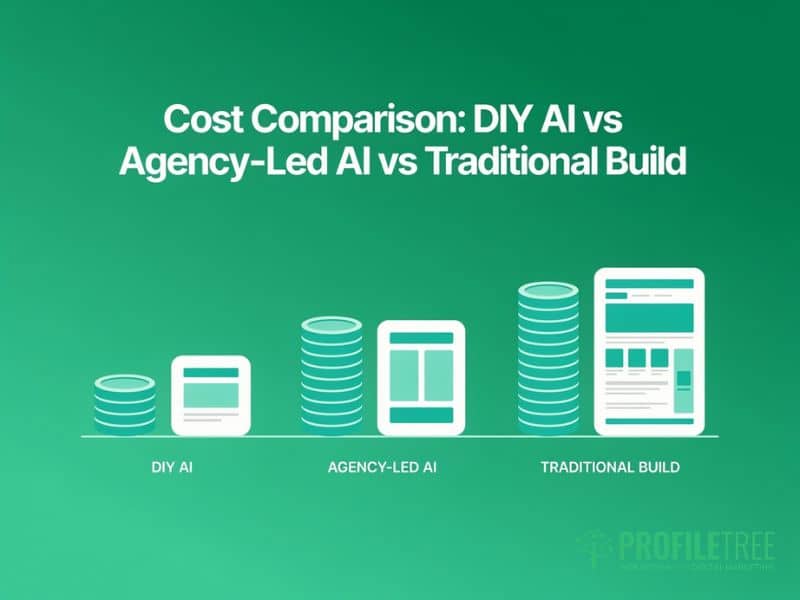
The claim that an AI website builder is cheaper than the alternatives holds up in some contexts and misleads in others.
| Approach | Typical UK Cost Range | What You Get | What You Don’t Get |
|---|---|---|---|
| DIY AI builder | £0 to £30 per month ongoing | Fast, self-managed site | Strategy, SEO architecture, brand coherence |
| Agency-led, AI-augmented | £1,500 to £5,000 per project | AI speed with professional oversight | Total creative control, if that matters to you |
| Traditional custom build | £3,000 to £15,000+ | Full bespoke build | Speed; less cost-effective for simple needs |
The efficiency case for AI tools is strongest early in a project: wireframing, layout exploration and copy drafting can all move faster with AI involved, and the savings there are real. They matter less at the stages that actually decide performance: content strategy, technical SEO and conversion optimisation, none of which speed up much just because a machine drafted the first version.
For most UK SMEs, the most cost-effective route is an agency using AI tools inside a professional workflow, rather than a DIY AI builder with no strategic input behind it. ProfileTree’s AI transformation work with SMEs covers how this looks in practice. A DIY site that needs rebuilding within a year costs more overall than a properly scoped, agency-led build would from the start.
Will AI Replace Web Designers?
This is the most-searched question about artificial intelligence web design, and the honest answer is no, though the role is changing what it’s hired to do.
Tasks that once filled billable hours, such as building basic page layouts, sourcing stock imagery, and writing placeholder copy, are increasingly automated. What grows in value is the work that requires understanding people: your customers, your brand, your market. Designers who adapt are already working faster and delivering more strategic advice because AI now handles the mechanical parts of the job.
The parallel with SEO content is instructive. AI can generate text at scale, and Google’s quality systems have become increasingly adept at spotting content produced without genuine expertise or original thought. The same pattern is starting to play out in web design as AI-generated layouts become more common and quality becomes harder for algorithms to spot automatically.
For UK businesses, the practical takeaway is to use AI tools where they genuinely save time, and put the time saved into the human judgment that decides whether a site actually does its job.
How to Brief an AI Web Design Tool Effectively
If you’re using an AI website builder directly, your results depend heavily on the quality of what you put in. A few habits produce noticeably better output:
- Be specific about your audience. “A small business owner in Belfast looking for a plumber” produces better layout and copy decisions than “business website.”
- Describe your tone, not just your industry. “Professional but approachable, not corporate” gives the AI more to work with than “IT company.”
- Provide real copy examples. Paste in an email you’ve sent a client that captures your voice; tools that analyse existing content produce output closer to how you actually write.
- Say what you want visitors to do. “The goal is phone enquiries, not form submissions” is a decision the AI can’t make for you, though it can act on it once you make it.
- Plan to rewrite the copy. Treat every piece of AI-generated text as a first draft: check every factual claim, adjust for your voice, and add the specific, experience-based detail that makes web copy convincing.
Teams that want a structured way to build this kind of prompting skill across a wider marketing function often start with a short course; ProfileTree runs AI training sessions for SME teams covering exactly this kind of practical prompt-writing.
Where This Leaves UK Businesses
AI-generated web design is a genuine time-saver, not a shortcut to a site that performs. The platforms available to UK businesses can produce something functional and presentable faster than a traditional build ever could. What they can’t produce on their own is the strategic thinking, brand coherence and SEO architecture that decides whether a site earns its place online, or the compliance groundwork that keeps it out of trouble.
For most UK SMEs, the practical approach is to use AI tools where they genuinely save time and bring in professional oversight for the parts that decide whether the finished site actually works: SEO, brand, and the wider digital strategy sitting behind it.
FAQs
1. Can AI design a whole website?
Yes, for basic structures. Platforms including Wix ADI, Framer AI and 10Web can generate a complete, functional website from a set of user inputs. The limitation isn’t technical completeness; it’s strategic quality. AI can produce a site, but it can’t produce one built around a considered SEO structure, a brand voice and a conversion strategy, and those three things are usually what determine whether a business site performs.
2. Are AI-generated websites good for SEO?
The starting point is usually weak. AI-generated sites tend to ship generic page structures, thin copy and no clear topical strategy. Google’s quality systems weigh whether content demonstrates genuine expertise and serves users well, and AI-generated copy published without meaningful human review typically doesn’t meet that bar for competitive search terms. WordPress-based AI tools give a better technical foundation to build from, but the content and site architecture still need professional input.
3. Who owns the copyright of an AI-generated website in the UK?
Under the Copyright, Designs and Patents Act 1988, computer-generated works, those produced without a human author, may attract copyright protection, though the scope differs from works with a human creator. If a person makes significant creative choices, directing and refining the AI output, those choices may establish human authorship. Following the government’s March 2026 report on copyright and AI, the underlying law hasn’t changed substantially, so businesses building commercially significant assets on AI-generated design should still take specific legal advice.
4. How much does AI-generated web design cost for a UK business?
DIY AI builders start from free and typically run between five and thirty pounds a month on paid plans. An agency-led, AI-augmented project, where AI tools sit inside a professional workflow, usually runs between fifteen hundred and five thousand pounds, depending on scope. A traditional custom build starts from around three thousand pounds upward. The cost of a cheap DIY site looks lower right up until you factor in the time spent managing it and the likely cost of rebuilding it later.
5. Will AI replace web designers?
No, but it’s changing what they’re hired to do. Routine tasks like basic layouts and placeholder copy are increasingly automated, while the work that requires understanding customers, brand and commercial goals is growing in value. Businesses that replace designers entirely with AI tools tend to end up with sites that look built but don’t perform.