
How to Use Ahrefs Rank Tracker: A Strategic UK Guide
Table of Contents
Most businesses set up keyword tracking, glance at their positions, then do nothing until they notice a drop. That reactive approach wastes the most valuable thing the Ahrefs Rank Tracker gives you: time to act before a ranking problem becomes a traffic problem.
This guide moves beyond the basics. It covers how to configure Ahrefs Rank Tracker for Google.co.uk and Google.ie, how ahrefs keyword tracking data translates into visibility and Share of Voice rather than relying on position alone, and what to do when your rankings move in the wrong direction. Whether you’re managing SEO for a Belfast business or reporting to a board in Dublin, the same principles apply.
Why Keyword Ranking Is the Pulse of Your SEO Strategy
Keyword ranking tells you where your pages appear in search results, but that’s only the starting point. The real value of Ahrefs keyword tracking lies in what ranking movement reveals about your content, your competitors, and your site health.
A page that ranks on page two for a high-volume term is earning almost no clicks. Research from Backlinko consistently shows that the first result captures roughly 27% of all clicks, with the drop-off becoming severe from position five downwards. Position eleven (the first result on page two) typically receives under 1% of available clicks. For SMEs in Northern Ireland and across the UK, where search budgets are finite and every organic visit counts, moving a page from position 15 to 7 can produce a substantial traffic increase without increasing spend.
Tracking keyword rankings also makes algorithm updates legible. When Google rolls out a core update, your rank tracker data shows you which pages moved, which direction they moved, and how quickly. That pattern is the diagnostic tool that tells you whether you’re looking at a content quality issue, a technical problem, or a competitive response to someone else’s improvement.
Position alone, though, is increasingly inadequate. Google’s SERPs in 2026 include featured snippets, People Also Ask boxes, local packs, image carousels, and video results that appear above the traditional blue links. A page ranking at position three below a featured snippet may receive fewer clicks than it would at position eight with a PAA placement. This is why the Ahrefs Rank Tracker’s visibility and SERP feature data matter as much as the position column.
Setting Up Ahrefs Rank Tracker: The Step-by-Step Essentials
Getting the Ahrefs Rank Tracker configured correctly from the start prevents the most common tracking errors: missing location data, tracking the wrong device type, and comparing rankings across inconsistent settings.
Adding Your Project and Domain Verification
To create a tracking project, go to the Rank Tracker section of your Ahrefs dashboard and click ‘New Project’. You’ll enter your domain, assign a project name, and confirm site ownership. If you already have a site verified in Ahrefs Webmaster Tools, the verification carries over automatically.
For UK and Irish businesses, the critical step at this stage is selecting the correct search engine. Ahrefs defaults to Google.com. Change this to Google.co.uk for businesses targeting the UK market or Google, i.e., for the Republic of Ireland audiences. Failing to set this correctly means your reported positions will reflect American SERPs, which can differ substantially from what your customers in Belfast or Cork actually see.
Importing Keywords: Manual Entry, Site Explorer, and CSV
Ahrefs offers three ways to build your keyword list: manual entry, import from Site Explorer’s organic keyword report, or CSV upload. For most SMEs, a combination of all three gives the most complete picture of your Ahrefs keyword tracking coverage.
Manual entry works well for your core commercial terms: the service and location keywords you’re actively trying to rank for. Site Explorer’s organic keyword report surfaces terms your site already ranks for that you may not have been tracking consciously. CSV import is the fastest option when migrating from another tool or when a keyword research exercise has produced a large list.
Before importing, it’s worth reviewing your keyword list against your keyword research framework to verify you’re tracking terms with genuine commercial intent rather than informational queries that will never convert.
The plan comparison table below shows how many keywords you can track across each Ahrefs tier, along with update frequency. Update frequency affects how quickly you can respond to ranking changes.
| Plan | Keywords Tracked | Update Frequency | Notable Limits |
|---|---|---|---|
| Webmaster Tools (Free) | Up to 100 | Weekly | Verified site only; no competitor tracking |
| Lite | Up to 500 | Weekly (7-day intervals) | Limited to 1 project per subscription |
| Standard | Up to 1,500 | Every 3 days | Includes competitor comparison |
| Advanced | Up to 5,000 | Daily | Full SERP feature history; Share of Voice |
Advanced Regional Tracking: Navigating UK and Irish SERPs
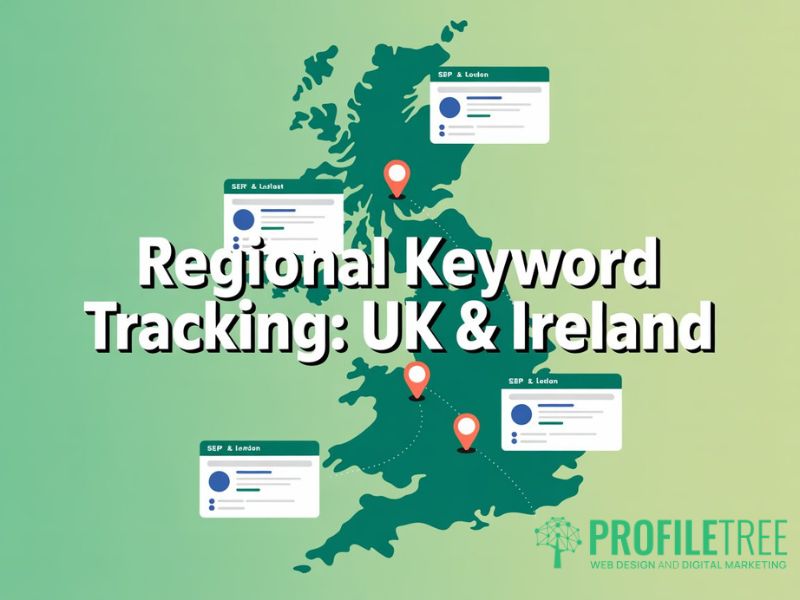
For businesses operating across the UK and Ireland, regional tracking is where the Ahrefs Rank Tracker creates a real competitive advantage. Accurate Ahrefs keyword tracking at a regional level means the same keyword can show entirely different SERPs in Belfast, Dublin, and London, and treating them as interchangeable produces misleading data.
Tracking Google.co.uk versus Google.ie
The distinction between UK and Irish SERPs is not just a matter of localisation. For search queries involving legal terms, financial products, or regulated services, the results can differ substantively. A query like ‘mortgage broker’ in Northern Ireland surfaces UK-regulated providers, while the same query in Dublin returns Irish Financial Services Regulation-authorised businesses. If you’re operating across both jurisdictions, you need separate tracking projects for each search engine.
Within Ahrefs Rank Tracker, you can add multiple countries to the same keyword within a single project. This allows side-by-side comparison of your ranking in the UK versus Ireland for the same term, which is useful if you’re targeting both markets with a single piece of content.
Hyper-Local Tracking: City-Level Monitoring for Belfast, Dublin, and London
City-level tracking takes regional precision further. Ahrefs Rank Tracker allows you to specify a target location down to city or postcode level within the setup for each keyword. For a business in Belfast targeting local service queries, this means tracking your ranking for ‘web design Belfast’ as it appears to someone searching from BT1, rather than as a generic UK result.
Local SERPs behave differently from national ones. Google Maps packs, local reviews, and proximity signals all influence what appears in local results. A business can rank at position 12 in national results but appear in the local pack for the same query. Position data alone will not capture that distinction.
If you’re targeting local search traffic in Northern Ireland, pairing Rank Tracker data with a well-structured local SEO strategy will help you understand which signals are driving local pack appearances versus organic listings.
Mobile versus Desktop: Why the Split Matters for Local Search
Ahrefs Rank Tracker records positions for both mobile and desktop separately. For local service businesses, this split is not optional; it’s diagnostic. Mobile and desktop SERPs have diverged meaningfully in recent years. Google uses mobile-first indexing, so the mobile version of your site is the primary ranking signal, but local pack results on mobile are also influenced by the user’s location at the time of search in ways that desktop results are not.
Businesses that rank at position 4 on desktop but position 8 on mobile for a local service query are losing a disproportionate share of commercial traffic, given that the majority of local searches now happen on mobile devices. Tracking both catches these gaps before they become costly.
Decoding Ahrefs Metrics: Beyond Just Position
Position is the most visible number in the Ahrefs Rank Tracker dashboard, but it’s the least useful in isolation. Three other metrics give a far more accurate picture of how your Ahrefs keyword tracking is actually performing: visibility, Share of Voice, and SERP feature tracking.
| Metric | What It Actually Means | Why It Matters for ROI |
|---|---|---|
| Position | Where your page ranks in Google results for that keyword on that date. | A vanity number unless paired with click volume data. |
| Visibility | A percentage score showing how often your tracked keywords appear in results. Rises when you rank higher for more terms. | Better than position alone. Shows keyword portfolio health at a glance. |
| Share of Voice | Your percentage of all estimated clicks across a tracked keyword set. | Directly comparable to competitors. Tells you who ‘owns’ a topic. |
| SERP Features | Whether your pages earn snippets, image packs, People Also Ask, or map placements. | Featured snippets and PAA boxes deliver traffic above position 1. |
| Traffic | Estimated monthly organic visits based on ranking positions and click-through models. | Contextualises position data. A position 2 ranking for a low-volume keyword may deliver less traffic than position 7 for a high-volume one. |
Understanding Visibility and Share of Voice
Visibility in Ahrefs is a composite score that reflects how prominent your tracked keywords are across all their SERPs. It rises when you rank higher for more keywords and falls when positions drop, or keywords fall out of tracking. Unlike individual position data, it provides a single number that represents the health of your entire keyword portfolio.
Share of Voice (SoV) goes further. It shows the percentage of all estimated clicks available across your tracked keyword set that your site is capturing. This makes it directly comparable to competitors. If your Share of Voice is 18% and a competitor’s is 31%, you know they are capturing nearly twice as many clicks from the same pool of searches, regardless of how individual keyword positions compare.
“We use the Rank Tracker to observe not just position but the trajectory of our keywords. It’s the trend line that tells us where we need to bolster our efforts,” notes ProfileTree’s ProfileTree Founder, Ciaran Connolly.
SERP Features: Tracking Snippets, Maps, and People Also Ask
The Ahrefs Rank Tracker records which SERP features appear for each tracked keyword and whether your site is appearing in them. This matters because SERP features redistribute traffic in ways that position alone cannot explain. A page ranked at position five that also holds a People Also Ask placement is effectively present twice on the same results page.
For UK and Irish businesses, the features worth tracking closely are the local pack (for location-based queries), featured snippets (for informational and how-to content), and video carousels (for businesses with YouTube content). Ahrefs logs the presence of these features over time, allowing you to see when a featured snippet appeared, who holds it, and whether your content is a candidate to displace them.
The Competitor Benchmarking Framework
Keyword ranking data is most useful when it’s comparative. Ahrefs Rank Tracker makes Ahrefs keyword tracking truly actionable by showing not just where you stand, but how that compares to competitors. Knowing you rank at position 12 for a target term is less informative than knowing your closest competitor ranks at position 4, gained three positions last month, and added a featured snippet in the same period.
Identifying Hidden Competitors in the Ahrefs Dashboard
The businesses that appear in your Ahrefs competitor overview are not always the ones you’d identify manually. For any given keyword, the competitors on that SERP may be industry publications, aggregator sites, or businesses from adjacent sectors you wouldn’t consider direct rivals. Ahrefs identifies these automatically by comparing keyword overlap.
For SMEs in Northern Ireland and across the UK, this reveals an important pattern: national competitors often outrank local ones for generic service terms, while local businesses dominate the map pack for city-level queries. Knowing which competitor type is displacing you for each keyword tells you whether the solution is content improvement, local optimisation, or both.
A thorough SEO audit will often surface these competitor patterns early, before significant traffic is lost.
Using Position History to Spot Trends
The Position History view in Ahrefs Rank Tracker shows how your rankings for each keyword have changed over time. This is where algorithmic patterns become visible. A sudden drop across a broad set of keywords on the same date almost always corresponds to a Google core update. A gradual decline over several weeks in a specific topic cluster usually indicates that a competitor has improved their content for those terms.
When auditing position history, look for three patterns. First, keywords that have been declining steadily for more than eight weeks: these need a content refresh. Second, keywords that dropped sharply around a specific date and have not recovered: these require investigating whether an algorithm update targeted your content type. Third, keywords that improved after a content change: these confirm your optimisation approach is working and give you a template to replicate.
Data Triage: What to Do When Your Rankings Drop
A ranking drop is not a failure. It is a data signal. The Ahrefs Rank Tracker gives you the diagnostic information to identify what it means; Ahrefs keyword tracking data shows you which pages moved, by how much, and when, so you can act quickly rather than reactively.
Technical Glitch vs. Algorithm Update vs. Competitor Action
Before investigating content, rule out technical causes. A sudden, wide-scale drop across dozens of keywords simultaneously often indicates a technical issue: a site crawlability problem, an accidental noindex tag, or a hosting outage that affected Google’s ability to recrawl your pages. Check Google Search Console’s Coverage report alongside your Rank Tracker data. If impressions have dropped across the board and there are new crawl errors, the problem is technical, not editorial.
If the drop is concentrated around a specific date that corresponds to a documented Google update, the cause is algorithmic. The February 2026 core update, for example, placed additional weight on author credentials and penalised thin AI content. If your affected pages lack author information or have thin sections that were auto-generated, those are the changes to prioritise.
If there’s no documented update and no technical issue, look at the specific pages that dropped. If competitors have recently published more thorough coverage of the same topic, your content may have been outpaced in terms of information gain. This is the most common cause of gradual single-page declines and the most actionable: a content refresh targeting the gaps will typically recover the position.
Identifying Keyword Decay and the Refresh Cycle
Keyword decay happens when content that once ranked well gradually loses position as newer, stronger content displaces it. The Ahrefs position history graph makes this pattern unmistakable: a slow, continuous decline over three to six months rather than a sharp drop.
The refresh cycle for competitive SEO topics is shorter than most content teams expect. For a topic like Ahrefs keyword tracking, where the tool itself releases new features regularly, and competitors are producing updated guides quarterly, content that is 18 months old without a substantive update will almost always be in decay.
When refreshing declining content, focus on adding new sections that address current features, updating any statistics to source current figures, and improving internal links to related pages. Our content creation guide covers the refresh process in detail.
Reporting ROI: Turning Ahrefs Data into Stakeholder Updates
Keyword position data is difficult to communicate to clients or internal stakeholders who are not close to SEO. The most effective approach is to translate Ahrefs keyword tracking results into business metrics: estimated traffic change, visibility percentage, and Share of Voice trends.
Ahrefs Rank Tracker allows you to set up automated email reports that send weekly or monthly summaries of ranking movement, Share of Voice change, and new or lost SERP features. For agencies or in-house teams reporting to a board, these reports provide a consistent basis for demonstrating progress without requiring manual data pulls each month.
When presenting SEO reports to stakeholders, lead with Share of Voice and estimated traffic rather than position. A presentation showing that your site has grown from 14% to 22% Share of Voice for your target keyword set is immediately legible as meaningful commercial progress. A list of individual keyword positions requires interpretation that most stakeholders do not have time to provide themselves.
For businesses in Northern Ireland tracking across both UK and Irish SERPs, producing separate reports for each market also helps to surface which region is performing stronger and where incremental investment would have the greatest impact.
Conclusion: Making Rank Tracking Actionable
The Ahrefs Rank Tracker is one of the most capable keyword monitoring tools available, but its value comes from how you use the data rather than from the data itself. Setting up accurate regional tracking for UK and Irish SERPs, using Ahrefs keyword tracking to monitor visibility and Share of Voice rather than position alone, running systematic competitor analysis, and maintaining a clear triage process when rankings shift: these are the habits that turn a subscription into a genuine SEO advantage.
For businesses in Northern Ireland and across the UK, the regional dimension adds specific value. Google.co.uk and Google. i.e., are distinct SERPs. City-level tracking in Belfast, Dublin, and London reflects what your customers actually see, not what a user in San Francisco would find. Getting that foundation right before interpreting the data is the most important step.
If you’d like support building a data-led SEO strategy for your business, the team at ProfileTree works with SMEs across Northern Ireland and Ireland. You can explore our SEO services or contact us directly to discuss your requirements.
FAQs
1. Is the Ahrefs Rank Tracker free?
Ahrefs Rank Tracker is not free as a standalone product, but a limited version is available through Ahrefs Webmaster Tools at no cost. The free tier allows you to track up to 100 keywords for a verified site, with weekly updates. It does not include competitor tracking or Share of Voice data. Paid plans start with the Lite tier, which allows up to 500 keywords and weekly updates. The Standard plan increases this to 1,500 keywords with updates every three days, and the Advanced plan tracks up to 5,000 keywords with daily refresh cycles.
2. How do I track keyword rankings in a specific city like Belfast?
Within Ahrefs Rank Tracker, when you add or edit a keyword, you can specify a location down to city or postcode level in addition to the country. For Belfast, select Google.co.uk as the search engine and then enter ‘Belfast’ as the city. This means your reported position reflects how your page appears to a searcher in Belfast rather than a generic UK-wide SERP. This is particularly important for local service businesses where the map pack and proximity signals make city-level positions substantially different from national averages.
3. Why does my ranking in Ahrefs differ from what I see in a Google search?
Several factors cause discrepancies between Ahrefs reported rankings and what you see when you search Google manually. Google personalises results based on your search history, location, and signed-in account, which means your own searches will show results influenced by your browsing patterns. Ahrefs records positions from a neutral data centre without personalisation. It also captures a point-in-time position that may not reflect real-time SERP fluctuations. Searching in an incognito window from a location that matches your target city will give a closer match to Ahrefs data, though minor discrepancies will remain.
4. Can I track rankings on YouTube or Amazon using Ahrefs Rank Tracker?
No. Ahrefs Rank Tracker is built specifically for Google search results and does not support YouTube, Amazon, Bing, or other search engines or platforms. If you need to track YouTube rankings, dedicated tools such as TubeBuddy or vidIQ provide keyword tracking for YouTube search. For Amazon product rankings, tools like Helium 10 are the standard option. Ahrefs does include some YouTube keyword data within its Keywords Explorer for research purposes, but position tracking is limited to Google.
5. How many keywords should I track in Ahrefs Rank Tracker?
The right number depends on the scope of your SEO programme rather than the plan’s limit. For most SMEs, tracking between 50 and 200 keywords gives a meaningful picture of organic performance without creating data overload. Focus on commercial intent keywords tied directly to your services or products, location-modified terms for your primary target areas, and a selection of informational terms where your content is strongest. Tracking hundreds of low-priority informational queries dilutes the signal. Start with the keywords that, if they moved to page one, would produce a measurable change in traffic or enquiries.