
Free Online Games for Kids: A UK Parent’s Safety Guide
Table of Contents
Free online games for kids are everywhere. Finding ones that are genuinely free, genuinely safe, and worth your child’s time is another matter.
Most lists of free online games for kids are written for US parents: they recommend PBS Kids and ABCMouse, use ESRB ratings rather than PEGI, and ignore the fact that the BBC has built something the rest of the world simply does not have. UK parents are working with different options, different legal protections under GDPR and the Children’s Code, and a National Curriculum with specific digital literacy goals that good games can actively support.
This guide covers the best free online games by age group and Key Stage, explains what PEGI ratings mean in practice, and gives you a straightforward checklist for vetting any new site before your child opens it.
What Makes a Free Online Game Actually Safe?
Most “free games for kids” articles skip this question entirely. They list titles, add some age ranges, and move on. The problem is that “free” covers an enormous range: from BBC CBeebies, which is ad-free, requires no account, and has never collected a child’s data, to browser games that serve autoplaying video ads every 90 seconds and ask for an email address before the first level loads.
Before you let your child play anything, run through this checklist:
Does it require an account or email address? Games that require registration for a child under 13 must comply with the UK Children’s Code (the Age Appropriate Design Code), which came into force in 2021. If a site asks for your child’s birthday and email before they can play, check whether the privacy policy mentions the Children’s Code. If it doesn’t, the site may not be handling your child’s data legally.
What are the adverts like? There is a meaningful difference between a small static banner ad and a full-screen video that autoplays, cannot be skipped for 30 seconds, and promotes products aimed at adults. Look for sites explicitly labelled “ad-free” or check whether adverts are limited to the page borders rather than interrupting gameplay.
Does it have chat features? Any game that allows children to communicate with strangers introduces a risk that no parental control can fully eliminate. Check whether the site offers moderated, filtered chat (like Moshi Monsters’ historic approach) or open communication (like standard Roblox without settings adjusted).
What is the PEGI rating? PEGI (Pan European Game Information) is the UK and EU standard for age ratings. It differs from the American ESRB system, which most US-focused lists use. A PEGI 3 rating means the game is suitable for all ages, with no scary content, crude language, or violence. PEGI 7 allows mild scary content. PEGI 12 permits more graphic violence and mild bad language. For browser-based free games aimed at primary-school children, you want PEGI 3 or PEGI 7.
Free Online Games for Kids: Quick-Scan Comparison Table
| Game / Platform | Age Group | Ad-Free? | Account Required? | PEGI / Rating | Device |
|---|---|---|---|---|---|
| BBC CBeebies Games | Ages 3-7 | Yes | No | PEGI 3 | Browser / Tablet |
| BBC Bitesize | Ages 5-16 | Yes | No | PEGI 3 | Browser / Tablet |
| Scratch (MIT) | Ages 8+ | Yes | Optional | PEGI 3 | Browser / PC |
| National Geographic Kids | Ages 6-12 | Low ads | No | PEGI 3 | Browser |
| Toca Boca (browser demos) | Ages 3-8 | Low ads | No | PEGI 3 | Browser |
| Roblox | Ages 7+ | No (in-game purchases) | Yes | PEGI 7 | App / PC |
| Minecraft Education Edition | Ages 8+ | Yes | School login | PEGI 7 | App / PC |
Best Free Online Games for Early Years and Reception (Ages 3-5)
Children in Early Years and Reception are working on phonics, basic counting, and shape recognition. The best free games for this age group reinforce those skills without requiring a child to read instructions independently.
BBC CBeebies Games remains the gold standard for this age group in the UK. The games are tied to shows children already know (Bluey, Hey Duggee, Bing), which removes the learning curve of an unfamiliar interface. There are no advertisements, no account, and no in-app purchases. It works on tablets and browsers. For a nursery or Reception parent, this is the starting point.
Numberblocks and Alphablocks games on the CBeebies site deserve specific mention. Both are curriculum-aligned with the Early Years Foundation Stage (EYFS) and designed in collaboration with literacy and numeracy specialists. A child who has watched the shows will recognise the characters and engage immediately.
Toca Boca offers free browser-based demos of several of its games. The full versions are paid apps, but the browser demos are clean, ad-light, and genuinely engaging for the 3-5 age range. No account is needed for the demos.
Best Free Online Games for Key Stage 1 (Ages 5-7, Years 1 and 2)
At Key Stage 1, children are consolidating phonics, moving into reading for meaning, and beginning mental arithmetic. Games that align with these goals give screen time a purpose parents can feel good about.
BBC Bitesize KS1 covers English, Maths, and Science through games tied directly to the National Curriculum. Each game lists the learning objective so parents can see exactly what skill it practises. It is completely ad-free and requires no registration. For parents who want to supplement schoolwork during term time or over half-term, this is the most direct fit available.
Hit the Button (from Topmarks) is widely used in primary schools across the UK and Northern Ireland. It practises number bonds, times tables, division facts, doubling, and halving through timed challenges. It runs in a browser without an account and has virtually no ads. Many teachers set it as homework.
Phonics Bloom offers free phonics games aligned with the Letters and Sounds programme used in UK schools. It is not the flashiest site, but the games are well sequenced and cover Phases 2 through 6. For parents supporting children with the phonics screening check in Year 1, it is genuinely useful.
Best Free Online Games for Key Stage 2 (Ages 7-11, Years 3-6)
Key Stage 2 is where children’s gaming interests begin to diverge sharply from what parents want them to play. The challenge is finding games that feel genuinely fun rather than educational in the pejorative sense.
BBC Bitesize KS2 builds on KS1, with more complex topics across Maths, English, Science, History, and Geography. The games feel more substantial than the KS1 versions and can hold attention for longer. There are topic-specific game collections for SATs revision subjects, which many Year 6 parents find useful in the spring term.
Scratch (from MIT, available free at scratch.mit.edu) is worth special mention. It is not a game in the traditional sense: it is a block-based programming platform where children build their own games and interactive stories. For a child with any curiosity about how games are made, it is absorbing. There are no ads, accounts are optional for browsing (required only to save your own projects), and the global community of shared projects means there is always something new to play. Scratch introduces the same logical thinking that underpins real programming, which is increasingly part of the UK Computing curriculum from Year 3 onwards.
National Geographic Kids offers games, quizzes, and interactive activities around geography, nature, and science. The ad presence is light by commercial standards. No account is needed. For children studying habitats, ecosystems, or world geography, it reinforces classroom content in an engaging format.
Safe Multiplayer and Social Games for Tweens (Ages 11-13)
This age group is the most complex. Children want social experiences online, which introduces risks that purely single-player games do not. Two platforms dominate this space, and both require careful setup.
Roblox is the most popular online gaming platform for children in the UK. A 2023 Ofcom report found it was used by a majority of 7-11-year-olds in Britain. It is free to access, though it has in-game currency (Robux), and many experiences push purchases. The platform carries a PEGI 7 rating but contains user-generated content that can range from age-appropriate to wildly unsuitable.
Before allowing Roblox, adjust these settings in the account:
- Set the account restriction to “Restricted Mode” (under Settings > Privacy) to limit the experiences accessible to curated content only
- Disable direct messages from non-friends (Settings > Privacy > Who can message me)
- Turn off voice chat entirely for under-13 accounts
- Link the account to a parent email so you receive activity notifications
Minecraft Education Edition is available free to all students and teachers in schools that use Microsoft 365, which covers most UK state schools. At home, the standard version is paid, but many children have access through school accounts. It carries a PEGI 7 rating and has no advertising. For collaborative building projects and problem-solving, it is one of the most genuinely educational platforms available.
Browser vs App: Free Games That Work on a School iPad
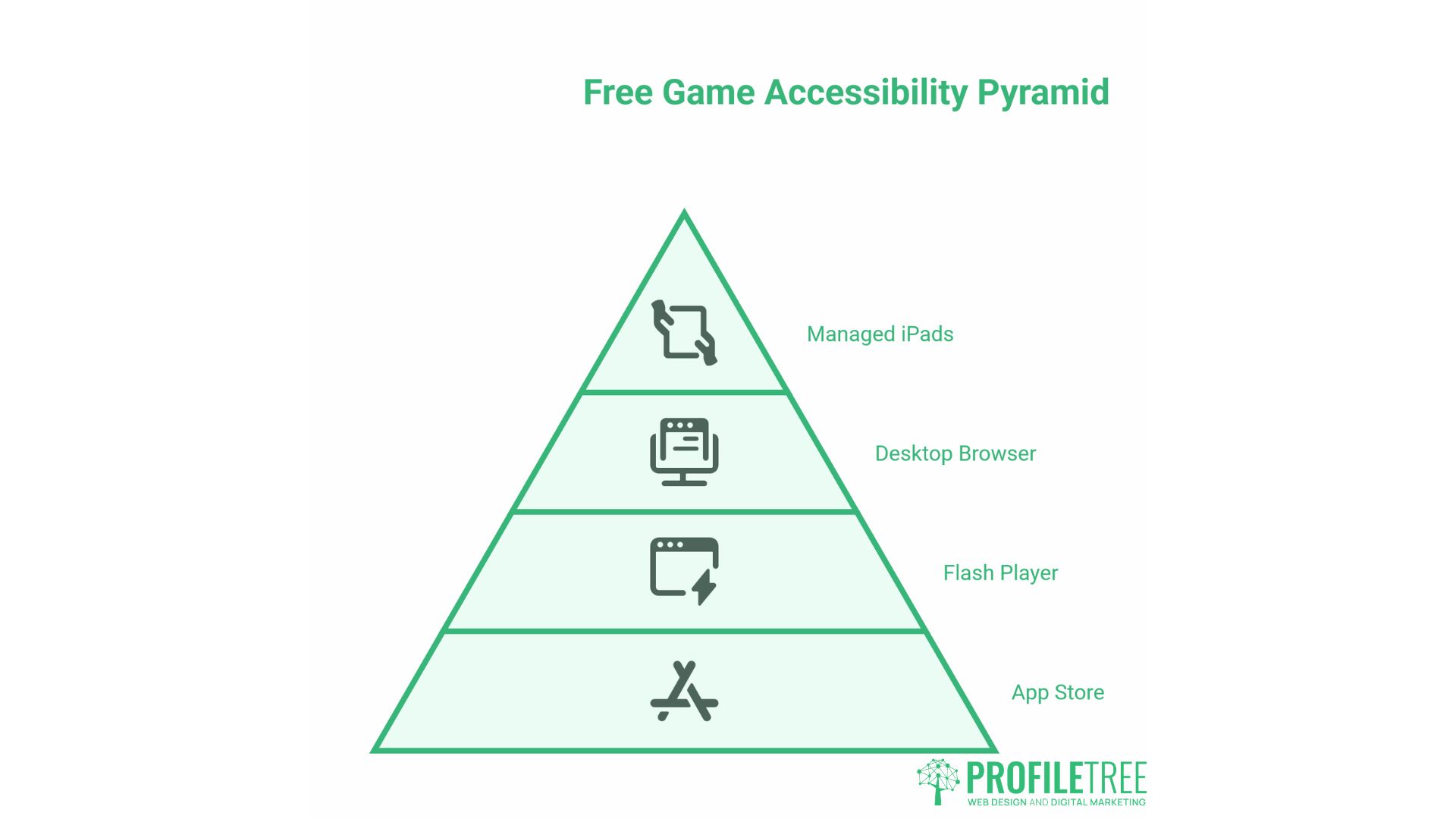
One of the most common frustrations for parents is finding that a highly recommended free game requires the App Store, Flash, or a desktop browser. Many school iPads are managed devices where children cannot install apps.
The good news is that the following platforms work in Safari on iPad without any installation:
- BBC CBeebies Games: fully functional on iPad Safari
- BBC Bitesize: works well on tablet browsers
- Scratch: the editor and player both work on iPad, though the experience is better on a larger screen
- Hit the Button: browser-based, no installation needed
- National Geographic Kids: works on tablet browsers with minor ad loading
Games to avoid on school iPads:
- Any game hosted on a Flash-dependent site (Flash has been discontinued since 2020, and Safari never supported it natively)
- Roblox: requires the app and cannot be played in a browser
- Games with WebGL requirements that older iPads cannot handle (usually flagged by a blank screen or error message)
If a game site shows a blank white page on an iPad, it is almost always a Flash or WebGL issue, not a network problem.
How to Spot “Fake Free” Games: Hidden Costs and Dark Patterns
The term “free” in gaming is frequently misleading. Understanding the common tactics used to extract money from children (and their parents) makes it easier to identify which platforms are genuinely free.
Energy systems: Many mobile-style browser games give children a limited number of “lives” or “energy points” that run out mid-game. The game then either waits 30 minutes to refill or offers an immediate refill for a small payment. This mechanic is specifically designed to create frustration at the point of maximum engagement.
Virtual currency: Games that use their own currency (Robux in Roblox, V-Bucks in Fortnite) deliberately obscure the connection between spending and real money. A child does not think “I am spending £8”; they think “I am spending 1,000 Robux”. Treat any platform with a proprietary currency as a paid platform with a free entry point.
“Season Passes” and exclusive content: Battle pass systems, used in Fortnite and many similar games, sell access to cosmetic items and bonuses for a recurring fee. The game itself may be free, but the social pressure to have the current season’s items can be significant for children.
Ad-supported games with no skip option: Some legitimate free games are ad-supported, which is fine if the adverts are appropriate and skippable. The problem is games where adverts cannot be skipped, autoplaying video adverts interrupt gameplay, or adverts are targeted based on browsing history. Under UK GDPR and the Children’s Code, platforms cannot serve targeted advertising to users under 18 without explicit consent.
A Note on Digital Literacy: What Children Learn From Games
Beyond the immediate question of safety, there is a broader conversation worth having about what children learn from time spent on screens. Not all screen time is equal, and not all games have the same educational value.
Games that involve building, sequencing, or problem-solving develop the same kind of logical thinking that underlies computing and mathematics. Scratch, for instance, teaches children to think in algorithms without calling it programming. A child who has built a game in Scratch has a genuine head start in Key Stage 3 computing.
At the same time, helping children understand how digital products are designed, why certain games use the mechanics they do, and how advertising works online is increasingly part of what it means to be digitally literate. The UK’s computing curriculum requires children to understand “how digital systems work” from Key Stage 1 upwards. Talking with children about why a game makes them want to keep playing is itself a form of digital education.
For parents who want to develop their own understanding of the digital tools their children use, ProfileTree’s digital training resources cover topics from internet safety fundamentals to how algorithms shape what we see online. Building your own digital confidence makes it easier to have informed conversations with your children about their online experiences.
Choosing Free Online Games for Kids: The Short Version
Finding free online games that are genuinely safe for children in the UK is straightforward once you know what to look for. Start with BBC CBeebies or BBC Bitesize: no account, no adverts, curriculum-aligned, and free in every sense of the word. Move up by age group using the PEGI rating as your guide rather than US review sites, which use a different system. For older children, Roblox and Minecraft are fine with the right settings, but neither is safe by default. When something is advertised as free but asks for an email address, uses virtual currency, or runs video adverts mid-game, it is not really free at all.
FAQs
Are there any truly free online games for kids with no adverts?
Yes. BBC CBeebies Games, BBC Bitesize, Scratch, Hit the Button, and Phonics Bloom are all genuinely ad-free and aligned with the UK curriculum. Commercial platforms marketed as “free” almost always carry advertising or in-game purchase prompts.
What is the safest online game for a 5-year-old?
BBC CBeebies Games. It requires no account, collects no data, shows no adverts, and uses characters children already know from television. Alphablocks and Numberblocks on the same platform are particularly good for early literacy and numeracy.
Do my child’s details get collected when they play free online games?
It depends on the platform. Under the UK Children’s Code, platforms likely accessed by under-18s must apply the highest privacy settings by default and cannot use data for targeted advertising without consent. No-account platforms like BBC Bitesize collect minimal or no personal data.
Is Roblox safe for primary school children?
It can be, but it requires active parental setup. Restrict the account to curated experiences, disable direct messaging from strangers, turn off voice chat, and link the account to a parent email. The platform carries PEGI 7 but contains user-generated content across a very wide range of topics, so periodic check-ins are worthwhile.
What free games work on a school iPad without downloading an app?
BBC CBeebies Games, BBC Bitesize, Scratch, Hit the Button, and National Geographic Kids all run in Safari on iPad without installation. A blank page on Safari usually means the site depends on Flash, which no longer works. Check that a game does not require the App Store before recommending it on a managed school device.
How much screen time is appropriate for children playing online games?
UK health guidance does not prescribe a specific number of hours. The Royal College of Paediatrics and Child Health recommends consistent limits that prevent gaming from displacing sleep, physical activity, or face-to-face interaction. Quality matters: 45 minutes of Scratch is a meaningfully different experience from 45 minutes of a game built around unpredictable reward loops.
What does PEGI 3 mean, and how is it different from PEGI 7?
PEGI 3 means no frightening content, crude language, or violence; suitable for all ages. PEGI 7 allows mild content that could frighten younger children. Both are more conservative than the US ESRB system, so UK parents should use PEGI rather than US review sites when assessing a game.