
WordPress Security: Hardening Guide Simplified
Table of Contents
WordPress powers 43% of the internet, making it the world’s most targeted CMS. Every day, 90,000 attacks hit WordPress sites globally, with small business websites experiencing 63% more attacks than enterprise sites. Yet most WordPress compromises result from preventable vulnerabilities: outdated software, weak passwords, or misconfiguration rather than platform flaws. Professional WordPress security requires systematic hardening, continuous monitoring, and rapid response capabilities – not paranoia or security theatre.
Understanding WordPress Security Threats in 2025

The WordPress security landscape has transformed dramatically in recent years. Understanding current threats is essential for implementing effective protection strategies.
Current Threat Landscape Analysis
The WordPress threat landscape has evolved significantly. Automated attacks now use AI to identify vulnerabilities faster than traditional scanning. Supply chain attacks target popular plugins before patch releases. Credential stuffing exploits password reuse across breached services. Cryptojacking replaces ransomware as attackers prefer silent mining to noisy extortion. Understanding these threats shapes effective defence strategies.
Brute force attacks remain the most common threat, representing 40% of all WordPress attacks. Attackers target wp-login.php and xmlrpc.php endpoints using distributed botnets. Password spraying tries common passwords across multiple sites. Credential stuffing uses leaked databases from other breaches. Rate limiting and strong authentication provide primary defence.
Plugin vulnerabilities account for 52% of successful compromises. Nulled (pirated) plugins contain backdoors by design. Abandoned plugins accumulate unpatched vulnerabilities. Popular plugins become attractive targets, affecting thousands of sites simultaneously. Even legitimate plugins from reputable developers occasionally contain serious flaws requiring immediate patching.
Cross-site scripting (XSS) and SQL injection attacks exploit poor coding practices. Stored XSS persists in databases, affecting all visitors. Reflected XSS targets specific users through crafted URLs. SQL injection extracts sensitive data or gains administrative access. These attacks succeed against custom code more than core WordPress, highlighting the importance of development quality.
WordPress-Specific Attack Vectors
WordPress’s predictable structure creates specific attack opportunities. Default file locations reveal platform usage. Standard database prefixes simplify SQL injection. Predictable URLs enable targeted attacks. Version information assists vulnerability identification. Theme and plugin detection guides exploit selection. Understanding these vectors enables targeted hardening.
The WordPress REST API, whilst powerful for developers, exposes information that attackers exploit. User enumeration reveals valid usernames. Post data leaks unpublished content. Plugin information confirms installed versions. Without proper restriction, the API becomes a reconnaissance tool for attackers planning targeted exploits.
File upload vulnerabilities plague poorly coded themes and plugins. Unrestricted file types enable PHP shell uploads. Missing file validation allows path traversal. Insufficient permission checking permits unauthorised uploads. Image processing flaws enable code execution. These vulnerabilities provide an initial foothold for complete compromise.
XML-RPC, though less commonly used, remains enabled by default. Amplification attacks use pingback functionality. Brute force attacks bypass rate limiting through system.multicall. DDoS attacks exploit resource-intensive methods. Disabling or restricting XML-RPC eliminates these vectors whilst rarely affecting legitimate functionality.
Core WordPress Hardening Techniques
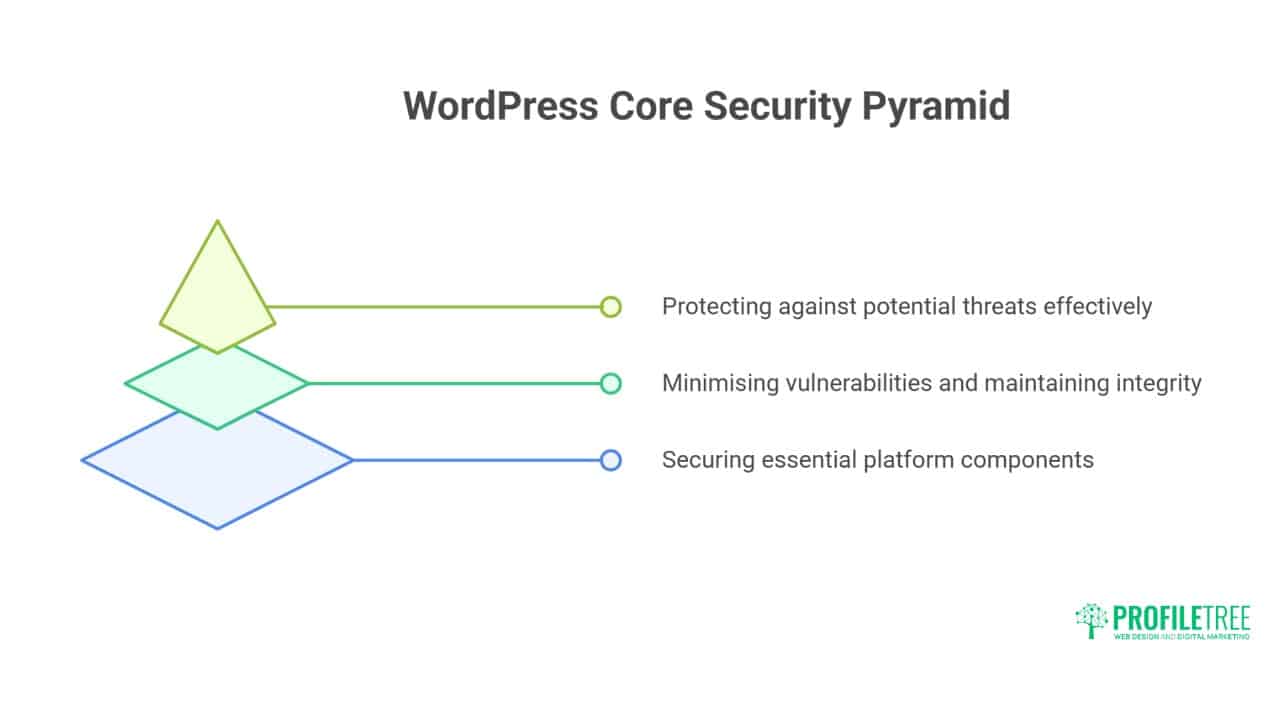
Strengthening WordPress at its core provides fundamental protection against common attacks. These techniques focus on securing the platform’s essential components.
File System Security and Permissions
WordPress file permissions determine who can read, write, and execute files. Incorrect permissions enable attackers to modify files or execute malicious code. Overly restrictive permissions break functionality. Finding the correct balance requires understanding WordPress’s operational requirements.
Correct WordPress permissions for Linux servers:
# Set ownership (replace www-data with your web server user)
sudo chown -R www-data:www-data /var/www/wordpress

# Directories: 755 (rwxr-xr-x)
find /var/www/wordpress -type d -exec chmod 755 {} \;

# Files: 644 (rw-r--r--)
find /var/www/wordpress -type f -exec chmod 644 {} \;

# Protect wp-config.php: 640 (rw-r-----)
chmod 640 /var/www/wordpress/wp-config.php

# Secure .htaccess: 644 (rw-r--r--)
chmod 644 /var/www/wordpress/.htaccess

# Prevent PHP execution in uploads
echo "<?php exit('Access denied'); ?>" > /var/www/wordpress/wp-content/uploads/.htaccess
Protecting sensitive files prevents information disclosure. Move wp-config.php above the document root when possible. Deny direct access to sensitive files through server configuration. Disable directory browsing globally. Remove unnecessary files like readme.html and license.txt. These measures reduce the attack surface significantly.
Professional website hosting includes proper permission management. Automated permission repair fixes accidents. Regular audits catch permission drift. Security scanning identifies vulnerabilities. Incident response restores correct permissions after compromise. Manual permission management risks security and functionality.
Database Security Hardening
WordPress databases contain everything valuable: content, users, passwords, and configuration. Database compromise equals complete site compromise. Securing database access, structure, and content provides defence in depth against various attack vectors.
Change default table prefixes during installation or retroactively:
-- Example: Changing prefix from wp_ to xyz789_
-- First, backup your database completely

-- Rename all tables
RENAME TABLE `wp_posts` TO `xyz789_posts`;
RENAME TABLE `wp_postmeta` TO `xyz789_postmeta`;
RENAME TABLE `wp_users` TO `xyz789_users`;
-- Continue for all tables...

-- Update wp-config.php
-- $table_prefix = 'xyz789_';

-- Update options table
UPDATE `xyz789_options`
SET option_name = REPLACE(option_name, 'wp_', 'xyz789_')
WHERE option_name LIKE 'wp_%';

-- Update usermeta table
UPDATE `xyz789_usermeta`
SET meta_key = REPLACE(meta_key, 'wp_', 'xyz789_')
WHERE meta_key LIKE 'wp_%';
Database user privileges should follow least-privilege principles. WordPress operational accounts need only SELECT, INSERT, UPDATE, DELETE on specific databases. Remove DROP, CREATE, ALTER permissions except during updates. Administrative operations use separate, temporary elevated accounts. This limitation contains damage from SQL injection attacks.
Regular database maintenance improves security and performance. Remove post revisions exceeding requirements. Clean spam comments and orphaned metadata. Optimise tables monthly. Monitor slow queries indicating potential attacks. Backup before any maintenance operations. Database health affects both security and speed.
Authentication and Access Control
Strong authentication forms the first defence line. WordPress default authentication lacks modern security features. Two-factor authentication adds crucial second layer. Login attempt limiting prevents brute force. CAPTCHA challenges stop automated attacks. Session management controls access duration.
Implement comprehensive authentication hardening:
// Add to wp-config.php or security plugin

// Force SSL for login and admin
define('FORCE_SSL_LOGIN', true);
define('FORCE_SSL_ADMIN', true);

// Disable file editing from admin
define('DISALLOW_FILE_EDIT', true);

// Limit login attempts (requires custom implementation)
function limit_login_attempts($username) {
    $max_attempts = 5;
    $lockout_duration = 900; // 15 minutes

    $attempts = get_transient('login_attempts_' . $username);

    if ($attempts >= $max_attempts) {
        return new WP_Error('too_many_attempts', 'Too many login attempts. Please try again later.');
    }

    set_transient('login_attempts_' . $username, $attempts + 1, $lockout_duration);
}
add_filter('authenticate', 'limit_login_attempts', 30, 1);

// Change login URL (basic implementation)
function custom_login_url() {
    return home_url('/secure-entry/');
}
add_filter('login_url', 'custom_login_url', 10, 0);
User role management prevents privilege escalation. Audit existing users regularly, removing unnecessary accounts. Limit administrator accounts to essential personnel. Use Editor role for content creators. Assign minimal necessary permissions. Monitor role changes through activity logging. Regular audits catch privilege creep.
Advanced Security Implementation

Beyond basic hardening, advanced security measures provide robust protection against sophisticated threats. These implementations create multiple defensive layers for comprehensive security.
Web Application Firewall Configuration
Web Application Firewalls (WAF) filter malicious traffic before it reaches WordPress. Cloud-based WAFs like Cloudflare or Sucuri provide immediate protection. Server-level WAFs like ModSecurity offer granular control. WordPress WAF plugins add application-layer protection. Layered WAF deployment provides comprehensive coverage.
ModSecurity configuration for WordPress protection:
# Basic ModSecurity rules for WordPress
SecRule REQUEST_URI "@contains /wp-login.php" \
    "id:1001,\
    phase:2,\
    block,\
    msg:'Blocked wp-login access from non-whitelisted IP',\
    chain"
SecRule REMOTE_ADDR "!@ipMatch 192.168.1.0/24,203.0.113.0/24" \
    "setvar:'tx.anomaly_score=+5'"

# Block SQL injection attempts
SecRule ARGS "@detectSQLi" \
    "id:1002,\
    phase:2,\
    block,\
    msg:'SQL Injection Attack Detected',\
    logdata:'Matched Data: %{MATCHED_VAR} found within %{MATCHED_VAR_NAME}',\
    setvar:'tx.sql_injection_score=+5'"

# Prevent PHP code injection
SecRule FILES_TMPNAMES "@rx \.(?:php|phtml|php3|php4|php5|php7|phar)" \
    "id:1003,\
    phase:2,\
    block,\
    msg:'PHP file upload attempt blocked',\
    setvar:'tx.anomaly_score=+10'"
Geographic restrictions reduce attack surface significantly. Block countries where you don’t do business. Whitelist specific regions for administrative access. Use VPN requirements for sensitive operations. Monitor blocked traffic for false positives. Adjust rules based on legitimate traffic patterns.
Rate limiting prevents various attack types. Limit login attempts per IP address. Restrict API calls per time period. Throttle comment submissions. Control search query frequency. These limits stop automated attacks whilst permitting legitimate usage.
Security Headers Implementation
HTTP security headers instruct browsers to enhance security. Content Security Policy prevents XSS attacks. X-Frame-Options stops clickjacking. Strict-Transport-Security enforces HTTPS. These headers provide client-side security layers complementing server-side protection.
Comprehensive security headers for WordPress:
# Add to .htaccess or server configuration

# Enforce HTTPS
Header always set Strict-Transport-Security "max-age=31536000; includeSubDomains; preload"

# Prevent clickjacking
Header always set X-Frame-Options "SAMEORIGIN"

# Prevent MIME sniffing
Header always set X-Content-Type-Options "nosniff"

# Enable XSS protection
Header always set X-XSS-Protection "1; mode=block"

# Referrer policy
Header always set Referrer-Policy "strict-origin-when-cross-origin"

# Permissions policy (formerly Feature Policy)
Header always set Permissions-Policy "geolocation=(), microphone=(), camera=()"

# Content Security Policy (adjust for your needs)
Header set Content-Security-Policy "default-src 'self'; script-src 'self' 'unsafe-inline' https://trusted-cdn.com; style-src 'self' 'unsafe-inline'; img-src 'self' data: https:; font-src 'self' data:;"
Content Security Policy requires careful implementation. Start with report-only mode identifying violations. Gradually restrict policies based on actual usage. Account for inline scripts and styles. Consider third-party service requirements. Balance security with functionality needs.
Malware Scanning and Detection
Proactive malware scanning catches compromises early. File integrity monitoring detects unauthorised changes. Signature scanning identifies known malware. Behavioural analysis catches zero-day threats. Regular scanning schedules ensure continuous protection.
Implement file integrity monitoring:
// Basic file integrity checker
function check_file_integrity() {
    $critical_files = [
        ABSPATH . 'wp-config.php',
        ABSPATH . 'index.php',
        ABSPATH . '.htaccess',
        ABSPATH . 'wp-content/themes/your-theme/functions.php'
    ];

    $stored_hashes = get_option('file_integrity_hashes', []);
    $current_hashes = [];
    $changes_detected = false;

    foreach ($critical_files as $file) {
        if (file_exists($file)) {
            $current_hash = hash_file('sha256', $file);
            $current_hashes[$file] = $current_hash;

            if (isset($stored_hashes[$file]) && $stored_hashes[$file] !== $current_hash) {
                // File changed - potential security issue
                error_log("File integrity violation: {$file}");
                $changes_detected = true;
            }
        }
    }

    if (!$changes_detected || empty($stored_hashes)) {
        update_option('file_integrity_hashes', $current_hashes);
    }

    return !$changes_detected;
}

// Run daily
if (!wp_next_scheduled('daily_integrity_check')) {
    wp_schedule_event(time(), 'daily', 'daily_integrity_check');
}
add_action('daily_integrity_check', 'check_file_integrity');
Professional security services include comprehensive malware scanning. Real-time monitoring catches infections immediately. Automated cleaning removes common malware. Manual investigation handles complex infections. Post-infection hardening prevents reinfection. Professional response minimises damage and downtime.
Plugin and Theme Security

Third-party code represents one of the greatest security risks to WordPress installations. Properly evaluating and managing these components is critical for maintaining site integrity.
Evaluating Plugin Security
Plugin selection significantly impacts WordPress security. Repository plugins undergo basic review but aren’t comprehensively audited. Premium plugins vary wildly in code quality. Custom plugins often lack security awareness. Careful evaluation prevents introducing vulnerabilities.
Security evaluation criteria for plugins:
- Active installations and update frequency
- Developer reputation and response history
- Code quality visible in the repository
- Security disclosure handling
- Permission requirements
- External service dependencies
- Database query efficiency
- Input validation practices
Code review reveals security issues:
// Bad plugin code - vulnerable to SQL injection
$user_id = $_GET['user_id'];
$query = "SELECT * FROM wp_users WHERE ID = $user_id";
$results = $wpdb->get_results($query);

// Good plugin code - properly sanitised
$user_id = absint($_GET['user_id']);
$query = $wpdb->prepare(
    "SELECT * FROM {$wpdb->users} WHERE ID = %d",
    $user_id
);
$results = $wpdb->get_results($query);

// Bad - no nonce verification
if (isset($_POST['delete_item'])) {
    wp_delete_post($_POST['item_id']);
}

// Good - proper nonce verification
if (isset($_POST['delete_item']) && wp_verify_nonce($_POST['_wpnonce'], 'delete_item_' . $_POST['item_id'])) {
    wp_delete_post(absint($_POST['item_id']));
}
Theme Security Considerations
Themes access WordPress core functionality extensively. Poorly coded themes introduce vulnerabilities affecting entire sites. Nulled themes contain backdoors intentionally. Even legitimate themes might include insecure code. Theme security requires similar scrutiny to plugins.
Common theme vulnerabilities to check:
- Unescaped output enabling XSS
- Direct database queries without preparation
- File upload handling without validation
- Include/require with user input
- Eval() or create_function() usage
- Outdated JavaScript libraries
- Insecure AJAX implementations
- Missing nonce verification
Professional website development includes security-first coding. Custom themes undergo security review. Third-party themes get hardened before deployment. Regular updates patch discovered vulnerabilities. Security monitoring catches exploitation attempts. Professional development prevents security issues.
Update Management Strategy
Updates patch security vulnerabilities, but can break functionality. Automatic updates improve security but risk stability. Manual updates provide control but require vigilance. Staged update processes balance security with stability.
Implement staged update workflow:
// Selective automatic updates
// Enable automatic core security updates
add_filter('allow_minor_auto_core_updates', '__return_true');

// Disable automatic plugin updates except security patches
add_filter('auto_update_plugin', function($update, $item) {
    // Auto-update security plugins
    $security_plugins = ['wordfence', 'sucuri-scanner', 'better-wp-security'];
    if (in_array($item->slug, $security_plugins)) {
        return true;
    }
    return false;
}, 10, 2);

// Disable theme auto-updates
add_filter('auto_update_theme', '__return_false');

// Email notification for available updates
function notify_updates_available() {
    $updates = get_site_transient('update_plugins');
    if ($updates && !empty($updates->response)) {
        wp_mail(
            get_option('admin_email'),
            'WordPress Updates Available',
            'Updates are available for your WordPress site. Please review and apply them.'
        );
    }
}
add_action('admin_init', 'notify_updates_available');
Server-Level Security Hardening

The server environment forms the foundation of WordPress’s security architecture. Properly configured server settings create essential protection for your WordPress installation.
Apache and Nginx Security Configuration
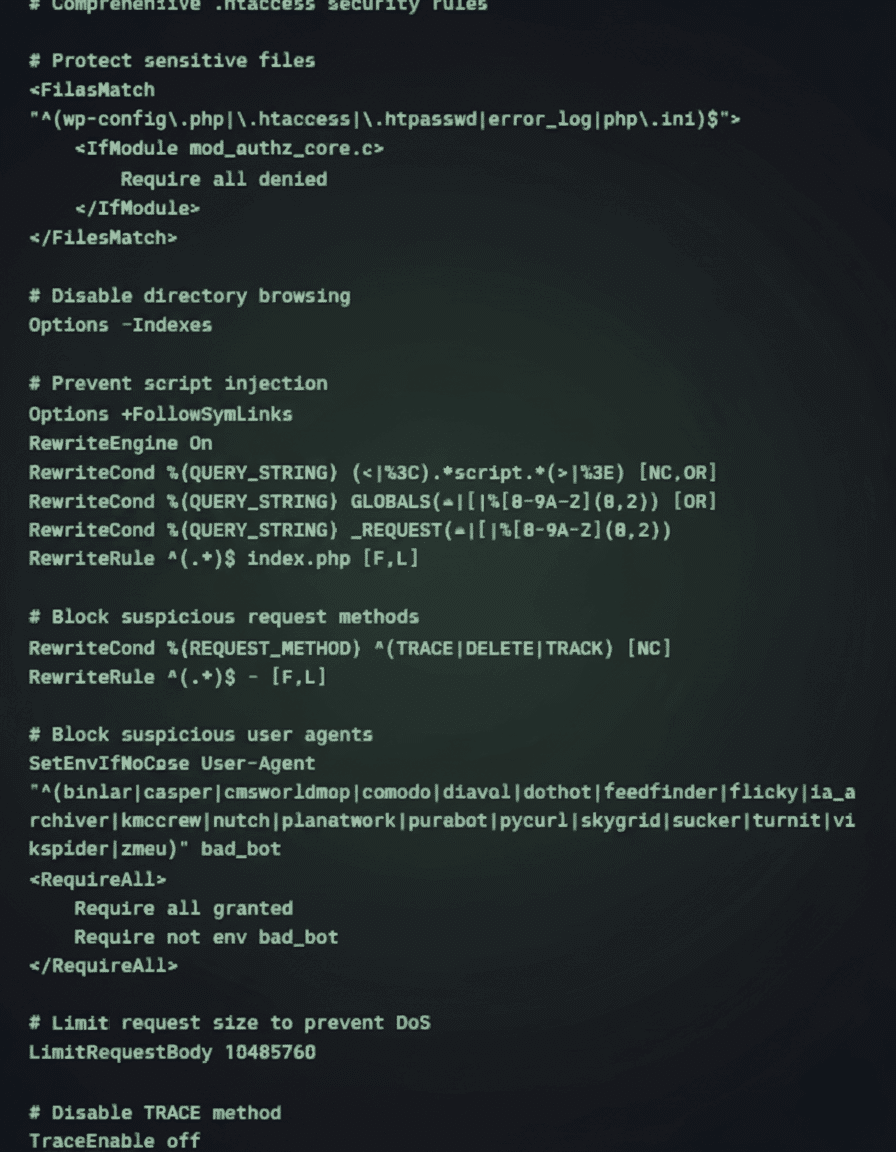
Web server configuration provides first-line defence against attacks. Proper configuration blocks malicious requests before reaching WordPress. Security rules filter dangerous patterns. Access restrictions limit exposure. Performance optimisation reduces DoS vulnerability.
Apache security configuration for WordPress:
# Comprehensive .htaccess security rules
Nginx security configuration:
# Nginx security configuration for WordPress

# Hide Nginx version
server_tokens off;

# Limit request methods
if ($request_method !~ ^(GET|HEAD|POST)$) {
    return 444;
}

# Block suspicious user agents
if ($http_user_agent ~* (binlar|casper|cmsworldmap|comodo|diavol|dotbot)) {
    return 403;
}

# Deny access to sensitive files
location ~ /\.(htaccess|htpasswd|ini|log|sh|sql)$ {
    deny all;
}

# Deny access to wp-config.php
location ~ wp-config\.php$ {
    deny all;
}

# Limit requests to wp-login.php
location = /wp-login.php {
    limit_req zone=login burst=2 nodelay;
    fastcgi_pass unix:/var/run/php/php7.4-fpm.sock;
    include fastcgi_params;
}

# Disable PHP execution in uploads
location ~* /(?:uploads|files)/.*\.php$ {
    deny all;
}

# Security headers
add_header X-Frame-Options "SAMEORIGIN" always;
add_header X-Content-Type-Options "nosniff" always;
add_header X-XSS-Protection "1; mode=block" always;
PHP Security Configuration
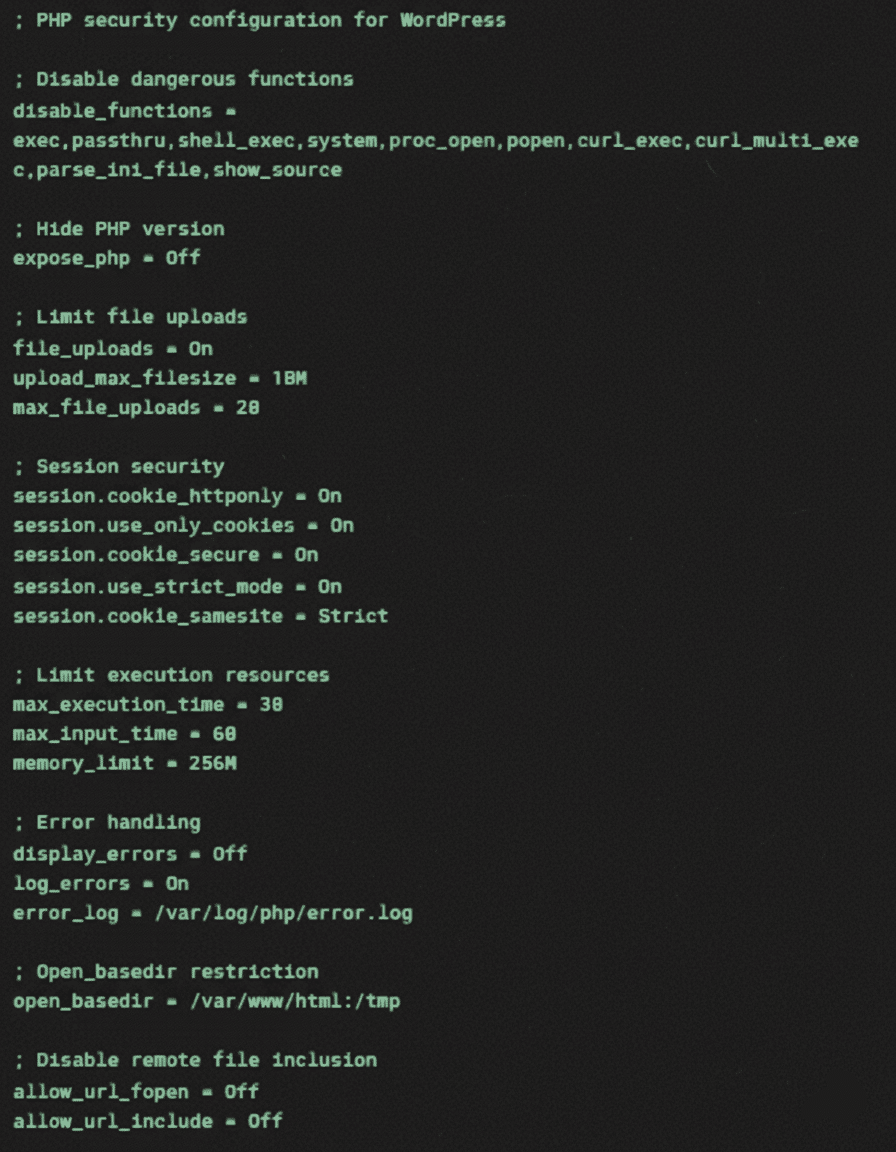
PHP configuration significantly impacts WordPress security. Default PHP settings prioritise compatibility over security. Hardening PHP configuration prevents entire attack classes. Balance security restrictions with WordPress requirements carefully.
Essential PHP security settings:
SSL/TLS Implementation
HTTPS encrypts data transmission between browsers and servers. SSL certificates authenticate server identity. Proper TLS configuration prevents downgrade attacks. Certificate management ensures continuous protection. Modern WordPress requires HTTPS for full functionality.
Comprehensive SSL implementation checklist:
- Obtain SSL certificate (Let’s Encrypt for free, paid for extended validation)
- Configure strong cipher suites
- Implement HTTP to HTTPS redirection
- Update WordPress URL settings
- Fix mixed content warnings
- Submit HTTPS version to search engines
- Update hardcoded HTTP references
- Monitor certificate expiration
Ciaran Connolly, ProfileTree founder, emphasises: “WordPress security isn’t about installing a plugin and forgetting it. Real security requires systematic hardening, continuous monitoring, and rapid response capabilities. We’ve seen too many Belfast businesses lose everything to preventable attacks. Our approach layers multiple defences whilst maintaining usability – because the most secure site is worthless if legitimate users can’t access it.”
Security Monitoring and Incident Response
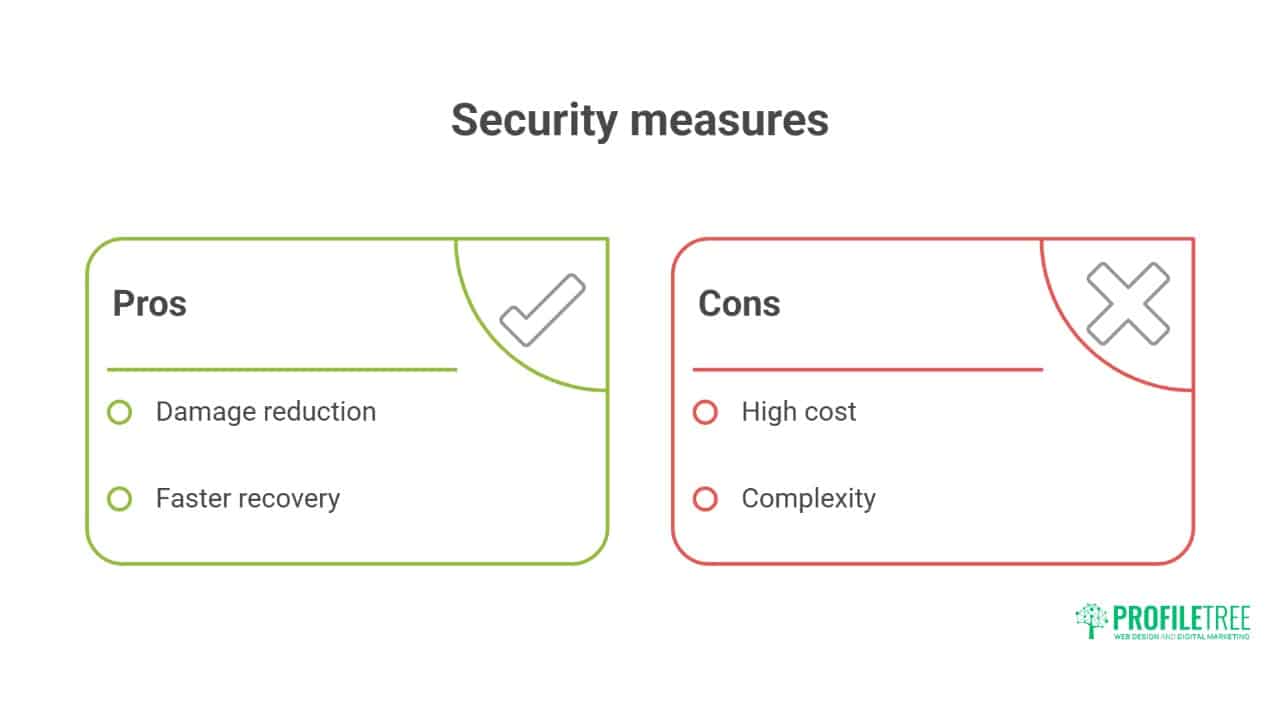
Even with robust preventive measures, security incidents may still occur. Effective monitoring and response capabilities minimise damage and recovery time.
Activity Logging and Monitoring
Comprehensive logging enables threat detection and forensic analysis. WordPress doesn’t log security events by default. Activity logging plugins track user actions. Server logs record access attempts. Centralised logging enables correlation. Real-time monitoring catches attacks in progress.
Implement custom security logging:
// Custom security event logging
class Security_Logger {
    private $log_table;

    public function __construct() {
        global $wpdb;
        $this->log_table = $wpdb->prefix . 'security_logs';
        $this->create_log_table();
        $this->init_hooks();
    }

    private function create_log_table() {
        global $wpdb;
        $charset_collate = $wpdb->get_charset_collate();

        $sql = "CREATE TABLE IF NOT EXISTS {$this->log_table} (
            id bigint(20) NOT NULL AUTO_INCREMENT,
            event_type varchar(50) NOT NULL,
            user_id bigint(20),
            ip_address varchar(45),
            user_agent text,
            event_data longtext,
            created_at datetime DEFAULT CURRENT_TIMESTAMP,
            PRIMARY KEY (id),
            KEY event_type (event_type),
            KEY created_at (created_at)
        ) $charset_collate;";

        require_once(ABSPATH . 'wp-admin/includes/upgrade.php');
        dbDelta($sql);
    }

    private function init_hooks() {
        // Log failed login attempts
        add_action('wp_login_failed', [$this, 'log_failed_login']);

        // Log successful logins
        add_action('wp_login', [$this, 'log_successful_login'], 10, 2);

        // Log user role changes
        add_action('set_user_role', [$this, 'log_role_change'], 10, 3);

        // Log file changes
        add_action('upgrader_process_complete', [$this, 'log_updates'], 10, 2);
    }

    public function log_event($event_type, $event_data = []) {
        global $wpdb;

        $wpdb->insert(
            $this->log_table,
            [
                'event_type' => $event_type,
                'user_id' => get_current_user_id(),
                'ip_address' => $_SERVER['REMOTE_ADDR'] ?? '',
                'user_agent' => $_SERVER['HTTP_USER_AGENT'] ?? '',
                'event_data' => json_encode($event_data)
            ]
        );
    }

    public function log_failed_login($username) {
        $this->log_event('failed_login', ['username' => $username]);
    }

    public function log_successful_login($user_login, $user) {
        $this->log_event('successful_login', ['username' => $user_login, 'user_id' => $user->ID]);
    }
}

// Initialise logger
new Security_Logger();
Incident Response Planning
Incident response plans minimise damage from successful attacks. Detection triggers an immediate response. Containment prevents spread. Eradication removes threats. Recovery restores normal operation. Lessons learned prevent recurrence.
WordPress incident response checklist:
- Detection Phase
- Monitor alerts from security plugins
- Check server logs for anomalies
- Review file integrity reports
- Investigate performance degradation
- Respond to user reports
- Containment Phase
- Take site offline if necessary
- Backup current state for forensics
- Isolate affected systems
- Reset all passwords
- Block attacking IP addresses
- Eradication Phase
- Remove malicious files
- Clean infected databases
- Patch vulnerabilities
- Update all software
- Implement additional hardening
- Recovery Phase
- Restore from clean backups
- Verify system integrity
- Test functionality thoroughly
- Monitor for reinfection
- Gradually restore access
Professional incident response minimises business impact. Experienced teams identify attack vectors quickly. Forensic analysis determines breach scope. Clean recovery prevents reinfection. Post-incident hardening strengthens defences. Professional response saves time and data.
Backup and Recovery Strategy
Backups provide last-resort recovery from any incident. Complete backups include files and databases. Incremental backups capture changes efficiently. Off-site storage protects against server compromise. Regular testing ensures restoration capability. Without reliable backups, other security measures become meaningless.
Comprehensive backup implementation:
#!/bin/bash
# WordPress backup script with encryption and off-site storage

# Configuration
SITE_DIR="/var/www/wordpress"
BACKUP_DIR="/backup/wordpress"
MYSQL_USER="backup_user"
MYSQL_PASS="secure_password"
MYSQL_DB="wordpress_db"
ENCRYPTION_KEY="your-encryption-key"
S3_BUCKET="s3://your-backup-bucket"
DATE=$(date +%Y%m%d_%H%M%S)

# Create backup directory
mkdir -p "$BACKUP_DIR/$DATE"

# Backup database
mysqldump -u"$MYSQL_USER" -p"$MYSQL_PASS" "$MYSQL_DB" | gzip > "$BACKUP_DIR/$DATE/database.sql.gz"

# Backup files
tar -czf "$BACKUP_DIR/$DATE/files.tar.gz" -C "$SITE_DIR" .

# Create backup manifest
echo "Backup Date: $DATE" > "$BACKUP_DIR/$DATE/manifest.txt"
echo "WordPress Version: $(wp core version --path=$SITE_DIR)" >> "$BACKUP_DIR/$DATE/manifest.txt"
echo "Active Plugins:" >> "$BACKUP_DIR/$DATE/manifest.txt"
wp plugin list --status=active --path=$SITE_DIR >> "$BACKUP_DIR/$DATE/manifest.txt"

# Encrypt backup
tar -czf - "$BACKUP_DIR/$DATE" | openssl enc -aes-256-cbc -salt -k "$ENCRYPTION_KEY" -out "$BACKUP_DIR/backup_$DATE.tar.gz.enc"

# Upload to S3
aws s3 cp "$BACKUP_DIR/backup_$DATE.tar.gz.enc" "$S3_BUCKET/backup_$DATE.tar.gz.enc"

# Cleanup old local backups (keep 7 days)
find "$BACKUP_DIR" -type f -name "backup_*.tar.gz.enc" -mtime +7 -delete

# Verify backup
if aws s3 ls "$S3_BUCKET/backup_$DATE.tar.gz.enc"; then
    echo "Backup successful: $DATE"
else
    echo "Backup failed: $DATE" | mail -s "WordPress Backup Failed" admin@example.com
fi
Emerging Security Threats and Mitigation

The threat landscape continuously evolves with increasingly sophisticated attack techniques. Staying ahead of emerging threats requires adaptive security strategies and modern defensive tools.
AI-Powered Attacks and Defence
Artificial intelligence transforms both attacks and defence. Attackers use AI for sophisticated phishing, automated vulnerability discovery, and behaviour mimicking. Defenders employ AI for anomaly detection, predictive threat analysis, and automated response. The AI security arms race accelerates continuously.
AI-enhanced security services provide advanced protection. Machine learning identifies attack patterns humans miss. Behavioural analysis detects account compromises. Natural language processing catches phishing attempts. Predictive models anticipate emerging threats. Early AI adoption provides defensive advantages.
Supply Chain Security
WordPress’s plugin ecosystem creates supply chain vulnerabilities. Compromised plugins affect thousands of sites simultaneously. Abandoned plugins accumulate vulnerabilities. Premium plugin licenses expire leaving sites vulnerable. Update servers become attack vectors. Supply chain security requires vigilant monitoring.
Supply chain security measures:
- Audit plugin developers and companies
- Monitor security advisories continuously
- Implement staged update testing
- Maintain plugin/theme inventory
- Document customisations thoroughly
- Plan contingencies for plugin abandonment
- Use reputable commercial sources
- Verify checksums when possible
Zero-Day Vulnerability Response
Zero-day exploits target unknown vulnerabilities before patches exist. These attacks bypass traditional security measures. Virtual patching provides temporary protection. Rapid response capabilities minimise exposure windows. Preparation determines survival when zero-days strike.
Zero-day response protocol:
- Enable virtual patching through WAF
- Implement additional monitoring
- Restrict access to critical functions
- Increase backup frequency
- Prepare rollback procedures
- Monitor security advisories closely
- Apply patches immediately upon release
- Conduct post-patch security audit
Security Tools and Services
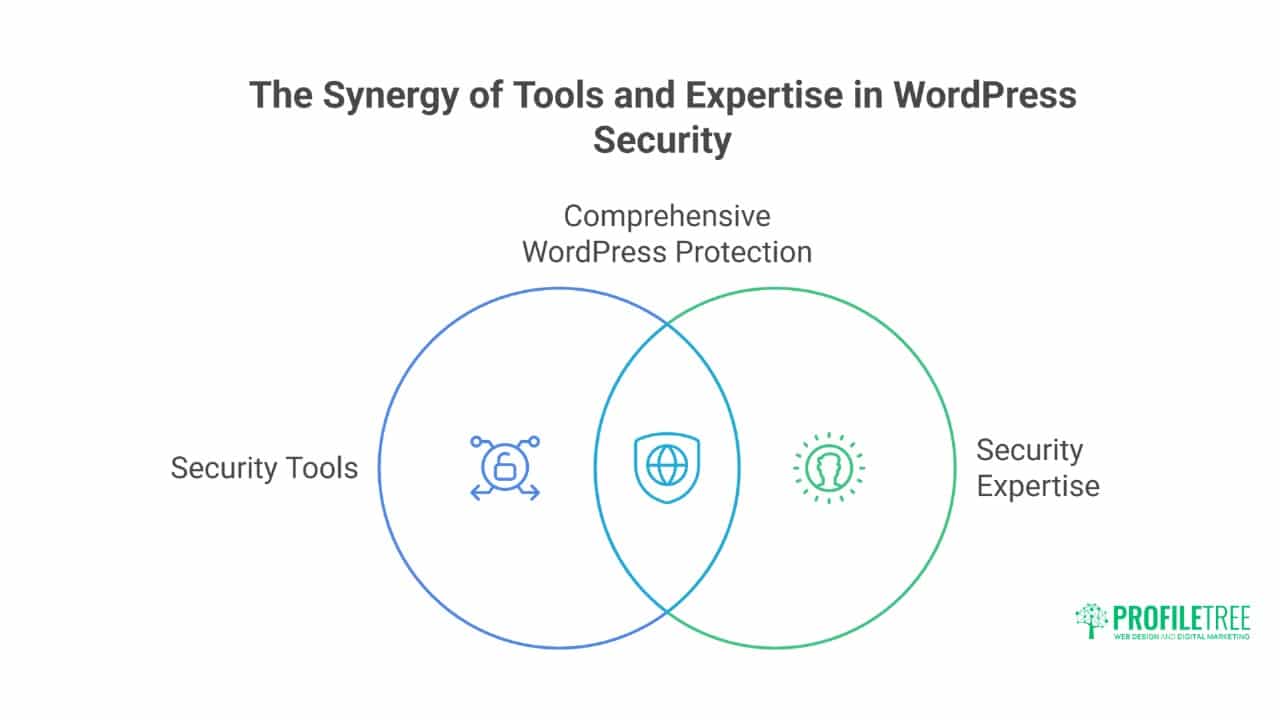
Implementing effective WordPress security requires appropriate tools and expertise. The right combination of security solutions provides comprehensive protection for your site.
Essential Security Plugins Comparison
Security plugins provide accessible protection for WordPress sites. Free plugins offer basic protection suitable for low-risk sites. Premium plugins add advanced features and support. Enterprise solutions integrate with broader security infrastructure. Selection depends on risk tolerance and technical capability.
Top WordPress security plugins compared:
- Wordfence: Comprehensive firewall, malware scanner, and login security. Strong free version with premium real-time protection
- Sucuri: Cloud-based WAF with excellent DDoS protection. Premium only but includes CDN
- iThemes Security: User-friendly with good basic hardening. Limited free version
- All In One WP Security: Extensive hardening options. Complex interface but powerful free version
- MalCare: Specialises in malware detection and cleaning. Excellent for compromised sites
Professional security management combines multiple tools strategically. Automated scanning catches common threats. Manual review identifies sophisticated attacks. Custom rules address specific vulnerabilities. Professional monitoring ensures continuous protection. Integrated approaches outperform single-plugin solutions.
Security Scanning and Auditing
Regular security audits identify vulnerabilities before attackers. Vulnerability scanners check for known issues. Penetration testing simulates real attacks. Code reviews catch development mistakes. Configuration audits ensure proper hardening. Comprehensive auditing reveals true security posture.
Security audit checklist:
- Core, plugin, and theme versions
- User accounts and permissions
- File and directory permissions
- Database security configuration
- SSL certificate validity
- Security header implementation
- Backup system verification
- Log file analysis
- Performance metrics
- Compliance requirements
Professional Security Services
Professional security services provide expertise beyond plugin capabilities. Managed security includes monitoring, response, and recovery. Penetration testing identifies vulnerabilities. Security consulting improves overall posture. Incident response minimises breach impact. Professional services justify costs through prevented losses.
Digital training programmes empower teams with security knowledge. Password management training prevents credential compromise. Phishing awareness reduces social engineering success. Update procedures ensure timely patching. Incident response training improves reaction times. Security-aware teams provide human firewall layers.
Compliance and Legal Considerations
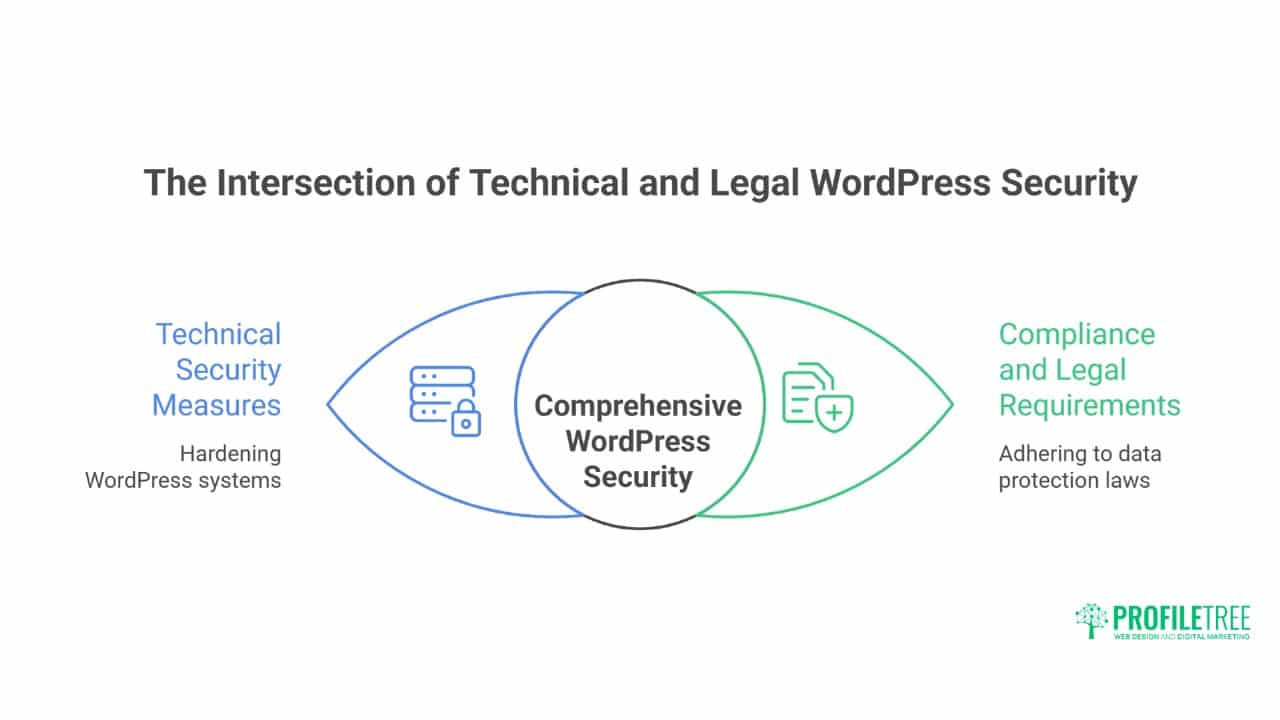
WordPress security extends beyond technical measures to legal requirements and industry standards. Meeting compliance obligations protects both your business and your users.
GDPR and Data Protection
WordPress sites processing personal data must comply with GDPR. Security measures become legal requirements, not optional hardening. Breach notification requires 72-hour reporting. Data minimisation reduces the attack surface. Privacy by design integrates security throughout development.
GDPR security requirements for WordPress:
- Implement appropriate technical measures
- Ensure confidentiality, integrity, and availability
- Regular security testing and assessment
- Data breach detection and notification
- Privacy impact assessments for high-risk processing
- Documented security policies and procedures
- Staff training and awareness
- Vendor security assessment
Industry-Specific Security Requirements
Different industries face unique security requirements. Financial services need PCI DSS compliance. Healthcare requires HIPAA safeguards. Government sites follow strict security frameworks. Educational institutions protect student data. Industry requirements shape security implementation priorities.
Compliance mapping for WordPress:
- Identify applicable regulations
- Map requirements to controls
- Implement technical safeguards
- Document policies and procedures
- Conduct regular assessments
- Maintain audit trails
- Prepare for inspections
- Update for regulatory changes
Frequently Asked Questions
How often do WordPress sites actually get hacked?
Studies indicate 13% of WordPress sites experience compromise annually, with small business sites attacked 63% more frequently than enterprise sites. Most compromises result from outdated software (44%), weak passwords (8%), or vulnerable plugins (52%). Professional hardening reduces compromise risk by 95%.
Can security plugins alone protect WordPress sites adequately?
Security plugins provide valuable protection but aren’t complete solutions. They can’t fix server misconfigurations, prevent all zero-day exploits, or replace proper backup strategies. Professional security combines plugins with server hardening, monitoring, updates, and incident response planning for comprehensive protection.
What’s the minimum security investment for business WordPress sites?
Essential security requires quality hosting (£30-100 monthly), premium security plugin (£50-200 annually), backup solution (£10-50 monthly), and SSL certificate (free-£200 annually). Professional security management starts at around £200 monthly. Compare these costs against the average breach costs exceeding £10,000 for small businesses.
How do I recover from a WordPress hack?
Recovery requires systematic approach: isolate infected site, backup current state for forensics, identify attack vector, remove malware and backdoors, patch vulnerabilities, restore from clean backup if necessary, reset all passwords, implement additional hardening, and monitor for reinfection. Professional recovery services typically complete the cleanup within 24-48 hours.
Should I hide that my site uses WordPress?
Security through obscurity provides minimal protection against determined attackers. Automated tools easily identify WordPress sites regardless of hiding attempts. Focus instead on proper hardening, regular updates, strong authentication, and monitoring. These provide real security rather than false confidence from obscurity.
Conclusion: Building Resilient WordPress Security
WordPress security requires continuous commitment, not one-time configuration. The threat landscape evolves constantly, with attackers developing new techniques whilst defenders strengthen protections. Professional WordPress security layers multiple defences: preventive hardening stops most attacks, detective monitoring catches breaches early, and responsive capabilities minimise damage. This comprehensive approach transforms WordPress from an attractive target to a hardened fortress.
Real security balances protection with usability. Over-secured sites frustrate legitimate users whilst under-secured sites invite compromise. Professional security implementation finds an optimal balance for each specific situation. Belfast businesses need different security than global enterprises. E-commerce sites face different threats than blogs. Context-aware security provides appropriate protection without unnecessary complexity.
The investment in professional WordPress security pays dividends through prevented breaches, maintained reputation, and business continuity. A single compromise can cost thousands in recovery, lost revenue, and damaged reputation. Professional security services cost a fraction of breach expenses while providing peace of mind. The question isn’t whether you can afford security, but whether you can afford compromise.
For businesses serious about WordPress security, ProfileTree’s comprehensive security services provide enterprise-grade protection with small business accessibility. Our Belfast team implements systematic hardening, continuous monitoring, and rapid response capabilities that keep WordPress sites secure against evolving threats. We understand that security enables business success – and we deliver both through proven security expertise combined with practical business understanding.