
Unlock the Mysteries of Java Functional Programming
Table of Contents
Java Functional programming is a coding style built around three principles: functions as values, immutable data, and the elimination of side effects. Rather than writing step-by-step instructions that tell the computer how to do something, you describe what you want and compose smaller functions to get there.
Java is not a purely functional language. It was built as an object-oriented language and remains one. What Java offers is a multi-paradigm approach: you can apply functional techniques within a Java codebase without abandoning the OOP patterns that still make sense for your architecture.
Functional vs Imperative: The Core Difference
Consider filtering a list of customer names to find those longer than five characters.
Imperative approach:
List<String> result = new ArrayList<>();
for (String name : names) {
    if (name.length() > 5) {
        result.add(name);
    }
}
Functional approach (Java 8+):
List<String> result = names.stream()
    .filter(name -> name.length() > 5)
    .collect(Collectors.toList());
The functional version describes the intent — filter names longer than five characters — without specifying how the iteration works. For most developers reviewing this code a year later, the functional version is faster to read and less likely to contain a subtle loop error.
Pure Functions and Immutability
A pure function always returns the same output for the same input and never modifies state outside its own scope. There are no hidden dependencies, no shared variables being changed, no database calls tucked inside the logic.
Immutability follows naturally from this. If functions don’t modify external state, data structures can be treated as fixed. Java doesn’t enforce immutability at the language level the way Haskell does, but the combination of final fields, the Collections.unmodifiableList() wrapper, and Java 16’s Records make it practical to build immutable data carriers for most use cases.
Core Functional Tools in Java 8
Java 8 was the turning point. Before it, applying functional patterns in Java meant verbose anonymous class syntax that obscured the actual logic. The three tools introduced in that release — lambda expressions, functional interfaces, and method references — changed how Java developers structure and read code, and they remain the foundation of everything that followed.
Lambda Expressions
A lambda expression is an anonymous function — a block of code you can pass as an argument. Before Java 8, achieving this required an anonymous class, which meant significantly more boilerplate.
Pre-Java 8:
Runnable r = new Runnable() {
    @Override
    public void run() {
        System.out.println("Running");
    }
};
Java 8 lambda:
Runnable r = () -> System.out.println("Running");
Lambda syntax follows the pattern (parameters) -> body. Where the body is a single expression, the braces and return keyword are optional.
Functional Interfaces
A functional interface is an interface with exactly one abstract method. This constraint is what allows lambdas to be used in place of them — the compiler knows which method the lambda implements.
Java 8’s java.util.function package provides the most commonly used functional interfaces:
| Interface | Method Signature | Arguments | Return Type | Common Use Case |
|---|---|---|---|---|
Function<T, R> | R apply(T t) | 1 | Yes | Transforming values |
Predicate<T> | boolean test(T t) | 1 | boolean | Filtering |
Consumer<T> | void accept(T t) | 1 | None | Side effects (printing, saving) |
Supplier<T> | T get() | 0 | Yes | Lazy value creation |
The @FunctionalInterface annotation is optional but recommended — it tells the compiler to enforce the single-abstract-method constraint and will produce an error if you accidentally add a second one.
Method References
Method references are shorthand for lambdas that simply call an existing method. Where a lambda reads x -> SomeClass.someMethod(x), a method reference reads SomeClass::someMethod. Both are equivalent; the method reference is shorter and often clearer in context.
// Lambda
names.forEach(name -> System.out.println(name));

// Method reference
names.forEach(System.out::println);
There are four kinds: static method references (ClassName::staticMethod), instance method references on a particular object (instance::method), instance method references on an arbitrary object of a type (ClassName::instanceMethod), and constructor references (ClassName::new).
The Streams API
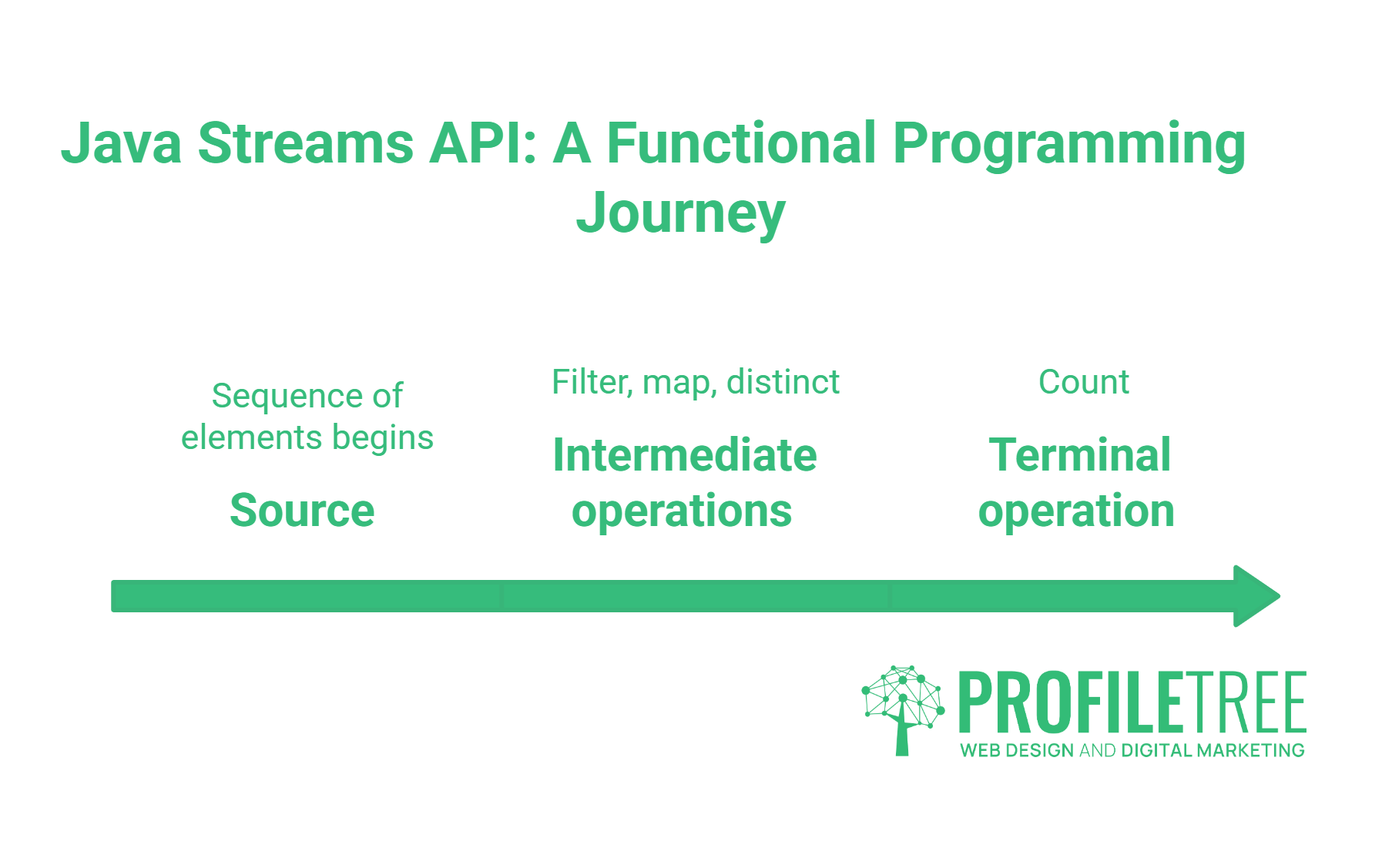
The Streams API is where functional programming becomes practically useful for everyday Java work. A stream is a sequence of elements that supports a pipeline of operations: source, zero or more intermediate operations, and a terminal operation.
long count = orders.stream()
    .filter(order -> order.getValue() > 100)
    .map(Order::getCustomer)
    .distinct()
    .count();
Intermediate vs Terminal Operations
Intermediate operations are lazy — they don’t execute until a terminal operation is called. This matters for performance: the pipeline evaluates only what it needs to.
Common intermediate operations: filter(), map(), flatMap(), distinct(), sorted(), limit(), skip()
Common terminal operations: collect(), count(), findFirst(), anyMatch(), reduce(), forEach()
Parallel Streams: Useful With Caveats
Switching a stream to parallel processing requires adding .parallel() or using parallelStream() instead of stream(). The stream will use the common fork/join pool to split the work across available processor cores.
The catch: parallel streams are slower for small datasets because the thread management overhead outweighs any gains. They are also genuinely problematic if your pipeline contains stateful operations or non-thread-safe objects. The right default is sequential. Switch to parallel only after profiling confirms a bottleneck and verifying your pipeline is stateless.
“We see developers reach for parallel streams before they’ve profiled anything, and it regularly makes performance worse, not better,” says Ciaran Connolly, founder of ProfileTree. “The Stream API is powerful, but parallel is an optimisation step, not a default setting.”
Modern Java (17–21): What Changes for Functional Code
Most Java functional programming guides stop at Java 8. That leaves out three improvements that matter in practice.
Records as Immutable Data Carriers
Introduced in Java 16, Records provide a compact syntax for immutable data classes. They are a natural fit for functional programming because they eliminate the boilerplate around immutable objects.
record Customer(String name, String email) {}
The compiler generates the constructor, accessors, equals(), hashCode(), and toString(). The fields are final by default. For teams building data pipelines with the Streams API, Records make the intermediate data structures significantly cleaner.
Pattern Matching and Sealed Classes
Java 17 finalised instanceof pattern matching, and Java 21 brought full pattern matching in switch expressions. Combined with sealed classes (which restrict which classes can extend a type), these features allow a more functional treatment of type-based branching.
String describe(Shape shape) {
    return switch (shape) {
        case Circle c -> "Circle with radius " + c.radius();
        case Rectangle r -> "Rectangle " + r.width() + "x" + r.height();
    };
}
This is algebraic data type handling without a third-party library. For domain modelling — particularly in UK Fintech and RegTech contexts where clean type hierarchies matter for audit trails and compliance logic — this is a meaningful addition.
Function Composition
Both Function and Predicate support composition via andThen(), compose(), and and()/or()/negate(). Composing functions avoids the need to chain method calls on the object itself and keeps transformation logic declarative.
Function<String, String> trim = String::trim;
Function<String, String> toUpper = String::toUpperCase;
Function<String, String> process = trim.andThen(toUpper);
Testing and Debugging Functional Code
This is the section most tutorials skip. Functional pipelines are harder to step through in a traditional debugger because there’s no intermediate state to inspect between operations.
Debugging Streams in IntelliJ
IntelliJ IDEA includes a Stream Debugger (available from IntelliJ 2017+ with the Java Stream Debugger plugin, and built in from 2021+). Setting a breakpoint on a stream operation and enabling the Trace Current Stream Chain option opens a visual representation of the pipeline: each operation is shown as a column, with the elements flowing through and being filtered or transformed at each step.
For complex pipelines, inserting a peek() call is the manual alternative — it passes each element through unchanged but allows a lambda to inspect or log it:
orders.stream()
    .filter(o -> o.getValue() > 100)
    .peek(o -> System.out.println("After filter: " + o))
    .map(Order::getCustomer)
    .collect(Collectors.toList());
Remove peek() calls before production. They exist only as a debugging aid.
Unit Testing Lambdas and Higher-Order Functions
The cleanest approach to testing lambda-heavy code is to extract the lambda into a named method or a named Function variable and test it directly. Testing the stream pipeline as a whole is an integration concern; the individual transformation logic should be unit-testable in isolation.
static Predicate<Order> highValue = order -> order.getValue() > 100;

// In your test
assertTrue(highValue.test(new Order(150)));
assertFalse(highValue.test(new Order(50)));
Where the functional logic is genuinely complex, keeping it in named variables or private methods rather than inline lambdas also improves readability in code review.
Common Pitfalls
Checked exceptions in streams. The Function An interface doesn’t declare checked exceptions, which means any method that throws one cannot be used directly as a lambda without a wrapper. The standard approach is to wrap the checked exception in an unchecked one, or to use a utility method that handles the wrapping.
Boxing overhead. Generic streams work with objects, which means primitives get boxed into Integer, Long, and Double. For large datasets where performance matters, use the primitive stream specialisations: IntStream, LongStream, DoubleStream. These avoid the allocation overhead entirely.
Overusing streams. Not every loop should be a stream. A simple indexed loop, a for-each, or a straightforward if block is often more readable than a stream pipeline for simple cases. Functional style is a tool, not a policy.
Java Functional Programming and Developer Upskilling
For development teams at UK and Irish SMEs, functional programming in Java is increasingly a baseline expectation rather than an advanced specialism. Java 8 shipped in 2014 — the lambda and streams features are over a decade old, and codebases written without them are accumulating technical debt.
ProfileTree works with businesses across Northern Ireland, Ireland, and the UK on web development projects and digital training programmes designed to bring teams up to speed with modern development and digital practices. If you’re looking to build on Java fundamentals, our guide to Java game development and Java programming projects for beginners covers practical applications, while our learn Java online resource collects the most useful current platforms.
FAQs
What is functional programming in Java?
Functional programming in Java is a coding style that treats functions as first-class values, emphasises immutable data, and avoids changing state outside a function’s own scope. Java has supported it since Java 8 through lambda expressions, functional interfaces, and the Streams API.
What are the four main functional interfaces in Java?
The four core interfaces in the java.util.function package are Function (takes an input, returns a result), Predicate (takes an input, returns a boolean), Consumer (takes an input, returns nothing), and Supplier (takes no input, returns a result). Each has primitive and bi-argument variants for more specific use cases.
Is Java a functional programming language?
Java is a multi-paradigm language, primarily object-oriented. Since Java 8, it has supported functional programming patterns through lambdas, streams, and functional interfaces. It does not enforce immutability or pure functions at the language level, unlike Haskell or Clojure, but the tools are there to apply functional patterns where they add value.
What is the difference between a lambda expression and a method reference?
A lambda expression is an anonymous function written in-line. A method reference is shorthand for a lambda that calls a single existing method. Both compile to the same bytecode; method references are preferred where the lambda body does nothing beyond calling that method, as they are shorter and often more descriptive.
Can I use functional programming with older Java versions?
Java 8 is the baseline for functional programming features in Java. Java 17 (LTS) and Java 21 (LTS) add Records, pattern matching, and sealed classes that complement the functional approach. For new projects, Java 21 is the practical target; for existing codebases, Java 8 provides the core tools.
How do I handle checked exceptions inside a stream pipeline?
The functional interfaces in java.util.function Don’t declare checked exceptions, so methods that throw them can’t be used directly as lambdas. The standard workaround is to wrap the call in a helper that catches the checked exception and rethrows it as an unchecked one (RuntimeException or a custom unchecked type), keeping the pipeline clean.
Java functional programming is not a replacement for object-oriented thinking in Java — it’s a complement to it. The developers who use both well, choosing the right approach for each problem, tend to produce codebases that are easier to read, test, and extend. If your team is working through Java concepts or building web applications that need solid back-end architecture, get in touch with the ProfileTree team to talk through how we can help.