
AI for Technical SEO: A Practical Guide for SMEs
Table of Contents
Technical SEO covers everything a search engine needs to find, crawl and index a website. For most small and medium-sized businesses, it’s also one of the most neglected parts of digital marketing, partly because it sits between SEO strategy and web development, and partly because the problems it surfaces stay invisible until they start costing you rankings. AI has shifted that balance. It makes the crawl obstacles, indexation gaps and performance issues that quietly cap organic visibility far quicker to spot.
This guide explains how AI tools are being applied to technical SEO, which problems they handle well, and where human judgment and professional support still matter. Whether you manage your own website or work with an agency, knowing the difference will help you decide where your technical effort is worth spending.
AI for technical SEO audits: what it actually does
A conventional technical SEO audit means crawling a site, reviewing server logs, checking response codes and prioritising fixes by hand. For a few hundred pages, that takes time. For a few thousand, it becomes impractical without tooling. AI doesn’t replace the audit; it processes the output faster and finds patterns that would take a human analyst far longer to see. If you’d rather not run that process in-house at all, ProfileTree’s SEO services cover technical audit, implementation and ongoing monitoring as a single piece of work.
Pattern recognition across large data sets
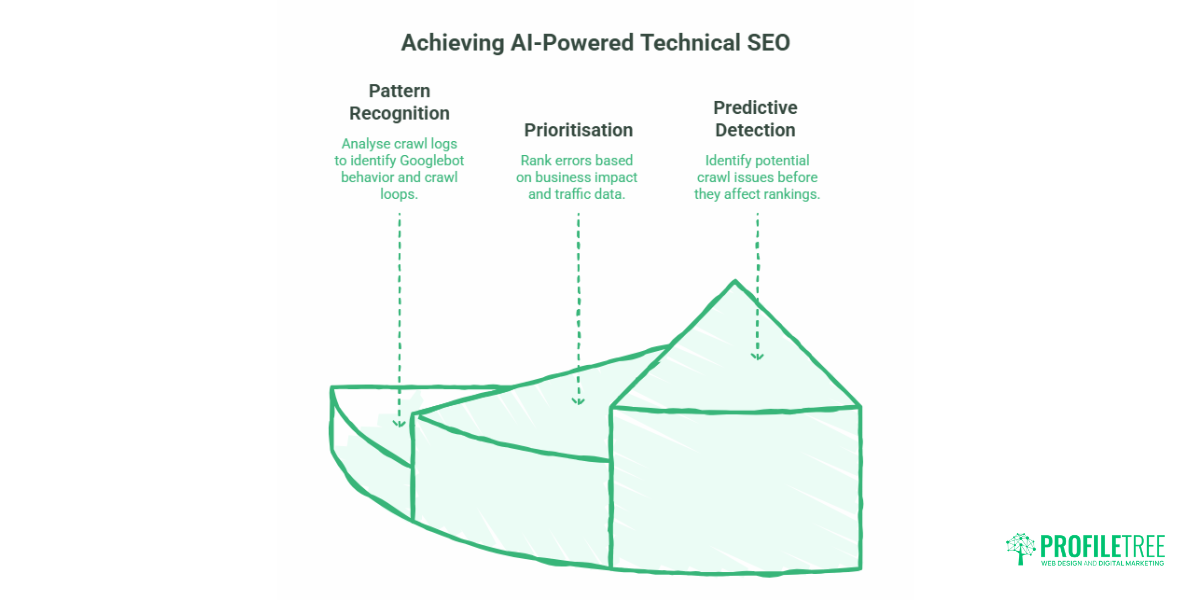
The most immediate value is analysing crawl log data at scale. Rather than sampling a few days of server logs, AI tools can process months of data to reveal which pages Googlebot visits most, which it ignores, and where crawlers get stuck in loops or redirect chains. For an e-commerce site with thousands of product URLs, that kind of analysis would take weeks by hand. AI makes it a matter of hours.
Prioritisation based on business impact
Traditional crawl tools produce long error lists ranked by generic severity scores. AI-powered audits cross-reference those errors against traffic data, conversion paths and page importance, then produce a fix list that reflects real business impact. A broken canonical on a high-traffic category page is a different problem from the same error on a page nobody visits. AI surfaces that distinction; standard crawl reports usually don’t.
Predictive detection before rankings move
One practical shift is moving from reactive to predictive maintenance. Instead of finding a crawl issue after traffic has already dropped, models trained on historical crawl patterns can flag structural problems before they reach the point of ranking damage. This matters most during site migrations, platform changes and large content additions, all of which can introduce crawl obstacles that only show up weeks later in Google Search Console data.
“Technical SEO has evolved from a checklist exercise to a data science discipline,” notes Ciaran Connolly, ProfileTree founder. “AI doesn’t just find problems faster; it understands the relationships between technical issues and actual search performance, helping businesses focus on fixes that genuinely improve visibility.”
Crawl budget: where most SME sites leak visibility
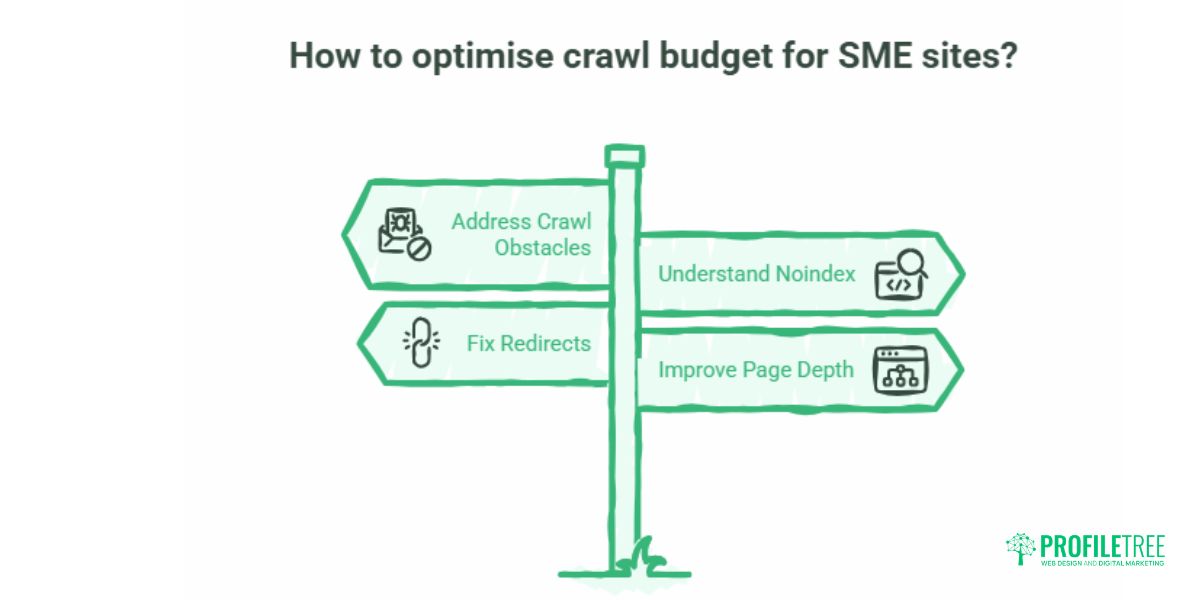
Search engines give each website a limited crawl budget. On a small or mid-sized site, that budget is usually enough for every important page to be crawled regularly. Problems start when a site wastes its budget on low-value or duplicate URLs, leaving genuinely important pages crawled rarely or not at all. Crawl efficiency is often one of the first checks worth running, because the issues it reveals are far more common than most owners expect.
Worth saying plainly: if your site is under about a thousand pages and doesn’t generate large numbers of URL variants, crawl budget probably isn’t your problem. The advice below matters most for bigger catalogues, parameter-heavy sites and anything mid-migration.
Crawl obstacles and parameter bloat.
Faceted navigation on product or listing pages is one of the most common causes of crawl budget waste, and one of the clearest examples of a crawl obstacle. Filter combinations create hundreds or thousands of URL variations that return near-identical content. AI tools spot these patterns by comparing which URLs are being crawled against which actually generate organic traffic, then flag the parameters that add crawl volume without adding search value. The fix usually involves robots.txt disallow rules, canonical tags, or both, and those decisions should be reviewed by a developer before they go live.
Does noindex save crawl budget? A common misconception
This one trips up a lot of people, so it’s worth being direct. A noindex tag does not stop Googlebot from crawling a page. Google has to crawl the URL to read the tag in the first place, so noindex keeps a page out of search results, but doesn’t protect server capacity. To stop crawling entirely, you need a robots.txt disallow rule. The table below shows how the three directives differ.
| Method | Stops Googlebot crawling? | Removes the page from the index? | Best use |
|---|---|---|---|
| robots.txt disallow | Yes | No (a disallowed URL can still be indexed if other pages link to it) | Save crawl budget on low-value URL patterns |
| noindex (meta tag or HTTP header) | No (the page must be crawled for Google to read it) | Yes, once it has been crawled | Keep a page out of the results while still allowing the crawl |
| Canonical tag | No | No, it consolidates signals to the chosen URL rather than removing anything. | Manage duplicate or near-identical versions of a page |
You can read Google’s own guidance on this in its large-site crawl budget documentation.
Redirect chains and 404 clusters.
Every redirect in a chain consumes crawl budget and passes less link equity than a direct 200 response. AI-powered crawl monitoring flags redirect chains and clusters of 404 errors as they appear, with alerts when new patterns emerge after a site update. For a business going through a platform migration or URL restructuring, catching these quickly is the difference between a clean transition and a multi-month ranking drop. ProfileTree’s web development team handles redirect mapping and server-side fixes as part of migration projects, which keeps the technical implementation separate from guesswork in a CMS panel. If link equity and redirects are a recurring theme for your site, our guide to ethical link building covers the wider picture.
Page depth and crawl frequency
Pages buried deep in a site’s architecture, the ones needing four or more clicks from the homepage, get crawled less often than shallower pages. AI site architecture analysis identifies which important pages sit too deep and suggests structural changes to bring high-value content closer to the surface. The solution is often as simple as adding links from high-traffic hub pages rather than rebuilding the whole structure.
AI crawlers and your server: GPTBot, ClaudeBot and the rest
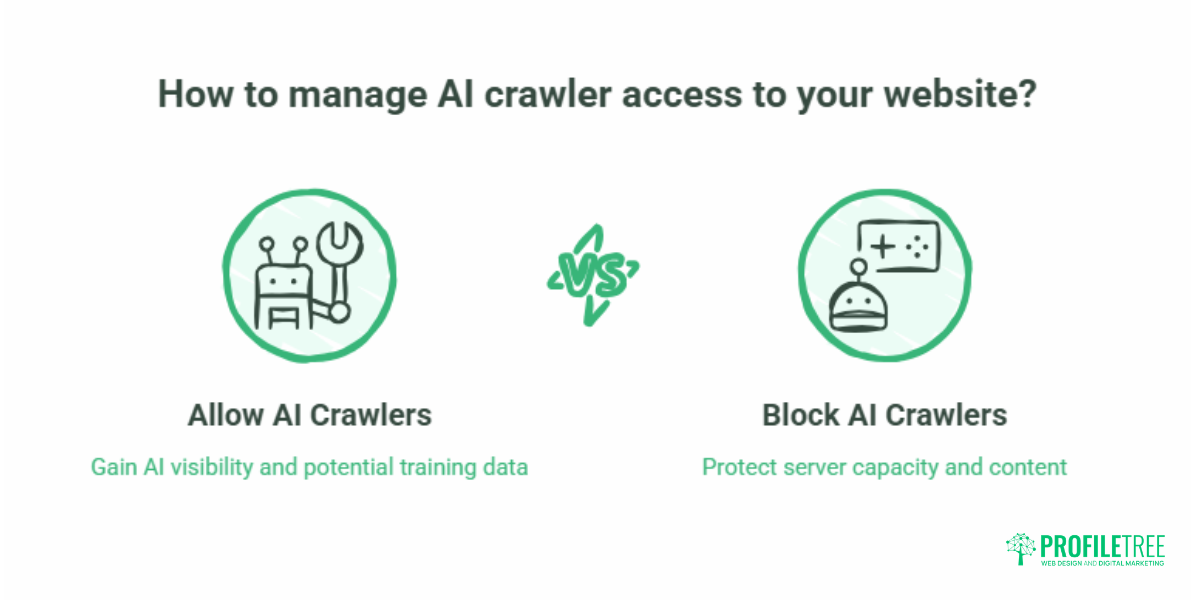
Here’s something most crawl-budget advice still ignores. Search crawlers like Googlebot and Bingbot aren’t the only bots requesting your pages any more. AI crawlers from large language model companies, OpenAI’s GPTBot, Anthropic’s ClaudeBot, Google-Extended and Perplexity, among them, now fetch content too. On a small site sitting on decent hosting, this rarely matters. On a busier site with limited server capacity, a lot of bot traffic arriving at once can slow your server response. When the server slows, Googlebot automatically scales back its own crawl rate to avoid overloading it. So heavy AI bot activity can indirectly affect how often your important pages get crawled.
You control this in robots.txt. You can allow search crawlers full access while limiting or blocking AI training crawlers, if you’d rather they didn’t use server capacity or pull your content for model training. That’s a business decision as much as a technical one.
Some businesses want the AI visibility that comes from being readable to these systems; others want to protect bandwidth or keep their content out of training sets. Either way, the directives belong in robots.txt, and they should be set by a developer, because a careless rule can block the search engines you actually depend on. If your team wants to make that call with a clear view of the trade-offs, ProfileTree’s AI training and implementation support covers exactly this kind of decision.
Indexation: controlling what search engines actually see
Ranking requires indexation. If a page isn’t in Google’s index, it can’t appear in search results, no matter how good the content is. AI brings more precision here than manual auditing, both in spotting pages that shouldn’t be indexed and in diagnosing why pages that should be indexed aren’t.
Canonicalisation and duplicate content
Duplicate content splits ranking signals across several URLs instead of consolidating them on one authoritative page. AI tools identify near-duplicate pages, print versions, session-parameter variants and pagination issues. WordPress sites in particular generate a lot of low-value duplication through category archives, tag pages and author archives, which should either be consolidated with canonical tags or set to noindex. Sitemap configuration ties into this directly: pages excluded from indexing should also be excluded from the sitemap.
Diagnosing “crawled, currently not indexed”
Google Search Console’s coverage report regularly flags pages as “crawled, currently not indexed”. This can mean several things: thin content, duplicate content, slow rendering, or simply that Google hasn’t yet decided the page is worth including. AI analysis cross-references content quality signals, internal link counts and crawl frequency to suggest the most likely fix. For many SME sites, the answer is a content quality issue rather than a technical one, which is where ProfileTree’s content marketing work and the wider editorial programme become part of the technical SEO conversation. If you’re building a new site from scratch, our SEO checklist for new websites covers the foundations that prevent this.
Hreflang for businesses across the UK and Ireland
Businesses in Northern Ireland serving both UK and Republic of Ireland customers face a specific challenge: how do you tell search engines which version of your content is meant for which audience without creating duplicate content problems? Hreflang tags signal to Google and Bing which regional variant to serve to which users. Get it wrong, and the wrong version ranks in the wrong market, or both versions compete with each other.
There’s a crawl cost, too. UK and Irish companies often run near-identical content across .co.uk and .ie domains. Each regional variant is another page a crawler has to fetch, so on a large multi-region site, sloppy hreflang setups multiply how much crawling identical pages demands. AI validation tools check hreflang consistency across large page sets in minutes, flagging conflicting signals or missing reciprocal tags that a manual review would miss. The implementation itself is a development task. ProfileTree’s website development team handles hreflang and multi-region setups so the signals stay consistent across both markets. Businesses targeting the Republic specifically may also find our work on local SEO in Dublin useful.
JavaScript SEO: the gap between what you see and what Google sees
JavaScript-rendered content is a consistent challenge because there’s often a real gap between what a browser displays and what Googlebot can access during a crawl. This matters most for single-page applications, React or Vue-based sites, and WordPress themes that lean heavily on client-side JavaScript for core content.
Rendering and content accessibility
When a search engine crawls a JavaScript-heavy page, it sees the raw HTML first and renders the JavaScript later, sometimes much later, or not at all if the processing budget runs out. AI rendering analysis simulates how a crawler processes your pages and flags content that’s only visible after JavaScript runs. The usual fixes are server-side rendering, dynamic rendering for search engines, or restructuring the page so critical content sits in static HTML. These are development jobs, not content jobs, which is why audit findings like these should go to a web development team rather than someone working in the CMS.
Lazy loading and above-the-fold content
Lazy loading improves performance by deferring off-screen images and resources until they’re needed. Done correctly, it doesn’t affect SEO. Done badly, it can hide important above-the-fold content from search engines. AI audit tools test lazy loading from a crawler’s point of view and flag cases where content that Google should see immediately is being deferred. For a business planning a new build, factoring JavaScript SEO into the development brief is far easier than retrofitting it afterwards. ProfileTree’s website design process treats technical SEO as part of the build specification rather than a post-launch afterthought.
Core Web Vitals and site performance
Core Web Vitals measure how pages perform from a user’s point of view and feed directly into rankings. The three metrics are Largest Contentful Paint (LCP) for loading speed, Interaction to Next Paint (INP) for responsiveness, and Cumulative Layout Shift (CLS) for visual stability. Google Search Console gives a site-wide view of all three, split by mobile and desktop, which makes it the natural starting point.
Diagnosing LCP problems on WordPress and Shopify
On WordPress, LCP is most often slowed by large hero images that aren’t sized or compressed properly, render-blocking JavaScript from plugins, and slow server response times on shared hosting. AI performance tools pinpoint which elements cause the delay and in what order. On Shopify, the platform handles a lot of the performance infrastructure automatically, but theme choices and third-party app scripts remain common causes of LCP delays that need manual investigation. Server speed is one of the levers you can pull directly, which is where ProfileTree’s website hosting and management come in for sites stuck on slow shared hosting.
Reducing CLS from dynamic content
Layout shift happens when elements move unexpectedly as a page loads, usually because images or ads lack defined dimensions, or because content is injected above existing elements after load. AI layout analysis simulates page loads across devices and connection speeds and identifies which elements shift and by how much. The fixes are usually straightforward: add width and height attributes to images, reserve space for dynamic content, and avoid late-loading content above the fold.
Cookie consent banners and performance
A frequently overlooked performance issue for UK and Irish businesses is the effect of cookie consent platforms on Core Web Vitals. Heavy or poorly coded consent banners add JavaScript overhead that delays LCP and contributes to layout shift. In some configurations, they can also block search crawlers from fully rendering a page. Compliance with UK-GDPR and the Irish Data Protection Act isn’t optional, but the way you implement consent matters a great deal technically. Lightweight consent platforms configured to allow crawler access exist and should be specified in any development brief.
Structured data and schema markup
Structured data is machine-readable markup that helps search engines understand the content and context of your pages. It isn’t a direct ranking factor, but a correct schema makes pages eligible for rich results, which usually lifts click-through rates. For local businesses in Northern Ireland and Ireland, the LocalBusiness schema is particularly useful because it reinforces the geographic and service signals behind local search visibility. Our guide to local SEO in Northern Ireland goes into how that fits a wider local strategy, and free business listing sites cover the citations that support it.
AI-assisted schema implementation
Manual schema work is slow and error-prone. AI tools can generate markup directly from existing page content, pulling product specifications, review data, FAQ content and service descriptions into accurate JSON-LD without a developer writing it from scratch. Validation should always follow generation, both to catch syntax errors and to confirm the markup reflects what’s actually visible on the page. Google’s Rich Results Test and the Schema Markup Validator are the standard checks.
FAQ schema and AI search visibility
FAQ schema deserves a specific mention given how AI search responses work. Pages with well-structured FAQ markup and clear question-answer pairs are more likely to be pulled into AI Overviews, Bing Copilot responses and other AI outputs. For SMEs trying to hold visibility as AI search grows, adding FAQ schema to key pages is one of the more practical steps available.
DIY vs hiring a specialist: knowing where the line is
Not every technical SEO task needs an agency or a developer. Some checks are genuinely accessible to non-technical business owners with free tools. Others need server access, code changes or development expertise beyond what a CMS interface offers. Knowing which is which saves time and stops well-meaning fixes from creating new problems.
What you can do yourself
Google Search Console is free and surfaces the most important indexation and performance issues without any technical knowledge. The Coverage report shows which pages are indexed and which are blocked or excluded, with a reason for each. The Core Web Vitals report flags underperforming pages. The Sitemaps report confirms whether your sitemap is valid and being processed. Running these checks monthly is well within the reach of any business owner. Free SEO checker tools online add crawl-level data like broken links and missing metadata.
What needs a developer
Redirect implementation, robots.txt changes, server-side rendering, hreflang and schema on dynamically generated pages all need either direct server access or development work inside your CMS theme or codebase. Trying these through a settings panel without understanding the mechanism risks blocking pages you need indexed, creating redirect loops, or removing markup other tools rely on.
For businesses that want to build the skill in-house, structured digital training covering technical SEO fundamentals alongside Google Search Console and Screaming Frog is a better investment than trial and error on a live site. For those without the time to build that capability, professional SEO audit and implementation is the lower-risk route. If you run an agency yourself, our white label SEO services cover delivery on your behalf.
Building AI technical SEO into an ongoing workflow
Technical SEO isn’t a one-time audit. Sites change, content comes and goes, plugins update, and server configurations shift. Issues that weren’t there six months ago may be affecting crawlability today. The most effective approach treats technical SEO as a recurring process with set check intervals, not a project with an end date.
Audit frequency by site type
How often you check depends on how much your site changes. The table below gives a sensible starting cadence.
| Site type | Suggested cadence | Starting tools |
|---|---|---|
| Brochure site, stable content | Quarterly, plus an annual crawl | Google Search Console, Screaming Frog |
| Active blog or news site | Monthly, plus a check after any big content or CMS change | Google Search Console |
| E-commerce or large catalogue | Frequent monitoring, ideally with alerts for new 404 clusters or drops in indexed pages | Crawl monitoring, Google Search Console |
Joining technical checks to content activity
One practical benefit of working with an agency that runs both content and technical SEO is that content changes and technical checks happen together. Publishing a big batch of new pages without checking the sitemap, crawl budget and internal linking is a common cause of indexation delays. Modern search engines handle content discovery and indexation decisions at much the same time, which makes technical and editorial choices harder to separate. The cost-benefit picture for AI tooling applies here too: AI cuts audit time sharply, but the decisions those audits inform still need human judgment to act on safely.
Where to start with AI technical SEO
AI has made technical SEO analysis faster and more accessible, but it hasn’t made the underlying decisions simpler. The tools that process crawl logs, find indexation problems, and flag Core Web Vitals issues still need someone who can turn findings into the right action, whether that’s a CMS change, a development task or a content decision. For SMEs in Northern Ireland and Ireland, the practical starting point is Google Search Console, a regular crawl check, and a clear sense of which issues need a developer. If you want support taking it further, ProfileTree’s SEO services cover technical audit, implementation and ongoing monitoring.
Frequently Asked Questions
What are crawl obstacles in technical SEO?
Crawl obstacles are anything that stops search engine bots from efficiently reaching and processing your pages. Common examples include redirect chains, URL parameter bloat from faceted navigation, pages blocked by robots.txt or noindex tags, JavaScript-rendered content that’s inaccessible during the initial crawl, and overly deep page architecture. AI-powered crawl analysis spots these patterns faster than manual review and ranks them by how much crawl budget is being wasted.
How do I fix AI crawlability issues on my website?
Start with Google Search Console’s Coverage report, which identifies pages that aren’t indexed and explains why. For JavaScript crawlability issues, use a tool like Screaming Frog or a headless browser audit to compare the rendered and non-rendered versions of key pages. Fixes range from simple CMS changes, such as adding canonical tags, updating the sitemap and setting meta robots directives, to development tasks like server-side rendering or adjusting JavaScript execution. A structured technical SEO audit will separate the DIY fixes from the ones needing a developer.
Does a noindex tag save my crawl budget?
No. Googlebot has to crawl a page to read and process the noindex tag, so the page still consumes crawl budget. Noindex keeps a page out of search results, but it doesn’t protect your server capacity. To stop crawling entirely, you need a disallow rule in your robots.txt file.
What is crawl budget, and does it affect small business websites?
Crawl budget is the number of pages Googlebot will crawl on your site within a given period. For most small business sites with a few hundred pages, crawl budget is rarely a limiting factor. It becomes relevant when a site has thousands of URLs, generates large numbers of parameter variants, or carries a lot of duplicate content. If Google Search Console’s crawl stats report shows a high ratio of crawled pages to indexed pages, crawl budget efficiency may be worth a look.
Do AI crawlers like GPTBot drain my Google crawl budget?
Not directly, because AI crawlers and search crawlers work on separate budgets. The indirect effect is what matters. All bots share your server’s bandwidth, so aggressive AI crawling can slow your site down. If your server response times are slow, Googlebot automatically reduces its own crawl rate to avoid overloading the server. You can manage AI crawler access through robots.txt, ideally with a developer.
Can AI replace a manual technical SEO audit?
AI tools cut the time technical analysis takes and surface patterns that manual review would miss. They don’t replace the judgment needed to interpret findings for a specific site, business and competitive position. The strongest approach combines AI-powered data processing with human review of the prioritised findings before any implementation decision is made.
How long do technical SEO fixes take to show results in Google?
It depends on the fix and how quickly Google recrawls the affected pages. Resolving a redirect chain or correcting a noindex tag can show in Search Console within a few days once Googlebot recrawls the page, though ranking improvements typically take two to four weeks after indexation is confirmed. Core Web Vitals improvements often take six to eight weeks to fully reflect in field data, because Google uses real user data collected over time rather than lab scores.
How much does a technical SEO audit cost for a small business in the UK?
Costs vary with site size and audit depth. A basic automated audit using a crawl tool and a Search Console review can be done for free with your own time. A professional manual audit from a UK agency typically runs from around £500 to £2,500 for an SME-scale site, with larger or more complex sites costing more. The audit cost is usually separate from implementation, which depends on whether the fixes are content changes, CMS adjustments or development work.